
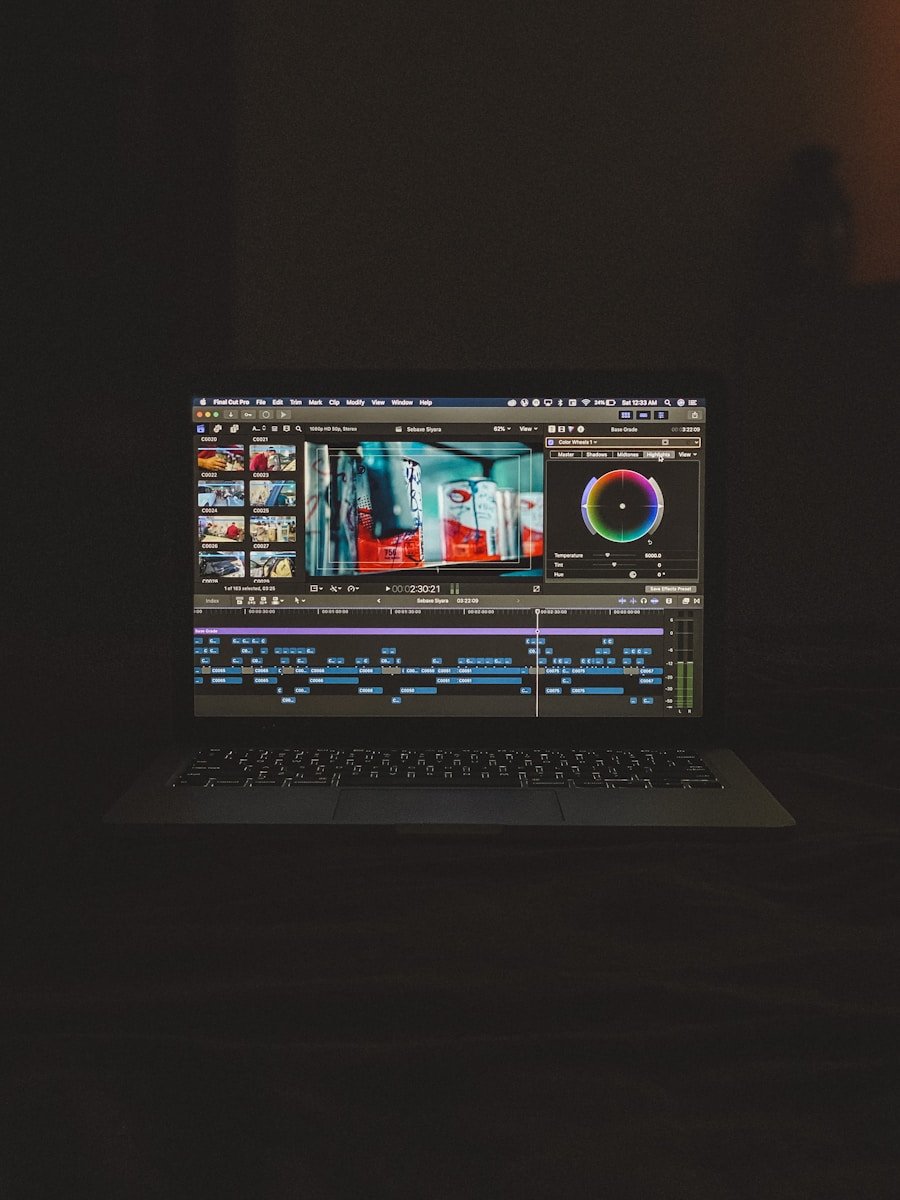
Looking for a new laptop for photo editing in 2026? The market offers plenty of choices, but not all laptops are created equal when it comes to handling the demands of photo editing software. Performance, display quality, and portability all play key roles in determining which machine will best serve your creative needs.
The Apple MacBook Pro continues to dominate the photo editing landscape in 2026, with the M5 Max version offering unparalleled performance for professional photographers and editors. The MacBook Air with M4 chip also presents an excellent value option with its elegant design and powerful capabilities. These Apple devices feature exceptional color accuracy and brightness levels that make editing photos a seamless experience.
For those who prefer Windows systems, several high-performance laptops now compete with Apple’s offerings. These machines typically come with dedicated graphics cards, color-accurate displays, and enough processing power to handle complex editing tasks. When choosing the right laptop, consider your specific workflow needs, budget constraints, and whether you’ll be editing on the go or primarily in a studio setting.
The Best Laptops for Photo Editing (2026)
Professional photographers and enthusiasts alike need powerful, reliable laptops that can handle demanding photo editing software like Adobe Photoshop and Lightroom. Whether you’re working with RAW files, creating complex composites, or managing large image libraries, having the right laptop can make all the difference in your workflow. Here’s our comprehensive guide to the best laptops for photo editing in 2026.
What to Look for in a Photo Editing Laptop
Before diving into our recommendations, here are the key specifications to consider:
- Processor (CPU): Look for modern chips like Apple’s M4/M5 series or Intel/AMD equivalents
- RAM: Minimum 16GB, 32GB+ recommended for professional work
- Display: High resolution (at least 1440p), accurate color reproduction, and high brightness
- Storage: Fast SSD with at least 512GB capacity
- Graphics: Dedicated GPU or powerful integrated graphics for complex edits
- Color Accuracy: Wide color gamut support (DCI-P3 or Adobe RGB)
- Build Quality: Reliable construction for portability and longevity
The Best Overall: MacBook Pro M4 (2024)
Price Range: Starting at $1,599
Apple has just revealed the new M5 MacBook Pro, but the M4 version is the best MacBook for photo editing we’ve actually tested. Performance-wise, the M4 chip handles photo editing applications like Photoshop and Lightroom with ease, and the standard 16GB of unified memory provides smooth performance for working with large image files (source: Digital Camera World).
Key Features:
- Processor Options: M4, M4 Pro, or M4 Max configurations
- Display: Liquid Retina XDR display with exceptional color accuracy
- RAM: Standard 16GB (upgradeable to 64GB or more)
- Battery Life: All-day performance for on-location editing
- Ports: Multiple Thunderbolt 4 ports for external drives and displays
Why It’s Great for Photo Editing:
The M4 chip’s unified memory architecture provides incredibly fast access to large image files, while the Liquid Retina XDR display offers stunning color accuracy and HDR support. The MacBook Pro handles batch processing, complex layer work, and high-resolution exports without breaking a sweat.
Best For: Professional photographers who need maximum power and portability
The Most Powerful: MacBook Pro M5 (2025)
Price Range: Starting at $1,799
The new 14-inch MacBook Pro with M5 is an exceptional laptop with a great design, good portability, and outstanding performance (source: PetaPixel).
Key Features:
- Processor: M5 chip with enhanced performance
- Improved SSD: Faster storage speeds than M4 for quicker file access
- Display: Same exceptional Liquid Retina XDR technology
- Connectivity: Thunderbolt 4 and Wi-Fi 6E
- Memory: Starting at 16GB unified memory
Performance Highlights:
The MacBook Pro is the go-to laptop for creatives, and it remains that way in 2025. The M5 brings a little more performance than the M4, especially in its SSD, but otherwise the machine is largely unchanged from last year (source: Creative Bloq).
The MacBook Pro (M5, 2025) delivers a performance very much in line with its predecessor, retaining many of the strong qualities seen in the MacBook Pro (M4, 2024). Exposure remains generally well-controlled, with pleasing skin tone rendering and good dynamic range that preserves details in both highlights and shadows. Noise management sees a slight improvement, contributing to cleaner results (source: DXOMARK).
Best For: Professionals who want the absolute latest technology and marginal performance improvements
Best Value: MacBook Air M4 (2025)
Price Range: Starting at $1,199
For photographers who don’t need the absolute maximum power, the MacBook Air M4 offers incredible value with impressive performance in a ultraportable package.
Key Features:
- Processor: M4 chip (same core architecture as Pro models)
- Design: Fanless, ultra-thin design
- Display: Liquid Retina display with P3 wide color
- RAM: 16GB standard (upgradeable)
- Weight: Just 2.7 pounds for ultimate portability
Why Consider the Air:
The M4 chip in the Air is powerful enough for most photo editing tasks, including working with RAW files and applying complex adjustments. The fanless design means silent operation, and the lighter weight makes it perfect for travel photography. While it doesn’t have the XDR display of the Pro models, the color accuracy is still excellent for photo work.
Best For: Enthusiast photographers and professionals who prioritize portability and value
Best Windows Alternative: Samsung Galaxy Book5 Pro
Price Range: Starting at $1,399
For photographers who prefer Windows or need Windows-specific software, the Samsung Galaxy Book5 Pro is an excellent choice.
Key Features:
- Processor: Latest Intel Core Ultra or AMD Ryzen processors
- Display: Dynamic AMOLED 2X screen with vibrant colors
- RAM: Up to 32GB
- Storage: Fast NVMe SSD options
- Design: Premium build quality with slim profile
Windows Advantages:
- Native support for all Windows photo editing software
- Greater software compatibility across various applications
- Excellent integration with Samsung ecosystem
- Competitive pricing compared to MacBook Pro models
Best For: Windows users and photographers who need Windows-specific software
Configuration Recommendations by User Type
For Beginners and Enthusiasts:
- MacBook Air M4: 16GB RAM, 512GB SSD
- Budget: $1,299-$1,499
For Serious Hobbyists:
- MacBook Pro M4 (Base): 16GB RAM, 512GB-1TB SSD
- Budget: $1,599-$1,899
For Professional Photographers:
- MacBook Pro M4 Pro: 24-32GB RAM, 1TB SSD
- Budget: $2,199-$2,799
For High-Volume Studios:
- MacBook Pro M4 Max or M5: 48-64GB RAM, 2TB+ SSD
- Budget: $3,499+
M4 vs M4 Pro vs M4 Max: Which Chip Do You Need?
M4 (Base):
- CPU Cores: 10 cores (4 performance, 6 efficiency)
- GPU Cores: 10 cores
- Best For: Single photo editing, moderate batch processing
- Who Needs It: Most photographers working with individual images
M4 Pro:
- CPU Cores: Up to 14 cores
- GPU Cores: Up to 20 cores
- Memory Bandwidth: Significantly higher
- Best For: Heavy batch processing, panorama stitching, large composites
- Who Needs It: Professional photographers with demanding workflows
M4 Max:
- CPU Cores: Up to 16 cores
- GPU Cores: Up to 40 cores
- Memory: Up to 128GB
- Best For: Extreme multitasking, video editing alongside photos, 3D rendering
- Who Needs It: Studios and professionals who also work with video
Display Quality Considerations
The display is arguably the most important feature for photo editing. Here’s what to look for:
Color Gamut:
- DCI-P3: Standard for modern laptops, covers most professional needs
- Adobe RGB: Wider gamut, better for print work (less common in laptops)
Brightness:
- Minimum: 400 nits for basic work
- Recommended: 500+ nits for HDR content and outdoor use
- MacBook Pro XDR: Up to 1,600 nits peak brightness for HDR
Resolution:
- 1440p (2560×1440): Minimum for detailed work
- Retina/4K: Ideal for seeing fine details in images
- MacBook Pro: Native resolution with perfect pixel density
Software Compatibility
macOS (M4/M5 MacBooks):
- Adobe Photoshop and Lightroom (native Apple Silicon support)
- Capture One Pro
- Affinity Photo
- DxO PhotoLab
- Pixelmator Pro (Mac exclusive, excellent performance)
Windows (Galaxy Book5 Pro):
- Full Adobe Creative Cloud suite
- Capture One Pro
- DxO PhotoLab
- ON1 Photo RAW
- Luminar Neo
All major photo editing applications now run natively on Apple Silicon, providing optimal performance (source: TechRadar).
Storage Considerations
Starting Storage:
- 256GB: Too small for serious photo work
- 512GB: Minimum recommended, suitable with external storage
- 1TB+: Ideal for working professionals
External Storage Strategy:
Most photographers should invest in:
- Fast external SSD (Thunderbolt/USB 3.2) for active projects
- Larger HDD or cloud storage for archives
- This allows you to save money on internal storage upgrades
RAM Requirements
8GB:
- Sufficient only for very basic editing
- Not recommended for professional work
16GB:
- Good for most single-image editing
- Standard configuration for 2026 MacBooks
- Adequate for hobbyists and many professionals
32GB+:
- Recommended for heavy batch processing
- Necessary for complex compositing work
- Better for multitasking with multiple applications
64GB+:
- Overkill for pure photo editing
- Useful if you also edit video or run virtual machines
Battery Life Matters
For photographers who work on location, battery life is crucial:
- MacBook Air M4: 15-18 hours of typical use
- MacBook Pro M4/M5: 12-15 hours with moderate photo editing
- Galaxy Book5 Pro: 8-12 hours depending on configuration
All Apple Silicon Macs offer exceptional battery life, allowing you to edit photos throughout a full day without needing to charge.
Future-Proofing Your Investment
When choosing a photo editing laptop in 2026:
- Don’t skimp on RAM: It’s usually not upgradeable
- Consider storage carefully: Balance internal vs external needs
- Invest in the display: You’ll be staring at it for years
- Think about your workflow: Will you need more power as your work evolves?
- Check the ports: Ensure compatibility with your existing gear
What About Apple’s 2026 MacBook Lineup?
Apple’s 2026 MacBook lineup is expected to bring performance upgrades, potential budget models, and advanced AI features (source: Geeky Gadgets). However, the current M4 and M5 models are already exceptional for photo editing and will remain highly capable for years to come.
Conclusion
For most photographers in 2026, the MacBook Pro M4 (2024) offers the best combination of performance, display quality, and value. It’s powerful enough for professional work while remaining portable enough for location shooting.
If you want the absolute latest technology and don’t mind paying a premium, the MacBook Pro M5 offers marginal improvements, particularly in SSD performance. For budget-conscious photographers who prioritize portability, the MacBook Air M4 provides incredible value with performance that rivals many “pro” laptops from just a few years ago.
Windows users should strongly consider the Samsung Galaxy Book5 Pro, which offers competitive performance and excellent display quality in a premium package.
Ultimately, the best laptop depends on your specific needs, budget, and ecosystem preferences. All of these options will serve photographers well, handling everything from basic adjustments to complex
Key Takeaways
- Apple MacBook Pro with M5 chips offers the best performance for professional photo editing with exceptional color accuracy and battery life.
- Display quality including color accuracy, brightness, and resolution is crucial for accurate photo editing results.
- Consider your specific workflow requirements, budget, and portability needs when selecting a photo editing laptop.
Essential Hardware for Photo Editing Laptops
When choosing a laptop for photo editing, specific hardware components significantly impact performance and workflow efficiency. These key elements work together to create a smooth editing experience that won’t slow down even with demanding photo processing tasks.
Choosing the Right Processor and RAM
The processor serves as the brain of any photo editing laptop. According to recent recommendations, Intel Core i7 or i9 processors provide excellent performance for professional photo editing work. AMD Ryzen 7 processors also offer competitive performance at often lower price points.
RAM is equally crucial – 16GB should be considered the minimum for serious photo editing. For professionals working with large files or multiple applications simultaneously, 32GB provides much-needed headroom to prevent slowdowns.
When editing high-resolution images or using complex layer effects in software like Photoshop, insufficient RAM forces the system to use slower storage for temporary files. This creates noticeable lag when making adjustments or switching between images.
Look for laptops with user-upgradeable RAM if possible, as this allows for future expansion without replacing the entire system.
The Importance of SSD Storage for Speed
SSD storage has become essential for photo editing workflows. Unlike traditional hard drives, SSDs have no moving parts and can access data much faster, dramatically reducing load times for large image files.
Benefits of SSD storage for photo editing:
- Faster application launch times
- Quicker file opening and saving
- More responsive editing experience
- Improved export speeds for final images
A minimum of 512GB SSD is recommended for a photo editing laptop, with 1TB being ideal for professionals with extensive image libraries. Consider laptops with multiple storage bays that allow for both a fast SSD boot drive and larger secondary storage.
Some high-end laptops now feature PCIe NVMe SSDs, which offer several times the speed of standard SATA SSDs, further enhancing performance when working with large photo libraries.
Display Quality: OLED and Color Accuracy
The display is perhaps the most critical component for photo editors. OLED displays offer superior contrast ratios and true blacks, making them excellent for detailed editing work.
Color accuracy is non-negotiable. Look for laptops with:
- At least 100% sRGB coverage (for web content)
- 95%+ DCI-P3 coverage (for professional work)
- Factory calibration
- Brightness of 400+ nits for working in varied lighting conditions
Many professional editing laptops now come with 4K OLED displays that provide exceptional detail and color reproduction. Even when working with a standard 1080p display, prioritize color accuracy over resolution.
Screen size matters too. A 15-16 inch display offers a good balance between workspace and portability. Consider the ability to connect to external monitors for expanded workspace when editing at a desk.
Dedicated Graphics Cards and GPU Performance
While basic photo editing can function with integrated graphics, a dedicated GPU significantly improves performance for complex edits and filters. Modern photo editing software increasingly utilizes GPU acceleration for tasks like:
- Applying complex filters and effects
- Generating previews
- Processing RAW images
- Using AI-powered features
NVIDIA RTX cards provide excellent performance for photo editing, with even mid-range options like the RTX 3060 offering substantial benefits over integrated graphics. AMD Radeon GPUs are also viable alternatives with strong performance in creative applications.
The GPU becomes even more important when connecting to high-resolution external displays or when using applications that leverage GPU acceleration extensively.
Optimizing the Photo Editing Workflow
A smooth photo editing workflow requires more than just powerful hardware. The right combination of connectivity, ergonomics, and laptop selection can significantly improve editing efficiency and comfort during long editing sessions.
Connectivity for Peripherals and Storage
Modern photo editing demands robust connectivity options to handle multiple devices and data transfer needs. USB-C ports have become essential for photographers, offering fast transfer speeds and versatility for connecting monitors, external drives, and other peripherals. Many professionals rely on external SSDs for project storage, making Thunderbolt compatibility valuable for transfer speeds up to 40Gbps.
SD card readers built into laptops save time and eliminate the need for adapters. For studio setups, docking stations provide additional ports while keeping workspaces organized.
NVMe and PCIe storage technologies have revolutionized workflow speed. External drives with these technologies can transfer high-resolution RAW files in seconds rather than minutes.
Photography professionals should prioritize laptops with:
- Multiple USB-C/Thunderbolt ports
- Built-in SD card reader
- Support for external monitors
- Fast network connectivity
Ergonomics: Keyboard and Touchpad Considerations
Long editing sessions demand comfortable input devices. A full-sized keyboard with good key travel reduces hand fatigue during marathon editing sessions. Many photographers appreciate dedicated function keys for common shortcuts in Adobe Photoshop and other editing software.
The touchpad quality significantly impacts precision during detailed edits. Glass touchpads offer better finger tracking and can detect subtle movements when making fine adjustments to images.
Some creative professionals prefer:
- Keyboards with customizable RGB lighting for low-light editing
- Touchpads with pressure sensitivity
- Space for palm rests during long sessions
A good external mouse remains essential for most photo editors, though some newer touchpads are becoming viable alternatives for certain editing tasks. Many photographers carry a compact wireless mouse to maintain editing efficiency when working remotely.
Laptop Choices for Creative Professionals
MacBook Pro models with Apple Silicon processors have set new standards for photo editing performance. The M-series chips handle high-resolution RAW files with remarkable efficiency while extending battery life for on-location work.
For Windows users, laptops optimized for creative work include:
- Dell XPS series with 4K displays
- ASUS ProArt line with color-calibrated screens
- Gigabyte AERO with OLED options
Battery life becomes crucial for photographers working on location. The latest MacBook Air offers impressive endurance while handling moderate editing tasks, making it suitable for field work and initial culling.
Software compatibility remains an important consideration. While macOS has traditionally been favored by photographers, Windows machines have closed the gap with improvements in color management and performance when running Adobe’s applications.
Most laptops marketed for creative professionals now meet or exceed Adobe’s requirements for Photoshop and Lightroom, with 16GB RAM becoming the practical minimum for comfortable editing of today’s high-resolution images.
Frequently Asked Questions
Photographers have many questions about selecting the right laptop for photo editing. The choice impacts workflow efficiency, productivity, and the quality of final images.
What are the essential specifications to consider when choosing a laptop for photo editing?
When selecting a photo editing laptop, the display quality is paramount. Look for laptops with high color accuracy, at least 100% sRGB coverage, and preferably 95%+ Adobe RGB coverage for professional work.
Processing power greatly affects editing speed. The latest Apple M4 chips and high-end Intel or AMD processors provide excellent performance for handling complex edits and large files.
Graphics capabilities matter significantly. A dedicated GPU from NVIDIA or AMD (or Apple’s integrated graphics in M-series chips) helps with rendering and processing edits in programs like Photoshop and Lightroom.
How do photographers prioritize features in a laptop for editing purposes?
Most photographers place display quality at the top of their priority list. The ability to accurately see colors and details directly impacts editing decisions.
Battery life ranks highly for photographers who work remotely. The MacBook Pro models consistently receive praise for their exceptional battery performance during editing sessions.
Port selection is another important consideration. Many photographers need SD card readers, multiple USB ports, and display outputs to connect to external monitors or devices.
Are there recommended laptops for photo editing within a specific budget range?
For high-end needs, the Apple MacBook Pro 16-inch with M4 Pro chip stands out as the premier choice. It offers exceptional performance but comes at a premium price point.
In the mid-range market, the ASUS ProArt P16 and Dell XPS 16 provide excellent value. They combine strong performance with color-accurate displays at more accessible prices.
Budget-conscious photographers might consider slightly older MacBook Pro models with M1 chips. These still deliver solid performance for most editing tasks while being more affordable than the latest models.
What advantages do Windows laptops have for photo editing compared to other operating systems?
Windows laptops typically offer more hardware customization options. Users can select specific components that match their editing needs and budget constraints.
Software compatibility tends to be broader on Windows systems. While most major editing applications work on both platforms, some specialized tools are Windows-exclusive.
Price-to-performance ratio often favors Windows machines. Comparable specifications can be found at lower price points than Apple alternatives, though build quality may vary.
What amount of RAM is advisable for laptops used primarily for photo editing tasks?
For casual photo editing, 16GB RAM provides a solid foundation. This handles basic Photoshop and Lightroom work with reasonable performance.
Professional photographers should consider 32GB as the sweet spot. This amount accommodates larger files, complex edits, and running multiple editing applications simultaneously.
High-volume professionals working with extensive catalogs or composite images should opt for 64GB when available. This prevents slowdowns when managing thousands of high-resolution images.
Can you recommend laptops that provide the best photo storage solutions alongside editing capabilities?
The MacBook Pro 16-inch offers configurations with up to 8TB of fast SSD storage. This internal capacity is ideal for photographers who need their entire library accessible.
Microsoft Surface Laptop Studio 2 provides flexible storage options. Its combination of SSD storage and easy expansion through external devices makes it versatile for growing collections.
Dell XPS models with multiple storage drives offer practical solutions. Some configurations include both a fast SSD for current projects and larger secondary storage for archives.





