
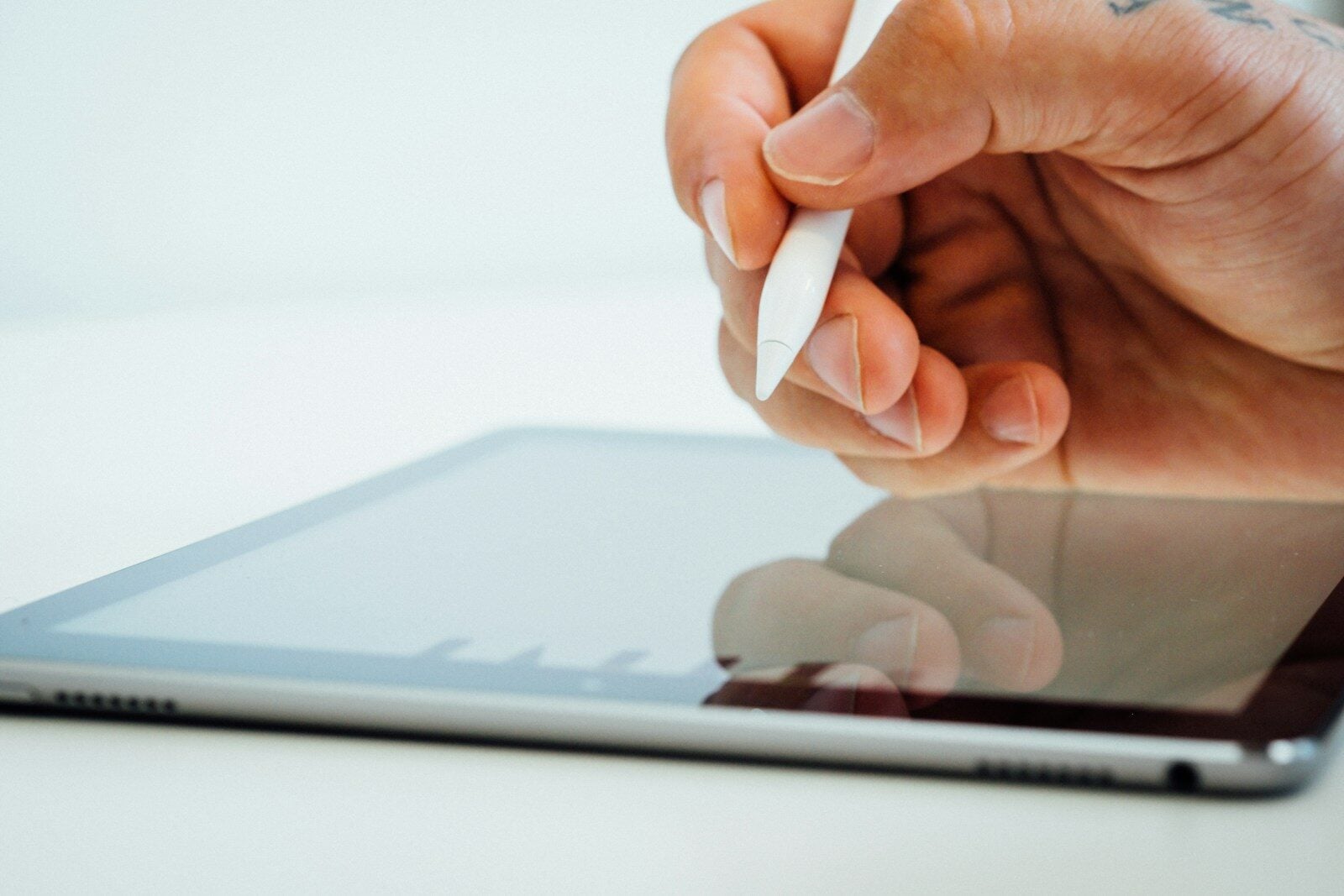
Taking notes on an iPad has become increasingly popular as technology evolves. With so many options available, finding the right app can enhance productivity and organization for students, professionals, and creative thinkers alike. The digital note-taking experience offers flexibility that paper simply cannot match.
The best note-taking app for iPad depends on your specific needs, with top contenders including Notability, GoodNotes, and OneNote each offering unique features for different types of users. These apps transform the iPad into a powerful tool that can replace traditional notebooks while adding functionality like searchable text, cloud syncing, and multimedia integration. The perfect choice varies based on whether you prioritize handwriting recognition, organization tools, or cross-platform compatibility.
1. Notability
Notability stands out as one of the top note-taking apps available for iPad users today. This versatile application combines powerful features with an intuitive interface, making it popular among students and professionals alike.
The app offers a seamless digital writing experience that closely mimics writing on paper. Users can choose from various pen styles, colors, and thicknesses to personalize their notes exactly how they prefer.
One of Notability’s standout features is its AI-powered Learn feature, which automatically generates summaries, quizzes, and flashcards from notes. This makes studying and reviewing information significantly easier.
The app supports multi-note functionality, allowing users to open two notes simultaneously and arrange them within the app. This proves extremely helpful when referencing material while taking new notes.
Recording capabilities add another dimension to note-taking. Users can record lectures or meetings while simultaneously writing notes, with the audio syncing to the written content.
Organization is straightforward with Notability. The app provides an efficient filing system with folders and dividers to keep all notes properly arranged and easily accessible.
The app excels at PDF annotation, making it ideal for students working with digital textbooks or professionals reviewing documents. Users can highlight, underwrite, and add comments directly on PDFs.
Cloud synchronization ensures notes remain accessible across multiple devices. Work started on an iPad can be continued on an iPhone or Mac without any interruption.
For creative work, Notability offers versatile tools for creating everything from study guides to storyboards. This flexibility makes it suitable for both academic and artistic purposes.
While some features require a subscription, many users find the investment worthwhile for the productivity gains. The app offers a free trial period for testing its capabilities before committing to a purchase.
2. GoodNotes 6
GoodNotes 6 stands as one of the most powerful note-taking applications available for iPad users. The app has earned recognition as iPad App of the Year for its exceptional features and usability.
This latest version builds upon the success of its predecessors while adding new capabilities. GoodNotes 6 aims to replace traditional paper notebooks by reimagining how digital note-taking works on tablets.
The app excels particularly at handwritten note-taking. Many iPad users consider it one of the best options for handwritten notes available today, making it an excellent choice for students and professionals.
GoodNotes 6 provides realistic drawing tools that work seamlessly with Apple Pencil. These tools help transform simple notes into visually appealing documents with best-in-class pencil support.
The versatility of GoodNotes 6 extends beyond basic note-taking. Users can write music, annotate PDFs, and handle various document types all within the same application.
AI features represent a significant addition to the newest version. GoodNotes 6 incorporates AI technology to enhance the note-taking experience, helping users organize and retrieve information more efficiently.
Organization remains a strength of the application. Users can create notebooks, folders, and utilize a robust search function to locate specific notes quickly.
The interface balances simplicity with functionality. Tools are accessible without cluttering the workspace, allowing users to focus on their content rather than navigating complex menus.
Cross-device functionality enables users to access their notes across multiple Apple devices. This synchronization ensures important information remains available regardless of which device someone is using.
For those seeking a comprehensive note-taking solution that handles handwriting beautifully, GoodNotes 6 delivers a powerhouse package for iPad users.
3. OneNote
Microsoft OneNote stands out as a versatile note-taking solution for iPad users seeking a comprehensive digital notebook. This free application allows users to capture thoughts, discoveries, and ideas while simplifying planning moments with a digital notepad approach.
OneNote has gained popularity among tens of thousands of users interested in effective note-taking. The app’s cross-platform compatibility makes it particularly valuable for those who use both Apple and PC devices.
One of OneNote’s standout features is its seamless synchronization across devices. Users can draw notes on their iPad and later access or edit the same content on their PC, creating a continuous workflow regardless of the device being used.
The application offers a completely free experience, which contributes significantly to its widespread adoption. This accessibility removes financial barriers for students and professionals seeking robust note-taking capabilities.
iPad users appreciate OneNote’s intuitive interface that accommodates various note-taking styles. The app supports both handwritten notes using the Apple Pencil and typed content, giving users flexibility in how they capture information.
Microsoft has designed OneNote to be available across tablets, phones, and computers, ensuring users can access their notes wherever they go. This universal availability reinforces its position as a dependable productivity tool.
The organizational structure of OneNote mimics physical notebooks with sections and pages, making it familiar and easy to navigate. This design helps users maintain organized notes without a steep learning curve.
While some iPad users prefer specialized handwriting apps like GoodNotes for specific use cases, many consider OneNote particularly valuable for its integration with the Microsoft ecosystem and cross-device functionality.
4. Apple Notes
Apple Notes is the free note-taking app that comes pre-installed on every iPad. This simplicity makes it a convenient option for many users who don’t want to download additional apps.
The app has evolved significantly over the years, offering features that rival many paid alternatives. Apple Notes supports handwriting with the Apple Pencil, allowing users to sketch, draw, and write naturally.
One standout feature is the app’s ability to create tables and interactive checklists. These functions prove helpful for organizing information and tracking tasks.
The search functionality in Apple Notes is powerful, making it easy to find specific notes even in large collections. Users can search by text, handwriting, or even images.
Apple Notes excels in its integration with the iOS ecosystem. Notes sync seamlessly across all Apple devices through iCloud, ensuring access to information from iPhone, Mac, or other Apple devices.
Many iPad users employ Apple Notes for quick note-taking before transferring important information to more specialized apps. This workflow capitalizes on its accessibility and speed.
The app supports folder organization, allowing users to create a logical structure for their notes. Tags further enhance organization, making it possible to categorize notes across different folders.
For text-based notes, Apple Notes provides a clean, distraction-free interface. The formatting options are straightforward yet sufficient for most everyday note-taking needs.
While lacking some advanced features found in paid alternatives, Apple Notes offers an impressive set of tools for the average user. The absence of a subscription fee makes it particularly attractive for casual note-takers.
The simplicity and tight integration with iPad make Apple Notes an excellent starting point for digital note-taking. Many users find they don’t need to look elsewhere for their basic note-taking needs.
5. MetaMoji Note Lite
MetaMoji Note Lite is a versatile cross-platform note-taking application designed for iPad users. This free version offers many of the premium features found in the full MetaMoji Note app while maintaining accessibility for casual users.
The app functions as more than just a digital notepad. It serves as a PDF annotation tool and digital scrapbook for capturing and organizing ideas. Users can easily switch between typing text and handwriting, making it flexible for different note-taking preferences.
One of MetaMoji Note Lite’s standout features is its sketching capability. The app provides stylish pens that allow users to visually represent their ideas with precision and creativity on the iPad’s touch screen.
The cross-platform functionality makes it particularly valuable. MetaMoji Note is available across all major mobile platforms, ensuring notes remain accessible regardless of which device a person uses throughout the day.
For iPad users who need to record audio alongside their notes, the app includes voice memo capabilities. This feature proves especially useful during lectures, meetings, or when inspiration strikes unexpectedly.
The interface remains intuitive enough for beginners while offering enough customization for power users. Like other premium note-taking apps such as Noteshelf and Notability, MetaMoji includes similar functions but at no initial cost.
MetaMoji Note Lite has received recognition for its utility, having won multiple awards including the Tabby Award for Best Personal Productivity App. This acknowledgment speaks to the quality and effectiveness of the application.
For iPad users seeking a comprehensive note-taking solution without immediate investment, MetaMoji Note Lite provides a strong option worth considering.
6. Nebo
Nebo stands out as a premier note-taking app designed specifically for iPad users who want to maximize their Apple Pencil experience. This app offers the world’s most accurate handwriting recognition, powered by advanced AI technology that continues to evolve and improve.
The app allows users to create professional-looking notes and documents with remarkable ease. Users can write naturally by hand, and Nebo converts their handwriting into crisp digital text that maintains the organization and structure of their original notes.
One of Nebo’s standout features is its ability to let users brainstorm ideas on an infinite canvas. This provides ample space for creative thinking and complex note organization without the constraints of traditional digital paper.
For professionals who work with PDFs regularly, Nebo offers seamless PDF annotation capabilities. This integration makes it a versatile tool for students, researchers, and business professionals alike.
The app synchronizes across devices through cloud sync functionality, ensuring that notes remain accessible regardless of which device the user chooses to work with. This feature proves invaluable for professionals who switch between their iPad and other devices throughout their workday.
Many iPad Pro users consider Nebo to be the most complete app for utilizing the Apple Pencil, particularly for those who rely heavily on handwritten notes. The interactive pen gestures allow for intuitive editing and formatting.
Nebo offers a comprehensive note-taking experience that combines handwriting, touch, and keyboard inputs. This flexibility allows users to choose their preferred input method based on the specific task or situation.
The app has maintained its position as a top competitor in the note-taking app market for years, earning recognition from publications like AppleWorld as one of the best note-taking apps available.
7. Noteshelf
Noteshelf stands out as a powerful note-taking app for iPad users seeking a distraction-free experience. The newest version, Noteshelf 3, brings smarter organization features and AI-generated handwritten notes to enhance productivity.
This award-winning app combines essential features in one place, making it easier to capture ideas when inspiration strikes. Users can take handwritten notes that look natural, just as they would on physical paper.
For those who prefer typing, Noteshelf offers excellent keyboard support alongside the ability to annotate PDFs and record audio. This versatility makes it suitable for students, professionals, and creative thinkers alike.
The app’s interface prioritizes simplicity without sacrificing functionality. Many iPad users on Reddit have shared positive experiences, with one user noting that Noteshelf 3 provides a better pencil experience than competitors like Notability and GoodNotes.
Noteshelf works across multiple platforms, ensuring notes remain accessible regardless of which device is being used. This cross-platform compatibility proves invaluable for professionals who switch between devices throughout their day.
The app features a clean design that helps users focus on their content rather than getting distracted by complicated menus. Its organizational tools help keep notes structured and easily retrievable when needed.
For Apple Pencil users, Noteshelf offers excellent pressure sensitivity and palm rejection, creating a writing experience that closely mimics using pen and paper.
With regular updates and improvements, Noteshelf continues to refine its feature set based on user feedback. The development team remains committed to enhancing the app’s performance and capabilities.
8. Evernote
Evernote stands as one of the most established note-taking applications available for iPad users. This versatile app helps users capture and prioritize ideas, projects, and to-do lists efficiently. Its comprehensive organization system ensures important information doesn’t fall through the cracks.
The app offers robust search capabilities that go beyond basic text recognition. Evernote can even find text within images and handwritten notes, making it invaluable for users who combine different types of content in their notes.
For iPad users specifically, Evernote provides compatibility with Apple Pencil. Though some prefer to use Evernote’s companion app called Penultimate, which works well with iPad Air and Apple Pencil for handwritten notes.
Organization is a key strength of this platform. Users can create separate notebooks for different purposes such as storing receipts, bills, and invoices. This structure helps maintain clarity across various aspects of work and personal life.
Productivity enthusiasts particularly appreciate Evernote’s comprehensive approach. The app features dedicated sections for notes while incorporating additional productivity tools.
Evernote offers a free tier to get started, with premium features available through subscription plans. This makes it accessible for new users while providing scalability for those with more advanced needs.
The iPad version delivers a complete experience with intuitive navigation and full feature access. A comprehensive walkthrough helps new users understand the app’s capabilities and workflow possibilities on the iPad platform.
For those managing multiple devices, Evernote’s cross-platform synchronization ensures notes remain accessible across iPad, iPhone, computer, and web browser interfaces.
9. ZOHO Notebook
ZOHO Notebook stands out as a versatile note-taking app for iPad users. This free app offers a clean interface that makes organizing notes simple and intuitive. Users can create different types of cards including text, checklists, audio, and photos.
The app provides seamless syncing across multiple devices, allowing students and professionals to access their notes from anywhere. Whether you’re using iOS, Windows, or Linux, your notes remain consistent and up-to-date through ZOHO’s cross-platform functionality.
One helpful feature is the smart suggestion system for card titles. This makes it easier for users to organize thoughts without spending extra time on manual labeling. The app also supports enhanced iOS voice recognition to create audio cards quickly.
ZOHO Notebook organizes notes into notebook collections, similar to physical notebooks. This organizational structure helps users separate notes by subject, project, or whatever categories make sense for their workflow.
Unlike some competitors, ZOHO Notebook provides its services in an ad-free environment. Users won’t face interruptions while trying to capture important information or review existing notes.
Security is another priority for the app. ZOHO ensures notes remain private and protected, which is essential for sensitive information.
The app does have some limitations. According to user feedback, the search functionality isn’t as robust as some alternatives. Finding specific information within numerous notes can sometimes be challenging.
ZOHO Notebook competes with more established apps like Evernote and OneNote but holds its own with a similar feature set while remaining completely free.
For students especially, ZOHO Notebook offers an excellent option. It provides powerful features for capturing, organizing, and sharing notes without any subscription costs.
10. Bear
Bear is a beautifully designed Markdown notes app that offers a perfect balance of simplicity and power. It shines particularly on iPad with its clean interface and intuitive controls.
The app focuses on making writing feel natural and enjoyable. Users can easily capture thoughts, plan their day, or organize information using Bear’s straightforward approach to note-taking.
One standout feature is Bear’s tagging system. Unlike other apps that use folders and collections, Bear relies solely on tags and nested tags to organize notes. This creates a flexible system that adapts to different workflows.
Bear’s design has received awards for good reason. The interface stays out of the way while providing powerful tools when needed. This makes it ideal for iPad users who want to focus on their content without distractions.
The app supports document scanning with OCR search capabilities. This allows users to capture physical documents and search through them later, adding another dimension to its usefulness on iPad.
For iPad writers, Bear offers a perfect balance of power and simplicity. The app excels at helping users capture ideas quickly while providing robust tools for organizing those thoughts later.
Bear works seamlessly across Apple devices. Notes created on iPad sync instantly to iPhone and Mac, ensuring users can access their content wherever they are.
The app uses Markdown for formatting, which provides a clean way to style text without removing hands from the keyboard. This makes writing on iPad efficient and enjoyable.
While Bear offers a free version, the premium subscription unlocks additional features like sync between devices and advanced export options. For serious note-takers, the subscription provides excellent value.
User Interface and Experience
A well-designed interface makes note-taking intuitive and efficient. The best apps offer customizable toolbars and easily accessible features without cluttering the workspace.
Look for apps with multiple pen styles and customization options to match your writing preference. Notability stands out with various pen styles and design tools that enhance the writing experience.
Handwriting recognition is crucial for converting written notes to text. This feature saves time when searching through extensive notes later.
Organization tools like folders, tags, and search functionality help manage growing collections of notes. Color-coding options, as found in Google Keep, can provide visual cues for categorization.
The ability to add multimedia elements (photos, audio recordings, sketches) enhances notes beyond text alone.
Integration with Other Apps
The best note-taking apps don’t exist in isolation but work seamlessly with other productivity tools.
File format compatibility ensures you can export notes to PDF, Word, or other common formats when sharing with colleagues or classmates.
Look for apps that integrate with calendar apps to link notes with events and meetings. This connection helps organize information contextually.
Document scanning capabilities allow incorporation of physical materials directly into digital notes, creating comprehensive resources in one place.
Apps offering AI-powered features like Notability’s Learn feature can provide additional value by analyzing and enhancing your notes.
Integration with cloud storage services like Dropbox or Google Drive provides backup options and facilitates sharing.
Cloud Sync and Accessibility
Reliable cloud synchronization ensures notes remain available across all devices.
Automatic syncing prevents data loss and makes transitions between devices seamless. Apple Notes offers consistent experience across Apple devices.
Cross-platform availability matters if you use multiple operating systems. Some apps are Apple-exclusive, while others function on Android, Windows, and web browsers.
Consider apps with offline accessibility features that allow note creation and editing without an internet connection, later syncing when online.
Version history provides protection against accidental deletions or unwanted changes. The ability to revert to previous versions can be invaluable.
Collaboration tools enable real-time editing with classmates or colleagues, marking changes and leaving comments for team projects.
Benefits of Using a Note-Taking App on iPad
iPad note-taking apps transform the digital writing experience with powerful features that go beyond traditional paper notebooks. They combine the natural feel of writing with advanced digital capabilities that enhance productivity and creativity.
Handwriting and Stylus Support
The combination of an iPad and Apple Pencil creates a fantastic note-taking experience that closely mimics writing on paper. Many users report improved legibility when using the zoom window feature to write larger text in smaller spaces.
Apps like GoodNotes offer palm rejection technology that prevents accidental marks when resting your hand on the screen. This creates a natural writing experience similar to paper.
Most note-taking apps include multiple pen styles, thickness options, and colors that aren’t available with traditional pens. Users can switch between different writing tools instantly without needing to carry multiple pens.
Digital handwriting also allows for:
- Instant erasing without smudges
- Repositioning written content
- Converting handwriting to text
- Adjusting line thickness after writing
Organizational Tools
iPad note-taking apps excel at keeping information structured and accessible. Users can store and organize notes in customizable folders, notebooks, and tags, making it easy to find information quickly.
Unlike paper notes, digital notes can be searched instantly. Even handwritten notes in apps like GoodNotes can be searched once the handwriting is recognized by the app.
Many note-taking apps support:
- PDF annotation and markup
- Importing and embedding images, links, and media
- Creating custom templates
- Multi-device syncing through cloud services
The ability to back up notes automatically prevents loss of important information. Users never have to worry about misplacing notebooks or damaged pages.
Organization becomes effortless with the option to move content between pages or notebooks, something impossible with physical paper systems.
Considerations for Choosing the Right App
Selecting the perfect note-taking app for your iPad requires careful evaluation of both financial implications and data protection measures. These factors will significantly impact your long-term satisfaction with the app.
Pricing and Subscription Models
Most premium note-taking apps for iPad offer either one-time purchases or subscription-based pricing structures. Apps like Notability provide tiered plan offerings that cater to different user needs and budgets.
One-time purchase apps require a larger upfront payment but may offer better long-term value. Examples include GoodNotes, which provides a paper-like notebook experience for a single fee.
Subscription models typically range from $3-15 monthly, often with annual payment options that reduce the overall cost. These usually include cloud storage and regular feature updates.
Free alternatives like Apple Notes offer basic functionality without any cost. However, they generally provide fewer customization options and advanced features.
It’s advisable to test free trials when available before committing to a purchase, especially for subscription-based services.
Data Privacy and Security
Note-taking apps store potentially sensitive information, making security and privacy critical considerations. The level of protection varies significantly between applications.
Look for apps that offer end-to-end encryption, especially if storing confidential information. This ensures that only authorized users can access the content, even if data breaches occur.
Password protection for individual notes or notebooks provides an additional security layer for sensitive information. Some apps also support biometric authentication through Face ID or Touch ID.
Data storage location matters—apps that store notes locally on the device offer better privacy compared to cloud-based solutions. However, local storage sacrifices cross-device synchronization benefits.
Export options are essential for data portability. The ability to export notes in standard formats (PDF, plain text) ensures users aren’t locked into a single platform and can retrieve their data if needed.
Frequently Asked Questions
iPad note-taking apps offer various features to meet different user needs, from free options to Apple Pencil integration and specialized tools for students and professionals.
What are the top-rated free note-taking apps available for iPad?
Several excellent free note-taking options exist for iPad users. Apple Notes comes pre-installed on all iPads and offers basic note-taking capabilities with surprising depth.
OneNote by Microsoft provides a robust free option with unlimited cloud storage and cross-platform compatibility. The app syncs across devices and supports handwriting, typing, and multimedia notes.
MetaMoji Note Lite offers a free version with core features that many users find sufficient for basic note-taking needs, though some advanced features are reserved for the paid version.
How do note-taking apps for iPad integrate with the Apple Pencil?
Most premium note-taking apps feature deep Apple Pencil integration. Notability and GoodNotes offer pressure sensitivity, palm rejection, and multiple pen styles that respond naturally to the Apple Pencil.
These apps can distinguish between drawing with the pencil and using fingers for scrolling or erasing. Many also feature tilt recognition, allowing for shading effects similar to a real pencil.
Apple Pencil 2 users benefit from double-tap functionality to switch between tools quickly in compatible apps like Notability and GoodNotes 6.
Which note-taking app is most preferred by college students using an iPad?
College students tend to favor either GoodNotes or Notability for their academic note-taking needs. GoodNotes is particularly popular for its organizational features with notebooks, folders, and subfolders.
Notability gains favor among students who record lectures while taking notes, as it can sync audio recordings with written notes. This feature proves invaluable during review sessions.
OneNote has a strong following among students who collaborate on group projects, as its sharing capabilities and cross-platform nature make teamwork seamless.
What are the comparative advantages of Notability versus Goodnotes for iPad users?
Notability excels with its audio recording feature, allowing users to record lectures or meetings while taking notes. The playback can be synchronized with note-taking, helping users recall context.
GoodNotes 6 offers superior organization with its flexible folder system and powerful search function that can even locate handwritten text. Its page templates and customization options provide more structure for notes.
Notability typically offers a smoother writing experience, while GoodNotes provides more comprehensive PDF annotation tools. Both apps support multi-device syncing, but employ different payment models.
What features should users look for in a note-taking app for the iPad Pro?
When choosing a note-taking app for iPad Pro, users should prioritize Apple Pencil support with pressure sensitivity and palm rejection. These features ensure a natural writing experience.
Document management capabilities are crucial—look for apps that offer folders, tags, and powerful search functions. The ability to search handwritten text is particularly valuable.
Other important features include cloud synchronization, PDF annotation tools, multiple paper templates, and shape recognition. For professionals, OCR (Optical Character Recognition) capability can convert handwritten notes to text.
How can users optimize their experience of taking handwritten notes on an iPad?
Using a matte screen protector specifically designed for writing can reduce glare and create a paper-like friction, significantly improving the writing experience.
Experimenting with different pen styles and sizes within apps helps users find their most comfortable writing setup. Many apps offer customizable pens, highlighters, and erasers.
Creating templates for recurring note types saves time and maintains consistency. For long note-taking sessions, users should enable settings that prevent screen dimming and configure palm rejection to avoid accidental marks.





