
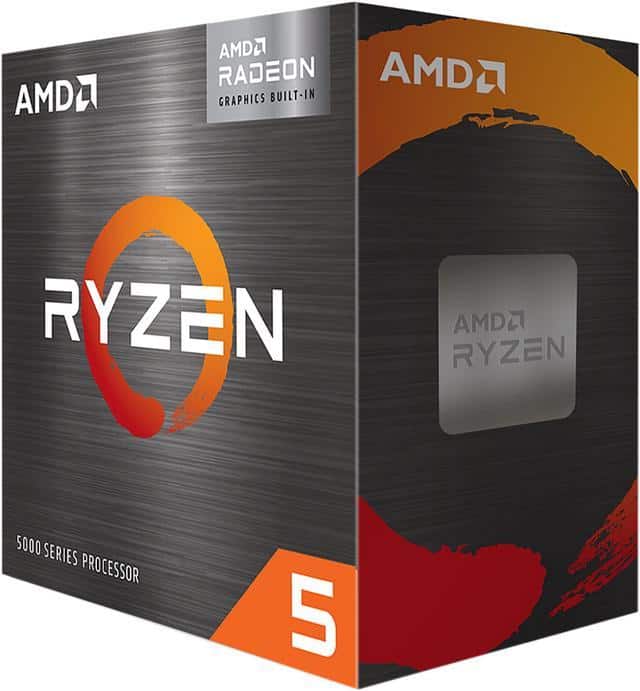
Looking for the perfect motherboard for your Ryzen 5 5600X can be overwhelming with so many options available. The good news is that this processor doesn’t require the most expensive motherboard on the market to perform well. Most B550 motherboards work excellently with the Ryzen 5 5600X since it’s not particularly power-hungry, offering a good balance of features and affordability.
Many builders have found success pairing their 5600X with options like the MSI B550M PRO VDH WiFi, which sometimes comes bundled with the processor at a great value. For those wanting a bit more, the ASUS TUF Gaming B550M-Plus offers PCIe 4.0 support for an M.2 SSD and USB 3.2 Gen 2 connectivity while staying within reasonable budget constraints.
When selecting your motherboard, consider your specific needs for connectivity, expansion, and future upgrades rather than simply buying the most expensive option. The motherboard you choose should match your budget and use case, whether you’re building a simple gaming rig or a more complex workstation.
Best Motherboard for Ryzen 5 5600X in 2026
The Ryzen 5 5600X remains one of the best-value AM4 processors in 2026 for gaming and productivity builds. With 6 cores, 12 threads, and strong single-core performance, it pairs best with a B550 or X570 chipset motherboard for full PCIe 4.0 support and long-term stability.
If you’re building or upgrading today, here’s a breakdown of the best AM4 motherboards for the Ryzen 5 5600X, based on features, VRM quality, WiFi support, form factor, and expandability.
✅ What to Look for in a 5600X Motherboard (2026)
Since the 5600X is unlocked and supports PCIe 4.0, your board should have:
- ✅ B550 or X570 chipset (best balance of features)
- ✅ 4 DIMM slots (up to 128GB RAM)
- ✅ Solid VRMs for stable boosting
- ✅ PCIe 4.0 NVMe support
- ✅ WiFi 6 (optional but recommended in 2026)
Avoid A520 boards if you want overclocking or better upgrade flexibility.
🏆 Best Overall: MSI MAG B550 TOMAHAWK MAX WIFI
Form Factor: ATX
RAM Support: 128GB (4 slots)
WiFi: Yes
Why it’s the best overall:
- Excellent VRM cooling (great for sustained boost clocks)
- PCIe 4.0 support
- Reliable BIOS support for Ryzen 5000
- Strong reputation for stability
If you want a high-quality, no-compromise B550 board for gaming or productivity, this is one of the safest choices in 2026.
Best for: Gamers, long-term builds, light overclocking.
🥇 Best Premium ATX Option: ASUS ROG STRIX B550-F GAMING WIFI II
Form Factor: ATX
RAM: 128GB
WiFi: Yes
Why choose it:
- Strong power delivery
- High-end build quality
- Excellent BIOS interface
- Clean black/red design
This is ideal if you want premium aesthetics and strong networking support without going to X570.
Best for: High-end gaming builds and RGB setups.
💰 Best Value ATX: ASUS TUF GAMING B550-PLUS WIFI II
Form Factor: ATX
RAM: 128GB
WiFi: Yes
Why it’s a smart buy:
- Durable TUF components
- Great feature-to-performance balance
- Reliable thermal performance
Perfect if you want performance and reliability without paying for premium branding.
Best for: Balanced mid-range builds.
🧩 Best Micro-ATX (mATX) Option: MSI PRO B550M-VC WIFI
Form Factor: Micro-ATX
RAM: 128GB
WiFi: Yes
Why it stands out:
- Compact but powerful
- Strong VRM for mATX class
- Built-in WiFi
- Excellent reliability track record
Ideal for smaller cases while still maintaining 5600X performance.
Best for: Compact gaming PCs.
🎮 Best mATX Gaming Pick: Gigabyte B550M AORUS ELITE AX
Form Factor: Micro-ATX
RAM: 128GB
WiFi: Yes
Why gamers like it:
- Gaming-focused design
- PCIe 4.0 support
- WiFi 6
- Solid build quality
A great balance of compact size and gaming-ready features.
⚠️ Budget Option (Entry-Level Only): Gigabyte B550M K
Form Factor: Micro-ATX
RAM: 128GB
WiFi: No
This is a basic board that supports the 5600X but lacks premium features like WiFi and advanced cooling. Fine for:
- Budget gaming builds
- Office PCs
- No overclocking
🚫 Not Recommended for 5600X: A520 Chipset (e.g., Gigabyte A520M K V2)
While compatible, A520 boards:
- Do not support CPU overclocking
- Often limit memory capacity (64GB max here)
- Offer fewer PCIe lanes
- No PCIe 4.0
Only choose A520 if you’re building the absolute cheapest system and don’t need future flexibility.
ATX vs Micro-ATX: Which Should You Choose?
| ATX | Micro-ATX |
|---|---|
| More expansion slots | Smaller form factor |
| Better airflow potential | Fits compact cases |
| Often stronger VRMs | Usually slightly cheaper |
For most users in 2026:
- ✅ ATX for full-size gaming builds
- ✅ mATX for compact performance PCs
Final Recommendation (2026)
🏆 Best Overall for Ryzen 5 5600X:
MSI MAG B550 TOMAHAWK MAX WIFI
💎 Best Premium Pick:
ASUS ROG STRIX B550-F GAMING WIFI II
💰 Best Value:
ASUS TUF GAMING B550-PLUS WIFI II
🧩 Best Compact Option:
MSI PRO B550M-VC WIFI
Bottom Line
In 2026, the Ryzen 5 5600X still performs excellently, but pairing it with a quality B550 motherboard ensures:
- Stable boost clocks
- PCIe 4.0 SSD support
- Future GPU compatibility
- Long-term reliability
If you want the safest all-around choice, go with a strong B550 ATX board with WiFi and 4 DIMM slots.
Key Takeaways
- B550 motherboards offer the best balance of features and price for the Ryzen 5 5600X processor.
- Consider features like PCIe 4.0 support, USB connectivity, and WiFi capabilities based on your specific needs.
- Budget options like the MSI B550M PRO VDH WiFi provide excellent value while higher-end boards offer more expansion potential.
Ryzen 5 5600X Compatibility and Chipset Overview
Choosing the right motherboard for the AMD Ryzen 5 5600X requires understanding which chipsets support this CPU and what features they offer. The 5600X uses AMD’s AM4 socket and works with several chipset generations, each providing different levels of functionality.
The Importance of Chipset Compatibility
The chipset is a crucial component that determines what features your motherboard can support. For the Ryzen 5 5600X, compatibility with the correct chipset ensures proper functioning and access to all processor capabilities.
Not all AM4 motherboards work with the 5600X out of the box. While newer B550 and X570 boards offer native support, older chipsets like B450 and X470 may require BIOS updates before installation.
A520 boards represent the entry-level option for 5600X users. They provide basic functionality at a lower cost but sacrifice features like PCIe 4.0 support and extensive overclocking capabilities.
AM4 Socket and Processor Support
The AM4 socket has been AMD’s platform for multiple generations of Ryzen processors. The 5600X, being part of the Zen 3 architecture, represents one of the later generations to use this socket.
Most AM4 motherboards manufactured after 2020 will support the 5600X, but verification is always recommended. Manufacturer websites typically list compatible CPUs for each board model.
Compatible chipsets for Ryzen 5 5600X:
- X570 (full native support)
- B550 (full native support)
- A520 (full native support)
- X470 (with BIOS update)
- B450 (with BIOS update)
When purchasing an older motherboard, check if it has the “Ryzen 5000 Ready” label to avoid BIOS update complications.
Comparison of B550 and X570 Chipsets
The B550 and X570 chipsets are the most popular choices for the Ryzen 5 5600X, offering different balances of features and price.
X570 advantages:
- More PCIe 4.0 lanes directly from the chipset
- Support for multiple PCIe 4.0 SSDs
- More USB 3.2 Gen 2 ports
- Better VRM cooling for overclocking
B550 advantages:
- Lower price point
- No chipset fan (passive cooling)
- Lower power consumption
- Still provides PCIe 4.0 for GPU and one NVMe drive
For most 5600X builds, B550 boards like the MSI B550 Tomahawk provide the best balance of features and cost. The MSI B550M PRO VDH WiFi offers excellent value, especially when bundled with the CPU.
Considerations for Future CPU Upgrades
The AM4 platform is nearing the end of its lifecycle, with AMD moving to the AM5 socket for newer processors. However, choosing the right AM4 board still matters for future compatibility.
Higher-end X570 and B550 boards typically have better VRM designs that can handle more powerful CPUs if you decide to upgrade from the 5600X to something like a 5900X later.
BIOS update support varies by manufacturer. ASUS, MSI, and Gigabyte generally provide longer-term BIOS updates than smaller brands.
When considering future upgrades, look for boards with:
- Quality VRM components
- Good power delivery cooling
- Adequate RAM speed support (3600MHz+)
- Feature sets that match your long-term needs
Critical Features of Motherboards for Ryzen 5 5600X
When pairing a motherboard with the Ryzen 5 5600X, several key technical features determine both performance and value. The right combination of connectivity, expansion options, and power delivery can maximize this CPU’s potential.
Understanding the PCIe 4.0 Advantage
PCIe 4.0 support stands as one of the most important features in motherboards for the Ryzen 5 5600X. This technology doubles the bandwidth of PCIe 3.0, offering up to 16 GT/s per lane.
For storage, this means NVMe SSDs can reach speeds of 7000+ MB/s compared to around 3500 MB/s on PCIe 3.0. Graphics cards also benefit from the increased bandwidth, though the performance gain varies by application.
Both B550 and X570 chipsets support PCIe 4.0, but with different configurations. B550 boards typically offer PCIe 4.0 for the primary GPU slot and one M.2 slot, while X570 provides PCIe 4.0 across all lanes.
When selecting a motherboard, users should prioritize PCIe 4.0 support, especially if they plan to use high-speed storage or future-proof their system.
Memory Support and RAM Slots
The Ryzen 5 5600X performs best with fast DDR4 memory. Most compatible motherboards support memory speeds up to 4400MHz or higher, though the sweet spot for price-to-performance tends to be 3600MHz with tight timings.
Most B550 and X570 motherboards offer four DIMM slots supporting up to 128GB of RAM. Budget options might only include two slots, limiting expansion options.
RAM Compatibility Features:
- Memory overclocking support (XMP/DOCP profiles)
- Daisy chain vs. T-topology memory layouts
- Memory testing and troubleshooting tools
For optimal Ryzen performance, look for motherboards with good memory overclocking support and quality traces. The memory controller in Ryzen CPUs benefits significantly from faster RAM, improving gaming and productivity performance.
VRM and Power Delivery for Overclocking
VRM (Voltage Regulator Module) quality is crucial for stable CPU performance, especially when overclocking. The Ryzen 5 5600X has a 65W TDP, but power draw increases during boost and overclocking.
A good motherboard should feature at least an 8+2 phase VRM design with adequate cooling through heatsinks. Higher-end boards often use 12+2 or better configurations with larger heatsinks.
Key VRM factors to consider:
- Phase count and quality
- Heatsink size and design
- MOSFETs and choke quality
Boards like the ASUS ROG STRIX B550-F feature robust power delivery systems capable of handling the 5600X at its limits. Even budget options like the MSI B550M PRO VDH WiFi offer sufficient VRM quality for moderate overclocking.
VRM heatsinks become especially important in smaller cases or systems with limited airflow. Some premium boards include active cooling fans on the VRM section.
Expanding Capabilities with Expansion Slots
Beyond the primary PCIe x16 slot for graphics, a good motherboard should offer additional expansion options. The typical layout includes at least one PCIe x16 slot (which may run at x8 or x4 speeds) and multiple PCIe x1 slots.
M.2 slots have become essential for modern storage. Look for boards with at least two M.2 slots—ideally with heatsinks to prevent thermal throttling of high-performance SSDs.
Common expansion configurations:
- 1-2 PCIe x16 slots (often sharing lanes)
- 2-3 PCIe x1 slots
- 2+ M.2 slots (preferably with heatsinks)
Keep in mind that using multiple devices may reduce lane allocation. For example, populating multiple M.2 slots might disable certain SATA ports or reduce PCIe lanes available to expansion slots.
ATX motherboards typically offer more expansion options than microATX or mini-ITX variants.
Connectivity Options: USB, SATA, and Networking
Modern connectivity is essential for a well-rounded system. For USB, look for a mix of USB 3.2 Gen 1 (5Gbps) and Gen 2 (10Gbps) ports, along with USB-C support.
Most B550 and X570 motherboards offer 4-6 SATA ports for traditional storage. While fewer than older platforms, this remains sufficient for most users.
Networking features worth considering:
- 2.5Gb Ethernet (increasingly standard)
- Wi-Fi 6/6E (802.11ax) on wireless models
- Bluetooth 5.0 or newer
Premium options like the ASUS ROG STRIX B550-F GAMING WIFI II include Wi-Fi 6E and 2.5Gb Ethernet. Even mid-range boards now frequently offer 2.5Gb networking and Wi-Fi 6.
Audio quality varies between boards, with better implementations featuring isolated circuitry, quality DACs, and amplifiers for headphones.
Selecting the Best Motherboard for Your Requirements
Choosing the right motherboard for your Ryzen 5 5600X can significantly impact your system’s performance, expansion capabilities, and overall reliability. The perfect match depends on your specific needs, budget constraints, and the physical space available in your case.
Balancing Performance with Budget
The Ryzen 5 5600X doesn’t require an expensive motherboard to perform well. Most B550 motherboards provide excellent value while supporting the processor’s capabilities.
For budget-conscious builders, the MSI B550M PRO VDH WiFi offers great value at around $100-120. This board includes the essential features most users need without breaking the bank. Some retailers even offer bundle deals with the 5600X CPU at discounted prices.
Mid-range options like the MSI B550 Tomahawk ($160-180) provide better power delivery, cooling, and connectivity options. This board is ideal for users who want room for overclocking without stepping up to the more expensive X570 platform.
For those willing to spend more, the ASUS ROG Strix B550-F Gaming Wi-Fi ($200) offers premium features like better audio, networking, and aesthetic elements while still maintaining good value compared to X570 alternatives.
Form Factor Considerations: ATX, Micro-ATX, and ITX
The motherboard’s size affects both case compatibility and feature availability. Each form factor has distinct advantages for different builds.
ATX boards (12″ × 9.6″) offer the most expansion slots and features. Models like the MSI B550 Tomahawk provide multiple PCIe slots, numerous USB ports, and better VRM cooling. This size works best in mid-tower or full-tower cases.
Micro-ATX boards (9.6″ × 9.6″) balance features and size. The ASRock B550M Pro4 maintains most essential features while fitting in smaller cases. This form factor is ideal for builders who want a more compact system without sacrificing too many connections.
Mini-ITX boards (6.7″ × 6.7″) enable the smallest possible builds. The ASUS ROG Strix B550-I Gaming packs impressive features into a tiny package, though at a premium price. These boards typically have only one PCIe slot and fewer SATA ports.
Top Picks for Every Category of Gamer
Different gamers have different priorities when choosing a motherboard. Here are recommendations based on common gaming profiles:
Casual Gamers:
- MSI B550M PRO VDH WiFi ($110)
- ASRock B550M Pro4 ($95)
These boards offer reliable performance for gamers who stick to standard clock speeds and modest peripheral setups.
Enthusiast Gamers:
- MSI B550 Gaming Edge WiFi ($180)
- ASUS TUF Gaming B550-Plus ($160)
These options provide better power delivery for overclocking, improved cooling, and additional gaming-focused features like better audio and networking.
Competitive/Streaming Gamers:
- ASUS ROG Strix B550-F Gaming Wi-Fi ($200)
- MSI MPG B550 Gaming Carbon WiFi ($220)
For those who need maximum performance, these boards offer the best VRMs in the B550 class, high-end audio, 2.5Gb LAN, and extensive USB connectivity for streaming equipment and peripherals.
Frequently Asked Questions
Choosing the right motherboard for your Ryzen 5 5600X is crucial for system performance and compatibility. Here are answers to common questions about motherboard options for this popular CPU.
What are the most recommended motherboards for gaming with a Ryzen 5 5600X?
For gaming with a Ryzen 5 5600X, B550 and X570 motherboards are highly recommended. These chipsets support PCIe 4.0, which helps maximize graphics card performance.
The MSI MPG B550 Gaming Edge WiFi offers excellent gaming features with good VRM cooling. It provides the right balance of performance and price for most gamers.
ASUS ROG Strix B550-F Gaming is another strong contender with premium audio capabilities and robust power delivery. It handles the 5600X easily while providing room for future upgrades.
Which affordable motherboards pair well with the Ryzen 5 5600X?
The MSI B550M PRO-VDH WiFi is an excellent budget option that sometimes comes bundled with the 5600X. This microATX board provides good basics without breaking the bank.
ASRock B550M Pro4 offers solid performance at a budget price point. It has decent VRMs that can handle the 5600X without thermal issues.
Gigabyte B550M DS3H is another affordable choice with the essential features most users need. It supports the 5600X well despite its lower price tag.
What are the top motherboards with WIFI for use with a Ryzen 5 5600X?
The ASUS TUF Gaming B550-PLUS WiFi II combines durability with wireless connectivity. It features WiFi 6 for fast, reliable internet connections.
MSI MPG B550 Gaming Edge WiFi includes WiFi 6 capabilities along with Bluetooth 5.1. The board’s overall feature set makes it an excellent wireless-enabled option.
Gigabyte B550 AORUS PRO AX offers premium WiFi 6 with an excellent antenna design. This board also includes high-quality audio and robust VRMs that complement the 5600X nicely.
How does a motherboard choice affect the performance of a Ryzen 5 5600X and RTX 3060 combination?
A quality B550 or X570 motherboard enables full PCIe 4.0 support for both the CPU and GPU. This allows the RTX 3060 to operate at its maximum potential bandwidth.
VRM quality impacts sustained performance during intense gaming sessions. Better power delivery means more stable boost clocks on the 5600X, resulting in more consistent frame rates.
Memory overclocking capabilities vary between motherboards. Higher-end boards often support faster RAM speeds, which can increase gaming performance with the 5600X and RTX 3060 pairing.
Can you suggest some motherboards that are compatible with both Ryzen 5 5600X and 5600G processors?
The MSI MAG B550 TOMAHAWK works well with both processors. It may need a BIOS update for the 5600G, but offers excellent compatibility once updated.
ASUS Prime B550-PLUS supports both CPUs with its straightforward design. It provides the essentials without unnecessary premium features.
Gigabyte B550 AORUS ELITE V2 is compatible with the entire Ryzen 5000 series. It strikes a good balance between features and price for both the 5600X and 5600G.
What features should be prioritized when selecting a motherboard for a Ryzen 5 5600X build?
VRM quality should be a top priority as it affects stability and overclocking potential. Even though the 5600X is not extremely power-hungry, better VRMs provide headroom for tweaking.
PCIe 4.0 support via B550 or X570 chipsets future-proofs your system. This allows for faster storage and graphics performance.
Memory support is important, with boards supporting 3600MHz RAM being ideal. The 5600X performs best with fast memory, so look for motherboards with good memory overclocking capabilities.





