
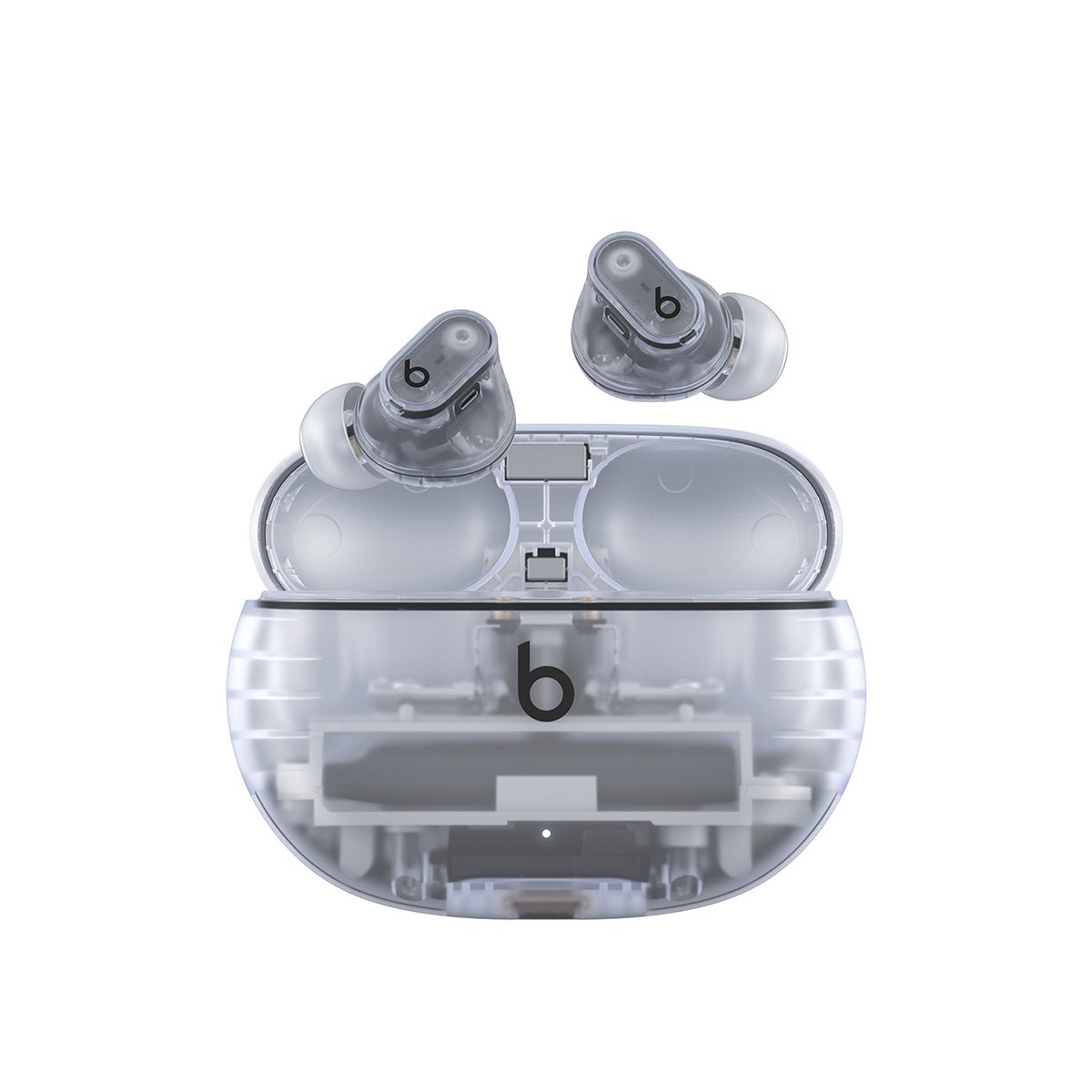
Specs, Sound Quality, Updates & Pairing Help
The Beats Studio Buds+ are true wireless earbuds designed to work seamlessly with both Apple and Android devices. They offer improved sound, better noise cancellation, longer battery life, and transparent styling options compared to the original Studio Buds.
This guide covers specs, audio quality, software updates, and step‑by‑step pairing instructions, plus troubleshooting tips if pairing doesn’t work.
Beats Studio Buds+ Overview
The Beats Studio Buds+ are an upgrade over the original Studio Buds, focusing on:
- Clearer audio and stronger bass
- Improved Active Noise Cancellation (ANC)
- Better Transparency Mode
- Longer battery life
- Enhanced microphone performance for calls
They support Apple Fast Pair and Google Fast Pair, making them a versatile option for users on either ecosystem.
Beats Studio Buds+ Specs
Audio & Features
- Custom acoustic platform
- Active Noise Cancellation (ANC)
- Transparency Mode
- Adaptive EQ
- Dual‑element diaphragm drivers
- Improved microphones with voice targeting
Battery Life
- Up to 9 hours listening time (ANC off)
- Up to 6 hours with ANC on
- Up to 36 hours total with charging case
- Fast Fuel: 5 minutes of charge = up to 1 hour of playback
Connectivity
- Bluetooth Class 1
- Apple Fast Pair (iOS)
- Google Fast Pair (Android)
- Works with Beats app (Android) and iOS system settings
Design & Fit
- In‑ear true wireless earbuds
- Multiple ear tip sizes included (XS, S, M, L)
- IPX4 sweat and water resistance
- Available in multiple colors, including transparent options
Sound Quality
The Beats Studio Buds+ deliver:
- Punchy bass without overwhelming mids
- Clear vocals and improved treble clarity
- More balanced sound than earlier Beats models
Active Noise Cancellation effectively reduces low‑frequency sounds like traffic and engines, while Transparency Mode sounds more natural and less artificial than the original Studio Buds.
They are well‑suited for:
- Pop, hip‑hop, and electronic music
- Podcasts and audiobooks
- Calls and video meetings
Software & Updates
Firmware Updates
- Firmware updates install automatically when connected to a paired device
- iOS users receive updates through system services
- Android users receive updates via the Beats app
You don’t need to manually install updates—just keep the earbuds connected and charged.
Controls & Customization
- Press the “b” button on either earbud:
- Single press: Play/Pause
- Double press: Skip forward
- Triple press: Skip backward
- Press and hold: Toggle ANC / Transparency
- Controls can be customized on iOS (Settings > Bluetooth > Beats Studio Buds+)
- Android users customize controls via the Beats app
How to Pair Beats Studio Buds+
Pairing with iPhone or iPad
- Place both earbuds in the charging case
- Open the lid
- Hold the case near your unlocked iPhone
- Tap Connect when the pairing pop‑up appears
- Follow on‑screen instructions
Once paired, they automatically connect to other devices on the same Apple ID.
Pairing with Android
- Install the Beats app from the Google Play Store
- Turn on Bluetooth
- Open the charging case lid
- Follow the on‑screen pairing prompt
- Confirm connection in the Beats app
Google Fast Pair may automatically detect the earbuds.
Pairing with Windows or Other Bluetooth Devices
- Open the charging case lid
- Press and hold the system button on the case until the LED flashes
- On your device, open Bluetooth settings
- Select Beats Studio Buds+
What to Do If Pairing Isn’t Working
1. Reset the Beats Studio Buds+
- Place both earbuds in the charging case
- Leave the lid open
- Press and hold the system button for about 15 seconds
- Release when the LED flashes red and white
- Try pairing again
2. Check Bluetooth Settings
- Turn Bluetooth off and back on
- Remove “Beats Studio Buds+” from saved devices
- Restart your phone or computer
3. Charge the Earbuds
Low battery can prevent pairing. Fully charge:
- Both earbuds
- The charging case
4. Update Your Device
Make sure your phone or tablet is running the latest OS version, especially on Android or Windows devices.
5. Try a Different Device
If pairing works on another device, the issue is likely device‑specific rather than a problem with the earbuds.
Are the Beats Studio Buds+ Worth It?
Pros
- Strong ANC for their size
- Excellent battery life
- Works well on both iOS and Android
- Lightweight and comfortable
- Fast charging support
Cons
- No wireless charging
- No spatial audio with head tracking
- Touch controls can feel sensitive
They’re a solid choice if you want premium true wireless earbuds without being locked into the Apple AirPods ecosystem.
Final Thoughts
The Beats Studio Buds+ strike a great balance between sound quality, noise cancellation, and cross‑platform compatibility. Whether you’re upgrading from the original Studio Buds or switching from another brand, they offer reliable performance with minimal setup and strong everyday usability.
Beats Studio Buds
The Beats Studio Buds remain a popular choice for wireless earbuds in 2026, offering impressive features for music lovers. These compact earbuds deliver powerful sound quality with natural bass that doesn’t overpower the mix, making them suitable for various music genres. The Beats Studio Buds provide exceptional battery performance with up to 8 hours of listening time on a single charge, outperforming competitors like AirPods which offer around 6 hours.
Users consistently praise the Studio Buds for their comfortable fit and stylish design, making them ideal for both daily commutes and workout sessions. The noise cancellation technology effectively blocks out ambient noise, allowing for an immersive listening experience. The Plus model adds enhanced features while maintaining the signature Beats sound profile that fans appreciate.
Key Takeaways
- Beats Studio Buds deliver balanced sound with natural bass and effective noise cancellation for an immersive listening experience.
- With up to 8 hours of battery life on a single charge, these earbuds outlast many competitors in the wireless market.
- The comfortable fit, stylish design, and quality construction make Studio Buds suitable for both everyday use and active lifestyles.
Design and Build Quality
The Beats Studio Buds feature a sleek, minimalist design with solid construction. They strike a balance between durability and lightweight comfort that makes them suitable for extended use.
Ergonomics and Comfort
The Studio Buds are designed with ergonomics in mind, featuring a compact form that sits comfortably in the ear without protruding significantly. Their lightweight construction helps prevent ear fatigue during long listening sessions.
Users can choose from multiple sizes of silicone ear tips that come included with the buds. This variety helps ensure a secure fit for different ear shapes and sizes. The proper fit is essential not only for comfort but also for maintaining sound quality and noise isolation.
The buds have a pill-shaped design with a subtle button on each earpiece for controls. This button placement is intuitive and doesn’t require excessive pressure to activate, preventing the discomfort that can come from pushing earbuds further into the ear canal.
Water and Sweat Resistance
The Beats Studio Buds come with an IPX4 rating for water and sweat resistance. This certification means they can withstand splashes from any direction, making them suitable for workouts and light rain.
The water resistance extends to sweat protection, which is crucial for fitness enthusiasts. The buds can handle intense workout sessions without damage from moisture.
It’s important to note that while the IPX4 rating provides good protection for everyday use and exercise, the buds are not fully waterproof. They shouldn’t be submerged in water or exposed to high-pressure water streams.
The charging case doesn’t share the same water resistance rating as the buds themselves. Users should take care to keep the case dry to ensure proper charging functionality and longevity.
Technical Specifications and Performance
The Beats Studio Buds combine impressive technical features with solid real-world performance across several key areas. They offer a balance of noise cancellation, sound quality, and battery efficiency that makes them competitive in the true wireless earbuds market.
Active Noise Cancelling Capabilities
The Beats Studio Buds come equipped with Adaptive Noise Cancelling technology that helps reduce unwanted background noise. While effective at blocking out ambient sounds, the ANC performance isn’t as powerful as some premium competitors in the market.
Users can easily switch between ANC mode and Transparency mode, which allows environmental sounds to pass through when needed for awareness and safety. The Transparency mode performs adequately, providing natural sound pass-through without significant audio distortion.
For the Beats Studio Buds+, noise cancellation has been improved over the original model, though it still doesn’t match the level of isolation found in the AirPods Pro. The multiple microphones help create a more immersive listening experience by filtering out common distractions like office chatter and traffic noise.
Audio Quality and Features
The Studio Buds deliver natural, full bass depth that doesn’t overwhelm the rest of the audio spectrum. This balanced sound profile is suitable for various music genres and podcast listening.
Sound quality benefits from custom acoustic architecture and a proprietary dual-element diaphragm driver. These technical components help produce clear highs and controlled lows without muddiness. Some users report that the Studio Buds sound better than AirPods Pro, particularly in bass response and overall clarity.
Spatial Audio support enhances the listening experience with compatible content, creating a more immersive soundstage. However, unlike some Apple products, they lack dynamic head tracking.
Call performance is solid with the built-in microphones providing clear voice capture in most environments, though they may struggle in particularly noisy settings.
Battery Life and Charging Options
The Beats Studio Buds offer approximately 8 hours of listening time with ANC turned off and about 5 hours with it enabled. The charging case provides additional charges for a total of up to 24 hours of combined playback time.
USB-C charging provides modern connectivity options, with a quick 5-minute charge delivering up to 1 hour of playback in low battery situations. This fast-charging capability makes them practical for users who are frequently on the go.
Battery performance remains consistent across both iOS and Android devices, unlike some Apple-branded alternatives that perform better within the Apple ecosystem. The battery status can be monitored through both the Beats app on Android and directly in iOS settings for iPhone users.
The case is compact and portable but doesn’t support wireless charging, which may disappoint some users who have integrated this feature into their charging routines.
Connectivity and Compatibility
The Beats Studio Buds use Bluetooth 5.2 technology, providing stable connections and good range for everyday use. They offer excellent cross-platform functionality, working equally well with both iOS and Android devices.
For Android users, the buds support Google Fast Pair for quick setup and device switching. Apple users benefit from seamless integration with iOS, including one-touch pairing and Audio Switch for automatic transitioning between Apple devices.
Both ecosystems support firmware updates through their respective platforms, ensuring the earbuds remain current with performance improvements over time. The Find My Device feature on Android and Find My app on iOS help users locate misplaced earbuds.
Class 1 Bluetooth technology helps maintain connection stability even when the paired device isn’t in immediate proximity. The buds can connect to two devices simultaneously, allowing users to switch between sources without reconnecting each time.
Frequently Asked Questions
Beats Studio Buds have evolved since their initial release, with improvements in sound quality, noise cancellation, and overall user experience. These frequently asked questions address key considerations for potential buyers looking at the latest versions.
How do the Beats Studio Buds compare to Apple AirPods in terms of sound quality and features?
Beats Studio Buds offer Adaptive Noise Cancelling, which is not available in regular AirPods. However, the noise cancellation doesn’t match the performance of AirPods Pro models.
The sound profile of Beats Studio Buds tends to be more bass-focused compared to AirPods. This makes them potentially more appealing for bass lovers and certain music genres.
Unlike AirPods, Beats Studio Buds work equally well with both iOS and Android devices, offering a more universal compatibility.
What improvements have been made in the latest Beats Studio Buds since their initial release?
The Beats Studio Buds Plus model introduced significant improvements in bass response. The newer versions deliver deeper, more refined bass while maintaining better overall sound balance.
Battery life has seen modest improvements in the latest models. The charging case has also been enhanced for better portability and durability.
Connection stability has improved with recent firmware updates. This addresses some of the connectivity issues reported in earlier versions.
What are audiophiles saying about the sound quality of the Beats Studio Buds?
Audiophiles describe the Beats Studio Buds as having a “more well-rounded sound profile” compared to previous Beats products. The balance between bass, mids, and highs has improved.
Most critics agree the sound is “decent” rather than exceptional. The earbuds are considered good for everyday listeners but may not satisfy serious audiophiles seeking the highest fidelity.
The bass response receives particular praise in the Plus version. Reviewers note it does “a way better job at deepening the bass” without overwhelming other frequencies.
Is the noise cancelling feature on Beats Studio Buds effective in various environments?
The Adaptive Noise Cancelling on Beats Studio Buds works adequately in moderately noisy environments. It can reduce constant background noise like air conditioning or traffic.
Performance falters in extremely loud settings. The noise cancellation isn’t as effective as premium models from competitors or the AirPods Pro.
The transparency mode functions well for awareness of surroundings. This feature allows users to hear important environmental sounds when needed.
How comfortable and secure are the Beats Studio Buds for extended listening sessions?
User experiences with fit vary significantly. Some users report issues with the buds “falling out or shifting and being annoying,” requiring frequent adjustment.
The compact design makes them lightweight for extended wear. This can be beneficial for those who find the right fit with the included ear tips.
Multiple ear tip sizes are included to help achieve a better seal. Finding the right size is critical for both comfort and optimal sound quality.
What do professional reviews say about the battery life and connectivity of the Beats Studio Buds?
Professional reviews indicate the battery life is competitive but not industry-leading. The earbuds typically provide 5-8 hours of listening time depending on noise cancellation usage.
Connectivity has improved in recent versions. The latest models maintain more stable connections with fewer dropouts during everyday use.
The fast-pairing feature works well with both Apple and Android devices. This gives Beats Studio Buds an advantage over Apple-only optimized earbuds.





