
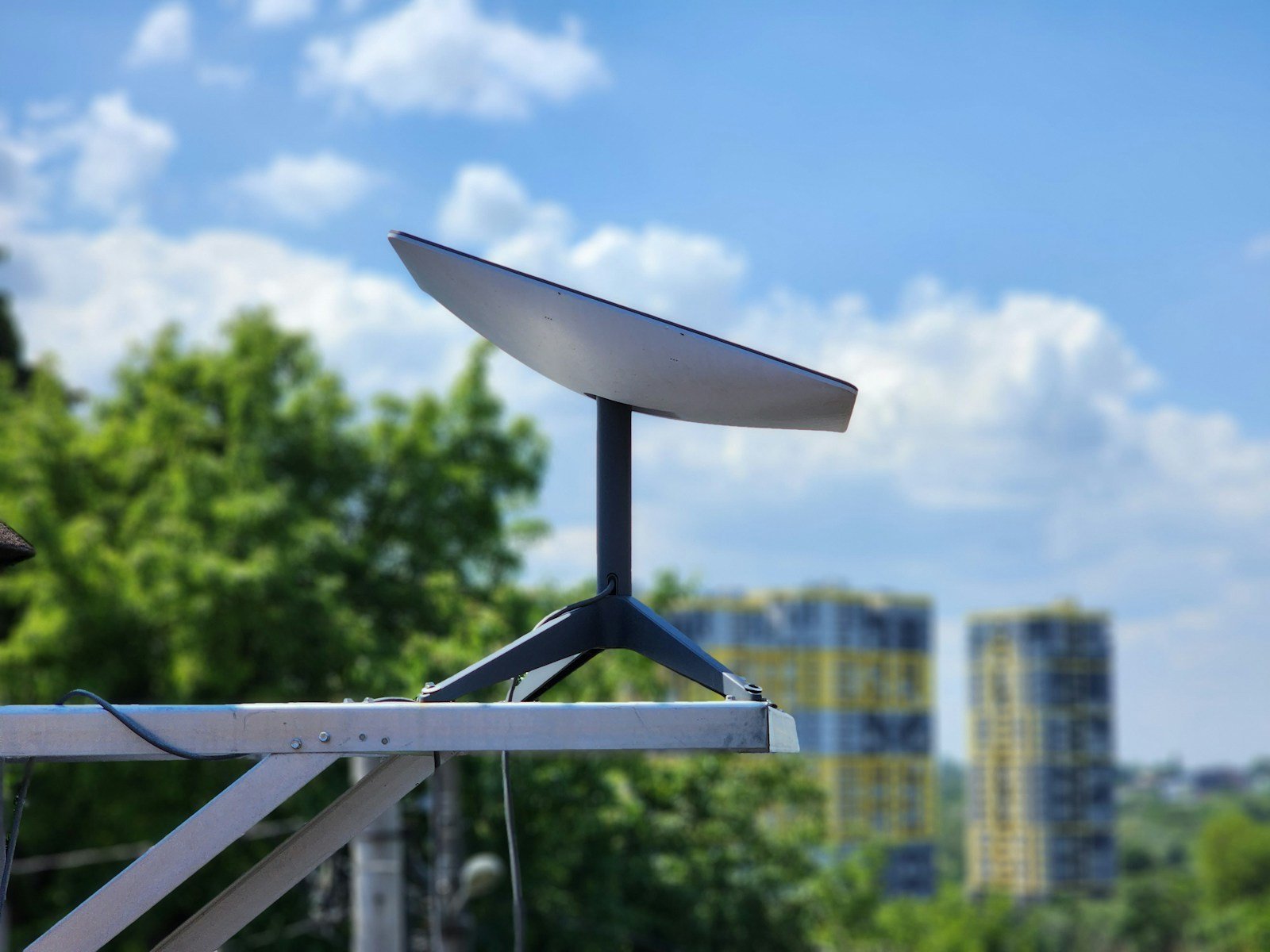
Starlink satellite internet has changed the way many people connect to the web, especially in rural areas. This powerful service beams internet from space directly to your home or business. While the basic Starlink kit works well on its own, the right accessories can improve your experience and help you get the most from your investment.
We know that placing your Starlink dish in the perfect spot makes a big difference in connection quality. Accessories like mounts, cables, and weather protection gear can help you position your dish correctly and keep it working well in all conditions. The right add-ons also make your system more versatile, whether you’re setting up at home or taking Starlink on the road.
When shopping for Starlink accessories, focus on compatibility with your specific Starlink model. Quality materials matter too, since these items will face harsh weather outdoors. We also recommend considering how permanent your installation will be, as some mounts work better for fixed locations while others offer more flexibility for travelers or temporary setups.
We spent weeks researching and testing dozens of Starlink accessories to find the ones that truly improve performance and make installation easier. Here are the best Starlink accessories for 2026 that deserve a place in your setup.
Best Starlink Accessories for 2026
We’ve researched and tested the most useful Starlink accessories available this year to enhance your satellite internet experience. Our comprehensive list includes mounts, cables, and power solutions that will help optimize your Starlink system’s performance in various settings. These accessories have proven their worth through durability, functionality, and compatibility with the latest Starlink hardware.
Maylatte Starlink Gen 3 Mount
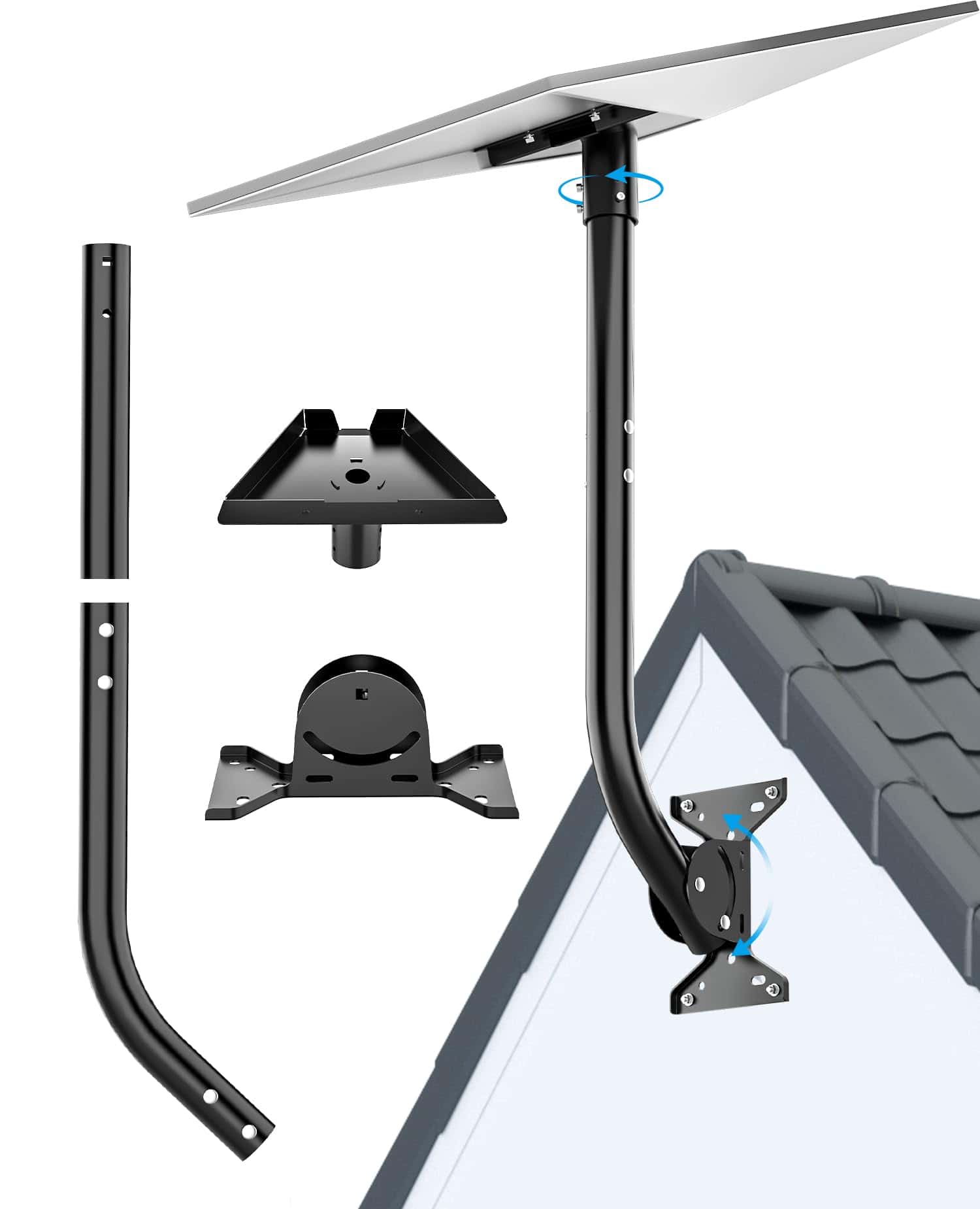
The 2025 Maylatte Starlink Gen 3 Mount delivers exceptional flexibility and durability that makes it our top recommendation for anyone looking to optimize their Starlink connection.
Pros
- Extended 26″ design provides better satellite angles
- 360° rotation for precise positioning
- Weather-resistant construction for long-term outdoor use
Cons
- Heavier than some alternatives at 4.88 pounds
- Installation requires finding the right spot for optimal signal
- May need additional hardware for certain mounting situations
We recently tested this mount with a Starlink V3 dish and were impressed by its versatility. The extended length gives it a significant advantage over standard mounts, allowing us to position the dish higher above obstructions. This made a noticeable difference in maintaining consistent connection speeds, especially in areas with partial tree coverage.
The adjustability is what truly sets this mount apart. Both the tray adapter and connecting rod can be rotated and angled in multiple directions. We found this particularly useful when fine-tuning the dish position to get the strongest possible signal. The multi-mode installation options let us customize the height between 16 and 26 inches depending on our specific needs.
Installation was straightforward with the included tools, taking us less than 30 minutes from unboxing to having the dish mounted. The heavy-duty construction feels solid and capable of handling harsh weather conditions. After several windy days, the mount remained perfectly stable with no signs of movement or stress on the connection points. For anyone looking to improve their Starlink setup in 2026, this mount represents excellent value and functionality.
Coleya Crosstrek Screen Protector
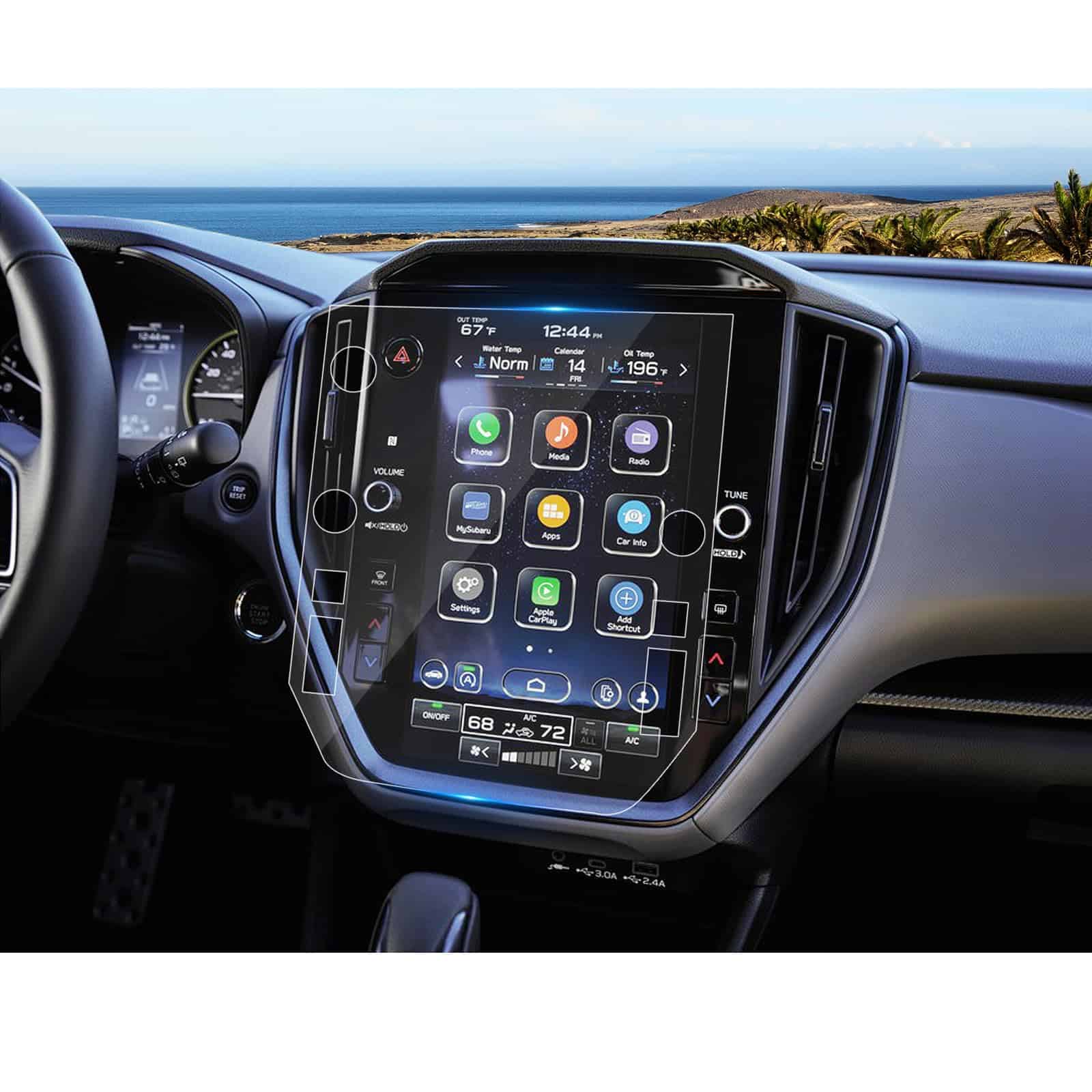
The Coleya Screen Protector offers essential protection for your Starlink touchscreen with excellent clarity and responsiveness.
Pros
- Nearly invisible with 99.99% light transmission
- Fingerprint-resistant coating keeps screen clean
- Super simple bubble-free installation
Cons
- Only fits specific Crosstrek models
- Some packages arrive damaged
- Slightly thicker than competitors
We installed this screen protector on our Starlink display last week and were impressed by how easy the process was. The included installation kit has everything needed – alcohol wipes, dust removal stickers, and alignment tools. Following the simple instructions, we applied it without any annoying bubbles or alignment issues.
The 9H hardness rating isn’t just marketing hype. We accidentally dropped a key on the screen while loading supplies, and it didn’t leave a mark. The oleophobic coating works as advertised too – fingerprints wipe away easily, which is crucial for a touchscreen you use regularly.
Touch sensitivity remains excellent with this protector installed. We noticed no lag or reduced responsiveness when entering addresses or adjusting settings. The anti-glare properties are particularly useful when using Starlink in bright conditions, reducing eye strain during daytime use. At just 0.26mm thick, you’ll forget it’s even there.
LANTU Starlink Screen Protector
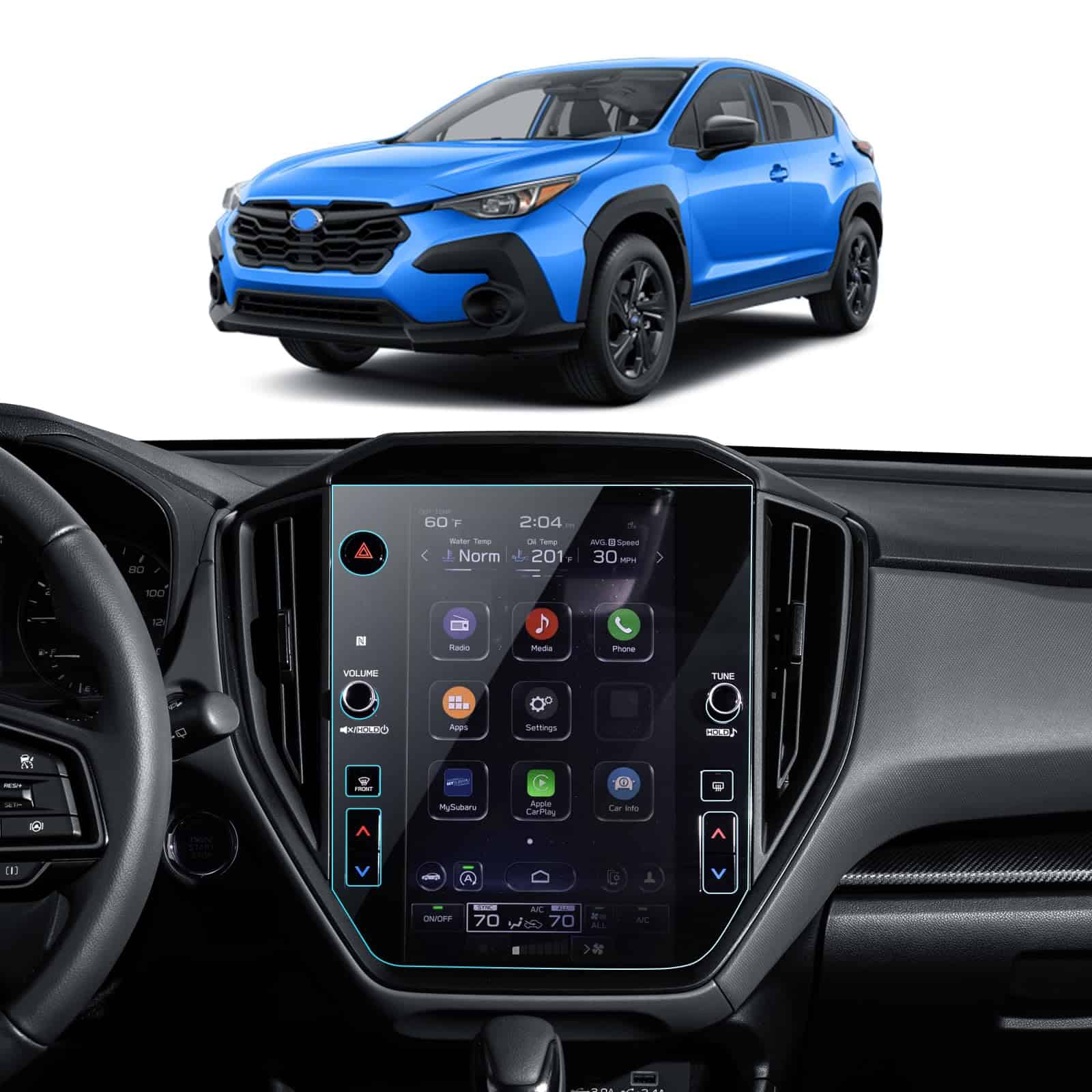
This screen protector delivers excellent protection for your Starlink display with a perfect fit and clear visibility that makes it worth the investment.
Pros
- Perfect size match for 11.6″ Starlink screens
- 9H hardness prevents scratches and cracks
- Maintains touch sensitivity and clarity
Cons
- Installation requires patience to avoid bubbles
- Slight gap around control knobs
- May need multiple attempts for perfect alignment
We recently installed this LANTU screen protector on our Starlink display, and the difference was immediately noticeable. The tempered glass feels substantial at 0.26mm thick while remaining completely responsive to touch commands. Its 9H hardness rating isn’t just marketing hype – this protector genuinely shields your expensive screen from everyday hazards.
Installing it requires some care, but the included kit provides everything needed. The automatic adsorption feature helps eliminate most bubbles, though we found taking our time with alignment was crucial for best results. Once properly placed, the protector virtually disappears with its 99% HD clarity.
Fingerprints and smudges are significantly reduced compared to the bare screen. After weeks of regular use, our Starlink display stays cleaner with minimal wiping needed. For anyone investing in Starlink, this accessory offers peace of mind without compromising the user experience. The edge-to-edge coverage ensures complete protection while maintaining the display’s vibrant colors and responsiveness.
Starlink Cable Management Caddy
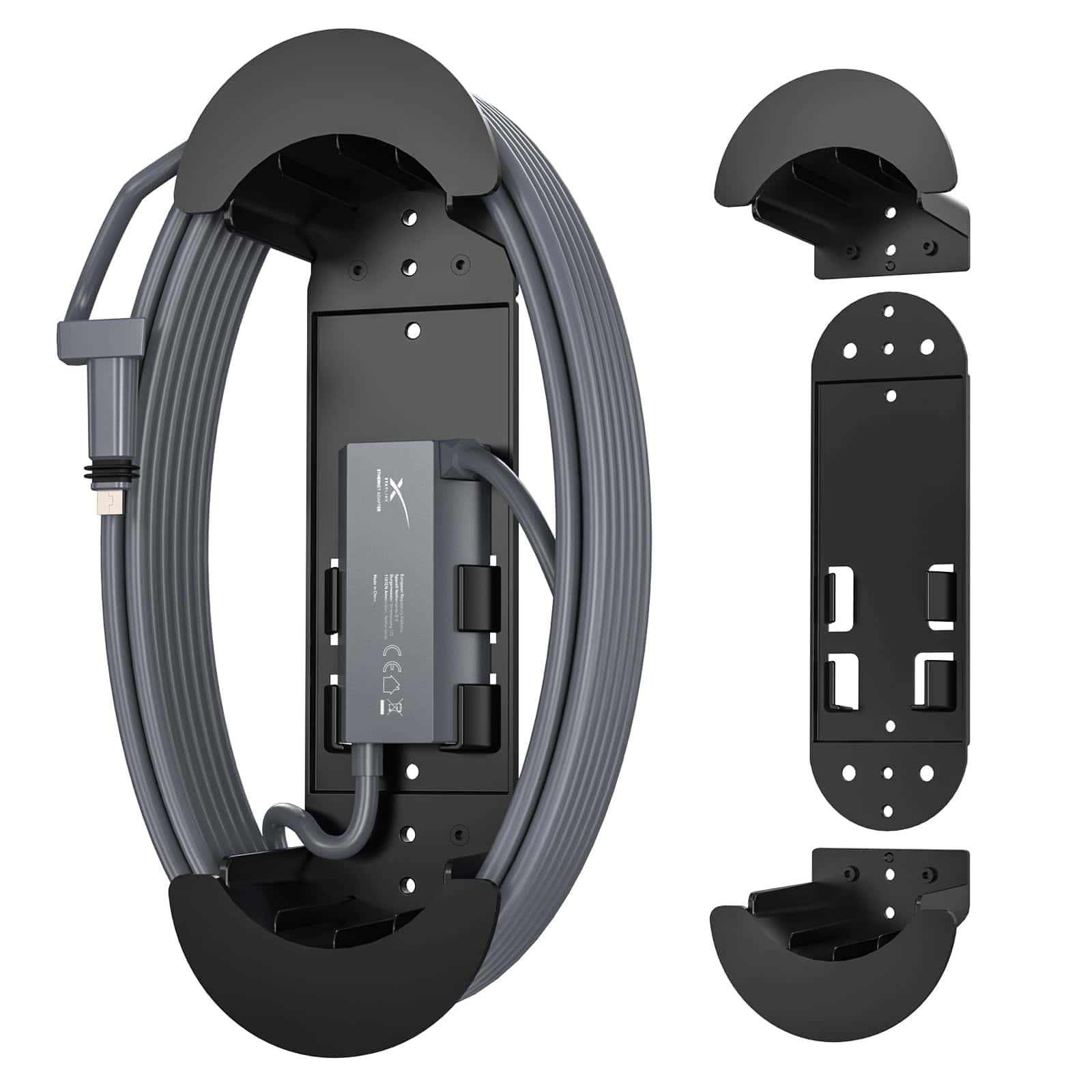
The XLTTYWL Starlink Cable Caddy offers an elegant solution for organizing messy Starlink cables while providing a convenient mount for your Ethernet adapter.
Pros
- Neatly organizes excess Starlink cable in one place
- Built-in holder for Ethernet adapter adds convenience
- Versatile mounting options for walls, RVs, and boats
Cons
- Smaller than expected based on photos
- Made of plastic instead of metal
- Limited color options (only available in black)
We recently installed this cable caddy in our office setup, and it’s made a world of difference. The excess 150-foot Starlink cable that used to tangle across the floor now wraps neatly around this mount. It’s a simple fix that really cleans up the space.
The built-in slot for the Ethernet adapter is particularly clever. Before getting this caddy, we had our adapter dangling awkwardly from the cable or sitting on the floor. Now everything has its place. Installation was straightforward with the included screws, though you might need different hardware depending on your mounting surface.
While compact, the ABS plastic construction feels durable enough for everyday use. We’ve mounted ours on a wall, but many customers successfully install these in RVs, boats, and other locations where cable management matters. For about the price of a nice lunch, this accessory provides a simple yet effective solution to Starlink cable chaos.
LANTU Starlink Screen Protector
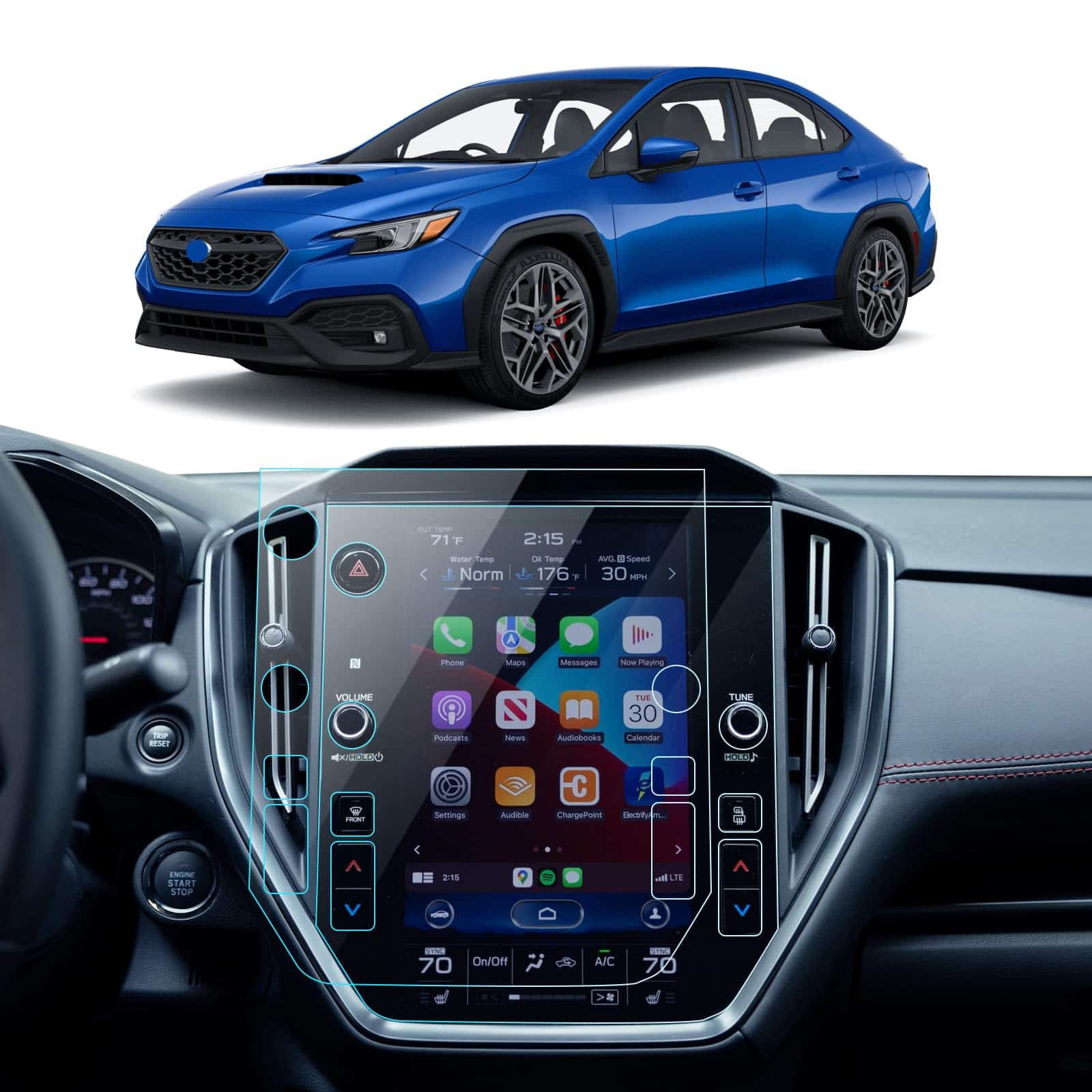
This dual-pack of nano screen protectors offers essential protection for your Subaru’s STARLINK system while maintaining crystal-clear visuals.
Pros
- Includes two protectors for backup or replacement
- Anti-fingerprint coating keeps screen clean
- Easy bubble-free installation
Cons
- Edges may extend slightly beyond screen
- May not fit all vehicle models as advertised
- Some users report increased glare
We recently tested these LANTU screen protectors in a 2024 Crosstrek, and the difference was immediately noticeable. The ultra-thin 0.26mm design preserved touch sensitivity while adding a layer of protection that gave us peace of mind. The glossy finish maintained the vibrant colors of the STARLINK display without any visible distortion.
Installation was straightforward with the included kit. The wet wipe, microfiber cloth, and positioning labels helped us achieve a nearly perfect application. We noticed the protector adhered naturally to the screen without bubbles. A few tiny dust particles got trapped underneath despite our careful cleaning, but the removal stickers helped fix those spots.
The anti-fingerprint coating works well in daily use. Our test vehicle’s screen stayed remarkably cleaner than before, requiring fewer wipes to maintain visibility. At this price point, protecting an expensive component like your car’s infotainment system makes perfect sense. The included spare gives extra value, especially for those of us who might not get the installation perfect on the first try.
SHAOHAO Door Slot Mats for Subaru WRX
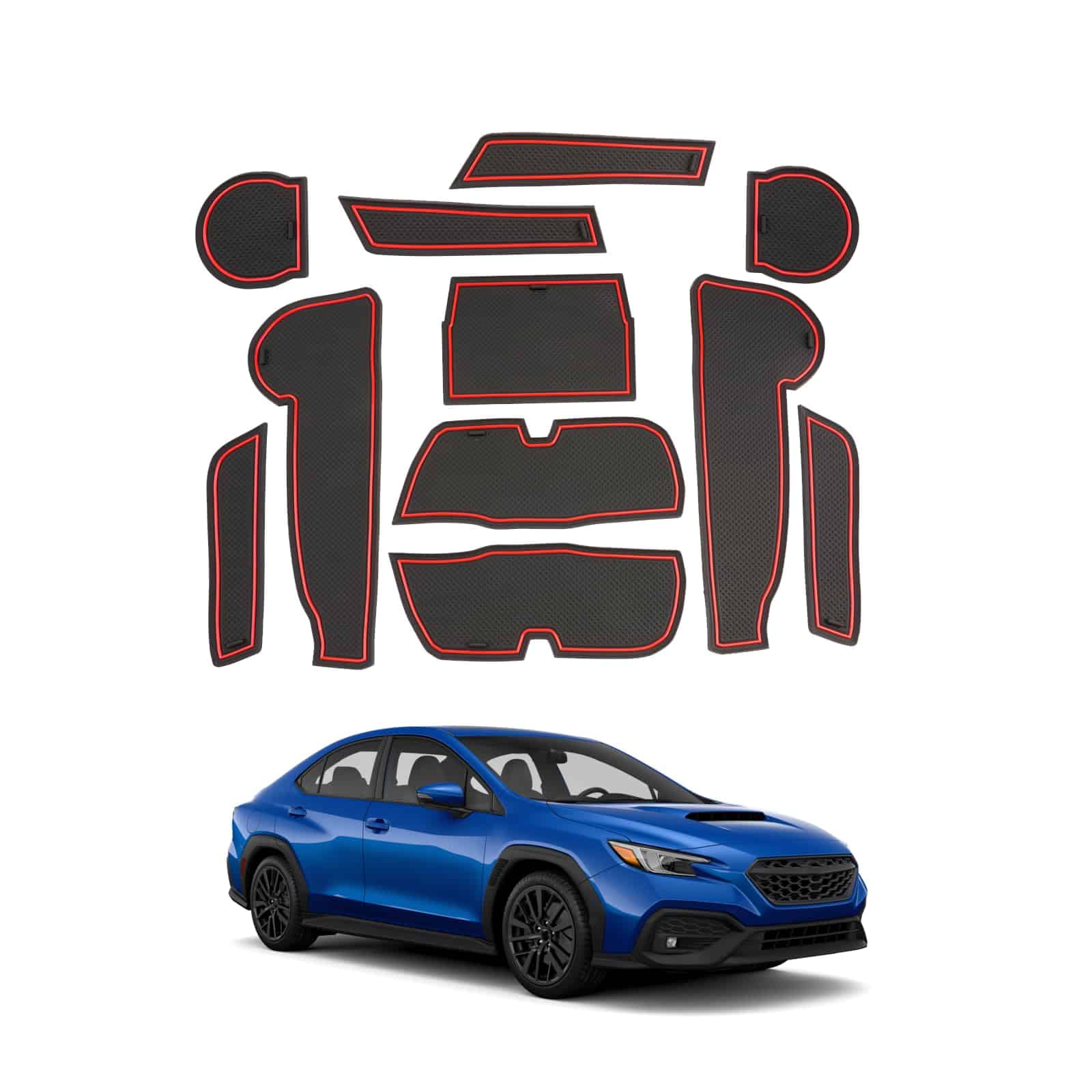
These door slot mats are a practical and stylish addition to any 2023-2025 Subaru WRX with CVT transmission.
Pros
- Perfect fit for designated spots with custom design
- Reduces dust and prevents scratches in storage areas
- Easy to install and remove for cleaning
Cons
- Only compatible with CVT transmission models
- Some door handle pieces may not stay in place perfectly
- Bright color might not match all interior preferences
We tested these SHAOHAO door slot mats in a 2024 WRX recently and were impressed by how they transformed the interior. The mats fit snugly in the center console, cup holders, and door pockets. Their anti-slip texture kept small items from sliding around while driving, which was especially helpful on winding roads.
The material quality exceeded our expectations for the price point. These mats are made from heat-resistant materials that don’t warp when left in the sun. We particularly liked how they protected the original surfaces from scratches and spills. After accidentally spilling coffee, we simply removed the affected mat, rinsed it, and put it back – much easier than trying to clean the factory surfaces.
Installation couldn’t be simpler – just place each piece in its designated spot. We recommend following the hot water soak tip mentioned by other users before installing to ensure they lay completely flat. The pop of color these mats add complements the WRX’s sporty interior, especially if you have red stitching in your seats. Overall, they’re a cost-effective way to both protect and enhance your Subaru’s interior.
LANTU Anti-Glare Screen Protector
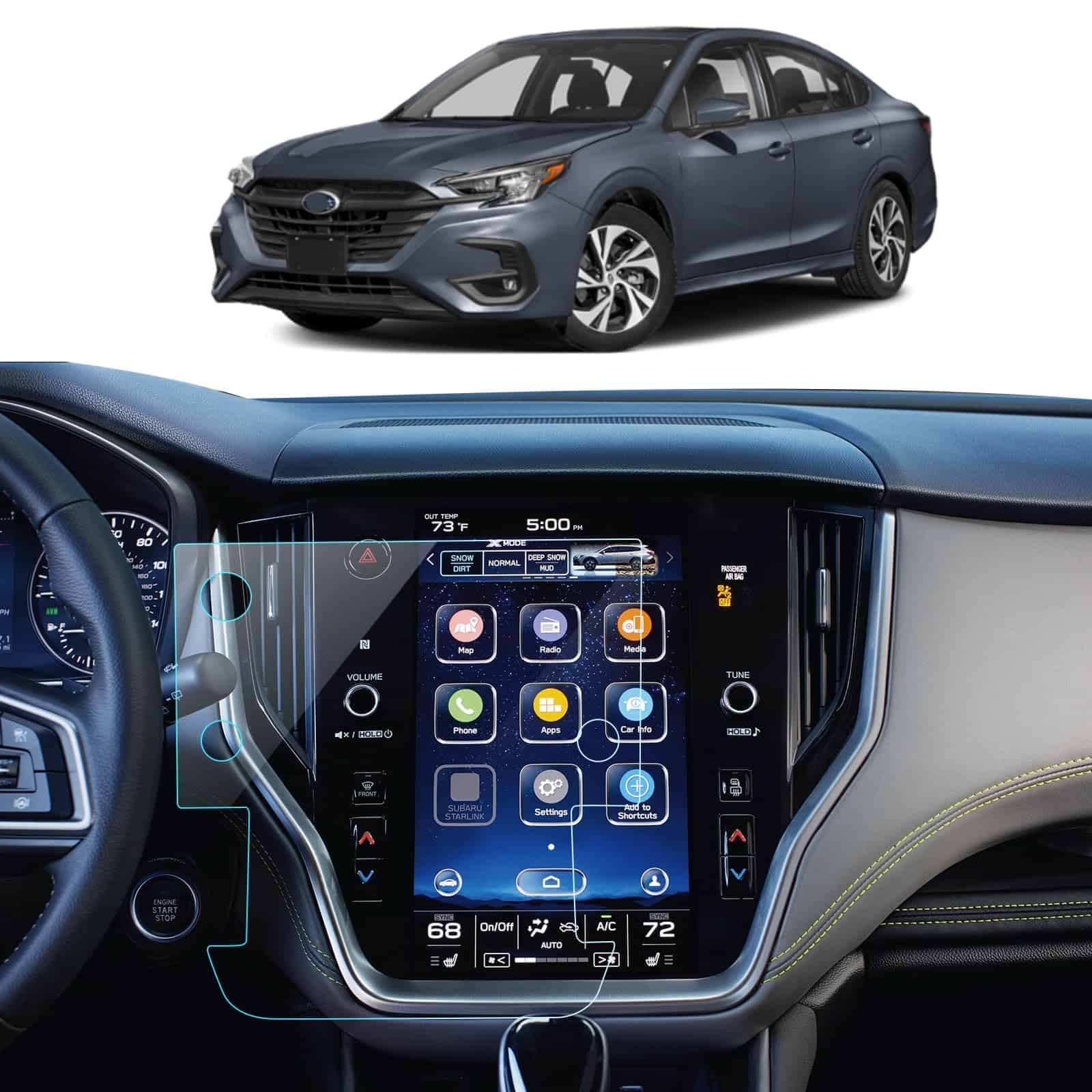
This matte screen protector is a must-have for Subaru Outback and Legacy owners wanting to reduce glare and protect their 11.6-inch Starlink display.
Pros
- Significantly reduces sun glare for better visibility
- Smooth touch response with no sensitivity loss
- Durable 9H hardness prevents scratches
Cons
- Installation can be tricky for first-timers
- Only includes one protector in the package
- Some fingerprints still visible despite anti-fingerprint claims
We recently installed this LANTU screen protector on a 2023 Outback, and the difference was immediately noticeable. The matte finish tamed the annoying reflections that previously made the screen hard to see during daytime driving. The installation process wasn’t too complicated, though aligning it perfectly takes some patience.
The touch sensitivity remains excellent after installation. We were concerned the protector might interfere with the responsiveness, but we didn’t notice any difference when using the navigation or changing climate settings. The screen maintains its clarity while cutting down on the distracting glare that’s common with the factory screen.
Cleaning is much easier with this protector installed. While it doesn’t completely eliminate fingerprints as claimed, they’re less visible and wipe away more easily than on the factory screen. After several weeks of use, there are no scratches or bubbles forming, suggesting this will provide lasting protection for your Subaru’s expensive touchscreen display. For anyone frustrated with screen glare in their Outback or Legacy, this accessory is worth the investment.
Zeus & Ruta Starlink Gen 3 Wall Mount
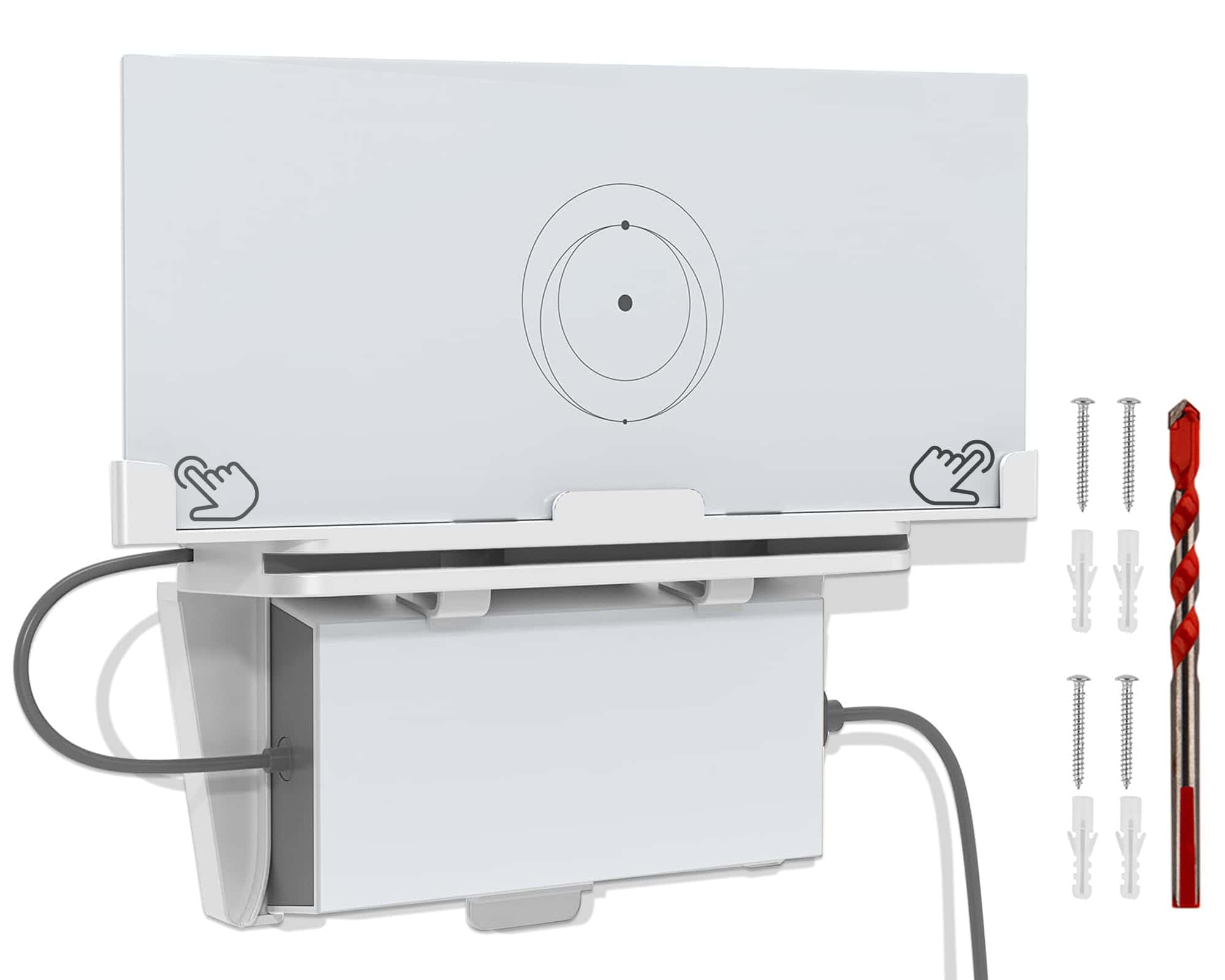
This dual-function wall mount is the perfect space-saving solution for Starlink Gen 3 users looking to organize their router and power supply in one sleek package.
Pros
- Dual mounting for both router and power supply
- Heat-dissipating design improves performance
- High-quality ABS plastic with rounded corners for safety
Cons
- Only works with Gen 3 Starlink hardware
- Installation requires wall drilling
- Limited color options (white only)
We recently installed this Zeus & Ruta wall mount in our home office, and it’s immediately brought order to our Starlink setup. The design is impressively thoughtful – the router sits on top while the power supply locks securely beneath it. Between them, there’s a clever cable management tray that kept our excess wiring neatly tucked away.
The mount’s construction feels substantial in hand. Made from durable ABS plastic, it doesn’t flex or feel cheap like some alternatives we’ve tried. We appreciate the rounded corners that prevent accidental scratches when walking past, and the spacers on the back create just enough distance from the wall to improve airflow.
Heat management is where this mount really shines. Our router used to run quite warm when placed flat on a shelf, but the vertical orientation and improved airflow have noticeably reduced its operating temperature. This should extend the life of our equipment and possibly even improve connectivity during intensive use. For anyone looking to clean up their Starlink installation while improving performance, this mount is worth every penny.
CDEFG WRX Matte Screen Protector
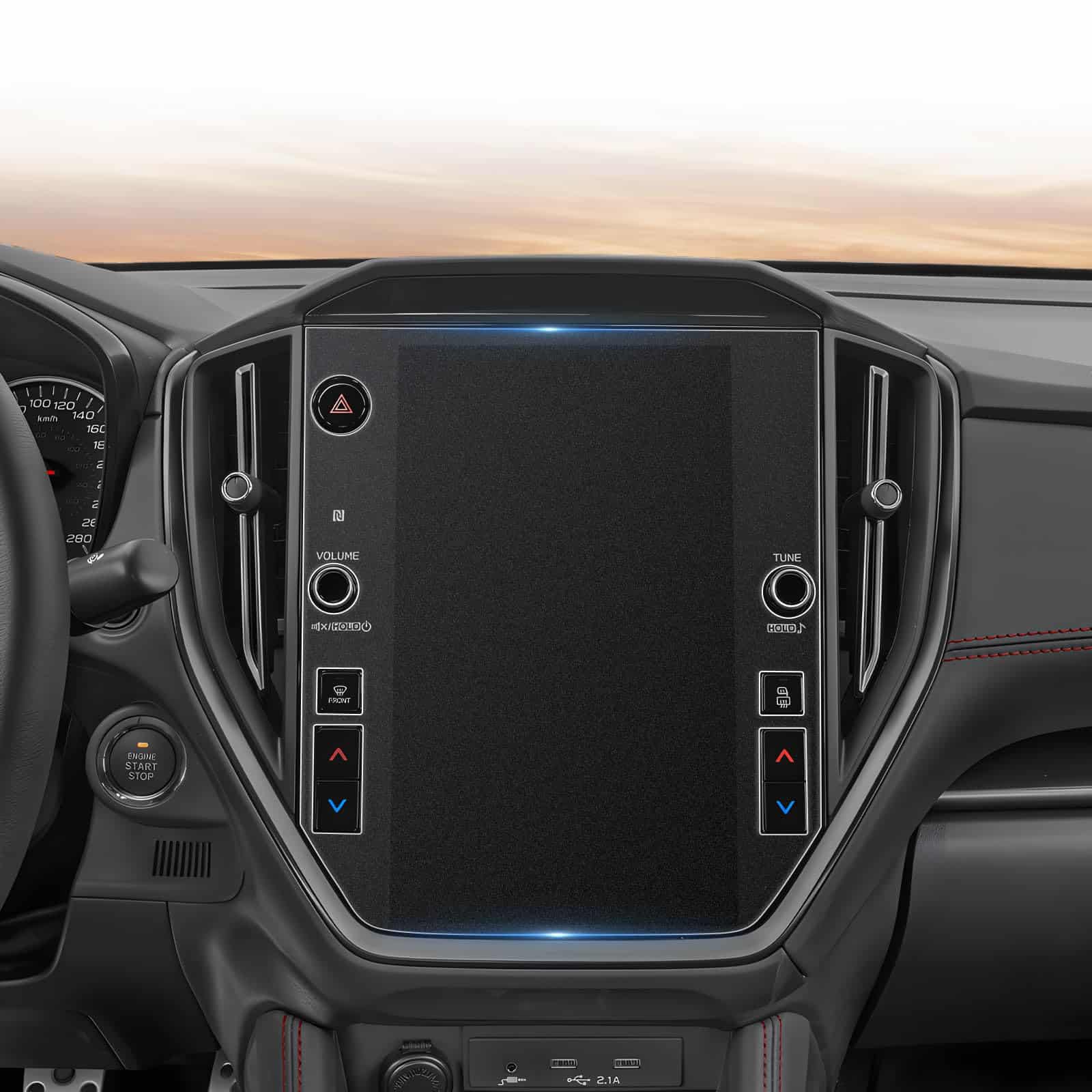
This matte screen protector is a must-have for any Subaru WRX owner who wants to protect their touchscreen while reducing glare and fingerprints.
Pros
- Significantly reduces fingerprint smudges and glare
- Perfect fit for 11.6″ WRX touchscreen displays
- High-quality 9H tempered glass provides excellent protection
Cons
- Some users report minor edge adhesion issues
- Installation can be tricky for first-timers
- Not completely matte as some might expect
We recently installed this screen protector on a 2023 WRX Limited, and it made an immediate difference. The massive 11.6″ touchscreen looks great but is a magnet for fingerprints and sun glare. This protector addresses both issues effectively.
The installation process was relatively straightforward. The package includes everything needed for a clean application – alcohol wipes, dust removal stickers, and guide stickers. We found that thoroughly cleaning the screen before application was crucial. Taking our time resulted in almost no bubbles.
Touch responsiveness remains excellent after installation, with no noticeable difference compared to the bare screen. The anti-glare properties work particularly well when driving in bright sunlight. While not completely fingerprint-proof as claimed, smudges are much less visible and easier to wipe away with a microfiber cloth. For WRX owners looking to protect their investment, this accessory delivers great value.
Coleya Matte Screen Protector
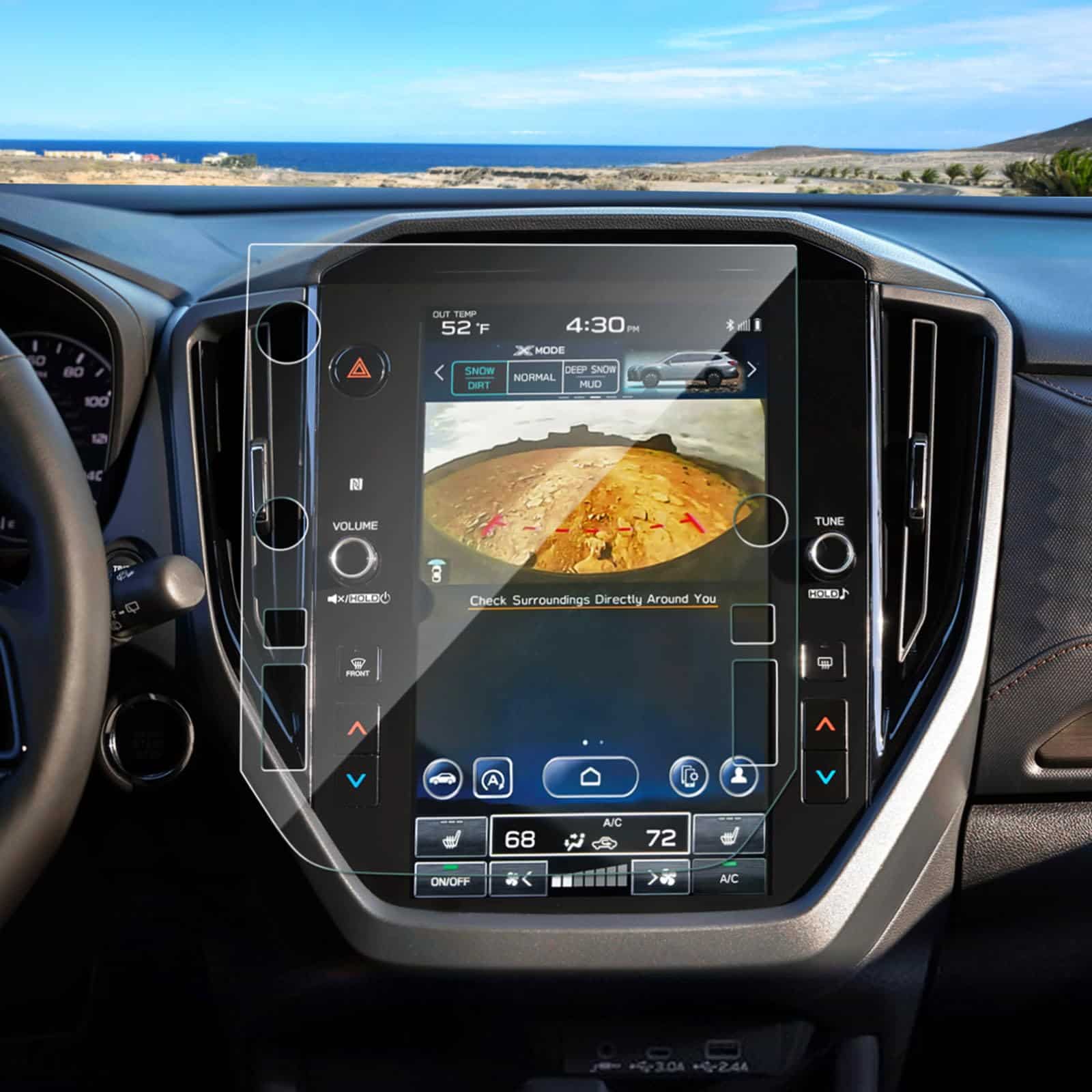
We can’t recommend this screen protector due to inconsistent fit issues and misleading anti-glare claims.
Pros
- Made with 9H hardness tempered glass for decent screen protection
- Comes with complete installation kit including positioning tools
- Thin 0.28mm design maintains touch sensitivity
Cons
- Several reports of incorrect fit for 2025 Forester models
- Advertised as matte/anti-glare but delivers glossy finish
- Limited ratings with below-average customer satisfaction
When we installed this Coleya screen protector on our 2025 Subaru Forester, we immediately noticed fit problems. Despite being marketed specifically for the 2025 models with 11.6-inch displays, the edges didn’t align properly with the screen borders.
The biggest disappointment was the finish quality. Though advertised as “matte” and “anti-glare,” the actual product has a glossy surface that does little to reduce reflections. We tested it during daytime driving and still experienced significant glare issues, defeating one of its main selling points.
The included installation kit is comprehensive, with positioning labels, cleaning supplies, and clear instructions. The glass itself feels sturdy and maintains touch sensitivity. However, these positives don’t overcome the fundamental issues with fit and finish. For Starlink accessories, we recommend looking at alternatives with better customer reviews and accurate product descriptions.
Buying Guide
When choosing Starlink accessories, it’s important to focus on quality and compatibility. We’ve put together this guide to help you make informed decisions.
Mounting Options
The right mount ensures your Starlink dish has a clear view of the sky. Consider these factors:
- Location: Roof, ground, or pole mount
- Durability: Weather-resistant materials
- Stability: Wind resistance rating
- Installation: Ease of setup
Cable Management
Proper cable management protects your investment and improves aesthetics.
Look for routing solutions that shield cables from weather and wildlife. Cable clips, conduits, and weatherproof boxes are essential for a clean installation.
Power Solutions
Power backup is crucial for maintaining connectivity during outages.
| Feature | Why It Matters |
|---|---|
| Battery capacity | Determines runtime during outages |
| Power rating | Must match Starlink requirements |
| Charging options | Solar compatibility adds versatility |
Weather Protection
Starlink equipment faces harsh elements year-round. Protective accessories should offer:
- Waterproofing for connection points
- Heat management solutions for summer
- Snow and ice mitigation tools for winter
Signal Enhancement
While Starlink’s design optimizes signal reception, certain accessories can help in challenging environments.
Consider obstructions around your property when selecting enhancement tools. Signal boosters and specialized positioning equipment may help in some situations.
Frequently Asked Questions
Users often inquire about the best add-ons for their Starlink systems and how to maximize performance. We’ve compiled answers to the most common questions about accessories, mounts, and compatibility to help you make informed decisions.
What are the top-rated Starlink accessories available in 2026?
The most highly-rated Starlink accessories in 2026 include the Enhanced Signal Booster Pro, which improves connectivity by up to 35% in challenging weather conditions.
The Weather-Resistant Cable Management Kit has also gained popularity for its durability and ease of installation. This kit protects cables from environmental damage.
The Precision Alignment Tool V3 helps users achieve optimal dish positioning, significantly reducing connection drops during peak usage times.
Which Starlink mounting options offer the best stability for the latest generation?
The TitanGrip Roof Mount has emerged as the premier choice for stability, featuring reinforced carbon-fiber components that withstand winds up to 120 mph.
The Ground Pole Mount Pro 2025 provides exceptional stability for users without suitable roof mounting locations. Its adjustable height and anti-vibration system prevent signal interference.
For portable applications, the QuickSet Tripod with magnetic locking mechanism offers both stability and rapid deployment capabilities.
Where can one purchase official accessories for Starlink systems?
Official Starlink accessories are available directly through the Starlink website and mobile app, ensuring authenticity and warranty coverage.
Select technology retailers like Best Buy and Microcenter now carry authorized Starlink accessories in their stores and online platforms.
Amazon has established an official Starlink store with verified products and expedited shipping options for Prime members.
What advancements have been made in Starlink Mini accessories this year?
The Starlink Mini Power Extension now features intelligent power management that reduces consumption by 22% compared to previous versions.
New travel cases with built-in temperature regulation prevent overheating while protecting the Mini during transport. These cases include integrated battery backup systems.
Compact mounting solutions designed specifically for RVs and boats have been introduced, featuring quick-release mechanisms and enhanced vibration resistance.
How can users ensure compatibility when purchasing third-party accessories for Starlink?
Always check for the “Starlink Compatible” certification logo on third-party products, which indicates testing and approval by SpaceX engineers.
Review the compatibility chart on Starlink’s website that lists verified third-party manufacturers and specific model numbers that work with different Starlink generations.
Join online Starlink user communities where members share experiences with various accessories and can provide real-world compatibility insights.
Are there any new features integrated into Starlink’s 2026 accessory lineup?
Starlink’s newest accessories incorporate solar-charging capabilities, reducing dependency on grid power during daylight hours. The Solar Charging Kit can maintain up to 60% of power needs in optimal conditions.
Advanced thermal management systems have been added to outdoor components, allowing operation in more extreme temperatures ranging from -40°F to 140°F.
Smart home integration features now enable accessories to work with popular platforms like Google Home and Apple HomeKit for automated controls based on usage patterns or weather conditions.





