
Looking for a 3D printer in 2026? The market has evolved dramatically in the past year, with new models offering incredible features at more affordable prices than ever before. From budget-friendly options like the Ender-3 V3 SE to high-end machines like the Prusa MK4S, there’s something for everyone regardless of experience level.
The Bambu Lab A1 Combo stands out as the best overall 3D printer of 2026, offering an impressive balance of quality, speed, and user-friendly features at $509. For those prioritizing print quality above all else, the Prusa MK4S remains the gold standard, though at a premium price of $999. Budget-conscious makers might prefer the Elegoo Neptune 4 Plus, which delivers exceptional value with its larger print volume and reliability.
The growing accessibility of 3D printing technology has transformed the DIY landscape, allowing hobbyists and professionals alike to bring their ideas to life with minimal technical knowledge. Many newer printers now come with enclosed designs that improve print quality while making the technology safer and more consistent for everyday use.
Best 3D Printer Models For 2026: Complete Buyer’s Guide
The 3D printing landscape in 2026 is less about raw speed and more about smarter printing—automated setup, reliable multi-material capabilities, and cloud-first workflows (source: 3D Printing by Kevin). Whether you’re a hobbyist, professional, educator, or small business owner, this guide will help you navigate the best 3D printer options for 2026.
What’s New in 2026?
Key Trends
1. Intelligent Automation Modern 3D printers now feature automatic bed leveling, material detection, and AI-powered failure detection that can pause prints before major errors occur.
2. Multi-Material Printing Reliable multi-material and multi-color printing has become more accessible, allowing for complex prints with different materials in a single job.
3. Cloud Integration Cloud-based slicing, remote monitoring, and fleet management have become standard features for both consumer and professional printers.
4. Improved Reliability The focus has shifted from pure speed to consistency and uptime, with better thermal management and more reliable extruders (source: 3D Printing by Kevin).
5. Sustainability More printers now support recycled and bio-based filaments, with better energy efficiency.
Top 5 Best 3D Printers for 2026: Rankings
| Rank | Model | Best For | Price Range | Print Technology | Build Volume | Key Features |
|---|---|---|---|---|---|---|
| 🥇 1 | Bambu Lab X1E | Professionals & Businesses | $2,500-$3,000 | FDM | 256 × 256 × 256 mm | Multi-material, AI monitoring, enclosed chamber, active filtration |
| 🥈 2 | Prusa MK4S | Enthusiasts & Makers | $1,000-$1,200 | FDM | 250 × 210 × 220 mm | Open-source, excellent support, Input Shaper, modular upgrades |
| 🥉 3 | AnkerMake M5C | Home Users & Beginners | $300-$500 | FDM | 220 × 220 × 250 mm | Fast printing, AI camera, easy setup, mobile app control |
| 4 | Elegoo Saturn 4 Ultra | Miniatures & Details | $400-$600 | Resin (MSLA) | 218.88 × 122.88 × 260 mm | 12K resolution, large build volume, ACF release film |
| 5 | Creality K1 Max | Large Prints on Budget | $700-$900 | FDM | 300 × 300 × 300 mm | CoreXY, high speed, auto-leveling, large format |
Detailed Reviews: Best 3D Printers for 2026
🥇 1. Bambu Lab X1E – Best Overall Professional Printer
Price: $2,500-$3,000
Technology: FDM (Fused Deposition Modeling)
Build Volume: 256 × 256 × 256 mm (10.1 × 10.1 × 10.1 inches)
Why It’s #1: The Bambu Lab X1E represents the pinnacle of desktop 3D printing in 2026, combining speed, reliability, and professional features (source: UFM Design).
Key Features:
- Multi-Material System (AMS): Print with up to 4 different materials or colors automatically
- AI-Powered Monitoring: Built-in camera with AI failure detection
- Active Carbon Filtration: Safe for office environments
- Enclosed Build Chamber: Consistent temperature control for engineering materials
- LiDAR Auto-Calibration: Automatic bed leveling and first-layer inspection
- Cloud Integration: Remote monitoring and control via mobile app
- High Speed: Up to 500mm/s print speeds with excellent quality
Materials Supported: PLA, PETG, ABS, ASA, TPU, Nylon, Carbon Fiber composites, PC (Polycarbonate), PVA (support material)
Best For:
- Professional designers and engineers
- Small businesses and prototyping shops
- Users who need reliable multi-material printing
- Those requiring consistent, high-quality output
Pros: ✅ Exceptional print quality and reliability
✅ Comprehensive material support
✅ Minimal setup and calibration required
✅ Excellent customer support and active community
✅ Regular firmware updates with new features
Cons: ❌ Higher price point
❌ Proprietary ecosystem (though well-supported)
❌ AMS adds significant cost for full multi-material capability
🥈 2. Prusa MK4S – Best for Enthusiasts
Price: $1,000-$1,200
Technology: FDM
Build Volume: 250 × 210 × 220 mm (9.84 × 8.3 × 8.7 inches)
Why It’s Excellent: Prusa Research continues to deliver exceptional value with the MK4S, building on decades of open-source innovation and community support.
Key Features:
- Input Shaper Technology: Reduces ringing and ghosting for faster, cleaner prints
- Nextruder Hotend: Improved heat management and flow rate
- Loadcell-Based Auto-Leveling: Precise bed leveling without mesh calibration
- Filament Sensor: Detects runouts and jams automatically
- Open-Source Design: Full documentation and community modifications available
- Modular Upgrades: Easy to upgrade with MMU3 multi-material unit
- PrusaSlicer Integration: Best-in-class slicing software included
Materials Supported: PLA, PETG, ABS, ASA, TPU, Nylon, Polycarbonate, composite materials
Best For:
- Makers and hobbyists who value open-source
- Users who want to understand and modify their printer
- Those seeking excellent community support
- Educational institutions
Pros: ✅ Legendary reliability and support
✅ Open-source hardware and software
✅ Extensive documentation and community
✅ Made in Europe with quality components
✅ Can upgrade to multi-material with MMU3
Cons: ❌ Not as fast as some competitors
❌ Open frame design (no enclosure)
❌ Multi-material upgrade is expensive
🥉 3. AnkerMake M5C – Best Budget-Friendly Printer
Price: $300-$500
Technology: FDM
Build Volume: 220 × 220 × 250 mm (8.66 × 8.66 × 9.84 inches)
Why It’s Great for Beginners: AnkerMake has disrupted the entry-level market with the M5C, offering premium features at an accessible price point (source: Trend Tech Review).
Key Features:
- Fast Printing: Up to 500mm/s maximum speed
- AI Camera: Built-in monitoring with time-lapse capabilities
- Easy Assembly: Pre-assembled, ready to print in minutes
- Auto-Leveling: 49-point automatic bed leveling
- Mobile App: Control and monitor from your phone
- Power Loss Recovery: Resume prints after power outages
- Quiet Operation: Silent stepper drivers
Materials Supported: PLA, PETG, TPU (primarily optimized for PLA)
Best For:
- First-time 3D printer users
- Home users and hobbyists
- Students and educators
- Those on a tight budget
- Users who want minimal setup
Pros: ✅ Excellent value for money
✅ Very easy to set up and use
✅ Fast printing speeds
✅ Good print quality out of the box
✅ Responsive mobile app
Cons: ❌ Limited advanced material support
❌ Smaller community compared to established brands
❌ Open frame design
❌ Basic feature set compared to premium options
4. Elegoo Saturn 4 Ultra – Best Resin Printer
Price: $400-$600
Technology: MSLA Resin (LCD-based resin printing)
Build Volume: 218.88 × 122.88 × 260 mm (8.62 × 4.84 × 10.24 inches)
Why It Excels: For users who need extremely fine details—miniatures, jewelry, dental models, or prototypes—the Saturn 4 Ultra delivers exceptional resolution (source: Trend Tech Review).
Key Features:
- 12K Resolution: 11520 × 5120 pixels for incredible detail (19 × 24 μm XY resolution)
- Large Build Volume: Bigger than most resin printers in this price range
- ACF Release Film: Easier print removal and longer film life
- COB Light Source: Even exposure across the entire build plate
- Wi-Fi Connectivity: Wireless printing and monitoring
- 4GB Internal Memory: Store multiple print files directly on the printer
- Quick Release Build Plate: Tool-free removal and installation
Materials Supported: Standard resin, tough resin, flexible resin, water-washable resin, ABS-like resin, dental resins
Best For:
- Miniature painters and tabletop gamers
- Jewelry designers and makers
- Dental and medical professionals
- Anyone needing extremely fine detail
- Prototype creators requiring smooth surfaces
Pros: ✅ Exceptional detail and resolution
✅ Large build volume for a resin printer
✅ Relatively affordable for 12K resolution
✅ Active community support
✅ Easy to use with good software
Cons: ❌ Resin handling requires safety precautions
❌ Post-processing is time-consuming
❌ Ongoing resin costs
❌ Requires proper ventilation
❌ Limited to smaller parts compared to FDM
5. Creality K1 Max – Best Large Format Value
Price: $700-$900
Technology: FDM (CoreXY)
Build Volume: 300 × 300 × 300 mm (11.8 × 11.8 × 11.8 inches)
Why It’s Valuable: The K1 Max offers a large build volume and high-speed printing at a fraction of the cost of premium large-format printers (source: Trend Tech Review).
Key Features:
- Large Build Volume: Print big parts without splitting models
- CoreXY Motion System: Fast, accurate movement with speeds up to 600mm/s
- Enclosed Chamber: Better temperature control for ABS and other materials
- Auto-Leveling: Strain gauge-based automatic bed leveling
- Dual Cooling Fans: Better part cooling for overhangs
- Direct Drive Extruder: Improved flexible filament handling
- AI Camera: Optional monitoring and time-lapse
- Quick-Change Nozzles: Easy nozzle swaps without tools
Materials Supported: PLA, PETG, ABS, ASA, TPU, Nylon, Carbon Fiber composites
Best For:
- Users who need to print large objects
- Cosplayers creating armor and props
- Engineers prototyping larger assemblies
- Small businesses on a budget
- Makers who value speed and size over premium features
Key Takeaways
- The Bambu Lab A1 Combo offers the best overall value in 2026 with excellent performance at a mid-range price point.
- Budget options like the Ender-3 V3 SE provide surprisingly good quality for beginners without breaking the bank.
- Enclosed printers are becoming the standard for safer, more consistent prints regardless of environmental conditions.
Evaluating the Best 3D Printers of 2026
Finding the right 3D printer requires looking at several key factors that affect performance and usability. The best printers of 2026 offer improvements in speed, precision, and material compatibility compared to previous generations.
Print Quality and Speed
Print quality remains one of the most important factors when evaluating 3D printers. The Bambu Lab A1 Combo has emerged as a frontrunner in 2026, offering exceptional detail while maintaining impressive print speeds. At $489, it provides excellent value for the quality it delivers.
Print resolution is measured in microns, with lower numbers indicating finer detail. Most consumer printers now offer layer heights between 50-200 microns. Higher-end models can achieve even finer detail for specialized projects.
Speed has become a major focus for manufacturers in 2026. Some models can now print 2-5 times faster than printers from just a few years ago without sacrificing quality. This is especially important for those who print frequently or run small businesses.
Cooling systems and motion control technologies have also improved, allowing for better bridging and overhang performance even at higher speeds.
Build Volume and Printer Size
Build volume determines the maximum size of objects that can be printed. Standard printers typically offer around 220 x 220 x 250mm, but larger options are increasingly affordable.
The Elegoo Neptune 4 Plus stands out in the budget category with an expanded build volume, making it ideal for larger projects without breaking the bank. It sells for approximately $350, offering excellent value for makers who need extra space.
Printer footprint matters for home users. Desktop models have become more compact while maintaining decent build volumes. Some manufacturers have moved to cubic designs rather than traditional frames to maximize space efficiency.
CoreXY and belt-driven designs have grown in popularity for those needing larger build volumes while maintaining precision across the entire print area.
Filament Compatibility and Material Use
Material versatility has expanded significantly in 2026’s printer lineup. Basic models still handle PLA well, but many now support a wider range of filaments without modifications.
PLA remains the most beginner-friendly filament with low warping and no heated bed requirement. However, ABS, PETG, TPU, and nylon compatibility has become standard on mid-range and higher printers.
Extruder technologies have improved to handle flexible filaments better. Direct drive extruders continue to gain popularity for their reliable performance with flexible materials like TPU.
Material detection and automatic bed leveling are now common features that improve success rates with different filament types. Some printers even include sensors that can detect when filament runs out and pause printing until it’s replaced.
User Experience and Accessibility
The best 3D printers of 2026 have made significant strides in becoming more user-friendly. Modern printers now feature intuitive interfaces and simplified software that make the technology accessible to beginners while still offering advanced capabilities for experienced users.
Ease of Use and Touchscreen Interfaces
Most leading 3D printers now come equipped with responsive touchscreen displays that simplify the printing process. The Bambu Lab A1 Mini and A1 Combo stand out with their highly intuitive interfaces that require minimal setup time. These touchscreens allow users to adjust settings, monitor progress, and troubleshoot issues without connecting to a computer.
User-friendly features have become standard on quality printers. Many now offer:
- Auto-leveling beds that eliminate the frustrating manual calibration process
- Filament sensors that pause printing when material runs out
- Resume printing function after power outages
- One-click printing options for common projects
Beginners especially benefit from these improvements, as they reduce the technical barriers that previously made 3D printing intimidating.
Software and Slicing Tools
The software experience is equally important in the 3D printing process. Slicing software converts 3D models into printer-readable instructions, and 2026’s options are more powerful yet simpler to use.
Many manufacturers now provide their own optimized slicing software. Bambu Lab’s slicer offers preset profiles that work excellently without adjustment, perfect for beginners who want quality prints immediately.
Third-party options like Cura and PrusaSlicer continue to improve with:
- More intuitive interfaces with visual previews
- Pre-configured material settings
- Support structure generation that’s smarter and easier to remove
- Cloud connectivity for remote monitoring and control
The integration between hardware and software has become seamless. Many printers now connect to slicers wirelessly, allowing users to send designs directly from their devices with minimal friction.
Maintenance and Post-Purchase Support
Owning a 3D printer requires ongoing care and access to resources when problems arise. Proper maintenance ensures optimal performance while community support helps troubleshoot issues quickly.
Routine Maintenance Procedures
Regular maintenance is crucial for keeping your 3D printer functioning at its best. Most modern printers like the Bambu Lab A1 require several key maintenance tasks:
Bed Leveling and Calibration
- Check bed leveling monthly or after moving the printer
- Many models feature auto-leveling, reducing manual work
Nozzle Maintenance
- Clean the nozzle after 10-15 prints to prevent clogs
- Replace nozzles every 3-6 months depending on usage and materials
Filament care is equally important. Store unused filament in airtight containers with desiccant packets to prevent moisture absorption.
Lubrication of moving parts, particularly the rails and bearings, should be done quarterly. Most manufacturers recommend specific lubricants for their machines.
Support Resources and Community
When issues arise, having access to support resources is invaluable. Most reputable manufacturers offer:
Official Support Channels
- Manufacturer websites with documentation and FAQs
- Email and ticket-based support systems
- Warranty coverage (typically 6-12 months)
The 3D printing community provides extensive DIY troubleshooting help. Popular platforms include:
- Reddit’s r/3Dprinting subreddit
- Specialized forums like Printables and Thingiverse
- YouTube channels with repair tutorials
User groups for specific printers like Bambu Lab offer targeted advice. These communities often develop custom firmware and upgrades that extend printer capabilities beyond factory specifications.
Many manufacturers maintain knowledge bases with common issues and solutions, saving time on basic troubleshooting.
Understanding Privacy and Security Concerns
As 3D printing technology advances, protecting your data and staying safe online becomes increasingly important. Security measures help safeguard intellectual property and prevent unauthorized access to your designs.
Data Privacy in 3D Printing
Encryption is a crucial element in securing 3D printing workflows. It ensures only authorized users can access digital files, protecting valuable intellectual property from theft or misuse.
Many modern 3D printers connect to the internet, creating potential vulnerabilities. When selecting a printer for 2026, look for models with built-in security features like encrypted file transfers and secure user authentication.
Experts recommend isolating your 3D printer from other critical networks in your home or business. This simple step can prevent potential breaches from affecting your entire system.
Some manufacturers offer privacy settings that limit data collection. Before purchasing, review the privacy policy to understand what information the printer and its associated apps might gather.
Navigating Common Internet Hazards
When downloading 3D models from online repositories, be cautious about file sources. Malicious files can contain hidden code that compromises your security.
Common Online Risks:
- Phishing attempts requesting login credentials
- Spam emails with suspicious attachments
- Cookie tracking across design platforms
- Unsecured websites hosting model files
Use reputable platforms for downloading models. Sites with verification processes tend to have fewer security issues than forums or peer-to-peer sharing networks.
Consider using a dedicated email address (not your primary Yahoo or Gmail) when registering for 3D printing services. This reduces spam and limits exposure if a service experiences a data breach.
Enable two-factor authentication when available on 3D printing apps and platforms. This adds an extra layer of protection beyond just passwords.
Frequently Asked Questions
The 3D printing landscape has changed dramatically in 2026, with new models offering improved features at various price points. Manufacturers have focused on user experience while adding advanced capabilities previously found only in industrial machines.
What are the top 3D printers for home users as of 2026?
The Creality Ender 3 continues to dominate the entry-level market in 2026, offering excellent value with recent upgrades to its bed leveling system and user interface.
For mid-range options, the Prusa MK4 provides exceptional print quality and reliability with its improved sensor array and vibration compensation technology.
The Bambu Lab X1 Carbon has gained popularity for home users seeking premium features, offering multi-material printing capabilities and impressive print speeds in a relatively compact package.
Which 3D printer is recommended for small businesses looking to invest in 2026?
The Ultimaker S5 Pro Bundle remains a top choice for small businesses needing reliability and versatility. Its material handling system and remote management capabilities make it suitable for professional environments.
Formlabs Form 4 offers outstanding resolution for small businesses focused on detailed prototyping or custom manufacturing, with improved resin handling and lower maintenance requirements than previous models.
For businesses on tighter budgets, the Prusa XL with its expandable multi-material system provides an excellent balance of capability and cost effectiveness.
What advancements have been made in 3D printer technology for the 2026 market?
AI-assisted print monitoring has become mainstream in 2026 models, with cameras and software that can detect print failures and make real-time adjustments.
Material compatibility has expanded significantly, with many mainstream printers now handling everything from standard PLA to flexible TPU and composite materials containing wood, metal, or carbon fiber.
Print speeds have increased dramatically, with technologies like Bambu Lab’s High Speed Extrusion and Creality’s K1 series delivering print speeds up to 600mm/s without sacrificing quality.
How do beginner-friendly 3D printers in 2026 compare in terms of ease of use and quality?
The Kingroon M2 stands out for beginners with its fully guided setup process and automatic calibration features that eliminate most of the learning curve associated with 3D printing.
Most entry-level printers now include color touchscreens with intuitive interfaces, replacing the confusing dial controls that frustrated many new users in previous years.
Print quality differences between beginner and advanced models have narrowed considerably, with even sub-$300 machines now offering resolution and reliability that would have cost $1000+ just a few years ago.
Are there any 3D printers released in 2026 that are specifically tailored for educational purposes?
The Makerbot SKETCH Classroom has been refreshed for 2026 with improved safety features and a curriculum-integrated software platform designed specifically for K-12 settings.
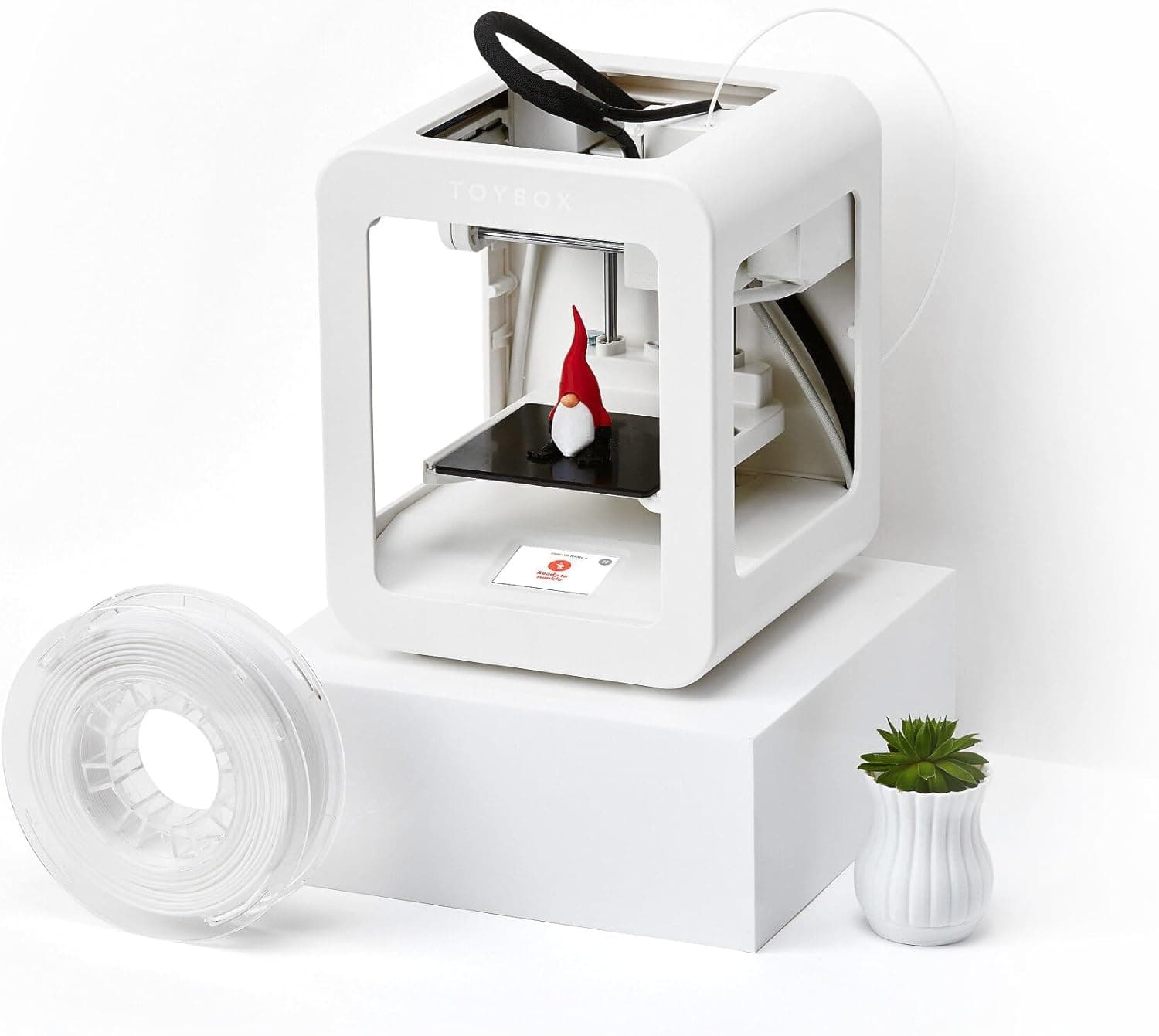
Toybox 3D has expanded its educational line with models that include pre-loaded educational projects aligned with STEM standards, plus improved durability for classroom environments.
Several manufacturers now offer educational bundles that include supplies for an entire semester, lesson plans, and maintenance contracts designed to fit school budget cycles.
What are professional reviewers saying about the best 3D printers available in 2026?
Tech reviewers consistently praise the Prusa XL for its exceptional build quality and innovative features, with many calling it the most significant advancement in consumer 3D printing this year.
The Creality K1 Max has received positive feedback for offering high-end features like a fully enclosed chamber and advanced material compatibility at a mid-range price point.
Critics note that while prices have generally decreased for quality printers, the growing ecosystem of accessories and materials can significantly increase the total cost of ownership beyond the initial purchase price.





