
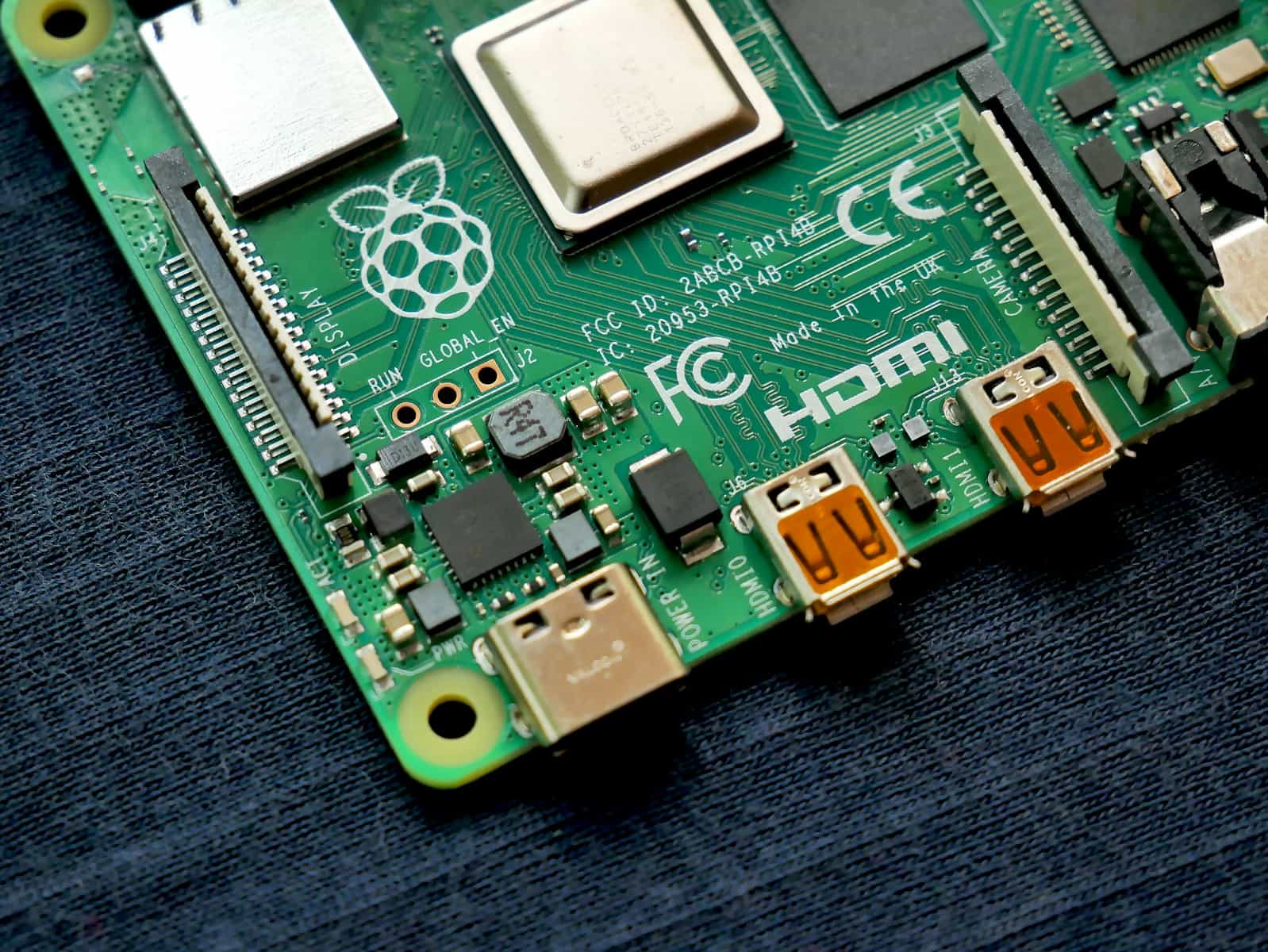
The Raspberry Pi 5 has revolutionized the world of single-board computing with its impressive performance upgrades over previous models. Released to much excitement in the maker community, this tiny computer opens up new possibilities for both beginners and experienced tinkerers alike. The Raspberry Pi 5’s enhanced processing power, improved graphics capabilities, and better thermal management make it perfect for projects that were previously challenging on older models.
From transforming ordinary TVs into smart entertainment systems to creating powerful air quality monitors, the Pi 5 handles it all with ease. Many users are finding creative ways to put this affordable computer to work in their homes and workshops. The current project landscape shows incredible diversity – from HDMI connections to Samsung Smart TVs running Zoom applications to sophisticated file storage servers and wireless network printers.
Whether you’re looking to dive into retro gaming, extend your home’s Wi-Fi network, or build more complex systems like media streaming centers, the Raspberry Pi 5 provides an accessible entry point for these projects. Its improved performance particularly shines in applications requiring faster processing or multiple simultaneous tasks, making previously sluggish projects run smoothly.
Raspberry Pi Project Ideas for Smart Home Automation
Using a Raspberry Pi for smart home automation is one of the most affordable and flexible ways to build a customized system. With the right setup, you can control lighting, security, temperature, and even appliances from a single hub. Platforms like Home Assistant turn a simple Pi into a powerful automation server.
The beauty of Raspberry Pi projects is scalability. You can start small with one device and gradually expand into a fully integrated smart home ecosystem.
Beginner-Friendly Projects
- Smart light control using relays
- DIY home security camera system
- Motion detection alerts via email or phone
- Smart doorbell with camera feed
Intermediate Projects
- Home Assistant automation hub
- Voice-controlled assistant integration
- Smart thermostat control
- Energy usage monitoring system
Advanced Ideas
- AI-powered security with facial recognition
- Full home automation dashboard with remote access
- Smart irrigation system based on weather data
- Multi-room audio system with synchronized playback
Key Takeaways
- The Raspberry Pi 5 delivers significantly better performance than previous models, enabling more complex and responsive projects.
- Popular projects include smart TV conversions, media centers, network extensions, and environmental monitoring systems.
- Beginners can start with simple projects while experienced makers can leverage the Pi 5’s advanced capabilities for more sophisticated applications.
Getting Started with Raspberry Pi 5
The Raspberry Pi 5 offers more power and capabilities than previous models, making it perfect for both beginners and experienced users. Before diving into exciting projects, you’ll need to properly set up your device and understand its features.
Setting Up Your Raspberry Pi 5
To begin using your Raspberry Pi 5, gather all necessary components. You’ll need:
- Raspberry Pi 5 board
- microSD card (minimum 16GB, class 10 recommended)
- USB-C power supply (official 27W recommended)
- HDMI cable
- Monitor or TV
- USB keyboard and mouse
Insert the microSD card into your computer and use Raspberry Pi Imager to install the operating system. This free software makes installation simple and is available for Windows, Mac, and Linux.
The imager allows you to choose your preferred operating system and configure settings like Wi-Fi, username, and password before writing to the card. Once complete, insert the card into your Pi 5.
Connect your display via HDMI, attach your keyboard and mouse, and finally connect the USB-C power supply. The device should boot automatically.
Configuring the Operating System
Raspberry Pi OS (formerly Raspbian) is the official operating system optimized for Raspberry Pi hardware. Upon first boot, a setup wizard will guide you through initial configuration steps.
Follow the prompts to:
- Set your country, language, and timezone
- Create a password for the default user
- Connect to Wi-Fi
- Update software packages
After initial setup, explore the desktop environment which comes with pre-installed software like Chromium web browser and LibreOffice suite.
Open Terminal to access the command line interface. Basic commands include:
sudo apt update     # Update package lists
sudo apt upgrade    # Upgrade installed packages
sudo reboot         # Restart the system
For advanced configurations, the config.txt file in the boot partition allows hardware settings adjustments. Edit with caution using:
sudo nano /boot/config.txt
Understanding Raspberry Pi 5 Hardware
The Raspberry Pi 5 represents a significant upgrade from previous versions. It features a 2.4GHz quad-core 64-bit ARM Cortex-A76 processor and comes with either 4GB or 8GB RAM options.
Key hardware features include:
- Dual 4K display support via HDMI ports
- 2.5Gbps Ethernet port
- 2 USB 3.0 and 2 USB 2.0 ports
- Bluetooth 5.0 and Wi-Fi capabilities
- 40-pin GPIO header for connecting components
The GPIO (General Purpose Input/Output) pins allow connections to various electronic components, sensors, and actuators. These pins make the Pi ideal for hardware projects and physical computing.
Power management has improved with the Pi 5, requiring a USB-C power supply delivering at least 5V/3A. For optimal performance, especially when using power-hungry peripherals, the official 27W power supply is recommended.
Building Raspberry Pi 5 Projects
The Raspberry Pi 5’s improved performance opens up exciting possibilities for creative and powerful projects. With its enhanced CPU, increased RAM, and better graphics capabilities, even complex applications run smoothly on this compact computer.
Home Media Center with Kodi
Turning a Raspberry Pi 5 into a home media center is one of the most popular and practical projects. Kodi, a free open-source media player application, transforms the Pi 5 into a powerful entertainment hub.
To build this project, you’ll need:
- Raspberry Pi 5
- MicroSD card (32GB+ recommended)
- Power supply
- HDMI cable
- Case with cooling (optional but recommended)
Start by downloading and installing the LibreELEC or OSMC operating systems, which come with Kodi pre-installed. These specialized OS options are optimized for media playback on the Pi.
Once installed, Kodi allows you to organize and stream your movies, TV shows, music, and photos. The Pi 5’s faster processor handles 4K video playback with ease, something previous models struggled with.
Add external hard drives or set up network storage to expand your media library. You can also install add-ons to access streaming services and customize the interface to suit your preferences.
Retro Gaming Console
The Raspberry Pi 5 makes an excellent retro gaming console with its increased processing power handling even PlayStation 1 and N64 games smoothly.
Start with RetroPie, Recalbox, or Batocera – specialized operating systems designed for gaming. RetroPie is the most popular choice among enthusiasts for its extensive compatibility.
Required hardware:
- Raspberry Pi 5
- MicroSD card (64GB recommended)
- Gaming controllers (USB or Bluetooth)
- Case with proper ventilation
These platforms include emulators for dozens of classic systems from Atari to PlayStation. Simply add ROM files of games you own and organize them through the attractive interface.
The Pi 5’s improved GPU provides better frame rates and allows for enhanced graphics options. For optimal performance, consider adding a small heatsink and fan as gaming can be resource-intensive.
Connect your Pi to a TV via HDMI, pair some controllers, and enjoy thousands of classic games in one compact device. Many users create custom arcade cabinets around their Pi for the authentic experience.
AI Projects Using Raspberry Pi 5
The Raspberry Pi 5’s increased processing power makes it suitable for entry-level AI projects. Machine learning and computer vision applications that were challenging on previous models now run effectively.
Start with simple computer vision projects using OpenCV. The Pi 5 can process camera inputs faster, making applications like object detection, face recognition, and motion tracking more responsive.
For beginners, TensorFlow Lite offers a pathway to implement pre-trained models. Try projects like:
- Smart doorbell with face recognition
- Plant health monitoring system
- Voice-controlled home automation
- Simple sentiment analysis for text
The Pi 5 handles these tasks with significantly less lag than its predecessors. For more complex AI, consider connecting to cloud services for the heavy processing while using the Pi as the interface.
Remember to install appropriate cooling, as AI processing can be demanding. Many successful projects combine Python programming with libraries specifically optimized for the Pi’s architecture.
Creating a Web Server
Setting up a web server on the Raspberry Pi 5 is straightforward and provides a practical way to host websites or web applications on your local network or even the internet.
The process begins with installing a LAMP stack (Linux, Apache, MySQL, PHP) or LEMP stack (using Nginx instead of Apache). The Pi 5’s improved CPU and RAM make it capable of handling more concurrent connections than previous models.
To get started:
- Install Raspberry Pi OS
- Update the system with
sudo apt update && sudo apt upgrade - Install Apache with
sudo apt install apache2 - Add PHP support:
sudo apt install php libapache2-mod-php - Install MySQL:
sudo apt install mariadb-server php-mysql
Once configured, you can host simple websites, WordPress installations, or custom web applications. The Pi 5 efficiently serves content to multiple users simultaneously.
For home use, set up Dynamic DNS to make your server accessible from outside your network. Consider security measures like SSH key authentication and proper firewall configuration to protect your server.
Advanced Interfacing and Expansions
The Raspberry Pi 5’s improved hardware capabilities open new possibilities for complex interfaces and expansions that were challenging on previous models. The PCIe 2.0 and USB 3.0 ports provide faster data transfer speeds for connecting advanced peripherals.
Utilizing HATs and Modules
HATs (Hardware Attached on Top) significantly extend the Raspberry Pi 5’s functionality without complex wiring. These expansion boards connect directly to the 40-pin GPIO header and are automatically configured at boot time.
Popular HATs for the Raspberry Pi 5 include:
- PoE+ HAT – Powers the Pi through an Ethernet cable
- Sense HAT – Adds environmental sensors and LED matrix
- HifiBerry DAC+ Pro – Provides high-quality audio output
- Camera Module – Enables computer vision projects
The Pi 5’s improved SPI bus performance allows for faster communication with HATs that use this interface. This is particularly useful for displays and data acquisition modules.
When selecting a HAT, verify it’s compatible with the Pi 5’s power requirements. The newer model generates more heat, so HATs with cooling solutions are highly recommended.
Interfacing with Arduino and ESP32
Combining Raspberry Pi 5 with microcontrollers like Arduino or ESP32 creates powerful hybrid systems. The Pi handles complex processing while microcontrollers manage real-time I/O operations.
Connection options include:
- USB – The simplest method, using Pi 5’s USB 3.0 ports
- I2C/SPI – Direct connection via GPIO pins
- UART – Serial communication through TX/RX pins
For Arduino integration, install the Arduino IDE on the Pi and use libraries like firmata to communicate between devices. This allows the Pi to control Arduino’s pins remotely.
ESP32 adds wireless capabilities through WiFi and Bluetooth. It can act as a wireless sensor node sending data to the Pi 5 for analysis and storage. Tools like ESPHome simplify this integration for home automation projects.
Exploring MicroPython with Raspberry Pi Pico
The Raspberry Pi Pico, based on the RP2040 microcontroller, complements the Pi 5 as a low-cost programmable I/O controller. MicroPython makes it accessible even to beginners.
Setting up MicroPython on the Pico is straightforward:
- Download the MicroPython UF2 file
- Connect Pico to Pi 5 while holding BOOTSEL button
- Drag the UF2 file to the mounted drive
- Use Thonny IDE on Pi 5 to write and upload code
The Pico excels at tasks requiring precise timing, like controlling servos or reading analog sensors. It can be connected to the Pi 5 via USB or direct GPIO connections.
Projects can combine the Pico’s real-time capabilities with Pi 5’s processing power. For example, the Pico can collect sensor data at precise intervals while the Pi 5 performs analysis and visualization.
Community and Learning Resources
The Raspberry Pi community offers valuable support and educational materials for both beginners and experts. These resources make it easier to start new projects and solve problems when working with the Raspberry Pi 5.
Joining the Raspberry Pi Community
Reddit hosts an active Raspberry Pi Projects Hub where users share their creations and troubleshooting advice. This forum is especially helpful for specific questions about connecting Pi 5 to other devices, like the reported HDMI connection to Samsung Smart TVs.
The official Raspberry Pi Foundation website maintains forums where developers of all skill levels gather. These spaces allow users to showcase projects, request help, and collaborate on new ideas.
Discord servers dedicated to Raspberry Pi enthusiasts provide real-time support and inspiration. Many local makerspaces and coding clubs also host Raspberry Pi meetups where members can work together on physical projects.
Finding and Sharing Raspberry Pi Tutorials
The Raspberry Pi Foundation offers over 250 free coding projects with step-by-step instructions. These tutorials cover a range of applications from simple games to more complex AI and machine learning projects.
Seeed Studio publishes curated lists of beginner-friendly projects specifically designed for the Pi 5’s improved performance. These guides take advantage of the newer hardware capabilities.
Python-focused learning paths are particularly valuable since it’s the most widely used programming language for Raspberry Pi. Many tutorials include downloadable code examples that users can modify for their own needs.
Education resources like Picademy provide professional development for teachers interested in bringing Raspberry Pi into classrooms. The Foundation also offers specialized resources for teaching AI literacy through practical Raspberry Pi projects.
Frequently Asked Questions
The Raspberry Pi 5 offers expanded capabilities compared to previous models, making it suitable for a wide range of projects. Users commonly ask about project possibilities and practical applications for this versatile single-board computer.
What are some beginner-friendly projects suitable for the Raspberry Pi 5?
Beginners can start with simple projects like building a weather station that displays temperature and humidity data. The Pi 5’s improved processing power makes these projects run more smoothly than on previous models.
Setting up a retro gaming console is another approachable project. The Raspberry Pi 5 handles emulation of classic games with better performance and less lag than older Pi versions.
Digital picture frames or simple media players are also excellent starter projects. These utilize the Pi 5’s HDMI output and can be controlled through basic programming.
Can the Raspberry Pi 5 be utilized in implementing home automation systems?
The Raspberry Pi 5 serves as an excellent hub for home automation systems. Its improved CPU and RAM handle multiple connected devices simultaneously without performance issues.
Users can create systems that control lights, thermostats, security cameras, and other smart devices from a single interface. The Pi 5’s better networking capabilities also ensure more reliable connections to IoT devices.
Smart mirror projects benefit from the Pi 5’s processing power, allowing for smooth display of weather, calendar, and other real-time information while handling voice commands.
What advanced project ideas can be realized using the Raspberry Pi 5?
Network-attached storage (NAS) systems become more practical with the Pi 5’s improved data transfer speeds and processing power. Users can build personal cloud storage solutions that perform well even with multiple simultaneous connections.
Robotics projects benefit significantly from the Pi 5’s enhanced capabilities. The faster processor handles real-time sensor data processing and control algorithms more efficiently.
Advanced media centers running software like Kodi perform better on the Pi 5. The improved graphics handling allows for smoother playback of high-definition content and more responsive interfaces.
How can Artificial Intelligence be integrated with the Raspberry Pi 5 for complex projects?
Machine learning applications run more efficiently on the Pi 5 due to its improved processing capabilities. Simple image recognition and classification tasks can now run locally without significant delays.
Voice assistants like custom versions of Alexa or Google Assistant work better on the Pi 5. The enhanced processing power handles voice recognition tasks more quickly and accurately.
Computer vision projects benefit from the Pi 5’s ability to process camera input faster. This enables applications like object tracking, motion detection, and simple autonomous navigation systems.
What are the primary functions and applications of the Raspberry Pi 5 in modern computing?
The Raspberry Pi 5 serves as an affordable desktop computer replacement for basic computing tasks. Its improved performance handles web browsing, document editing, and media consumption more effectively than previous models.
In industrial settings, the Pi 5 functions as a control system for monitoring equipment and collecting data. The additional processing power enables real-time analytics and more responsive industrial automation.
The Pi 5 also excels as a network device, functioning as a VPN server, ad blocker, or network monitoring tool. Its improved networking capabilities ensure better throughput for these applications.
How suitable is the Raspberry Pi 5 for educational and developmental purposes?
The Raspberry Pi 5 provides an excellent platform for learning programming languages like Python, Java, and C++. Its improved performance reduces compile times and runs more complex educational software smoothly.
In classroom settings, the Pi 5 supports multiple simultaneous users better than previous versions. This makes it more practical for computer labs and shared learning environments.
The Pi 5’s enhanced capabilities allow students to work on more advanced projects like game development or AI applications. These projects previously might have required more expensive hardware.





