
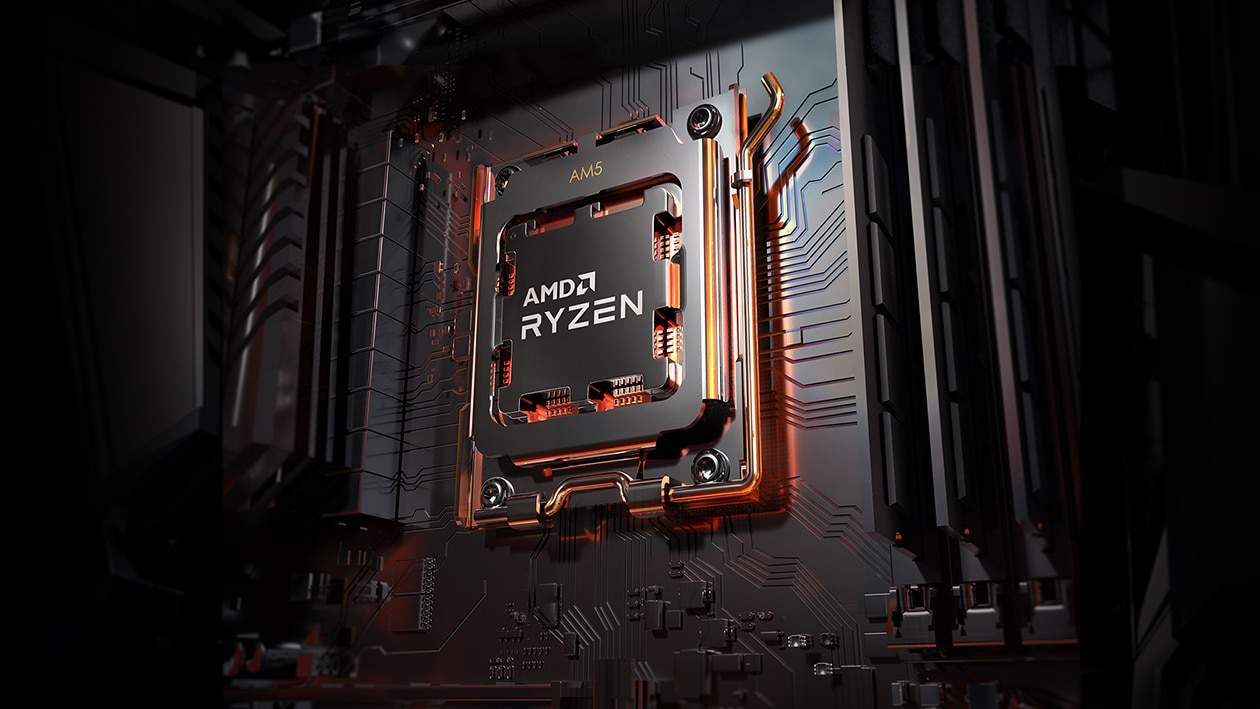
Choosing the right motherboard for the Ryzen 7 7800X3D can make a significant difference in your gaming performance. This powerful CPU has become a favorite among gamers looking for top-tier performance without breaking the bank. The 3D V-Cache technology gives it an edge in gaming scenarios that many enthusiasts are eager to maximize.
The best motherboards for the Ryzen 7 7800X3D include the MSI MAG B650 TOMAHAWK WiFi, ASUS ROG Strix B650E-F, and the ASRock B650E Steel Legend WiFi, all offering excellent features at different price points. These boards provide the right balance of power delivery, connectivity options, and cooling support needed to get the most from this gaming-focused processor. Many builders find that B650 chipset boards offer the best value, while X670E options provide more features for those with higher budgets.
The motherboard choice affects more than just CPU performance. It determines what expansion cards you can use, how many storage drives you can connect, and what kind of RAM speeds you can achieve. For the 7800X3D, look for boards with good VRMs (Voltage Regulator Modules) to maintain stable power delivery during intense gaming sessions.
Best 7800X3D Motherboards
The AMD Ryzen 7 7800X3D performs best with high-quality AM5 motherboards that support DDR5 memory and PCIe 5.0. Top choices include X670E and B650E chipsets, which offer strong VRM performance, future-proof connectivity, and excellent stability for gaming. Popular options feature robust cooling, multiple M.2 slots, and reliable BIOS support for optimal CPU performance. When choosing a motherboard, consider your needs for expansion, overclocking support, and budget. For most users, a mid-range B650 motherboard delivers excellent value, while X670E boards are ideal for enthusiasts seeking maximum performance and features.
| Rank | Model | Form Factor |
|---|---|---|
| 1 | MSI MAG B850 TOMAHAWK MAX WIFI | ATX |
| 2 | Gigabyte B850 AORUS ELITE WIFI7 | ATX |
| 3 | ASRock B850M Pro-A WiFi | Micro ATX |
| 4 | Gigabyte B850 EAGLE WIFI6E | ATX |
| 5 | Asus TUF GAMING B650E-E WIFI | ATX |
| 6 | Asus TUF GAMING B850-PLUS WIFI | ATX |
| 7 | Asus ROG STRIX B850-A GAMING WIFI | ATX |
| 8 | Gigabyte X870E AORUS ELITE WIFI7 | ATX |
| 9 | MSI MAG X870 TOMAHAWK WIFI | ATX |
| 10 | ASRock B850I Lightning WiFi | Mini ITX |
Key Takeaways
- B650 motherboards offer the best value for most 7800X3D builds while X670E boards provide premium features for enthusiasts.
- Look for boards with robust VRMs and adequate cooling options to maximize the 7800X3D’s gaming potential.
- Future-proofing with PCIe 5.0 support can be important for upcoming GPU upgrades with compatible motherboards.
Understanding the AMD Ryzen 7 7800X3D
The AMD Ryzen 7 7800X3D is a powerful gaming processor that leverages advanced cache technology to deliver exceptional performance. It builds upon AMD’s successful X3D series with improvements designed specifically for gamers and high-performance computing users.
3D V-Cache Technology
3D V-Cache is AMD’s breakthrough technology that stacks additional L3 cache directly on top of the processor die. This gives the 7800X3D a massive 96MB of L3 cache compared to the standard 32MB found in the Ryzen 7 7700X. The extra cache drastically reduces memory latency in games.
Games often access the same data repeatedly. With 3D V-Cache, more of this data stays in the fast cache rather than having to be retrieved from slower system RAM. This results in smoother gameplay and higher frame rates, especially at 1080p resolution where games are more CPU-bound.
Benchmarks show the 7800X3D outperforming not just its predecessor (5800X3D) but also competing against much more expensive processors in gaming scenarios.
CPU Specifications and Performance
The Ryzen 7 7800X3D features 8 cores and 16 threads built on AMD’s Zen 4 architecture. It has a base clock of 4.2GHz and can boost up to 5.0GHz under load. The processor uses the AM5 socket and supports DDR5 memory.
In gaming benchmarks, the 7800X3D consistently outperforms the standard Ryzen 7 7700X by 10-15% in most titles. Compared to its predecessor (5800X3D), it offers approximately 15-20% better performance across the board.
Power efficiency is another strong point. Despite its high performance, the 7800X3D has a TDP of just 120W, making it easier to cool than many competing high-end CPUs. This matters when choosing a motherboard, as less robust power delivery systems can still handle this processor effectively.
Motherboard Compatibility and Features
Finding the right motherboard for the Ryzen 7 7800X3D requires understanding key compatibility factors and features. The processor needs an AM5 socket motherboard with specific capabilities to maximize its gaming and multitasking potential.
BIOS Support and Updates
All 7800X3D-compatible motherboards require updated BIOS versions to properly recognize and utilize the CPU. Many X670E and B650E boards ship with 7800X3D support, but older stock might need updates before installation. Boot times on AM5 platforms can be longer than previous generations, with reports of 30-35 seconds being common on boards like the MSI Tomahawk.
Manufacturers like ASUS, Gigabyte, and MSI provide regular BIOS updates that improve stability and performance. These updates often enhance memory compatibility and CPU power management. Some high-end boards include convenient features like BIOS Flashback, allowing updates without a CPU installed.
Always check the motherboard manufacturer’s website for the latest BIOS version before purchasing. This ensures compatibility with the 7800X3D’s unique 3D V-Cache technology.
RAM and Overclocking Capabilities
The 7800X3D works exclusively with DDR5 memory, with most AM5 motherboards offering four RAM slots supporting up to 128GB. Memory speeds typically range from 4800MHz to 6000MHz+ depending on the motherboard quality.
EXPO support (AMD’s equivalent to Intel’s XMP) is essential for easy memory overclocking. Premium X670E boards often have better EXPO profiles and memory stability than budget options. While the 7800X3D has limited CPU overclocking potential due to its 3D V-Cache design, memory and fabric overclocking remain important for performance.
Most mid-range and high-end motherboards include heatsinks for M.2 drives and VRMs, ensuring stable operation under load. Boards like the ROG Strix B650E-F and B650E Taichi offer robust power delivery systems that maintain performance consistency during extended gaming sessions.
Expansion Options and Connectivity
PCIe connectivity varies significantly across different motherboard tiers. X670E boards typically offer more PCIe 5.0 slots and M.2 connections, while B650 boards may limit PCIe 5.0 to just the primary x16 slot for the GPU.
Most quality motherboards provide:
- 1-2 PCIe 5.0 x16 slots
- 2-4 M.2 slots (some with PCIe 5.0 support)
- Multiple USB ports (including USB 3.2 Gen 2 and sometimes USB4)
- 2.5G or 10G Ethernet
- Wi-Fi 6E on mid-range and higher models
Premium options like the Gigabyte X670E Aorus Elite and ASUS ROG series add extra features such as better audio codecs, additional USB ports, and more robust networking options. Budget-conscious gamers can consider the B650E options, which still provide excellent connectivity while saving money for other components.
Top Motherboards for Ryzen 7 7800X3D
Finding the right motherboard for the Ryzen 7 7800X3D is crucial for maximizing this powerful CPU’s performance. Several standout options exist across different price points and form factors.
Best Overall Motherboard
The ROG Strix B650E-F delivers exceptional performance and features for the Ryzen 7 7800X3D. This motherboard combines robust VRM design with excellent power delivery, ensuring stable operation even under heavy loads.
The B650E chipset provides a good balance of connectivity and performance without the premium price of X670 boards. Users will appreciate the comprehensive rear I/O panel featuring multiple USB ports, including high-speed USB 3.2 Gen 2 connections, while still maintaining legacy USB 2.0 ports for peripherals.
The board offers excellent memory compatibility with support for DDR5 at high speeds. Its advanced thermal design with multiple heatsinks prevents throttling during extended gaming or productivity sessions.
Connectivity options include WiFi 6E, 2.5Gb Ethernet, and high-quality audio components. HDMI and DisplayPort outputs are available for those using APUs or troubleshooting.
Best Value Motherboard
The Gigabyte B650 AORUS Elite AX stands out as the top value choice for 7800X3D builds. This motherboard delivers premium features at a mid-range price point, making it extremely attractive for budget-conscious gamers.
It features a solid 12+2+1 phase power design that handles the 7800X3D without breaking a sweat. The thermal solution includes enlarged heatsinks that keep VRMs cool during intensive tasks.
Connectivity is impressive with WiFi 6E, Bluetooth 5.2, and 2.5Gb Ethernet. The rear I/O includes sufficient USB ports, including USB 2.0 for legacy devices and keyboards.
The BIOS interface is user-friendly and provides extensive control options. Q-Flash Plus allows for BIOS updates without a CPU installed, which is helpful when preparing for a new-generation processor.
Audio quality is excellent with the ALC1220 codec and audio capacitors for clear sound reproduction during gaming and media consumption.
Best Motherboard for Overclockers
The MSI B650 Tomahawk delivers exceptional overclocking capabilities for enthusiasts looking to push their 7800X3D. While AMD’s X3D CPUs have limited traditional overclocking headroom, this board excels at memory and fabric clock tuning.
The robust power delivery system features a 14+2+1 phase design with 80A power stages, providing clean and stable power under stress. Extended heatsinks with heatpipe technology effectively dissipate heat from critical components.
The BIOS offers comprehensive tuning options with an intuitive interface. Memory overclocking is particularly strong, supporting DDR5 speeds well beyond 6000MHz with proper cooling.
Diagnostic features include debug LED indicators, clear CMOS button, and BIOS flashback capability. These prove invaluable during intensive overclocking sessions.
Cooling support is excellent with multiple fan headers and temperature sensors placed strategically across the board. Power and reset buttons directly on the motherboard make bench testing convenient.
Best Micro-ATX Option
The MSI MAG B650M Mortar WiFi offers an excellent compact solution without sacrificing performance. This micro-ATX motherboard is perfect for smaller builds while still supporting the 7800X3D’s full capabilities.
Despite its smaller size, the board features a respectable 8+2+1 power phase design with decent VRM cooling. The thermal solution handles the 7800X3D efficiently even in smaller cases with restricted airflow.
Connectivity remains impressive with WiFi 6E, Bluetooth 5.2, and 2.5Gb LAN. The rear I/O includes sufficient USB ports including USB 2.0 options for peripherals. HDMI and DisplayPort outputs are included for integrated graphics support.
Storage options include multiple M.2 slots with heatsinks and SATA ports for traditional drives. The board also features two PCIe x16 slots, though the second runs at x4 speeds.
The BIOS is feature-rich and user-friendly, offering tuning options comparable to full-sized alternatives.
Cooling and System Airflow Considerations
Proper cooling setup and airflow management are crucial factors when pairing a motherboard with the powerful Ryzen 7800X3D. These elements directly impact both system stability and performance longevity.
Importance of CPU Cooling
The Ryzen 7800X3D generates significant heat during intensive operations, making an efficient CPU cooler essential. Quality VRMs on motherboards like the MSI Tomahawk and Gigabyte Aorus Elite help manage power delivery, but they need proper cooling support.
A high-quality air cooler or AIO liquid cooling system is recommended. Motherboards with substantial VRM heatsinks provide additional thermal protection for critical components.
The 6mm heatpipe designs found on some X870 motherboards help dissipate heat effectively from power delivery components. This becomes especially important during extended gaming sessions when the CPU maintains high boost clocks.
For optimal performance, look for motherboards that offer CPU fan headers with precise control options. This allows for customized cooling profiles based on system load.
Airflow for Optimized Performance
Strategic airflow planning complements your motherboard and CPU cooler choice. Motherboards with airflow-optimized heatsink designs facilitate better overall system cooling.
M.2 Thermal Guards, featured on boards like the Gigabyte options, prevent NVMe drive throttling during intensive data operations. This is particularly valuable for gamers who regularly install and load large game files.
Case fan headers on quality motherboards allow for comprehensive airflow management. Position intake fans at the front/bottom and exhaust fans at the rear/top to create positive pressure.
Consider motherboards with temperature sensors that can monitor multiple system zones. This data helps optimize fan curves for different components.
Proper airflow not only improves gaming performance but extends component lifespan by preventing thermal throttling and maintaining consistent boost clocks during extended use.
Frequently Asked Questions
Choosing the right motherboard for the Ryzen 7 7800X3D requires understanding compatibility, features, and performance needs. These FAQs address common concerns when pairing this powerful CPU with appropriate motherboards.
What are the top motherboards compatible with the Ryzen 7 7800X3D for high-performance gaming?
For high-performance gaming with the 7800X3D, several motherboards stand out. The ASUS ROG Crosshair X670E Hero offers premium features including robust VRMs and extensive connectivity options.
MSI MPG X670E Carbon WiFi provides excellent thermal performance and overclocking capabilities at a more moderate price point. It includes PCIe 5.0 support and high-speed networking.
For budget-conscious gamers, the ASRock B650M HDV delivers reliable performance without unnecessary extras. As mentioned in the search results, it can “run any AM5 CPU without breaking a sweat.”
Which motherboards offer the best synergy with the AMD Ryzen 7 7800X3D and the RTX 4090 GPU?
When pairing the 7800X3D with an RTX 4090, the motherboard must handle significant power requirements. The ASUS ROG Strix X670E-E Gaming WiFi provides optimal PCIe lane allocation and power delivery.
The Gigabyte X670E Aorus Master features multiple PCIe 5.0 slots and reinforced GPU slots designed for heavy graphics cards like the 4090. Its robust power design supports both high-performance components without bottlenecks.
MSI MEG X670E ACE offers premium features including a 22+2+1 power phase design that ensures stable power delivery to both the CPU and GPU during intense gaming sessions.
What is an optimal motherboard choice for both the AMD Ryzen 7 7800X3D and the Radeon RX 7900 XTX?
For an all-AMD build with the 7800X3D and RX 7900 XTX, the MSI MPG B650 Tomahawk WiFi offers great value. The search results specifically mention Tomahawk boards as “very well reviewed.”
The ASUS TUF Gaming X670E-Plus WiFi provides excellent thermal performance for both components with its enhanced VRM cooling solution. It balances cost and features effectively.
Gigabyte B650 Aorus Elite AX delivers reliable performance with Smart Fan 6 technology to keep temperatures controlled during extended gaming sessions with these power-hungry components.
How does one select the best motherboard for AMD Ryzen 7 7800X3D when considering future upgrades?
When planning for future upgrades, choose motherboards with PCIe 5.0 support and multiple M.2 slots. The MSI MAG X670E Tomahawk WiFi offers solid upgrade paths with its expansive connectivity options.
Consider BIOS update support longevity. ASUS and Gigabyte typically provide longer update cycles, ensuring compatibility with future AM5 CPUs.
B650E motherboards like the ASUS ROG Strix B650E-F Gaming WiFi offer a good balance of current features and future-proofing at a more reasonable price than X670E models.
Can you recommend a motherboard that pairs well with the Ryzen 7 7800X3D for advanced creative workstations?
For creative workstations, the ASRock X670E Taichi provides extensive connectivity with multiple USB ports and Thunderbolt 4 support. Its stable power delivery suits extended rendering sessions.
The Gigabyte X670E Aorus Pro X offers enhanced audio solutions ideal for audio production alongside the 7800X3D. Its robust I/O panel includes numerous USB ports for peripherals.
ASUS ProArt X670E-Creator WiFi is specifically designed for content creators with optimized components for professional applications. It features 10Gb Ethernet and specialized creative software integration.
What factors should be considered when choosing a motherboard for the Ryzen 7 7800X3D to ensure compatibility with high-speed RAM?
Memory compatibility is crucial for maximizing 7800X3D performance. Look for motherboards with strong DOCP/XMP support for hassle-free high-speed RAM operation.
Check the QVL (Qualified Vendor List) for each motherboard to ensure your chosen RAM is tested and verified. MSI B650 and X670 boards typically offer excellent memory compatibility.
Consider the number of DIMM slots and maximum supported frequencies. Premium X670E motherboards like the ASUS ROG Crosshair X670E Extreme support memory speeds up to 6600MHz when properly configured.





