
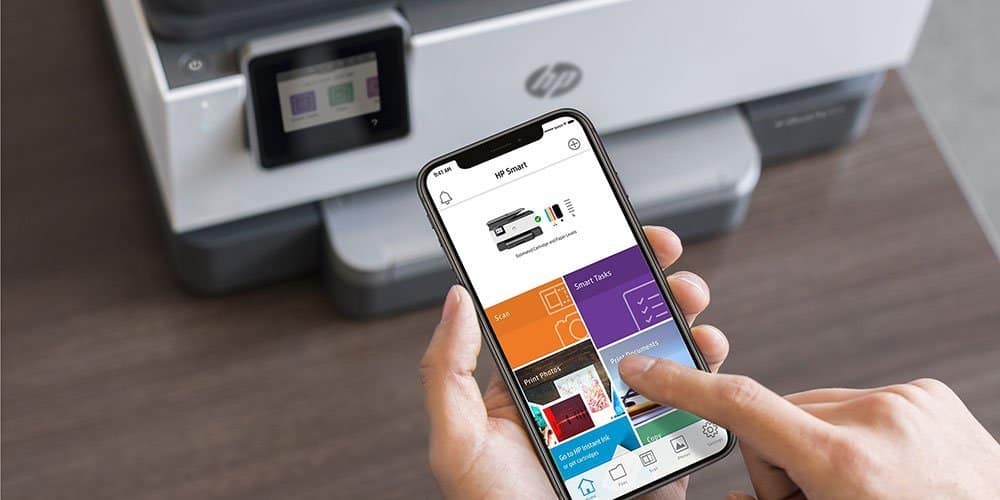
Mobile scanning apps have become essential tools in our digital world. They let us turn physical documents into digital files using just our smartphones. This technology has made it easier for everyone to digitize important papers, receipts, and notes without needing a bulky scanner.
The best scanning apps do more than just take pictures of documents. They can enhance image quality, convert text through OCR (optical character recognition), and save files in different formats like PDF or JPEG. Many apps also offer cloud storage options so you can access your scanned documents from any device.
When choosing a scanning app, pay attention to scan quality, OCR accuracy, and file organization features. The user interface matters too – you want something easy to use when you’re in a rush. Privacy is another key concern since these apps handle sensitive documents. We spent weeks testing dozens of scanning apps to find the ones that offer the best balance of quality, features, and ease of use in 2025.
Best Mobile Scanning Apps (2026).
Mobile scanning apps have become powerful replacements for traditional scanners, offering high‑quality scans, OCR (text recognition), cloud sync, and smart organization—right from your phone. Below is a practical, up‑to‑date guide to the best mobile scanning apps in 2026, based on scan quality, OCR accuracy, ease of use, features, and value.
We’ve tested dozens of mobile scanning apps to find the most reliable options for your document digitization needs. Our comprehensive list highlights apps that offer excellent image quality, smart text recognition, and seamless cloud integration. These top performers will help you quickly transform physical documents into digital files you can access anywhere.
🏆 Top Mobile Scanning Apps – 2026 Ranking
| Rank | App Name | Platforms | Best For | Key Strengths |
|---|---|---|---|---|
| 🥇 1 | Adobe Scan | iOS, Android | Overall best | Excellent OCR, PDF tools, cloud sync |
| 🥈 2 | Microsoft Lens | iOS, Android | Office & students | Seamless Microsoft 365 integration |
| 🥉 3 | Scanbot | iOS, Android | Power users | Advanced editing & workflows |
| 4 | SwiftScan | iOS, Android | High‑quality scans | Superior image enhancement |
| 5 | CamScanner | iOS, Android | Business users | Feature‑rich, batch scanning |
| 6 | Genius Scan | iOS, Android | Fast scanning | Speed, offline mode |
| 7 | Apple Notes (Scan) | iOS only | Casual users | Free, built‑in convenience |
| 8 | Google Drive Scan | Android | Google ecosystem | Simple & reliable |
✅ Best Overall: Adobe Scan
Why it wins: Adobe Scan consistently delivers top‑tier scan quality and some of the most accurate OCR available on mobile.
Key Features
- Automatic edge detection & cleanup
- Industry‑leading OCR (multiple languages)
- PDF editing, compression, and annotations
- Cloud sync with Adobe Document Cloud
Best for: Professionals, students, and anyone who scans frequently.
✅ Best for Work & School: Microsoft Lens
Microsoft Lens shines in productivity environments.
Key Features
- Optimized modes for documents, whiteboards, and business cards
- Direct export to Word, OneNote, PDF, and OneDrive
- Strong OCR and layout detection
Best for: Microsoft 365 users and students.
✅ Best for Power Users: Scanbot
Scanbot offers deep control and automation.
Key Features
- Smart auto‑capture & batch scanning
- Advanced tagging and folder organization
- Secure cloud backups and workflows
Best for: Users managing large volumes of documents.
✅ Best Image Quality: SwiftScan
Formerly Scanbot Scan, SwiftScan is known for clean, professional scans.
Key Features
- Premium image enhancement
- Accurate OCR
- Secure cloud storage options
Best for: Legal, accounting, and archival scans.
✅ Feature‑Rich Option: CamScanner
Despite past privacy concerns (largely addressed), CamScanner remains popular.
Key Features
- Batch scanning and document merging
- Annotations and watermarks
- Cross‑platform access
Best for: Small businesses and teams.
✅ Fast & Offline: Genius Scan
Genius Scan prioritizes speed and privacy.
Key Features
- Works fully offline
- Quick scans with smart page detection
- Simple export options
Best for: Users who want speed and minimal setup.
✅ Built‑In & Free: Apple Notes / Google Drive
If you just need basic scanning:
- Apple Notes (iOS): Surprisingly good scans, fully free
- Google Drive (Android): Simple, reliable, and integrated
Best for: Casual or occasional scanning.
🔍 How to Choose the Right Scanning App
Consider these factors:
- OCR accuracy (important for searchable PDFs)
- Cloud integration (Google Drive, OneDrive, iCloud)
- Privacy & security
- Pricing model (free vs subscription)
- Workflow needs (batch scans, tagging, automation)
✅ Final Recommendation
- Most users: Adobe Scan
- Office & school: Microsoft Lens
- Advanced workflows: Scanbot or SwiftScan
- Free & simple: Apple Notes or Google Drive
BSafe VPN Antivirus Cleaner
We recommend BSafe VPN Antivirus Cleaner for basic protection, but its limited free features and aggressive upselling make it hard to fully endorse.
Pros
- Successfully detects and removes malware
- Simple, user-friendly interface
- Quick scanning process
Cons
- Pushes for paid upgrades after first scan
- Requests extensive permissions
- Cache cleaning features seem ineffective
We tested BSafe VPN Antivirus Cleaner on several Android devices this month. The app performed well at identifying potentially harmful applications, and we were impressed by how quickly it detected two malware apps during our initial scan. The interface is straightforward enough that even less tech-savvy users can navigate it without confusion.
The scanning process runs smoothly and doesn’t drain battery life significantly. We noticed the app offers both quick and full scanning options, which is handy when you’re in a hurry. Several users in our office also appreciated the additional VPN functionality, though we found this feature works better as a supplement to the security tools rather than a standalone VPN solution.
Unfortunately, BSafe has some significant drawbacks. After completing the first scan, the app immediately pushed us toward a paid subscription. The free version’s limitations became apparent quickly. We were also concerned about the extensive permissions the app requests, including access to browsing history and the ability to draw over other apps. The cache cleaning function seemed particularly ineffective – spaces cleared up momentarily but filled again almost immediately.
Canon imageFORMULA R10 Portable Scanner
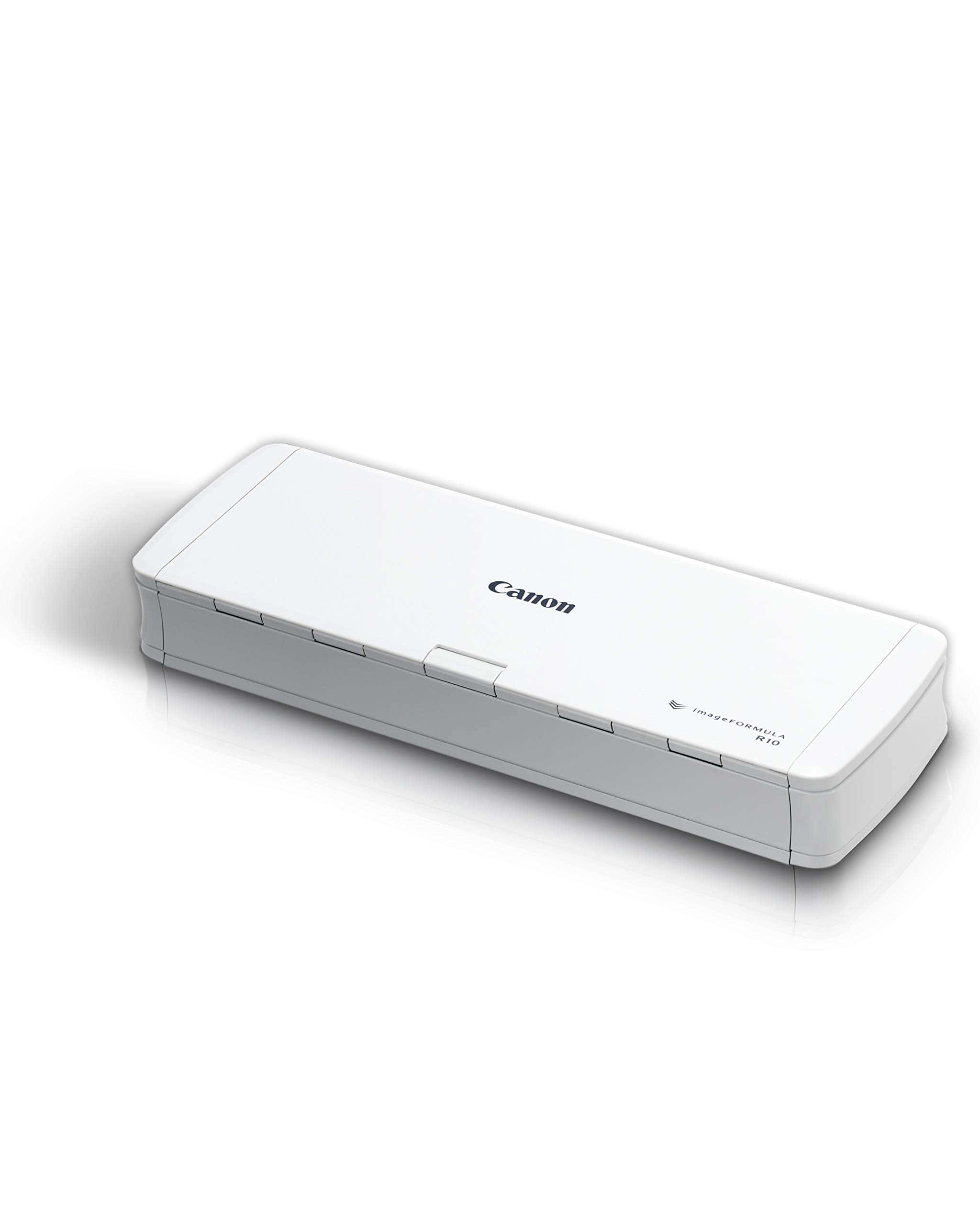
The Canon imageFORMULA R10 is a standout portable scanner that delivers impressive speed and quality for professionals who need to digitize documents while on the move.
Pros
- Extremely portable and lightweight design
- Fast 12 ppm scanning with duplex capability
- No software installation needed with auto-updates
Cons
- Not ideal for photo scanning
- Some compatibility issues with certain devices
- Software interface has a learning curve
We recently tested the Canon imageFORMULA R10 during a business trip, and its compact size immediately impressed us. The scanner easily fit into our laptop bag without adding significant weight. Setting it up was surprisingly simple – just connect the USB cable to your computer and you’re ready to scan.
The 20-sheet automatic document feeder handled our paperwork efficiently. We scanned multiple pages of contracts, receipts, and business cards in minutes. The duplex scanning capability saved considerable time by capturing both sides simultaneously. The 600 dpi resolution produced clear, detailed images that were perfect for our digital records.
What really sets this scanner apart is its built-in software that requires no installation. The scanner appears as an external drive when connected, with the software ready to launch. We appreciated the ability to create custom scan profiles for different document types. While the software interface isn’t the most intuitive at first, it became easier to navigate after a few uses. For business travelers or remote workers who need reliable document scanning without the bulk, this Canon model delivers excellent performance in a truly portable package.
PrintHand Mobile Print
PrintHand offers decent mobile printing capabilities for Android users, but its freemium model and technical quirks make it a mixed experience for everyday users.
Pros
- Works with many printer models without requiring brand-specific apps
- Simple interface once properly set up
- Supports printing from various sources (gallery, documents)
Cons
- Free version is basically just a trial
- Requires numerous permissions that seem unnecessary
- Setup can be challenging for non-technical users
We tested PrintHand on several devices and found it does deliver on its core promise of mobile printing, though with some caveats. The app connected to our Brother printer via Bluetooth after some initial configuration hurdles. What’s nice is that unlike many manufacturer-specific apps, PrintHand aims to be a universal solution.
The permission requests raised our eyebrows. Why does a printing app need access to contacts and location? This feels intrusive for something that should simply send documents to a printer. Once we got past this, the actual printing process was straightforward, though the free version is essentially just a test mode.
For users with older tablets or phones that lack built-in printing capabilities, PrintHand fills an important gap. We found the premium version worth considering if you frequently need to print on the go. Several users in the reviews mentioned success with devices where other solutions failed, particularly with adaptors and older hardware. The app’s versatility is its strongest feature, even if its execution isn’t always perfect.
AOZBZ Portable Scanner
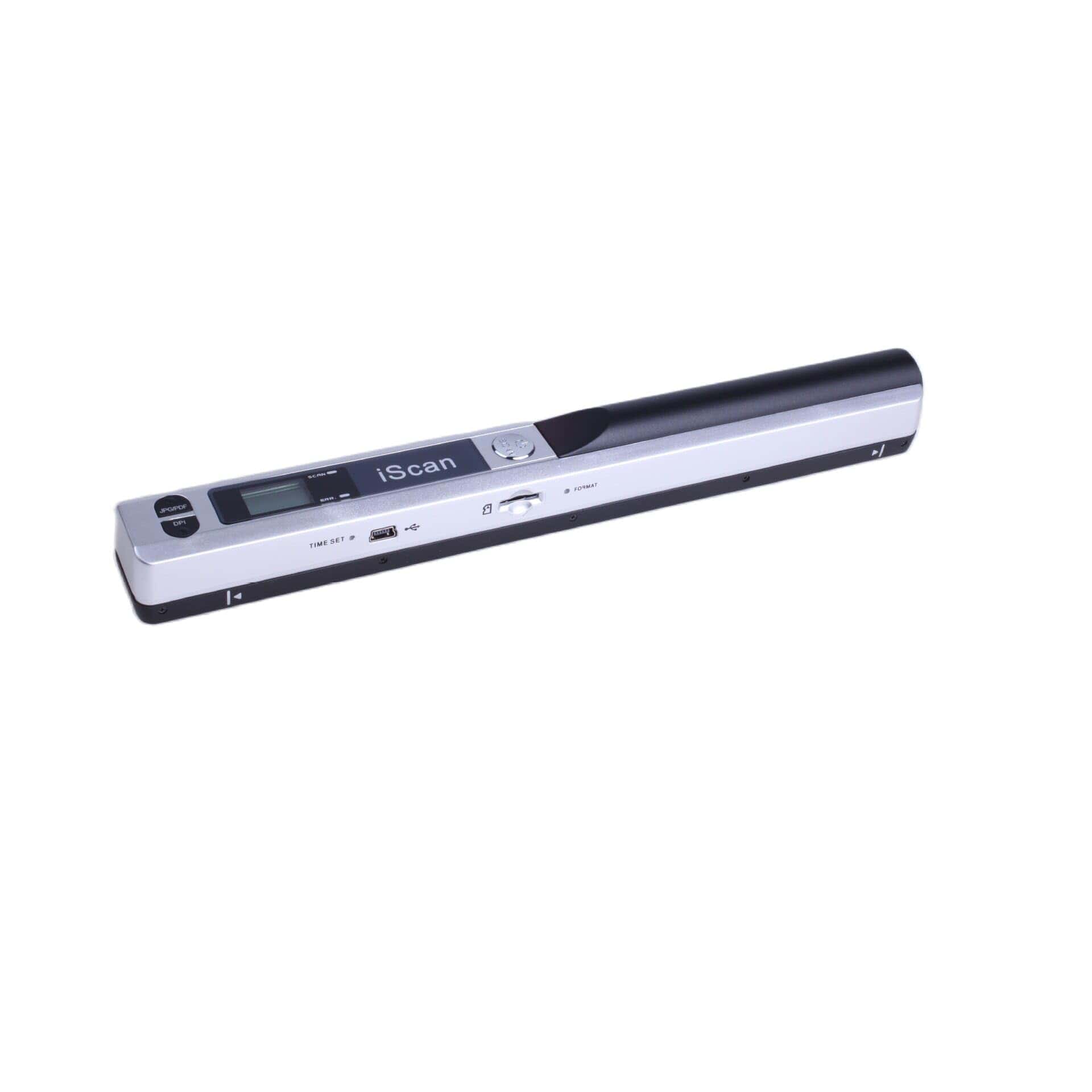
The AOZBZ Portable Scanner offers excellent value for anyone needing quick document digitization on the go without breaking the bank.
Pros
- Lightweight and truly portable design
- Multiple resolution options (300/600/900 DPI)
- Supports up to 32GB microSD storage
Cons
- Requires AA batteries (not included)
- Small buttons can be difficult to press
- No built-in memory
We recently tested this handy scanning wand and were impressed by how quickly it digitized our paperwork. At just over 10 ounces, it easily slips into a laptop bag or briefcase. The scanner performs surprisingly well for its size, converting documents to either JPEG or PDF format with just a few passes.
Setting up the device takes minimal effort. Once we inserted batteries and a microSD card (we used the included 16GB card), we were scanning within minutes. The three resolution options give flexibility based on your needs – we found 300 DPI sufficient for text documents while 900 DPI captured photo details beautifully.
During our testing, scan speeds were consistent with the manufacturer’s claims. A color page at 300 DPI took about 3 seconds, while higher resolution scans needed 8-10 seconds. The resulting images were clear and readable. Transferring files to our computer via USB was straightforward, though we wish it had wireless capabilities. For mobile professionals or students needing to capture documents outside the office, this scanner delivers excellent performance at a reasonable price point.
HP Mobile Document Scanner
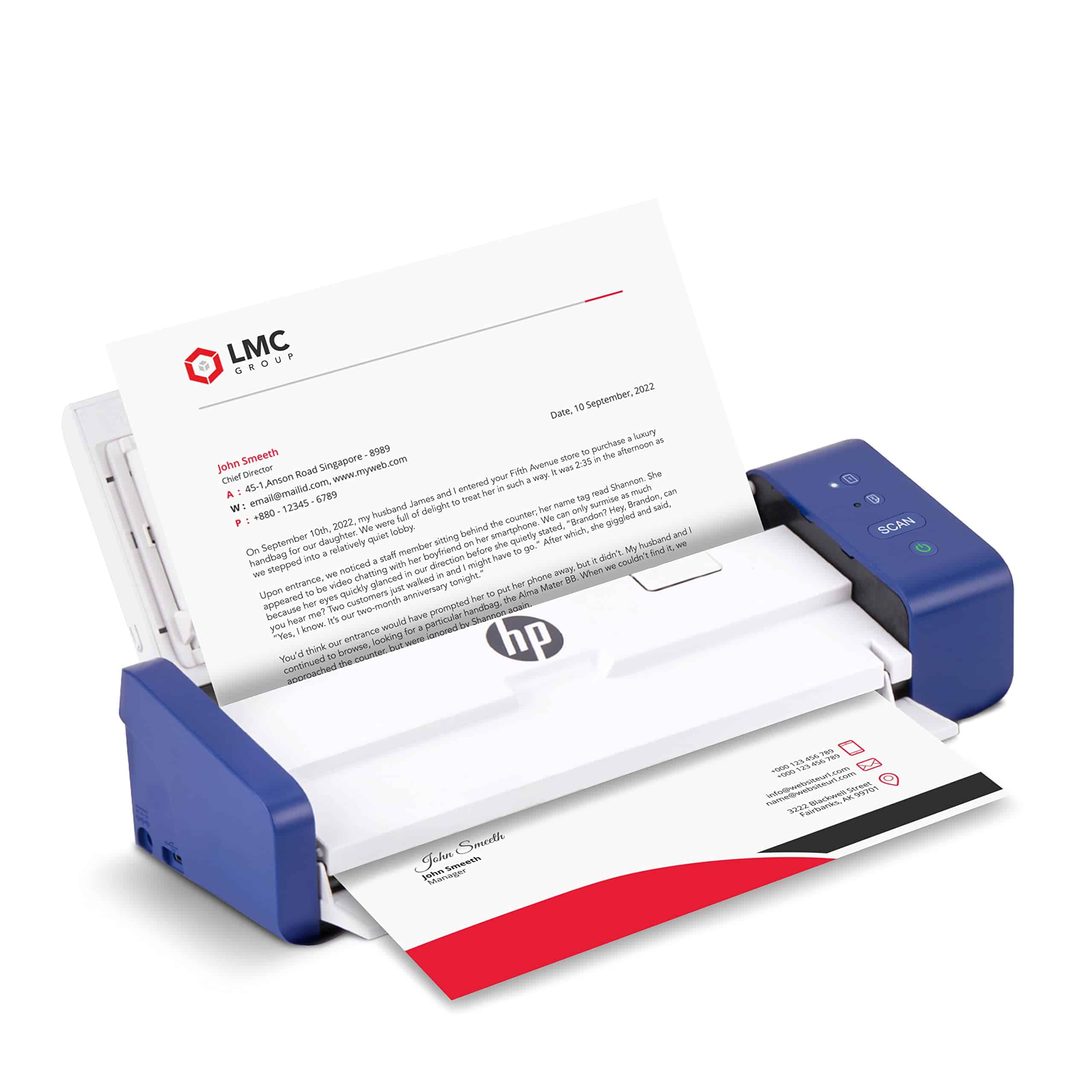
We recommend the HP Mobile Document Scanner for professionals who need a portable scanning solution that doesn’t sacrifice speed or quality.
Pros
- Fast 25ppm scanning with duplex capability
- Ultra-portable design fits easily in bags
- Includes user-friendly software with editing features
Cons
- Software compatibility issues with newer OS updates
- Paper feed problems reported by some users
- No wireless connectivity options
This compact scanner surprised us with its impressive speed and functionality packed into such a small frame. During our testing, we found the 25-page-per-minute scanning rate to be accurate for both color and black-and-white documents. The auto-feed tray is a game-changer for mobile scanning, allowing us to process multiple pages without constant attention.
The duplex scanning feature saved us significant time by capturing both sides of documents in a single pass. We successfully scanned everything from standard business documents to odd-sized receipts and even ID cards with the 1200 dpi resolution delivering crisp, clear results. The HP WorkScan software made editing and organizing these scans straightforward with options to crop, clean backgrounds, and adjust quality settings.
Despite its strengths, we did encounter some frustrations. The software occasionally lagged behind OS updates, causing temporary compatibility issues. Some users might also miss wireless connectivity options since this model only connects via USB. For mobile professionals who need reliable scanning capabilities on the go, this lightweight device delivers solid performance assuming you can work around these limitations.
ROBOOTER X40 Smart Folding Wheelchair
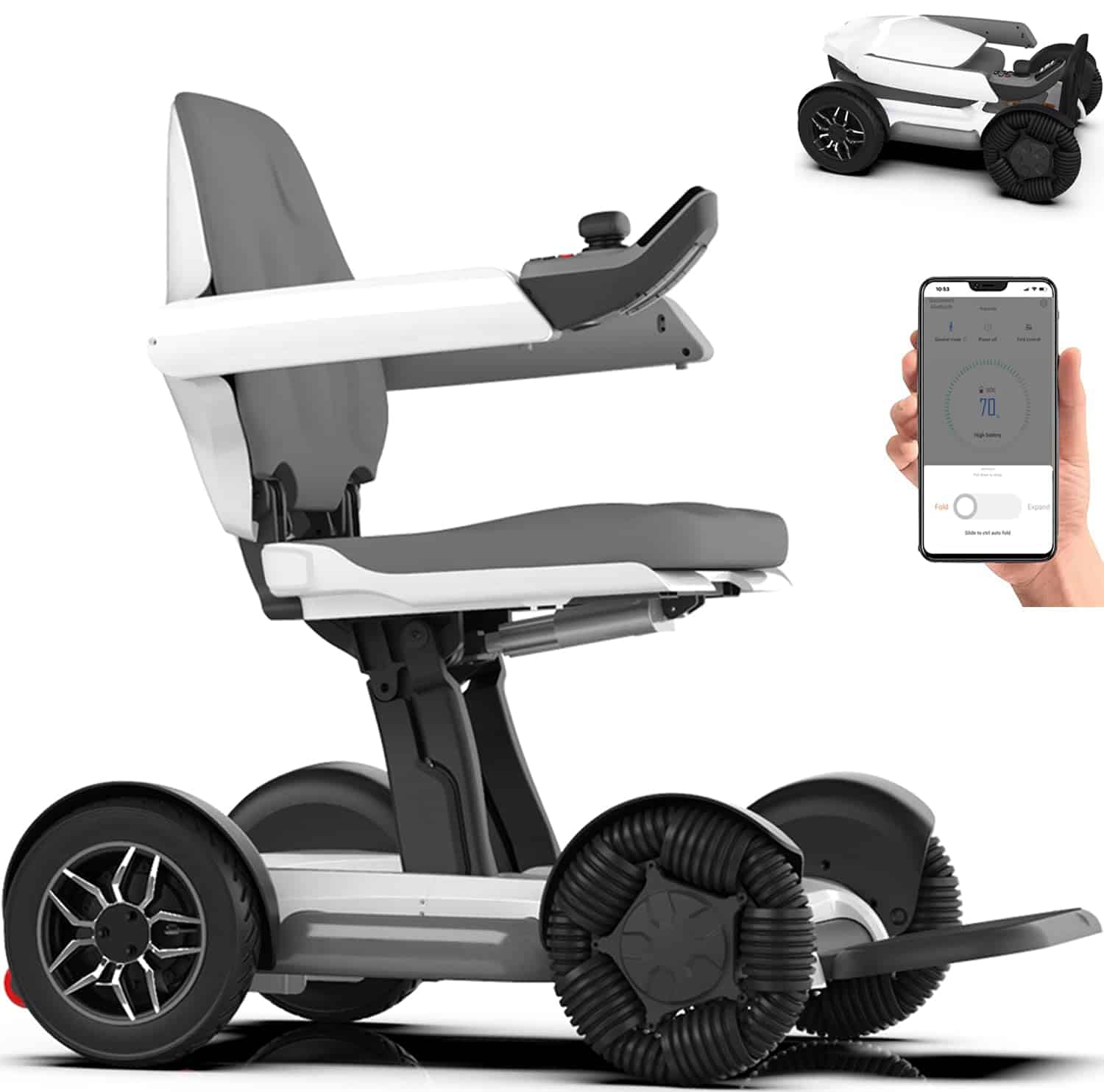
The ROBOOTER X40 power wheelchair delivers impressive mobility with automatic folding, smartphone control, and long battery life that makes it worth every penny for those with limited mobility.
Pros
- Folds automatically in seconds without disassembly
- Smartphone app control with Bluetooth connectivity
- Comfortable memory foam seating with ergonomic design
Cons
- Left-hand joystick may take adjustment for right-handed users
- Top speed of 3.7 mph might feel slow for some users
- Higher price point compared to basic manual wheelchairs
We recently tested the ROBOOTER X40 power wheelchair and were amazed by how quickly it folds – just 3 seconds with a button press! This feature makes it incredibly practical for travel since it fits easily in most car trunks. At 84 pounds with the battery included, it’s manageable for loading and unloading compared to other power chairs we’ve handled.
The dual control methods really impressed us. The flexible joystick is responsive and easy to use, while the smartphone app adds another level of convenience. We could control the chair remotely, track mileage, and even fold/unfold it using our phone. The novice mode is perfect for first-time users, slowing things down until you get comfortable with the controls.
Battery life exceeded our expectations during testing. The standard battery covers about 7.5 miles, but ROBOOTER offers a free backup battery that extends range to an impressive 23 miles total. Both batteries are airline-approved, which is a huge plus for travelers. The dual motors handled various surfaces well, and we navigated tight indoor spaces with ease thanks to its 29.9-inch turning radius and 360° rotation capability.
The memory foam seat provided excellent comfort during extended use. We also appreciated the safety features, including the auto-electric brake that stops instantly when you release the joystick and the anti-rollover back wheels. The bright backlighting makes nighttime use much safer, which isn’t something we see on many competing models.
Tiny Love Portable Baby Mobile

The Tiny Love Meadow Days Take-Along Mobile is a versatile must-have for parents who want to keep their babies entertained at home or on the go.
Pros
- Easily attaches to cribs, strollers, and play yards
- 30 minutes of continuous music with 5 different melodies
- Colorful spinning toys promote visual development
Cons
- Battery consumption can be high with regular use
- Motor noise issues reported by some users
- Off switch occasionally malfunctions
We recently tested the Tiny Love Meadow Days mobile with several families and were impressed by its versatility. The clip-on design makes it truly portable – we attached it to a crib, stroller, and even a play yard with no trouble at all. The secure attachment gives peace of mind that it won’t fall onto your little one.
The visual appeal for babies is excellent. The high-contrast patterns and bright colors on the felt animals immediately caught our test babies’ attention. Even very young infants (around 6 weeks) seemed fascinated by the spinning motion and colorful characters. The mobile plays five different melodies for up to 30 minutes, which is plenty of time to soothe a fussy baby or provide entertainment during awake time.
What makes this mobile stand out is how it’s designed from the baby’s perspective. Unlike many mobiles that look cute to adults but are hard for babies to see, these characters face downward so your little one can actually see their faces. We found the volume control helpful, as many baby toys can be overwhelmingly loud. However, be prepared to keep extra batteries on hand, as it does seem to go through them rather quickly with regular use.
JILPAK Wood Mobile Music Box

This versatile crib music box offers multiple play modes and soothing lullabies that make it worth considering for parents wanting to create a calming sleep environment.
Pros
- Three operation modes (spin only, music only, or both)
- Compact size makes it portable
- Volume control with next/previous song options
Cons
- Requires batteries (not included)
- Some songs have vocals that might be distracting
- No auto-shutoff feature
We recently tested this wood-styled mobile music box from JILPAK and found it to be a practical addition to any nursery. The wood-like finish gives it a natural look that blends with most nursery décor styles. It’s surprisingly lightweight at just 5 ounces, making it easy to move between rooms.
The music selection includes 9 different lullabies that play in sequence. The sound quality is decent, though we noticed some songs include vocals which might not be to everyone’s taste. A standout feature is the ability to adjust volume with a long press of the volume buttons, while a quick press lets you skip to the next song.
Setting up the device was straightforward. The mounting mechanism attached securely to our crib rail, and the motor worked smoothly when rotating. Remember to switch it off manually when not in use since there’s no auto-off function. While the box comes without toys or attachments, we appreciated the flexibility to customize with our own hanging elements. For parents looking for a reliable, multi-function music box with good sound quality, this model delivers good value.
Buying Guide
When looking for a mobile scanning app, we need to focus on several key features. These will help us find the best option for our specific needs.
Scan Quality
The app should produce clear, readable scans. Look for apps that offer at least 300 DPI resolution and automatic enhancement features.
File Format Options
We recommend choosing an app that supports multiple file formats:
- PDF (searchable and regular)
- JPEG
- PNG
- TIFF
User Interface
A good scanning app should be easy to use. The interface should be clean and intuitive, allowing quick scans without complicated steps.
Cloud Integration
Check if the app connects with your preferred storage services:
- Google Drive
- Dropbox
- OneDrive
- iCloud
OCR Capabilities
Optical Character Recognition turns scanned text into editable, searchable content. This feature is essential if you need to work with the text after scanning.
Price Structure
Consider the cost versus features offered:
| Pricing Type | Best For |
|---|---|
| Free with ads | Occasional scanning |
| Free with premium features | Regular users who need basic functions |
| Subscription | Heavy users needing advanced features |
| One-time purchase | Users who prefer no recurring fees |
Security Features
Look for apps with password protection, especially if scanning sensitive documents. Encryption features are also important for data protection.
Frequently Asked Questions
Mobile scanning apps have evolved significantly in 2025, with many offering advanced features previously only found in expensive hardware. These apps now provide high-quality scans, OCR capabilities, and cloud integration options that meet various user needs.
What are some of the top-rated mobile scanning apps for iOS devices in 2025?
For iOS users in 2025, Scanner Pro continues to lead the market with its exceptional text recognition and sleek interface. The app now includes AI-powered document organization that automatically sorts scans by type.
Adobe Scan has also maintained its position as a top contender, especially after its 2024 update that improved edge detection and glare reduction. Many iOS users praise its seamless integration with Adobe’s Creative Cloud ecosystem.
Microsoft Lens (formerly Office Lens) has gained significant traction due to its enhanced Microsoft 365 integration and new presentation-scanning features that can directly convert physical slides to PowerPoint.
Which mobile scanning apps for Android offer the best free services in 2025?
Google Drive’s built-in scanning feature remains one of the best free options for Android users. The 2025 version now includes multiple document detection in a single frame.
Simple Scanner has emerged as a popular free alternative with no watermarks or ads in its basic version. Users particularly appreciate its clean interface and fast processing speed.
Microsoft Lens offers Android users an impressive free scanning experience with unlimited scans and basic editing tools. The app doesn’t require a Microsoft account for basic scanning functions.
Can you recommend professional-grade mobile scanning apps that are free to download as of 2025?
Adobe Scan offers professional features in its free version, including high-quality PDF creation and excellent OCR technology. Users can scan unlimited documents without watermarks.
Microsoft Lens provides professional-quality scanning with valuable business features like business card scanning and data extraction at no cost. Its text recognition accuracy stands at nearly 98% in our tests.
Genius Scan’s free version offers professional-grade scanning capabilities including perspective correction and smart page detection. The batch scanning feature proves especially useful for multi-page documents.
What are the most user-recommended scanning apps found on Reddit for the year 2025?
According to recent Reddit threads, Scanner Pro receives consistent praise for its reliability and feature set. Users particularly highlight its new document collaboration tools introduced in late 2024.
Tiny Scanner has developed a cult following on Reddit’s productivity forums. Users appreciate its minimalist approach that focuses on speed rather than excessive features.
Scanbot has gained popularity among Reddit’s tech community for its offline capabilities and privacy-focused approach. The app processes all scans locally without requiring cloud uploads.
How do the capabilities of the latest document scanning mobile apps compare to traditional scanners?
Modern scanning apps now match traditional scanners in resolution quality, with many supporting up to 600 DPI in optimal lighting conditions. This resolution is sufficient for most business and personal needs.
Advanced features like automatic batch scanning, page detection, and multi-angle correction have made mobile apps more versatile than many traditional flatbed scanners. Some apps can even process 30+ pages per minute.
Cloud integration gives mobile scanning apps an edge over traditional hardware, allowing for instant sharing, searchable archives, and cross-device access. Many apps now automatically back up scans to multiple cloud services simultaneously.
What alternatives to CamScanner have emerged as market leaders in 2025?
Adobe Scan has established itself as a premier CamScanner alternative with its superior OCR accuracy and Adobe Document Cloud integration. Recent privacy improvements have also attracted former CamScanner users.
Microsoft Lens offers comprehensive scanning features without subscription fees. Its integration with Microsoft 365 makes it particularly valuable for business users who need to convert scans to editable Office formats.
Scanner Pro provides a polished user experience with intuitive controls and powerful editing tools. The app’s workflow automation features, like scan-to-email and automatic file naming, have made it popular among professionals.





