
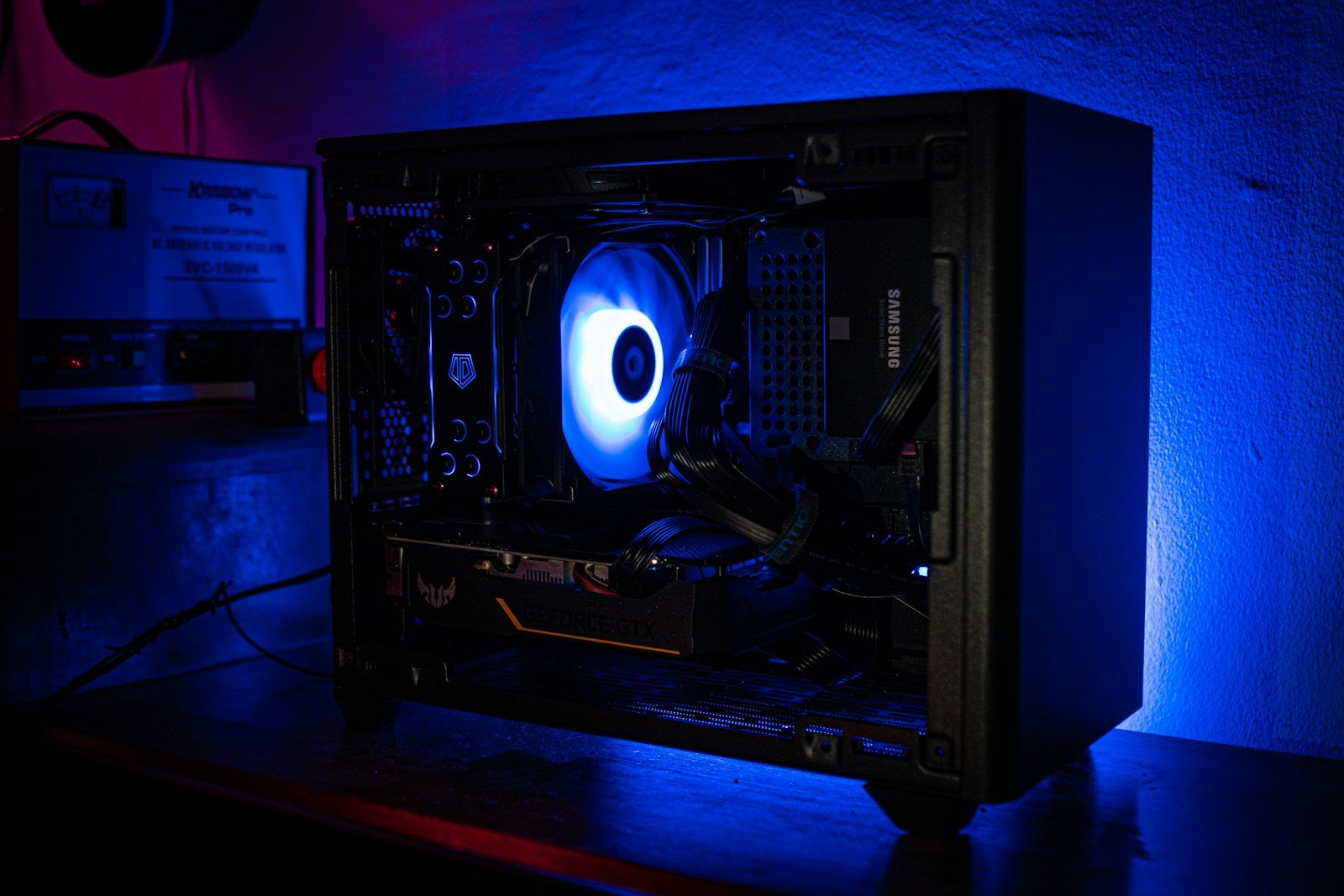
Finding a powerful gaming PC when you’re on a budget can feel challenging. Many gamers worry about sacrificing performance when shopping in the sub-$1000 range. But the truth is, you can get impressive gaming capabilities without breaking the bank.
The best gaming PCs under $1000 in 2026 offer excellent value with components like Intel Core i5 processors, NVIDIA RTX 4060 graphics cards, and 16GB of RAM that can handle most modern games with ease. Popular options include the CyberPowerPC Gamer Xtreme, Skytech Shadow 3.0, and MSI Codex R2 systems. These pre-built computers deliver solid frame rates for competitive gaming without requiring any technical knowledge to assemble.
Budget-friendly doesn’t mean low quality in today’s market. Many sub-$1000 gaming PCs now include features previously found only in premium models, like SSD storage, RGB lighting, and efficient cooling systems. These improvements mean smoother gameplay and better overall computing experiences for everyday tasks as well.
Best Gaming PC Under $1000
A $1,000 budget hits the sweet spot in 2026. At this price, you can build (or buy) a system that plays any modern game at max settings in 1080p and even handles 1440p gaming in many titles. It’s also powerful enough for streaming, light video editing, and everyday productivity.
Here’s how to get the most performance for your money.
What to Expect From a $1000 Gaming PC in 2026
According to WePC’s March 2026 update, a $1,000 build is considered perfect for 1080p gaming and offers room for 1440p performance with the right GPU and CPU pairing (source: WePC).
PCGameCheck also calls the $1000 tier the “sweet spot” for 1440p gaming in 2026 when parts are carefully selected (source: PCGameCheck).
However, rising GPU prices have made balancing performance and value more important than ever (source: TechAnnouncer).
🛠️ Recommended $1000 Gaming PC Build (Best Overall Value)
This configuration prioritizes strong 1080p ultra performance and smooth 1440p gaming.
✅ CPU: Intel Core i5-14400F
- Excellent gaming performance
- Strong multi-threaded performance for streaming
- Great price-to-performance ratio
Featured in 2026 budget builds under $1000 (source: PC Build Helper).
✅ GPU: AMD Radeon RX 9070 (or RX 9070 XT if pricing allows)
- Strong rasterization performance
- Excellent value per dollar
- Competitive with mid-tier NVIDIA 50-series cards
RDNA 4 GPUs are commonly recommended in updated 2026 budget builds (source: PC Build Helper).
If NVIDIA pricing is favorable, an RTX 5060 is another strong alternative (source: TechAnnouncer).
✅ Motherboard: B760 (Intel) or B650 (AMD AM5)
- PCIe 4.0 / Gen 5 support
- Upgrade-friendly platform
- Built-in WiFi options available
WePC highlights AM5 platform longevity as a key advantage for budget builds (source: WePC).
✅ RAM: 32GB DDR5-6000
- 16GB is still playable, but 32GB is ideal in 2026
- Helps with multitasking, streaming, and modern AAA titles
✅ Storage: 1TB–2TB NVMe SSD (PCIe 4.0)
- Fast load times
- Enough space for large modern game installs
✅ PSU: 750W 80+ Gold (ATX 3.0 recommended)
- Handles modern GPUs
- Provides future upgrade headroom
🎮 Expected Gaming Performance
With the above setup, you can expect:
1080p Ultra:
- 100–180+ FPS in esports titles
- 70–120 FPS in AAA games
1440p High:
- 60–100 FPS in most modern games
This aligns with PCGameCheck’s assessment that a well-balanced $1000 system can confidently handle 1440p gaming in 2026 (source: PCGameCheck).
💻 Best Prebuilt Gaming PC Under $1000
If you don’t want to build your own system, there are solid prebuilt options.
The Tech Influencer’s 2026 roundup highlights strong 1080p gaming machines under $1000 that offer good value for plug-and-play users (source: The Tech Influencer).
When shopping prebuilt, look for:
- RTX 4060 / RTX 5060 or RX 7600 / RX 9070-class GPU
- At least 16GB RAM (upgradeable preferred)
- 1TB SSD
- Reputable brand warranty
🔥 AMD vs Intel for $1000 Builds
In 2026, both platforms offer strong value:
AMD Advantages
- Long-term AM5 upgrade path
- Excellent efficiency
- Strong gaming performance per dollar
Intel Advantages
- Great multi-threaded value in mid-range CPUs
- Often competitive pricing
- Strong performance in productivity workloads
Your choice may depend on local pricing and motherboard deals.
🏆 Final Verdict: The Sweet Spot for Gamers
A $1000 gaming PC in 2026 is powerful, versatile, and future-ready. It delivers:
✅ Maxed-out 1080p gaming
✅ Smooth 1440p performance
✅ Streaming capability
✅ Upgrade flexibility
With smart part selection, this budget offers one of the best performance-per-dollar returns in today’s market.
Key Takeaways
- Gaming PCs under $1000 can deliver impressive performance with current-gen processors and graphics cards capable of running most modern games.
- Pre-built systems from brands like CyberPowerPC, Skytech, and MSI offer the best value without requiring technical knowledge to assemble.
- Look for systems with at least 16GB RAM, SSD storage, and dedicated graphics cards to ensure a smooth gaming experience that will last several years.
Understanding the Components of a Budget Gaming PC
Building a gaming PC under $1000 requires careful selection of components that balance performance and cost. Each part plays a crucial role in the overall gaming experience and understanding their functions can help you make smarter choices.
Processor and Its Impact on Gaming
The CPU (processor) serves as the brain of your gaming PC. For a sub-$1000 build in 2026, options like the Intel Core i5-12400F or AMD Ryzen 5 5600 provide excellent value. These processors offer 6 cores, which is sufficient for most modern games.
The processor handles game logic, physics calculations, and AI routines. When gaming at 1080p, the CPU becomes particularly important as the graphics card isn’t fully taxed at this resolution.
Clock speed (measured in GHz) affects how quickly the processor completes tasks. For gaming, higher single-core performance often matters more than having many cores.
When budgeting, allocate about 15-20% of your total budget to the CPU for a balanced build.
Importance of a Quality Graphics Card
The graphics card (GPU) is arguably the most critical component for gaming performance. In a $1000 build, options like the NVIDIA RTX 4060 or RTX 3060 provide excellent performance at 1080p and decent 1440p gaming.
GPUs handle rendering images, textures, and visual effects. More powerful cards allow for higher resolutions, better frame rates, and enhanced visual features like ray tracing.
VRAM (video memory) is essential for storing game textures. For modern gaming, 8GB is the minimum, while 12GB (like on the RTX 3060) provides more future-proofing.
Allocate roughly 30-40% of your budget to the GPU for the best gaming experience. This typically means spending $300-400 on a card for a $1000 build.
RAM and Its Role in Gaming Performance
RAM provides temporary storage for data that the CPU needs to access quickly. For gaming in 2026, 16GB is the standard minimum, though 32GB offers better multitasking and future-proofing.
Speed matters almost as much as capacity. Look for DDR4-3200 or DDR4-3600 memory for AMD systems, as Ryzen processors benefit significantly from faster RAM.
Dual-channel configuration (using two memory sticks instead of one) provides better performance by allowing the CPU to access memory through two channels simultaneously.
Consider these RAM specifications for a $1000 build:
- Capacity: 16GB-32GB
- Speed: 3200-3600MHz
- Configuration: 2x8GB or 2x16GB (dual-channel)
Storage Solutions: HDD vs SSD
SSDs (Solid State Drives) have become essential for gaming PCs. For a $1000 build, a 1TB NVMe SSD provides excellent speed and sufficient space for your operating system and games.
NVMe SSDs connect directly to the motherboard through PCIe slots, offering speeds up to 7 times faster than SATA SSDs. This translates to faster boot times and significantly reduced game loading screens.
Consider a dual-storage approach if budget allows:
- Primary: 500GB-1TB NVMe SSD for OS and favorite games
- Secondary: 2TB HDD for file storage and less-played games
The price difference between SSDs and HDDs has narrowed, making all-SSD builds more affordable. Prioritize at least a 500GB SSD as your boot drive.
Motherboard Essentials for Gaming Builds
The motherboard connects all components and determines future upgrade paths. For a $1000 build, mid-range options like B550 boards for AMD or B660 for Intel provide a good balance of features and price.
Key features to consider include:
- Socket compatibility with your chosen CPU
- Expansion slots for future upgrades
- Memory support (speed and capacity)
- USB connectivity (including USB 3.2 ports)
Most B550 motherboards for AMD systems cost $75-150 and offer adequate features for gaming. Similar Intel B660 boards support 12th and 13th gen processors like the i5-12400F.
Avoid the cheapest motherboards as they often lack proper power delivery for gaming processors.
The Necessity of Efficient Cooling Solutions
Proper cooling prevents thermal throttling, which reduces performance when components get too hot. For a $1000 build, air cooling is typically sufficient unless you plan to overclock heavily.
Stock coolers included with processors like the Ryzen 5 5600 work adequately for gaming. However, aftermarket coolers in the $30-50 range provide better thermal performance and quieter operation.
Case airflow matters as much as the CPU cooler. Ensure your case has:
- At least 2 intake fans at the front
- 1-2 exhaust fans at the rear/top
- Proper cable management for unobstructed airflow
Budget about $40-60 for cooling solutions in a $1000 build, including both the CPU cooler and additional case fans if needed.
Power Supply Unit: Ensuring Stable Operation
The PSU supplies clean, stable power to all components. For a $1000 gaming PC with an RTX 3060 or 4060, a 650W power supply provides sufficient headroom.
Look for these key features:
- 80+ Gold certification for better efficiency
- Semi-modular or fully modular design for easier cable management
- Protection features against power surges and short circuits
Reputable brands like Corsair, EVGA, and Seasonic offer reliable PSUs in the $70-90 range for a 650W Gold-rated unit.
Never skimp on the power supply. A failing PSU can damage other components, making it a false economy to buy the cheapest option available.
Key Features to Look for in Gaming PCs Under $1000
When shopping for a gaming PC in this price range, understanding which components deliver the best value can help you make smart choices. Budget-conscious gamers need to prioritize parts that impact gaming performance most directly.
Balancing Performance and Cost
The processor and graphics card typically consume the largest portion of your budget. For CPUs, AMD Ryzen 5 or Intel Core i5 processors offer excellent gaming performance without breaking the bank. Both provide the necessary processing power for modern games while leaving room in your budget for other components.
RAM is another critical consideration. 16GB has become the sweet spot for gaming in 2026, providing enough memory for games while allowing background applications to run smoothly. Anything less may cause performance bottlenecks.
Storage solutions should include at least a 500GB SSD for your operating system and favorite games. This gives you quick load times and better system responsiveness compared to traditional hard drives.
Power supplies might seem boring, but a reliable 650W unit from a reputable manufacturer provides room for potential upgrades while ensuring system stability.
Graphics Power for 1080p Gaming
The graphics card is the heart of any gaming PC. At the $1000 price point, cards like the NVIDIA RTX 4060 or AMD equivalent offer excellent 1080p gaming performance with high frame rates in most titles.
These mid-range GPUs can handle popular competitive games like Fortnite or Valorant at well over 100 FPS. They also provide decent ray-tracing capabilities and DLSS/FSR support to enhance performance in demanding titles.
Expected performance at 1080p:
- Competitive games: 120+ FPS
- AAA titles: 60-90 FPS with high settings
- Ray-tracing enabled games: 50-60 FPS with medium settings
Don’t be tempted to overspend on ultra-high-end GPUs. The RTX 4060 hits the sweet spot for 1080p gaming, allowing you to allocate funds to other important components.
Essential Connectivity Options for Gamers
Modern gaming requires more than just raw performance—you need the right connections too. Look for motherboards with these key features:
- Multiple USB ports: At least 6 USB ports (mix of USB 3.0/3.1/3.2)
- Audio connections: Quality onboard audio or front panel headphone jacks
- Networking: Gigabit Ethernet for stable online gaming
- Wi-Fi: Built-in or space for an add-in card
Front panel USB ports and headphone jacks make connecting peripherals convenient. Case design matters too—ensure it has proper ventilation and cable management options.
For monitors, verify your PC includes the appropriate display outputs like DisplayPort 1.4 or HDMI 2.1. These newer standards support higher refresh rates that budget gaming builds can now achieve.
Maximizing Frame Rates within Budget Constraints
Frame rates directly impact gaming smoothness and responsiveness. At the $1000 price point, aim for components that work well together without creating bottlenecks.
Balanced systems perform better than those with one extremely powerful component paired with weaker parts. An Intel Core i5 or AMD Ryzen 5 paired with an RTX 4060 creates a harmonious system for 1080p gaming.
Consider these frame rate optimization tips:
- Update drivers regularly
- Use game-specific optimization settings
- Enable technologies like DLSS or FSR when available
- Avoid bloated background applications
- Consider a monitor with adaptive sync (G-Sync/FreeSync)
Cooling solutions also affect sustained performance. Stock coolers work fine for base frequencies, but an affordable aftermarket cooler helps maintain boost clocks during extended gaming sessions.
Optimizing Your Gaming Build for Peak Performance
Getting the most from your gaming PC means fine-tuning components and settings. A well-optimized $1000 gaming build can deliver performance that rivals more expensive systems with a few smart adjustments.
Overclocking: Advantages and Considerations
Overclocking pushes components beyond factory settings to gain extra performance without spending more money. Modern CPUs like AMD’s 5700X3D and mid-range GPUs often have untapped potential that careful overclocking can unlock.
Before overclocking, invest in quality cooling solutions. Stock coolers typically can’t handle the additional heat generated during overclocking. A good air cooler costs around $30-50, while entry-level liquid cooling starts at about $80.
Motherboard quality matters too. B550 or Z690 boards in the $150 range typically offer solid overclocking support with decent power delivery systems.
DDR4 RAM overclocking can yield significant gains. Memory rated at 3200MHz can often push to 3600MHz with proper voltage adjustments, improving frame rates by 5-10% in CPU-intensive games.
Always increase clock speeds gradually and stress test between adjustments to ensure system stability.
Enhancing Gaming Experience with RGB Lighting
RGB lighting does more than make your build look attractive—it can create an immersive gaming atmosphere. Strategic lighting can reduce eye strain during long gaming sessions by providing ambient illumination.
Many RGB components can sync with game events. RAM modules, fans, and even some peripherals can flash or change color during in-game actions, adding another dimension to gameplay.
Budget-friendly RGB options include LED strips ($15-25) and RGB fans ($40 for a 3-pack). These can transform a basic build into something visually striking.
RGB systems from major manufacturers like Corsair iCUE, ASUS Aura, or MSI Mystic Light offer software control. This lets gamers create custom lighting profiles for different games or times of day.
For a cohesive look, stick with RGB components from the same ecosystem to avoid multiple control programs running simultaneously.
Upgradeability: Preparing for Future Enhancements
A smart $1000 build includes components that support future upgrades. Choosing an AM4 or AM5 motherboard provides upgrade paths for several CPU generations without replacing the entire system.
Power supplies deserve special attention. A quality 750W PSU from brands like Corsair, EVGA, or Seasonic costs about $90-120 and will accommodate future GPU upgrades that draw more power.
Case selection impacts upgradeability significantly. Models like the Fractal Design Meshify 2 Compact offer excellent airflow and space for additional drives or cooling solutions later.
Leave room in your build for storage expansion. Starting with a 1TB NVMe SSD for around $80-100 provides good initial performance, with space to add more drives when needed.
For RAM, filling only two of four DIMM slots with 16GB total (2x8GB) allows for doubling capacity later without replacing existing modules.
Frequently Asked Questions
Gaming PCs under $1000 offer solid performance for most modern games. Budget-conscious gamers often have specific questions about what to expect from these systems and how to make the best choice.
What components should be prioritized in a prebuilt gaming PC under $1000?
In a sub-$1000 gaming PC, the graphics card and processor deserve the most attention. A good quality GPU like an NVIDIA RTX 4060 or equivalent should be the top priority.
The processor should be at least an Intel Core i5 or AMD Ryzen 5 from recent generations. These CPUs provide sufficient power for most gaming scenarios without bottlenecking the graphics card.
RAM should be at least 16GB, which has become the standard minimum for modern gaming. Anything less might cause performance issues in newer titles.
How does gaming performance differ between a $800 PC and a $1000 PC?
The $200 difference typically translates to meaningful performance improvements. A $1000 PC often includes a better graphics card, which directly impacts frame rates and visual quality.
The extra budget might also allow for a more capable processor. This upgrade helps with both gaming performance and multitasking capabilities.
Storage solutions tend to improve at higher price points, with larger or faster SSDs becoming available. This reduces load times and improves system responsiveness.
What are the expectations for gaming PC performance within a $1000 budget?
A well-configured $1000 gaming PC should handle most modern games at 1080p resolution with high settings at 60+ FPS. Popular competitive games will run at even higher frame rates.
Some less demanding titles can be played at 1440p resolution with good performance. However, the most graphically intensive AAA games might require lower settings at this resolution.
Ray tracing features will be available but may require DLSS or similar upscaling technology to maintain smooth performance.
How do I choose the best gaming PC under $1000 among the various available brands?
Compare specifications carefully, focusing on the GPU and CPU models rather than marketing terms. Current generation components offer better value than older hardware, even if the older parts have higher model numbers.
Read user reviews from multiple sources to identify potential issues with cooling, noise levels, or build quality. These factors significantly impact long-term satisfaction.
Consider the upgrade path each system offers. Some prebuilt PCs use proprietary components that limit future upgrades.
Are there gaming PCs available under $1000 that can handle virtual reality applications effectively?
Yes, many gaming PCs in the $1000 range can handle VR applications. Systems with RTX 4060 or equivalent GPUs meet the requirements for most VR headsets.
The processor is equally important for VR performance. An Intel Core i7 or AMD Ryzen 7 provides the necessary processing power to prevent motion sickness caused by frame drops.
16GB of RAM is the minimum recommended for VR gaming, with faster memory speeds providing smoother experiences in more complex VR environments.
How often should one expect to upgrade a gaming PC that was purchased for under $1000?
A well-chosen $1000 gaming PC should remain viable for mainstream gaming for about 3-4 years before major upgrades become necessary. Minor upgrades like adding RAM or storage might be needed sooner.
The graphics card typically becomes the limiting factor first. After 2-3 years, newer games may require lower settings to maintain smooth performance.
Component longevity also depends on usage patterns. Players who stick with less demanding games or who don’t mind reducing settings can extend their PC’s useful life considerably.





