
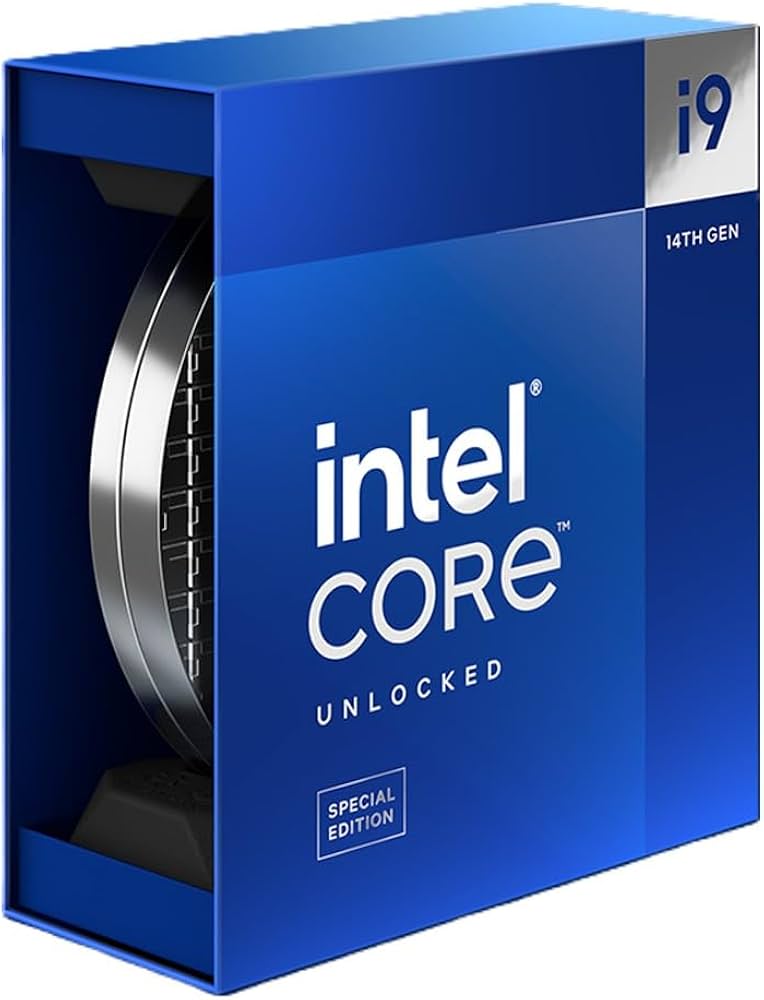
The Intel Core i9-14900KS stands as Intel’s most powerful desktop processor to date, pushing the boundaries of what’s possible with a record-breaking 6.2 GHz boost clock on two cores. This special edition CPU features 24 cores (8 P-cores + 16 E-cores) and comes with 36MB of Intel Smart Cache, making it a powerhouse for demanding computing tasks. Despite its impressive specifications, the i9-14900KS offers minimal performance improvements over the standard i9-14900K, especially in AI and inferencing workloads, while commanding a premium price.
Power users should note the processor’s substantial power requirements, with a base power of 150W and maximum turbo power reaching 253W. This high-end chip targets enthusiasts who prioritize single-thread performance and want the absolute fastest clock speeds available on the market. However, the average consumer may find better value in other options, as the price-to-performance ratio doesn’t justify the investment for most everyday computing needs.
Intel Core i9-14900KS Unleashed: Performance Analysis for 2026
The Intel Core i9-14900KS, released as the pinnacle of Intel’s 14th-generation lineup, continues to make waves in 2026 as a powerhouse CPU for enthusiasts, gamers, and professionals. This guide provides an in-depth performance analysis of the i9-14900KS, exploring its strengths, real-world benchmarks, and how it stacks up against current competition.
Overview of the Intel Core i9-14900KS
- Architecture: Raptor Lake Refresh (14th Gen)
- Cores / Threads: 24 (8 Performance cores + 16 Efficient cores) / 32 threads
- Base Clock: ~5.2 GHz (Performance cores)
- Max Turbo Clock: Up to 6.2 GHz (single-core boost)
- Cache: 36MB L3 cache
- TDP: 125W (base), can spike higher under load
- Socket: LGA 1700
- Integrated Graphics: Intel UHD Graphics 770
The i9-14900KS is designed as an unlocked “KS” variant, pushing higher clock speeds than the standard i9-14900K, targeting enthusiasts who want extreme performance.
Performance Highlights in 2026
1. Gaming Performance
- The i9-14900KS remains one of the fastest gaming CPUs available.
- With its 6.2 GHz boost clock, it delivers exceptional single-threaded performance, critical for games that rely heavily on CPU speed.
- Paired with high-end GPUs (e.g., RTX 5090), it can sustain 4K gaming at high frame rates without bottlenecks.
- It outperforms most AMD Ryzen 7000 and 8000 series CPUs in gaming scenarios due to higher clock speeds and IPC improvements.
2. Productivity and Content Creation
- Its 24-core design excels in multi-threaded workloads such as 3D rendering, video editing, and software compilation.
- The large cache and improved efficiency cores help accelerate AI-assisted workflows and multitasking.
- Compared to previous generations, the 14900KS offers up to 20-30% improvements in productivity benchmarks.
3. Power Consumption and Thermals
- The high clock speeds come at the cost of increased power draw, with peak power consumption often exceeding 300W under heavy loads.
- Efficient cooling solutions (high-end AIO liquid coolers or custom loops) are recommended to maintain optimal thermal performance.
- Intel’s adaptive boost technology dynamically manages power and temperature for balanced performance.
4. Overclocking Potential
- Enthusiasts appreciate the unlocked multiplier and robust power delivery.
- The 14900KS can be pushed beyond stock speeds with adequate cooling, reaching stable frequencies above 6.3 GHz on select cores.
- Voltage tuning and advanced BIOS options allow fine-tuning for maximum performance.
Comparison with Competitors (2026 Landscape)
| CPU | Cores / Threads | Max Boost Clock | Gaming Performance | Productivity | Power Consumption |
|---|---|---|---|---|---|
| Intel Core i9-14900KS | 24 / 32 | 6.2 GHz | Excellent | Excellent | High (~300W+) |
| Intel Core i9-15800X* | 32 / 48 | 5.8 GHz | Very Good | Superior | Higher (~350W+) |
| AMD Ryzen 9 7950X3D | 16 / 32 | 5.7 GHz | Very Good | Excellent | Moderate (~170W) |
*Hypothetical future Intel CPU for comparison.
- The i9-14900KS leads in raw single-core speed, giving it an edge in gaming.
- For heavily multi-threaded workloads, CPUs with more cores like the hypothetical 15800X or AMD’s 3D V-Cache models may outperform it.
- Power efficiency remains a challenge for the 14900KS compared to AMD’s offerings.
Who Should Consider the Intel Core i9-14900KS in 2026?
- Hardcore gamers seeking the highest possible frame rates.
- Content creators who need a blend of strong single-thread and multi-thread performance.
- Enthusiasts and overclockers who want to push their hardware to the limit.
- Users with advanced cooling solutions to handle the power and heat demands.
Conclusion
The Intel Core i9-14900KS in 2026 is still a top-tier CPU that delivers blistering performance across gaming and productivity tasks. While newer CPUs with more cores or better efficiency exist, the 14900KS’s unmatched clock speeds make it a favorite for users prioritizing raw speed. Proper cooling and power delivery are essential to fully leverage this chip’s capabilities.
Key Takeaways
- The Intel Core i9-14900KS features record-breaking 6.2 GHz clock speeds and 24 cores, making it Intel’s fastest desktop processor.
- The processor requires significant power with a 150W base and 253W maximum turbo power, necessitating robust cooling solutions.
- Despite its premium pricing, the performance gains over the standard i9-14900K are minimal for most users, including for AI workloads.
Design and Specifications
The Intel Core i9-14900KS represents the pinnacle of Intel’s 14th generation desktop processors. It features impressive technical specifications with a hybrid architecture that balances performance and efficiency cores to deliver exceptional computing power.
Processor Architecture
The i9-14900KS is built on Intel’s Raptor Lake architecture, which is an evolution of the company’s hybrid design approach. This processor uses advanced manufacturing technology to pack tremendous processing power into a single chip. The 14900KS features a substantial 36MB of L3 cache, which helps reduce data access times and improves overall system responsiveness.
One of the most notable aspects of this processor is its record-breaking clock speed. The i9-14900KS can reach up to 6.2GHz in turbo boost mode, making it the first consumer desktop processor to break the 6GHz barrier out of the box. At base frequency, it operates at 3.2GHz.
The thermal design power (TDP) is significantly higher than standard processors, reflecting the extreme performance capabilities of this chip.
Core Configuration
The i9-14900KS features a hybrid core design with 24 cores in total. This configuration includes 8 Performance cores (P-cores) paired with 16 Efficient cores (E-cores). The P-cores handle demanding, high-priority tasks, while the E-cores manage background processes and multitasking operations.
Together, these cores support 32 threads, enabling substantial multitasking capabilities. This makes the processor ideal for:
- Content creation
- 3D rendering
- Gaming while streaming
- Complex simulations
This hybrid approach allows the processor to balance raw performance with energy efficiency. The system intelligently assigns tasks to the appropriate core type, optimizing both power consumption and processing capability.
Socket Compatibility
The Intel Core i9-14900KS uses the LGA 1700 socket, the same socket found in both 12th and 13th generation Intel Core processors. This provides an upgrade path for users with compatible motherboards.
The processor works with Intel 600 and 700 series chipsets, though a BIOS update may be required for older motherboards. When selecting a motherboard, it’s important to choose one with robust power delivery systems due to the high power requirements of the 14900KS.
For optimal performance, the processor benefits from:
- High-quality cooling solutions (preferably liquid cooling)
- Motherboards with strong VRM designs
- Power supplies rated 850W or higher
The LGA 1700 platform supports PCIe 5.0 and DDR5 memory, allowing users to build systems with the latest high-speed components.
Performance Features
The Intel Core i9-14900KS delivers exceptional performance through several advanced technologies. It sets new benchmarks in desktop computing with its record-breaking speeds and intelligent processing capabilities.
Clock Speeds
The Core i9-14900KS boasts impressive clock speeds that make it stand out in the processor market. It features a base frequency of 3.2 GHz for its Performance cores, providing solid foundation performance for everyday tasks.
What makes this processor truly exceptional is its maximum turbo frequency of 6.2 GHz on two cores. This is the highest stock clock speed ever achieved in a consumer desktop CPU. This remarkable speed allows for extremely fast single and dual-core performance in applications that don’t utilize all available cores.
The processor maintains high frequencies across its 24 cores (8 Performance cores and 16 Efficient cores), enabling excellent performance in both lightly-threaded and heavily-threaded workloads.
Thermal Velocity Boost
Thermal Velocity Boost (TVB) is an advanced feature that helps the 14900KS reach its maximum potential. This technology automatically increases clock frequencies above the regular turbo speeds when the processor is operating below a specific temperature threshold.
TVB allows the chip to hit its advertised 6.2 GHz speed when thermal conditions are favorable. The processor constantly monitors its own temperature and adjusts performance dynamically.
This feature is particularly beneficial for users with high-end cooling solutions. Better cooling means the processor can maintain higher boost speeds for longer periods, translating to better sustained performance in demanding applications.
Turbo Boost Technology
Intel’s Turbo Boost Technology works intelligently to maximize the 14900KS’s performance. This technology temporarily increases the processor’s frequency beyond its base level when additional performance is needed and thermal conditions allow.
The 14900KS implements Intel Turbo Boost Max Technology 3.0, which identifies the best-performing cores and directs critical workloads to these cores. This ensures that single-threaded applications run on the fastest cores available.
Combined with the processor’s high clock speeds, Turbo Boost enables exceptional responsiveness in both everyday tasks and demanding workloads. Users experience snappy performance in applications ranging from productivity software to high-end gaming.
Intel Thread Director
The Thread Director is an intelligent scheduler that optimizes workload distribution across the processor’s hybrid architecture. It works with Windows 11 to ensure tasks are assigned to the most appropriate cores.
This technology monitors the performance requirements of each thread and directs them accordingly. Demanding tasks go to Performance cores, while background processes run on Efficient cores.
Thread Director enables excellent multitasking capabilities on the 14900KS. The processor can handle numerous simultaneous tasks while maintaining smooth overall system performance. This is particularly beneficial for users who run multiple applications at once.
With 32 threads available (thanks to the 24 physical cores), the 14900KS excels at heavily threaded workloads like video rendering and scientific calculations.
Intel UHD 770 Graphics
The Core i9-14900KS includes integrated Intel UHD Graphics 770, providing basic display capabilities without requiring a discrete graphics card. This integrated GPU operates at variable frequencies depending on workload.
While not designed for serious gaming, the UHD 770 offers sufficient performance for media playback, basic content creation, and casual gaming. It supports multiple display outputs and can handle 4K resolution.
The integrated graphics also provide hardware acceleration for certain video encoding and decoding tasks. This reduces CPU load when working with video content.
For users who plan to pair the 14900KS with a dedicated graphics card, the integrated GPU serves as a reliable backup and troubleshooting tool.
Overclocking and Thermal Design
The Intel Core i9-14900KS pushes performance boundaries but requires careful thermal management. Users looking to maximize this processor’s potential need to understand its overclocking capabilities and thermal constraints, as well as the best approaches for performance tuning.
Overclocking Capabilities
The Intel Core i9-14900KS comes factory-tuned for extreme performance but still offers headroom for overclockers. Based on reviews, enthusiasts need to increase the thermal limit from the default 100°C to 115°C when pushing this chip beyond stock settings.
Voltage management becomes particularly critical with this processor. Finding the optimal voltage that balances stability and temperature is the key challenge for most overclockers working with the 14900KS.
The chip represents what many consider “the last of its kind” in terms of traditional overclocking on Intel’s current architecture, making it particularly interesting for enthusiasts looking to extract maximum performance.
Thermal Design Power
The 14900KS runs hot by design, operating with a significantly higher thermal design power than previous generations. Its 150W base rating can spike much higher during boost operations, especially with Intel’s Adaptive Boost Technology enabled.
Cooling solutions need careful consideration. Standard air coolers generally prove insufficient for this processor, particularly when overclocked. High-performance liquid cooling is practically mandatory for stable operation under load.
Temperature management becomes the primary limiting factor rather than the silicon’s electrical capabilities. The processor is designed to use every bit of available thermal headroom at any given time, making cooling capacity directly proportional to sustained performance.
Performance Tuning
Performance tuning for the 14900KS extends beyond basic overclocking. Optimizing the balance between the Performance Cores and Efficiency Cores can yield better results than simply raising frequencies across all cores.
Some reviews suggest that configuring stock settings properly in your motherboard can resolve stability issues without aggressive overclocking. This involves ensuring proper power delivery and allowing Intel’s boost algorithms to function as designed.
The chip responds well to careful tweaking of power limits and thermal thresholds. Many enthusiasts find better results by setting appropriate limits that allow the processor to boost efficiently rather than forcing fixed high frequencies that generate excessive heat.
Compatibility and Integration
The Intel Core i9-14900KS processor offers extensive compatibility with various hardware components and systems. Its integration capabilities ensure optimal performance across different configurations while maintaining compatibility with existing ecosystems.
Memory Support
The i9-14900KS supports high-performance DDR5-5600 memory, enabling faster data transfer rates and improved system responsiveness. This memory compatibility allows for significant performance gains in memory-intensive applications like video editing, 3D rendering, and data processing.
Users can install up to 192GB of RAM with compatible motherboards, providing substantial headroom for demanding workloads. The processor’s memory controller supports dual-channel configurations for balanced performance.
For maximum stability, Intel recommends using XMP (Extreme Memory Profile) certified memory modules. These modules are pre-tested to work optimally with the i9-14900KS.
Graphics Integration
Though primarily targeted at gamers and professionals who use dedicated GPUs, the i9-14900KS includes integrated Intel UHD Graphics. This provides basic display capabilities for systems without discrete graphics cards.
The processor works seamlessly with Intel’s own dedicated graphics solutions, including Intel Arc Graphics cards. These pairings create all-Intel systems with optimized driver support and feature compatibility.
For multi-GPU setups, the i9-14900KS supports both NVIDIA SLI and AMD CrossFire technologies through compatible motherboards. This flexibility allows users to choose their preferred graphics solution.
The CPU’s PCIe 5.0 lanes ensure sufficient bandwidth for the latest graphics cards, preventing bottlenecks in graphically demanding workloads.
Chipset and System Vendor Coordination
The i9-14900KS is designed for LGA 1700 socket motherboards, primarily with Z790 chipsets that fully support its power requirements and feature set. Some Z690, H770, and B760 motherboards are also compatible following BIOS updates.
System vendors like Dell, HP, and other major manufacturers coordinate with Intel to ensure proper implementation in pre-built systems. This coordination covers thermal design, power delivery, and BIOS optimization.
Feature compatibility varies slightly between vendors. Some exclusive features may require specific manufacturer motherboards to function properly. The processor’s overclocking capabilities are best utilized on Z-series chipsets with robust VRM designs.
For optimal performance, system vendors have developed specialized cooling solutions that manage the i9-14900KS’s high thermal output, especially during sustained workloads at its 6.2GHz boost clock.
Frequently Asked Questions
The Intel Core i9-14900KS processor offers impressive specifications and performance capabilities that appeal to power users and enthusiasts. Users frequently inquire about its technical details, compatibility, and real-world value.
What are the specifications of the Intel Core i9-14900KS?
The Intel Core i9-14900KS comes with 36MB of cache and reaches speeds of up to 6.20 GHz. This high-end processor represents Intel’s top-tier offering in their consumer desktop lineup.
It features a combination of performance cores and efficiency cores, making it suitable for demanding computational tasks. The 36MB cache helps with quick data access and improved overall system responsiveness.
The 6.20 GHz maximum turbo frequency makes it one of the fastest consumer processors currently available on the market.
How does the Intel Core i9-14900KS compare to the i9-14900K in terms of performance?
The i9-14900KS provides higher clock speeds than the standard i9-14900K model. The “KS” designation indicates a specially binned processor capable of reaching higher frequencies.
Some users report stability issues with both models. A recommended approach from the community includes locking the performance cores to specific frequencies like 5.6 GHz or 5.8 GHz to maintain stability.
Users experiencing problems might need to disable hyperthreading in some cases to achieve optimal performance without system crashes or freezes.
Can you recommend a suitable motherboard for the Intel Core i9-14900KS?
A high-quality Z790 motherboard with robust power delivery is essential for the i9-14900KS. These motherboards provide the necessary power phases and cooling to support the processor’s high performance demands.
Motherboards from manufacturers like ASUS, MSI, Gigabyte, and ASRock offer compatible options with varying features and price points. Look for models with good VRM cooling and sufficient power delivery components.
BIOS support is crucial, so choosing a motherboard with regular BIOS updates helps ensure continued compatibility and optimization for this processor.
What is the price range for the Intel Core i9-14900KS?
The Intel Core i9-14900KS commands a premium price compared to other processors in Intel’s lineup. Typically, it costs several hundred dollars more than the standard i9-14900K model.
Prices may vary depending on availability and regional factors. As a limited edition processor, supply constraints sometimes affect pricing and availability in different markets.
Retailers and computer component stores often list this processor in their high-end category, reflecting its position as a flagship product.
Are there any laptops equipped with the Intel Core i9-14900KS?
The i9-14900KS is designed specifically for desktop computers and is not available in laptop configurations. The processor’s high power requirements and thermal output make it unsuitable for mobile platforms.
Laptop users seeking high-performance Intel processors should look at mobile variants of the i9 series which are specifically designed with power and thermal constraints in mind.
These mobile versions balance performance and efficiency differently than their desktop counterparts to accommodate the limited cooling capabilities of laptop chassis.
Is the Intel Core i9-14900KS an appropriate choice for high-end gaming setups?
The i9-14900KS excels in gaming scenarios that benefit from high single-core performance. Its exceptional clock speeds make it ideal for games that don’t fully utilize many cores but demand high frequency.
Some users have reported stability issues when using this processor. The community suggests implementing specific settings like fixed core frequencies to maintain stability during extended gaming sessions.
For pure gaming without streaming or other simultaneous workloads, more affordable processors might offer better value, as many games don’t fully utilize the capabilities of this high-end chip.





