
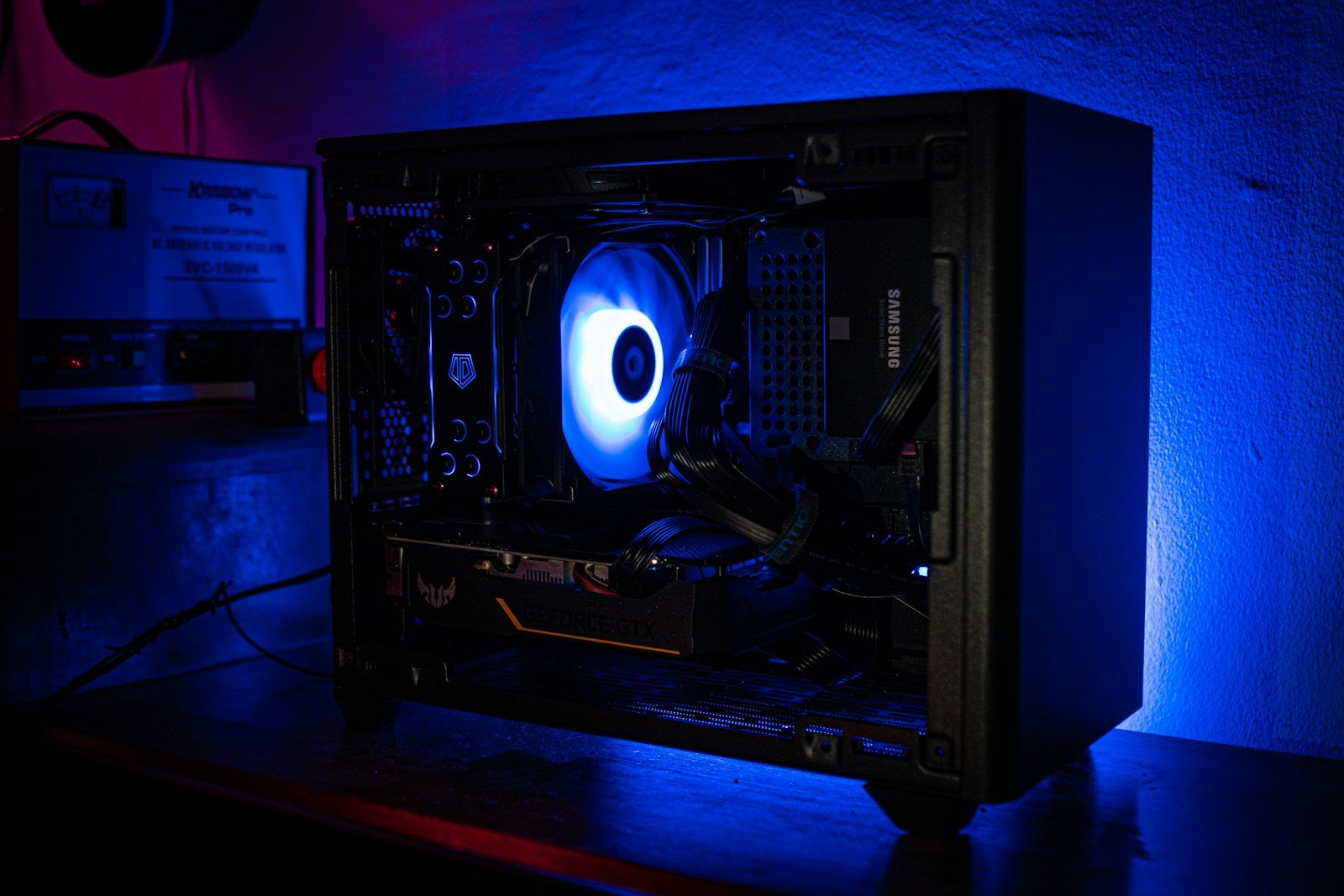
Gaming on a budget has become more challenging in 2026, with affordable gaming PCs becoming harder to find. Despite rising GPU prices from Nvidia and AMD, several manufacturers still offer solid options for gamers who don’t want to empty their bank accounts. The HP Victus 15L stands out as a top budget gaming PC, delivering excellent 1080p performance without requiring a massive investment.
Other noteworthy options include the iBuyPower RDY Y40 Valorant and the frequently discounted Lenovo Legion Tower 5I. Though the era of super cheap gaming towers may be fading, these systems provide enough power for casual gamers and even hardcore enthusiasts on a tighter budget. For those willing to consider alternatives, handheld gaming PCs are filling the void left by increasing desktop prices.
Budget expectations have shifted in 2026, with entry-level gaming systems now starting around $500, mid-range options at $800-1000, and high-end builds exceeding $4000. While these prices might seem steep compared to previous years, today’s budget gaming PCs offer impressive performance and immersive graphics that would have been considered premium just a few years ago.
The Latest Best Budget Gaming PCs in 2026: Complete Guide
Looking for a great gaming PC without breaking the bank? In 2026, the budget gaming PC market offers powerful options that can handle modern games at 1080p and even 1440p with solid frame rates. Whether you want a prebuilt system or prefer building your own, this guide covers the best budget gaming PCs available right now, balancing price, performance, and reliability.
Why Budget Gaming PCs Are a Sweet Spot in 2026
- Affordable yet powerful: Around $800-$1000 hits the sweet spot for smooth 1080p gaming.
- Better GPUs available: New mid-range GPUs like NVIDIA RTX 4060, RTX 5060, and AMD RX 7600 deliver excellent value.
- Improved CPUs: Efficient and capable CPUs from Intel and AMD complement budget GPUs well.
- Prebuilt options: Reliable prebuilts with warranties and support are available under $1000.
- DIY builds: Custom builds maximize value if you’re comfortable assembling your PC.
Top Budget Gaming PC Builds Under $800 (DIY)
1. Balanced Build for 1080p Gaming
| Component | Model/Recommendation | Approximate Price |
|---|---|---|
| CPU | AMD Ryzen 5 5600 or Intel Core i5-12400F | $150-$180 |
| GPU | NVIDIA RTX 4060 or AMD RX 7600 | $280-$320 |
| Motherboard | B550 or B660 chipset motherboard | $80-$100 |
| RAM | 16GB DDR4 (3200MHz or better) | $50-$70 |
| Storage | 500GB NVMe SSD | $40-$60 |
| Power Supply | 550W 80+ Bronze certified | $50-$60 |
| Case | Budget mid-tower with good airflow | $40-$50 |
Performance: Smooth 60+ FPS in most AAA titles at 1080p, capable of some 1440p gaming.
Best Prebuilt Budget Gaming PCs Under $800
1. Dell G15 Gaming Desktop
- CPU: Intel Core i5-12400F
- GPU: NVIDIA RTX 3050 or RTX 4060 (varies by model)
- RAM: 16GB DDR4
- Storage: 512GB SSD
- Price: Around $750-$850
Pros: Reliable brand, warranty, ready to use out of the box.
Cons: Limited upgradeability in some models.
2. HP Pavilion Gaming Desktop
- CPU: AMD Ryzen 5 5600G
- GPU: NVIDIA GTX 1650 or RTX 3050
- RAM: 16GB DDR4
- Storage: 512GB SSD
- Price: Around $700-$800
Pros: Affordable, decent for entry-level gaming and streaming.
Cons: GPU is lower tier, may need upgrade for demanding games.
Best GPUs for Budget Gaming PCs in 2026
| GPU Model | VRAM | Best For | Price Range |
|---|---|---|---|
| NVIDIA RTX 4060 | 8GB | 1080p high settings | $280-$320 |
| AMD RX 7600 | 8GB | 1080p/1440p gaming | $270-$310 |
| NVIDIA RTX 3050 | 8GB | Budget 1080p gaming | $180-$230 |
| Intel Arc B580 | 8GB | Entry-level gaming | $150-$200 |
Tips for Buying or Building Budget Gaming PCs
- Prioritize GPU and CPU: These have the biggest impact on gaming performance.
- Aim for 16GB RAM: Most modern games run smoothly with 16GB.
- SSD storage: NVMe SSDs drastically improve load times.
- Check upgrade paths: Especially for prebuilts, ensure you can upgrade GPU or RAM later.
- Watch for deals: Prices fluctuate, so monitor sales for the best value.
Summary Table: Best Budget Gaming PCs Under $800
| Option | CPU | GPU | RAM | Storage | Price Range | Notes |
|---|---|---|---|---|---|---|
| DIY Build | Ryzen 5 5600 / i5-12400F | RTX 4060 / RX 7600 | 16GB | 500GB NVMe | $750-$800 | Best performance per $ |
| Dell G15 Desktop | Intel i5-12400F | RTX 3050/4060 | 16GB | 512GB SSD | $750-$850 | Reliable prebuilt |
| HP Pavilion Desktop | Ryzen 5 5600G | GTX 1650/RTX3050 | 16GB | 512GB SSD | $700-$800 | Entry-level gaming |
Conclusion
In 2026, budget gaming PCs offer excellent performance for 1080p gaming without overspending. Whether you build your own system or buy a prebuilt, focusing on a solid mid-range GPU paired with a capable CPU and sufficient RAM will ensure smooth gameplay in most modern titles.
Keep an eye on component prices and sales to maximize your budget, and consider upgradeability to extend your system’s lifespan.
Key Takeaways
- The HP Victus 15L delivers excellent 1080p gaming performance at a budget-friendly price point.
- Rising GPU prices have changed what “budget” means, with entry-level systems now starting around $500.
- Alternative options like handheld gaming PCs and frequently discounted pre-built systems offer value for cost-conscious gamers.
Key Components of a Budget Gaming PC
Building a budget gaming PC requires careful selection of components that offer the best performance for your money. The right combination of parts can deliver excellent gaming experiences without breaking the bank.
Understanding the Central Processing Unit (CPU)
The CPU serves as the brain of any gaming PC, handling most calculations and instructions. For budget gaming builds in 2026, several options provide great value.
The Intel Core i5-13400F at around $145 offers excellent performance for budget gamers. This processor delivers strong multi-core performance without integrated graphics, which is fine since you’ll be using a discrete graphics card.
AMD alternatives like the Ryzen 5 5600 or Ryzen 5 5600G provide competitive performance. The 5600G includes integrated graphics that can serve as a temporary solution until you can afford a dedicated GPU.
When choosing a CPU, focus on:
- Core count (6 cores is the sweet spot for budget gaming)
- Clock speed (higher is better for gaming)
- Price-to-performance ratio
CPUs in the $140-200 range typically offer the best balance for budget gaming systems.
The Role of Graphics Processing Units (GPUs)
The GPU is arguably the most important component for gaming performance. It handles the rendering of images, animations, and video processing.
For budget builds, the AMD Radeon RX 7600 offers excellent 1080p gaming performance. It provides a good entry point for modern gaming without a massive price tag.
The NVIDIA GeForce RTX 3050 is another solid option, offering ray-tracing capabilities and DLSS support at a lower price point than higher-end models.
Key considerations for budget GPUs include:
- VRAM capacity (aim for at least 8GB for modern games)
- Power requirements (ensure your power supply can handle it)
- Physical size (confirm it fits in your case)
GPUs typically consume the largest portion of a gaming PC budget, so allocating $250-350 here often makes sense even in a budget build.
The Importance of Random Access Memory (RAM) and Storage
RAM and storage significantly impact system responsiveness and game loading times.
For RAM, 16GB has become the standard minimum for gaming PCs. Look for:
- DDR4 3200MHz or higher (faster RAM improves performance)
- Dual-channel configuration (two 8GB sticks instead of one 16GB)
- CAS latency (lower is better)
Storage options should include an SSD for fast boot and game loading times. A 512GB SSD or 1TB SSD provides adequate space for your operating system and several games.
M.2 NVMe SSDs offer the fastest speeds but may cost more. For budget builds, consider:
- A smaller M.2 SSD (256-512GB) for your operating system and favorite games
- A larger traditional hard drive for additional storage
This combination provides both speed and capacity without excessive cost.
Selecting the Right Motherboard
The motherboard connects all components and determines upgrade options for your PC.
For budget builds, the ASRock B660M Pro RS at $99 offers good value for Intel systems. For AMD builds, B550 motherboards provide similar functionality.
When choosing a motherboard, consider:
- Socket compatibility with your CPU
- Form factor (ATX, mATX, or ITX)
- Expansion slots for future upgrades
- USB ports and connectivity options
Look for boards with at least one PCIe 4.0 x16 slot for your graphics card and M.2 slots for fast storage. Avoid the cheapest options, as they may lack important features or use lower-quality components.
A good motherboard typically costs between $80-150 for budget gaming builds and provides a solid foundation for your system.
Optimizing Budget Gaming PCs for Peak Performance
Getting maximum performance from a budget gaming PC requires smart choices and tweaks. The right hardware coupled with proper optimization can deliver excellent gaming experiences without breaking the bank.
Enhancing Gaming Experience with High-Quality Displays
A quality display is crucial for enjoying games, even on a budget PC. For most budget builds, a 1080p monitor with a refresh rate of at least 75Hz provides a good balance between cost and performance. Higher refresh rates like 144Hz can dramatically improve gameplay smoothness when paired with games that can achieve those framerates.
IPS panels offer better color accuracy and viewing angles compared to TN panels, making them worth the small premium. When selecting a monitor, look for one with low response times (1-5ms) to reduce motion blur in fast-paced games.
Many budget-friendly monitors now include adaptive sync technologies like AMD FreeSync, which helps eliminate screen tearing without the premium cost of higher-end options.
Connectivity and Expansion Options
A well-designed budget gaming PC should include essential connectivity options for future upgrades. USB 3.0 ports are standard now, with newer systems offering USB 3.2 or USB-C connections for faster data transfers.
Wi-Fi capabilities are important for situations where wired connections aren’t feasible. Look for systems with at least Wi-Fi 5 (802.11ac) support, though Wi-Fi 6 offers better performance if available within budget.
For expansion, ensure the motherboard has:
- At least one extra PCIe slot for future add-in cards
- Multiple RAM slots with room for memory upgrades
- Sufficient SATA ports for additional storage
Front panel access for headphones, microphones, and USB devices makes daily use more convenient and prevents wear on rear ports.
Building Versus Buying Prebuilt Gaming PCs
Building a custom PC typically offers better value and customization options. Builders can prioritize spending on components that matter most for their preferred games, like allocating more budget to the GPU for graphically demanding titles.
Prebuilt systems from companies like ACEMAGIC offer convenience with their TANK03 models featuring impressive specs including Intel Core i9 processors and RTX graphics cards. These systems come with the advantage of a warranty and technical support.
The DIY approach allows for:
- Better component selection based on specific needs
- More upgrade flexibility
- No markup costs from system integrators
For novices, prebuilt PCs eliminate the potential stress of component compatibility issues and the assembly process. Many now come with decent warranties and sometimes include peripherals like keyboards and mice in the package.
Frequently Asked Questions
Budget gaming PCs can be confusing for new buyers. Many people struggle with balancing cost and performance when shopping for their first gaming rig. These questions address the most common concerns about specifications, brands, and building versus buying prebuilt systems.
What are the specifications to look for in a budget gaming PC under $500?
For gaming PCs under $500, focus on getting a decent CPU and GPU combination. Look for systems with Ryzen 5 processors (like the 2600) paired with graphics cards such as the RX 580.
RAM is another critical component. Aim for at least 8GB of RAM, though 16GB provides better performance for modern games.
Storage should include at least a small SSD (128GB or 256GB) for the operating system and a few games, with a larger HDD for additional storage.
Which brands offer the best gaming PCs for a budget of under $1000?
HP offers excellent budget options, with their Victus 15L being highly recommended for 1080p gaming performance. This system delivers solid value while maintaining reliable quality.
Lenovo’s Legion Tower 5i frequently goes on sale, making it another top budget choice according to PC Gamer. These discounts can bring powerful gaming rigs into an affordable price range.
iBuyPower, particularly their RDY Y40 Valorant model, is considered among the best gaming PC brands in 2026. They offer good component selection at competitive prices.
How does one build a gaming PC on a budget without compromising performance?
Start by prioritizing the GPU and CPU, as these components most directly impact gaming performance. A mid-range GPU with a decent CPU often provides better gaming results than a high-end CPU with a weak GPU.
Shop for components during sales events like Black Friday, Cyber Monday, or end-of-quarter clearances. These can yield substantial savings on normally expensive parts.
Consider last-generation hardware, which often provides excellent performance at significantly reduced prices compared to the newest components.
Are there any reliable prebuilt gaming PCs available at an affordable price point?
HP Victus 15L stands out as a reliable prebuilt option that offers excellent 1080p gaming performance without breaking the bank. It combines quality components with manufacturer warranty support.
iBuyPower RDY series computers provide good value with the convenience of being ready to use immediately. These systems come properly assembled with compatible components.
Some retailers offer prebuilt systems with Ryzen 2600 CPUs and RX 580 GPUs for under $500, which represent solid entry-level gaming capabilities.
What should one consider when choosing components for a budget gaming PC build?
Compatibility between parts is crucial. Ensure the motherboard supports your chosen CPU and has the right slots for your RAM and storage.
Power supply quality shouldn’t be overlooked. A reliable PSU protects your other components and provides stable power during intense gaming sessions.
Future upgradeability matters for budget builds. Select a motherboard and case that allow for component upgrades later as your budget permits.
Can you recommend a budget gaming laptop that offers the best value for money?
Gaming laptops with GTX 1650 or RTX 3050 graphics cards often provide the best balance of performance and price. These GPUs can handle most games at medium settings.
Look for laptops with at least 16GB of RAM and an i5 or Ryzen 5 processor. These specifications ensure smooth gameplay in most modern titles.
Cooling is especially important in budget gaming laptops. Models with good thermal design prevent throttling during extended gaming sessions, maintaining consistent performance.





