
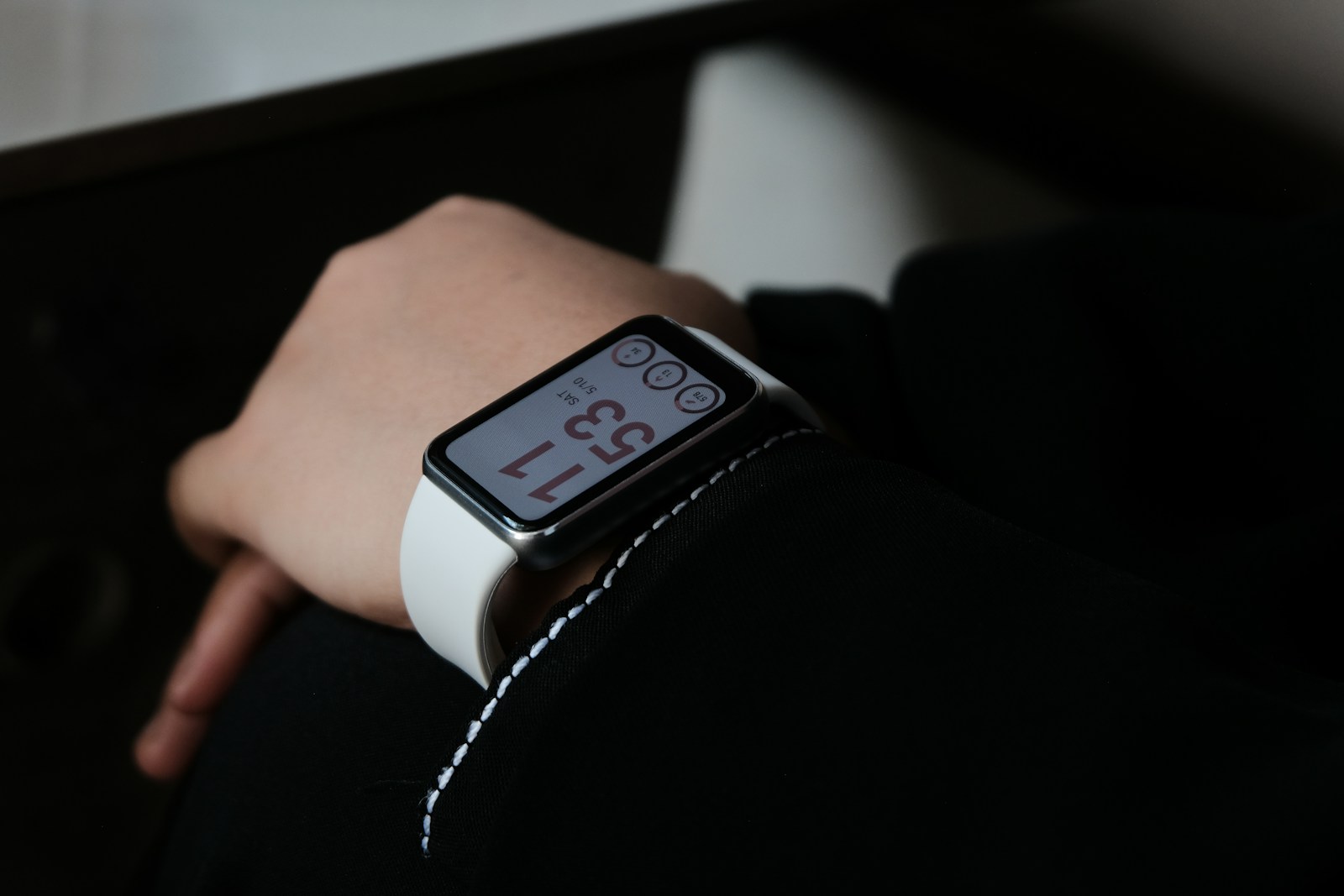
The Apple Watch has become an essential part of many people’s digital lives, offering convenience and functionality right from your wrist. While the device comes with several built-in features, downloading the right apps can significantly enhance its capabilities and usefulness in everyday situations. The best free Apple Watch apps can transform how users interact with their device, turning it from a simple notification screen into a powerful tool for health tracking, productivity, and entertainment.
These free applications are designed specifically to take advantage of the Apple Watch’s unique form factor and sensors, providing value without requiring any financial investment. From fitness tracking to weather updates and task management, there’s a wide variety of options available that cater to different needs and preferences. The App Store offers hundreds of free options, but finding the truly useful ones can sometimes feel like searching for a needle in a digital haystack.
1. Pedometer++
Pedometer++ is a standout choice for Apple Watch users who want to track their daily steps without complexity. This app offers a simple yet effective way to monitor step count, walking distance, active calories, and heart rate data.
The clean interface makes it easy to check your progress at a glance. Many users appreciate how Pedometer++ works seamlessly between iPhone and Apple Watch platforms, ensuring your steps are always counted accurately.
One of the app’s best features is its ability to display your step data directly on your watch face as a complication. This allows for quick checking throughout the day without having to open the full app.
Unlike many fitness apps, Pedometer++ doesn’t overwhelm users with unnecessary features. It focuses on doing one thing very well – counting steps and presenting that information clearly.
The app also includes goal-setting capabilities to help motivate users to stay active. Achievement badges serve as rewards for meeting daily targets and reaching significant milestones.
For those concerned about battery life, Pedometer++ is designed to have minimal impact while running in the background. This efficiency makes it practical for everyday use without constant recharging.
The developer regularly updates the app to ensure compatibility with the latest Apple Watch models and operating systems. This dedication to maintenance means users can rely on it working properly over time.
While other step-tracking apps often require subscriptions, Pedometer++ offers its core functionality for free. This accessibility makes it an excellent option for anyone wanting to monitor their daily activity without additional costs.
2. Water Reminder
Staying hydrated is essential for overall health. The Apple Watch offers several free apps that can help track water intake and send reminders throughout the day.
WaterMinder stands out as one of the best water tracking apps available. It allows users to log drinks directly from their wrist and receive timely hydration reminders.
The colorful interface makes tracking water intake enjoyable rather than feeling like a chore. Users can set personalized hydration goals based on their body weight and activity level.
Another excellent option is Waterful, which offers drinking alarms and helpful features completely free. The app’s clean design makes it easy to use even on the small Apple Watch screen.
For those who prefer a fun approach to hydration, Water Tracker Waterllama brings a playful element to drinking water. This free app includes smart reminders, streak tracking, and a water intake goal calculator.
The app’s unique animal-themed design makes hydration tracking more engaging. Users can earn achievements as they meet their daily water goals.
Some Reddit users recommend Pee & See, which takes a different approach. Instead of logging water consumption, it tracks bathroom visits as an indication of hydration levels.
Water Reminder by VGFIT calculates individual water needs and gently reminds users to drink throughout the day. The reminders can be customized to fit different schedules and preferences.
Most water reminder apps offer complications for the Apple Watch face, making it convenient to see hydration progress at a glance. This visual reminder helps users stay on track with their water consumption goals.
3. Citymapper
Citymapper stands out as an essential Apple Watch app for urban commuters and travelers. This free app helps users navigate cities with ease by providing real-time transportation information directly on their wrist.
The Apple Watch version of Citymapper offers turn-by-turn directions for various transportation methods. Users can quickly compare travel options across different modes of transport, making it easier to decide the fastest route.
One of the most helpful features is the ability to see live departures and bus locations right from the watch face. This eliminates the need to constantly check a phone while navigating busy streets or transit stations.
The app keeps users informed throughout their journey with timely notifications. A simple wrist raise shows what to do next, whether that’s making a turn, catching a bus, or walking to the next transfer point.
For Apple Watch Ultra owners, Citymapper provides enhanced functionality with its larger display and improved GPS capabilities. Many users in the Apple Watch community recommend it for traveling alongside other utility apps.
The interface is clean and easy to read, presenting only the most relevant information needed while on the move. This thoughtful design makes it particularly valuable during rushed commutes or when exploring unfamiliar areas.
Citymapper covers major cities worldwide, though coverage depth varies by location. The app syncs seamlessly with the iPhone version, allowing users to plan routes on their phone and follow directions on their watch.
4. Facer – Watch Faces
Facer stands out as one of the most comprehensive watch face platforms available for Apple Watch users. It offers thousands of free and premium watch face options that can significantly enhance the appearance of your device.
The Facer app allows users to unlock the full potential of their Apple Watch through extensive customization options. It provides a massive library of designs ranging from elegant to quirky, ensuring something for every taste and occasion.
What makes Facer particularly appealing is its easy-to-use interface. Users can browse through various categories and find watch faces that match their style preferences or specific needs.
The platform regularly updates its collection with new designs from both professional creators and community members. This constant refresh keeps the selection exciting and relevant to current trends.
Many Apple Watch users appreciate that Facer offers thousands of FREE watch faces alongside premium options. This makes it accessible to everyone regardless of budget constraints.
The app also supports other smartwatch platforms, which is helpful for those who might switch between different devices. Its cross-platform compatibility has contributed to its popularity in the smartwatch community.
Installing new watch faces from Facer is straightforward. The process requires minimal technical knowledge, making it suitable for users of all experience levels.
For those who enjoy changing their watch face frequently, Facer’s extensive library provides practically endless options. Users can switch between different styles depending on their outfit, mood, or activity.
The Facer community adds another dimension to the experience, with users sharing and rating different watch face designs. This social aspect helps highlight quality creations and provides inspiration for personalization.
5. AutoSleep Track Sleep
AutoSleep Track Sleep stands out as one of the most valuable free sleep tracking applications for Apple Watch users. The app works automatically to monitor sleep patterns without requiring users to press any buttons before bedtime.
What makes AutoSleep particularly appealing is its seamless operation. The app tracks sleep directly from the Apple Watch without any manual input required. Users can simply wear their watch to bed, and the app does all the work.
The interface provides detailed sleep analysis including total sleep time, quality, and deep sleep measurements. Users can view their sleep data through easy-to-understand charts and graphs that highlight patterns over time.
AutoSleep uses the watch’s sensors to detect movement and heart rate, creating a comprehensive picture of sleep quality. This automatic tracking feature means users don’t have to remember to activate sleep mode each night.
Many Apple Watch users find that AutoSleep offers accurate sleep analysis, even distinguishing between lying in bed reading versus actually sleeping. This precision helps provide more meaningful data for those serious about improving their sleep habits.
The app includes a smart alarm feature designed to wake users during lighter sleep phases. This can help people feel more refreshed when they start their day, rather than being jarred awake from deep sleep.
Health researchers appreciate AutoSleep for its actigraphy export capabilities, making it useful for sleep validation studies. This professional-grade feature sets it apart from many other consumer sleep apps.
The app also integrates well with Apple Health, ensuring all sleep data contributes to the user’s overall health profile. This integration creates a more complete picture of wellness when combined with other health metrics.
6. Stepz
Stepz is a user-friendly step counter application designed specifically for Apple Watch users who want to track their daily movement. This app utilizes Apple’s Motion Coprocessor to automatically collect motion data in the background without draining battery life.
The interface of Stepz is clean and straightforward, making it easy for users of all ages to understand their activity metrics. The app displays step count, distance traveled, and calories burned in an accessible format.
One of the standout features of Stepz is its ability to store historical data. Users can review their progress over days, weeks, or months to identify patterns in their activity levels.
Stepz also allows users to set personalized daily step goals based on their fitness levels. This customization helps individuals create realistic targets that align with their health objectives.
The app seamlessly syncs between Apple Watch and iPhone, ensuring that activity data remains consistent across devices. This synchronization happens automatically when devices are connected.
Many users appreciate the minimalist approach of Stepz, which focuses on delivering essential information without overwhelming features. The convenient background tracking makes it ideal for those who prefer a “set and forget” fitness tracker.
While Stepz offers a free version with core functionality, premium features are available through in-app purchases. Most users find the free version sufficient for basic step tracking needs.
The app includes achievement badges to celebrate milestones, adding a motivational element to daily activity tracking. These small rewards can help maintain consistency in physical activity.
Stepz works effectively even when the phone remains in a pocket or bag, accurately counting steps throughout the day. This reliability makes it a practical choice for everyday use.
7. WeatherPro
WeatherPro stands out as a reliable and award-winning weather application for Apple Watch users. The app delivers high-quality, detailed weather information right to your wrist, making it convenient to check conditions at a glance.
The interface is clean and easy to navigate, showing essential weather data without overwhelming the small watch screen. Users can quickly view current temperatures, precipitation chances, and upcoming forecasts with just a few taps.
One of the app’s strongest features is its accuracy. WeatherPro pulls data from trusted meteorological sources to provide unrivalled, high-quality information for your location and saved places.
The Apple Watch integration is thoughtfully designed, allowing users to check weather conditions without needing to pull out their phones. This proves especially useful during outdoor activities or when planning your day.
WeatherPro offers detailed forecasts including wind speed, humidity levels, and UV index. These metrics help users make informed decisions about outdoor activities and appropriate clothing choices.
The app also includes precipitation radar, giving users visual representations of approaching rain or snow. This feature helps with timing outdoor plans around weather events.
While there is a free version available, some premium features may require a subscription. However, many users find the basic functionality sufficient for everyday weather checking on their Apple Watch.
Regular updates keep the app functioning smoothly with the latest Apple Watch operating systems. Developers continuously refine the user experience based on feedback, maintaining WeatherPro’s reputation as one of the most beautiful weather apps available.
8. FlightRadar24
FlightRadar24 turns your Apple Watch into a mini flight tracking tool right on your wrist. The app displays nearby aircraft and provides real-time flight information without needing to pull out your phone.
Pilots and aviation enthusiasts particularly enjoy this app for its quick access to air traffic information. You can see a list of nearby airplanes, including their relative location and important flight details.
The Apple Watch version complements the full iPhone app, which is known for turning your mobile device into a live flight tracker. The watch interface is simplified but still highly functional.
For travelers, FlightRadar24 offers a convenient way to check if an incoming flight is on time. This can be especially useful when waiting at the airport or planning to pick someone up.
The app shows planes moving in real-time on a detailed map. While the watch version has some limitations compared to the phone app, it provides the essential tracking features most users need.
FlightRadar24 is considered one of the world’s most popular flight tracking services. Its interface is intuitive enough for casual users but detailed enough for aviation professionals.
The free version includes basic tracking capabilities, though premium features are available through in-app purchases. Most casual users find the free functionality sufficient for their needs.
For those who frequently travel or work in aviation-related fields, having flight information accessible with just a glance at their wrist proves invaluable. The app helps users stay informed about air traffic without constantly checking their phones.
9. iTranslate
When traveling abroad, language barriers can be a major hurdle. The iTranslate app for Apple Watch offers a convenient solution that fits right on your wrist.
This powerful translation tool supports over 100 languages, making it an essential companion for international travelers. Users can quickly translate text, websites, and even objects using the app’s intuitive interface.
One of the standout features is the voice-to-voice conversation capability. This allows for natural dialogue between people speaking different languages without awkward pauses or misunderstandings.
For Apple Watch users specifically, iTranslate Converse transforms the device into a two-way translation tool. The simple design makes it easy to have conversations in 38 different languages directly from the watch.
The Apple Watch version works seamlessly, allowing travelers to communicate without constantly pulling out their phones. This hands-free approach is particularly valuable in busy travel situations.
The app’s interface is clean and straightforward, making translations accessible even for those who aren’t tech-savvy. Users simply speak into their watch and receive translations almost instantly.
For frequent travelers or language learners, iTranslate provides dictionary functionality as well. They can look up words, find their meanings, and even conjugate verbs when needed.
The free version offers essential features that cover most travelers’ needs. Premium features unlock additional capabilities for those requiring more extensive translation services.
The Watch version is specifically designed for the smaller screen, ensuring users get a tailored experience rather than a cramped phone interface.
10. Shazam
Shazam is a must-have app for music lovers with an Apple Watch. This music recognition app allows users to identify songs playing around them with just a tap on their wrist.
The Apple Watch version of Shazam makes music identification incredibly convenient. Users no longer need to fumble for their phones when they hear an interesting song in public. The app works quickly to recognize music playing in the environment.
When a song is identified, Shazam displays the title and artist information directly on the watch face. Users can also view album artwork and release date details on their wrist.
One of the most practical features is how Shazam syncs identified songs with the user’s Apple Music or Spotify playlists. This seamless integration makes it easy to save discovered music for later listening.
The app runs smoothly on Apple Watch, offering a streamlined version of the iPhone experience. Its interface is designed specifically for the smaller screen, making it intuitive to use.
Shazam also works with songs playing in various apps like TikTok, Instagram, and YouTube. This versatility makes it useful beyond just identifying radio songs or music playing in stores.
For concert enthusiasts, Shazam even provides information about upcoming live shows from identified artists. This feature helps users stay informed about performance opportunities near them.
The app has earned its place among what many Reddit users consider “killer apps” for the Apple Watch. It leverages the device’s form factor to solve a common problem in a way that’s more convenient than using a phone.
The latest version of Shazam Music Recognition continues to improve with regular updates, maintaining its position as one of the most useful free tools available for Apple Watch owners.
Benefits of Using Apple Watch Apps
Apple Watch apps extend the device’s functionality beyond basic timekeeping, transforming it into a powerful tool that supports various aspects of daily life. These apps leverage the watch’s sensors and connectivity to provide seamless assistance without needing to pull out your phone.
Enhancing Daily Productivity
Apple Watch apps help users stay organized and efficient throughout their day. Productivity apps allow quick access to important information and tasks right from the wrist.
Users can check calendars, set reminders, and respond to messages without interrupting their workflow. This quick access saves valuable time and reduces distractions.
Many productivity apps sync seamlessly with iPhone counterparts, creating a unified ecosystem that keeps all information current across devices. This integration ensures users never miss important notifications or appointments.
The watch’s small screen might seem limiting, but well-designed apps use the space efficiently with simple interfaces and voice commands. These features make completing tasks faster and more convenient than pulling out a phone.
Supporting Health and Wellness
Apple Watch truly shines in health and wellness applications. The device’s advanced sensors track vital health metrics and support patients and clinicians across many aspects of health including heart monitoring, mobility, and medication management.
Apps like Strava and WaterReminder help users maintain fitness goals and stay hydrated. These tools provide real-time feedback during workouts and gentle reminders throughout the day.
The watch’s health monitoring capabilities offer meaningful insights that help users understand their bodies better. Features like ECG, blood oxygen measurement, and sleep tracking provide valuable data previously available only through specialized medical equipment.
Many health apps can share data with healthcare providers, creating a more comprehensive picture of a patient’s health over time. This connection improves the quality of healthcare and helps detect potential issues earlier.
Security and Privacy Concerns
When downloading free Apple Watch apps, users should be aware of potential security risks and privacy concerns. Many apps collect personal data, including health information, which raises important privacy considerations.
Data Protection Measures
Apple Watch users should prioritize apps that respect privacy and implement strong data protection features. The native Workout app is often the best choice for privacy-conscious users who don’t want their health data exposed to third parties.
For added protection, specialized security apps can help safeguard personal information. Tracker Protection by Disconnect blocks trackers that secretly collect data inside apps, browsers, and emails.
Another option is Avast Security & Privacy, which protects devices from online threats and helps users stay secure while using public Wi-Fi.
Before installing any fitness or health app, users should review the privacy policy and check what permissions the app requests. Look for apps that store data locally rather than in the cloud when possible.
Users should regularly audit their app permissions and remove unused applications that might continue collecting data in the background.
Frequently Asked Questions
Apple Watch users often have questions about finding the best free apps for their devices. These common queries cover topics from top-rated apps to specific categories like health tracking and watch faces.
What are the highest-rated free apps for the Apple Watch?
The most highly-rated free Apple Watch apps combine useful functionality with excellent design. Pedometer++ ranks consistently high among users for its simple step tracking with complications that show actual step counts throughout the day.
Other top-rated free options include Weather apps like MyRadar, which many users appreciate for providing radar images directly on their watch face.
Which free Apple Watch applications are best for health and fitness tracking?
For health and fitness enthusiasts, several free options stand out. Water Reminder helps users stay hydrated by tracking water intake and sending gentle notifications.
AutoSleep Track Sleep provides comprehensive sleep analysis without a subscription fee. The app monitors sleep patterns and quality automatically.
Apple’s built-in Workout app remains popular for tracking exercises, while third-party options offer specialized tracking for specific activities.
Can you recommend any free games for the Apple Watch worth downloading?
Though not often thought of as a gaming device, the Apple Watch supports several entertaining free games. Simple puzzle games work best on the small screen and provide quick entertainment during short breaks.
Word games and reaction-based challenges are particularly well-suited to the watch interface. Many users enjoy games that can be played in under a minute, making them perfect for quick moments of downtime.
Are there any free apps specifically designed for enhancing the Apple Watch face experience?
Facer – Watch Faces offers countless free watch face options that allow users to personalize their Apple Watch experience. The app includes numerous designs from simple to elaborate.
Complication-focused apps also enhance watch faces by displaying useful information at a glance. Weather, calendar, and fitness complications remain the most popular choices for customizing watch faces.
What are the top free apps for the Apple Watch that are compatible with Series 3?
Series 3 users can still access many great free apps despite using an older model. Citymapper works well on Series 3 and provides excellent public transportation guidance.
Lightweight utility apps typically perform well on older hardware. Calculator apps, timers, and simple note-taking tools like Drafts run smoothly on Series 3 watches.
How can users locate and install free applications for their Apple Watch?
Users can find free Apple Watch apps through the Watch app on their paired iPhone. The App Store section within the Watch app features curated collections and categories specifically for watch-compatible applications.
Many iPhone apps include Apple Watch functionality that becomes available after installing the main app. Users should check the “Installed on Apple Watch” section in the Watch app to manage these extensions.
Searching specifically for “Apple Watch” within the iPhone App Store also reveals compatible applications. Looking at user reviews helps identify which apps function well on the watch versus those primarily designed for phones.





