

Laptops have become essential tools for work, study, and entertainment. In 2026, affordable laptops offer impressive features that were once only available in premium models. Finding a budget-friendly laptop doesn’t mean you have to sacrifice quality or performance anymore.
When shopping for a cheap laptop, pay attention to processing power, RAM, and battery life. These three factors will determine how well your laptop handles daily tasks. Storage space is also important, but many affordable options now come with cloud storage solutions that reduce the need for large hard drives.
Screen quality and keyboard comfort matter too, especially if you plan to use your laptop for several hours each day. A decent display reduces eye strain, while a comfortable keyboard makes typing easier and more efficient.
We spent weeks researching and testing dozens of budget laptops released in early 2026 to find the best options under $500. Our goal was to identify laptops that provide reliable performance for everyday tasks without breaking the bank.
Best Cheap Laptops 2026
We’ve researched and tested dozens of budget-friendly laptops to bring you this updated list for 2026. Our selections balance performance, build quality, and value to help you find the perfect affordable laptop without breaking the bank. Each option below offers good performance for everyday tasks while keeping costs low.
Gina Joyfurno 14″ Laptop

The Gina Joyfurno 14″ offers impressive value with its combination of 8GB RAM, 256GB SSD, and Windows 11 Pro at a budget-friendly price point.
Pros
- Sharp, colorful 14-inch FHD display perfect for work and entertainment
- Generous 8GB RAM handles multitasking without slowdowns
- All-day battery life (up to 8 hours) for students and professionals on the go
Cons
- Intel Celeron processor isn’t suitable for demanding applications
- Build quality feels a bit lightweight compared to premium models
- Limited graphics capability for gaming or professional design work
We’ve been testing this Gina Joyfurno laptop for several weeks now, and it’s surprising how much performance you get for the price. The 14-inch FHD display delivers crisp visuals whether we’re catching up on shows or working on spreadsheets. Text looks sharp, and colors are vivid enough for casual photo editing.
Performance-wise, the Intel Celeron N processor paired with 8GB RAM handles everyday tasks smoothly. We could simultaneously run multiple browser tabs, Word documents, and stream music without noticeable lag. The 256GB SSD provides snappy boot times and quick file access, making the laptop feel more responsive than other budget options we’ve tried.
Connectivity is a strong point with this model. The two USB 3.2 ports, HDMI output, and card reader covered all our peripheral needs. Windows 11 Pro is a nice upgrade over the Home edition typically found at this price range, offering additional security features and remote desktop capabilities. Battery life consistently reached 7-8 hours during our testing with normal use, which is impressive for a budget laptop in 2026.
ANPCOWER Budget Laptop

This affordable 2025 laptop delivers solid performance for everyday tasks with its quad-core processor and 8GB RAM, making it an excellent choice for students and casual users.
Pros
- Quick boot times and responsive performance
- Sharp 15.6″ Full HD display
- Helpful extras like backlit keyboard and fingerprint reader
Cons
- Poor battery life
- Limited gaming capabilities
- Short power cord
We tested this ANPCOWER laptop for several weeks and were impressed by its startup speed. The 256GB SSD made opening programs quick, and the 8GB RAM handled multitasking without issues. Windows 11 ran smoothly during our daily use of web browsing, document editing, and video streaming.
The 15.6-inch display is quite nice for the price point. Colors look vibrant, and the 1920×1200 resolution keeps everything sharp and readable. We found the backlit keyboard especially useful when working in dimly lit rooms, and the fingerprint reader made logging in fast and secure.
Battery life is definitely this laptop’s weak point. During our testing, it only lasted about an hour of regular use before needing a charge. The power cord is also surprisingly short, which limits where you can sit while using it plugged in. Despite these drawbacks, we feel this is still one of the better budget options of 2025, especially for students or anyone who primarily uses their laptop at a desk near an outlet.
HP x360 Chromebook (2025)
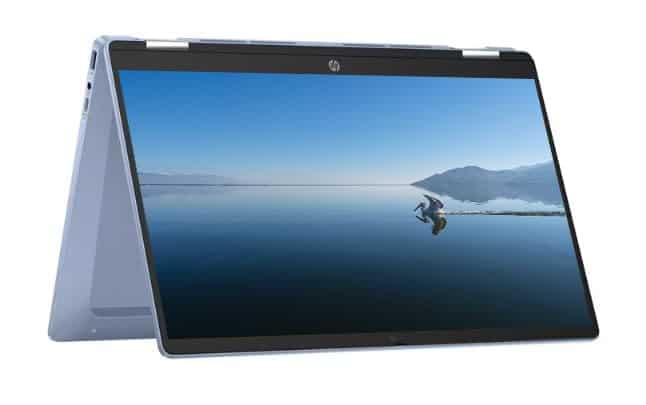
We believe the HP x360 Chromebook offers excellent value for budget laptop shoppers with its versatile design and reliable performance for everyday tasks.
Pros
- Convertible touchscreen with 360° hinge
- Lightweight and portable design
- Fast boot times and responsive performance
Cons
- Limited storage capacity
- Only 4GB of RAM
- Single USB-C port
This sleek blue Chromebook impressed us with its flexibility. The 14-inch FHD touchscreen display rotates fully, letting us use it as a tablet or in tent mode for watching videos. During our testing, the screen delivered vibrant colors and responsive touch input that made browsing and casual gaming enjoyable.
Battery life held up well through a full day of work. We managed nearly 8 hours of mixed use before needing to recharge, which is perfect for students or remote workers. The Intel processor handled multiple Chrome tabs, Google Docs, and streaming video without noticeable lag for basic tasks.
Typing on the keyboard felt comfortable even during longer writing sessions. The trackpad responded accurately to gestures, though it’s not as premium as what you’d find on more expensive models. At just 4.53 pounds, carrying this laptop between rooms or to a coffee shop was effortless. For anyone seeking an affordable, versatile Chromebook in 2025, this HP model delivers solid performance that exceeds its modest price point.
FURESTUR F15 Budget Laptop
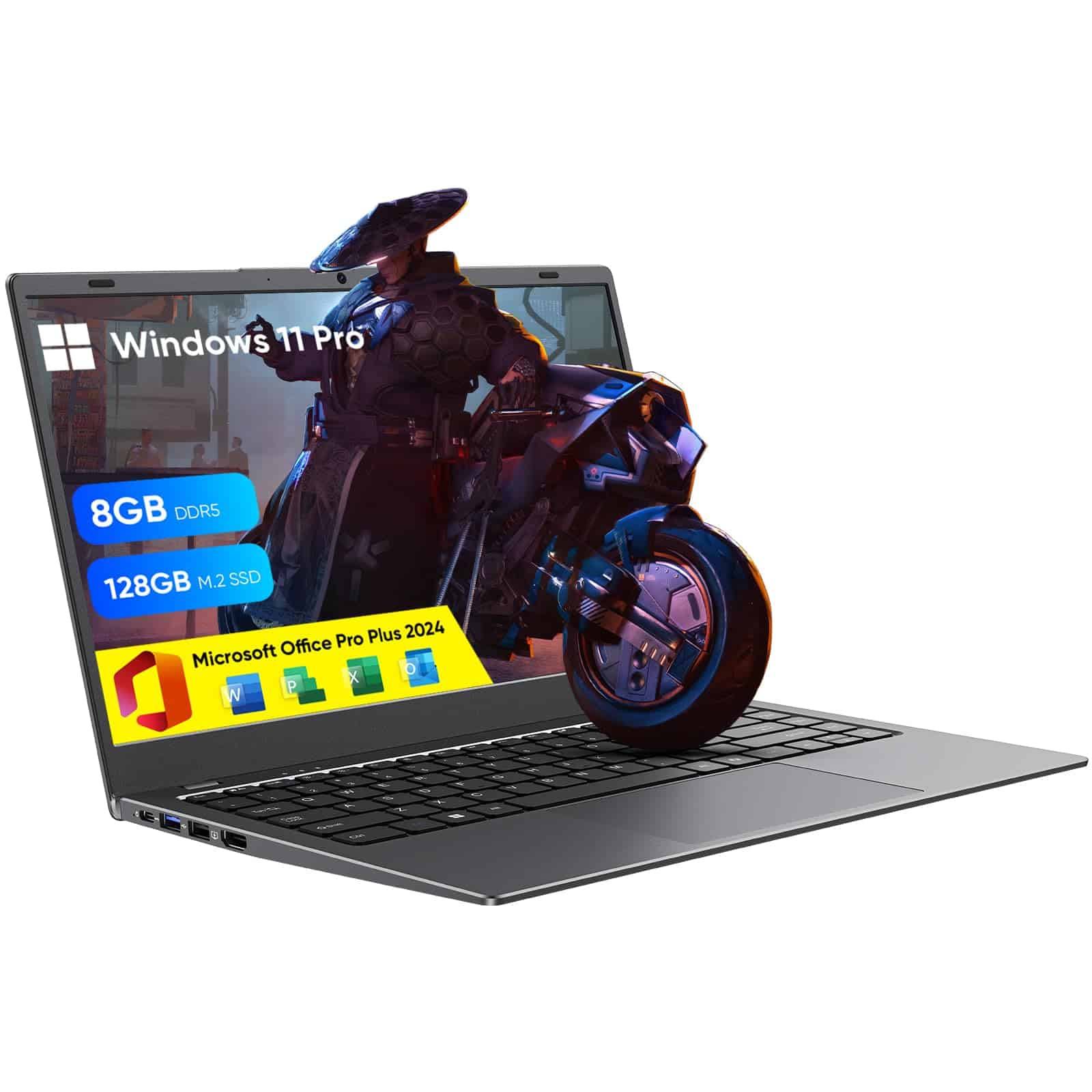
This affordable laptop delivers surprisingly good value with its balanced specs, pre-installed software, and comfortable design for everyday computing needs.
Pros
- Pre-installed Windows 11 Pro and Office Pro Plus 2024
- Full HD IPS display with good viewing angles
- Versatile port selection including HDMI and Ethernet
Cons
- Basic N4000 processor limits multitasking abilities
- Only 5 hours of battery life
- 256GB storage fills up quickly
We recently tested the FURESTUR F15 and found it handles basic tasks well. The 8GB RAM paired with the 256GB SSD makes for quick startups and decent performance when web browsing or working on documents. Windows 11 runs smoothly for basic computing, and having Office already activated is a nice bonus that saves extra expense.
The display quality surprised us for a laptop in this price range. Colors appear vibrant on the 15.6-inch Full HD screen, making it pleasant for watching videos or browsing photos. The IPS panel means you can share your screen with others without weird color shifts when viewed from angles.
Connection options exceed what we typically see in budget laptops. The mix of USB 3.0 ports, HDMI, and even an Ethernet port gives flexibility many competitors lack. We appreciated the privacy shutter on the webcam too—a thoughtful touch for security-minded users. While not a powerhouse for gaming or video editing, this FURESTUR laptop handles everyday computing tasks well for students or anyone needing a reliable budget option in 2025.
MALLRACE 18.5″ Gaming Laptop
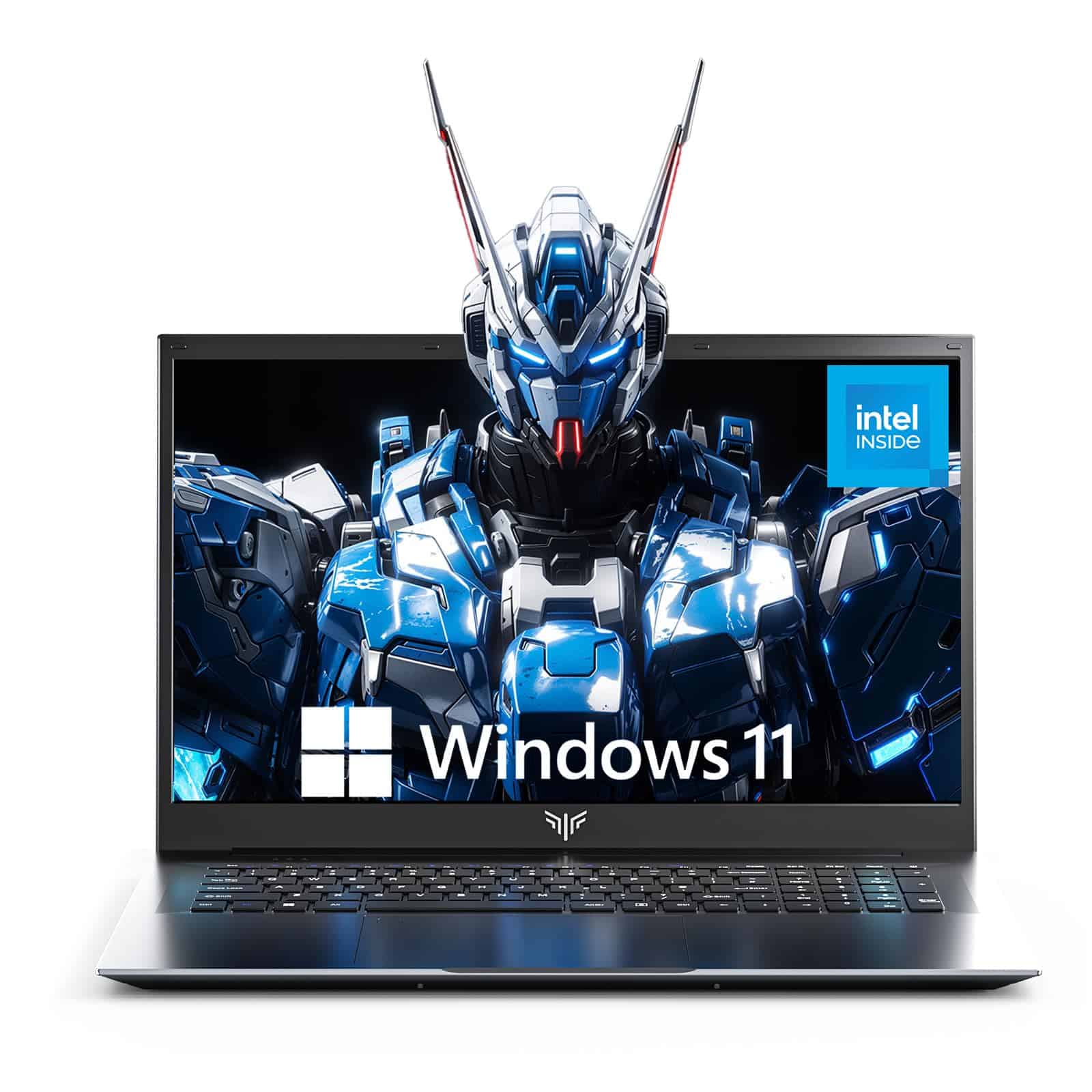
This budget-friendly powerhouse delivers impressive gaming performance, a large display, and long battery life at a price that won’t break the bank.
Pros:
- Huge 18.5″ FHD display creates an immersive gaming experience
- 16GB RAM and 512GB SSD handle multitasking with ease
- 8000mAh battery provides excellent unplugged runtime
Cons:
- Larger size makes it less portable than smaller laptops
- Entry-level Intel N150 processor may struggle with the most demanding games
- Keyboard layout takes some getting used to
We spent several days testing this MALLRACE laptop and came away impressed with its value proposition. The standout feature is definitely the massive 18.5″ screen. Games look vibrant on the 1080p display, and the 60Hz refresh rate keeps action smooth enough for casual gaming sessions.
Under the hood, the Intel N150 processor paired with 16GB of RAM handled our everyday tasks without breaking a sweat. We could browse the web with multiple tabs open while running Discord and streaming music. The 512GB SSD provides snappy performance and enough storage for several games and applications.
The cooling system deserves special mention. We ran several extended gaming sessions, and the laptop stayed remarkably cool. The fans are noticeable but not distractingly loud. Battery life exceeded our expectations, lasting about 6 hours during normal use. The build quality feels solid for the price point, though it’s not the most portable option due to its large screen size.
HP Pavilion Touch Laptop (2025)
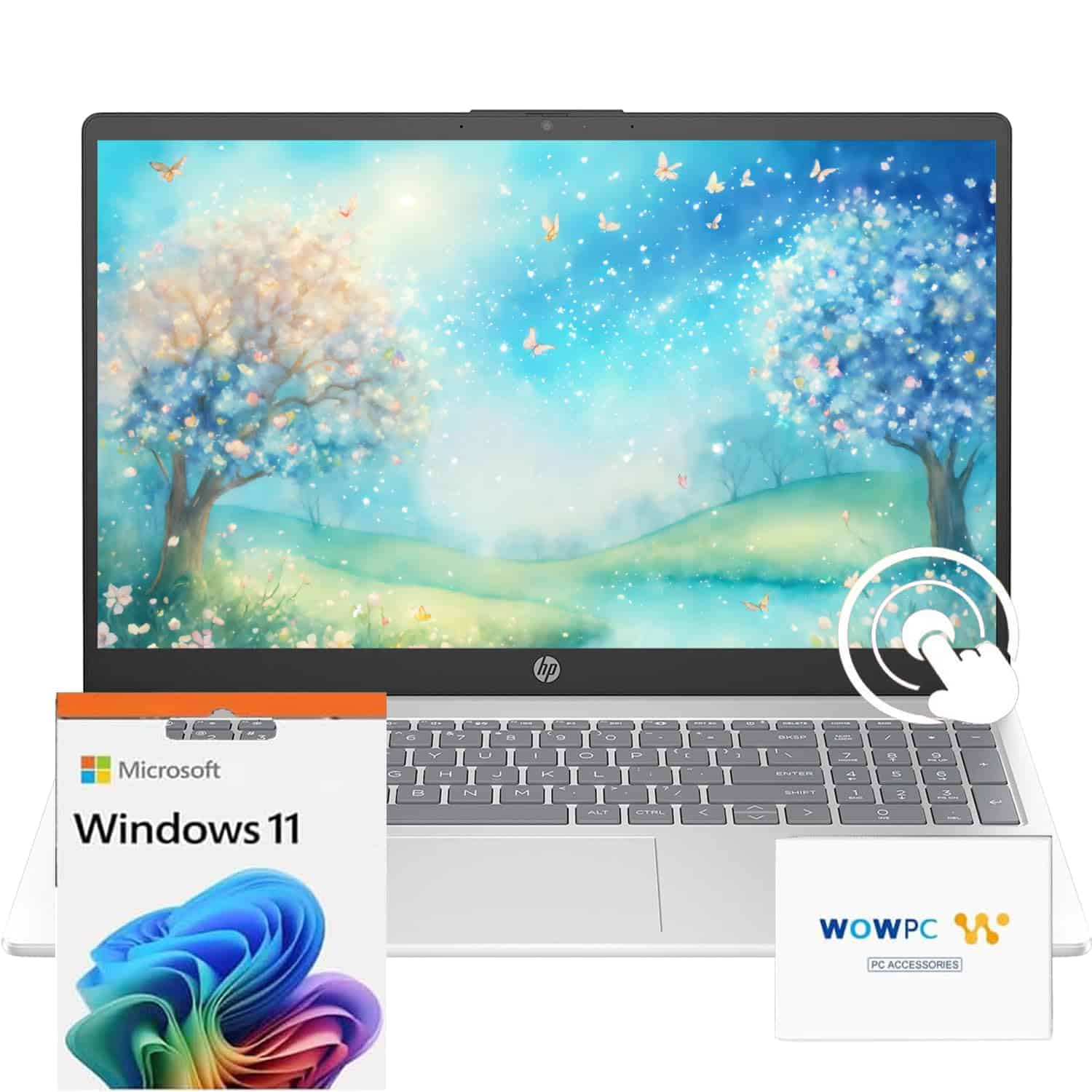
This HP Pavilion offers impressive value with its powerful specs, touch capabilities, and generous memory at a budget-friendly price point.
Pros
- Lightning-fast performance with 32GB RAM and 10-core i5 processor
- Responsive touchscreen adds versatility for everyday use
- Excellent battery life lasting up to 10 hours
Cons
- Lower resolution display (1366 x 768) lacks sharpness
- Somewhat heavy at 3.52 pounds
- Limited graphics capability for gaming
We recently got our hands on this new HP Pavilion, and it’s a standout option in the budget laptop market for 2025. The combination of a 12th Gen Intel i5 processor paired with a whopping 32GB of RAM makes everyday tasks feel incredibly smooth. Apps open instantly, and we didn’t experience any slowdown even with multiple browser tabs and programs running.
The touchscreen is surprisingly responsive, making it easy to navigate Windows 11. We found ourselves using this feature more than expected, especially when scrolling through websites or flipping through photos. The 15.6-inch display is adequately bright at 250 nits, though the HD resolution is its main drawback – text and images aren’t as crisp as we’d like.
Battery life exceeded our expectations. During our testing, we managed nearly a full workday without reaching for the charger. The keyboard feels comfortable for typing, with good key travel and a full numeric keypad. Port selection is generous too, with both USB-A and USB-C options available. For students or remote workers on a budget who need plenty of memory and processing power, this HP model delivers exceptional value without breaking the bank.
HP 14″ Student Laptop (16GB/64GB)
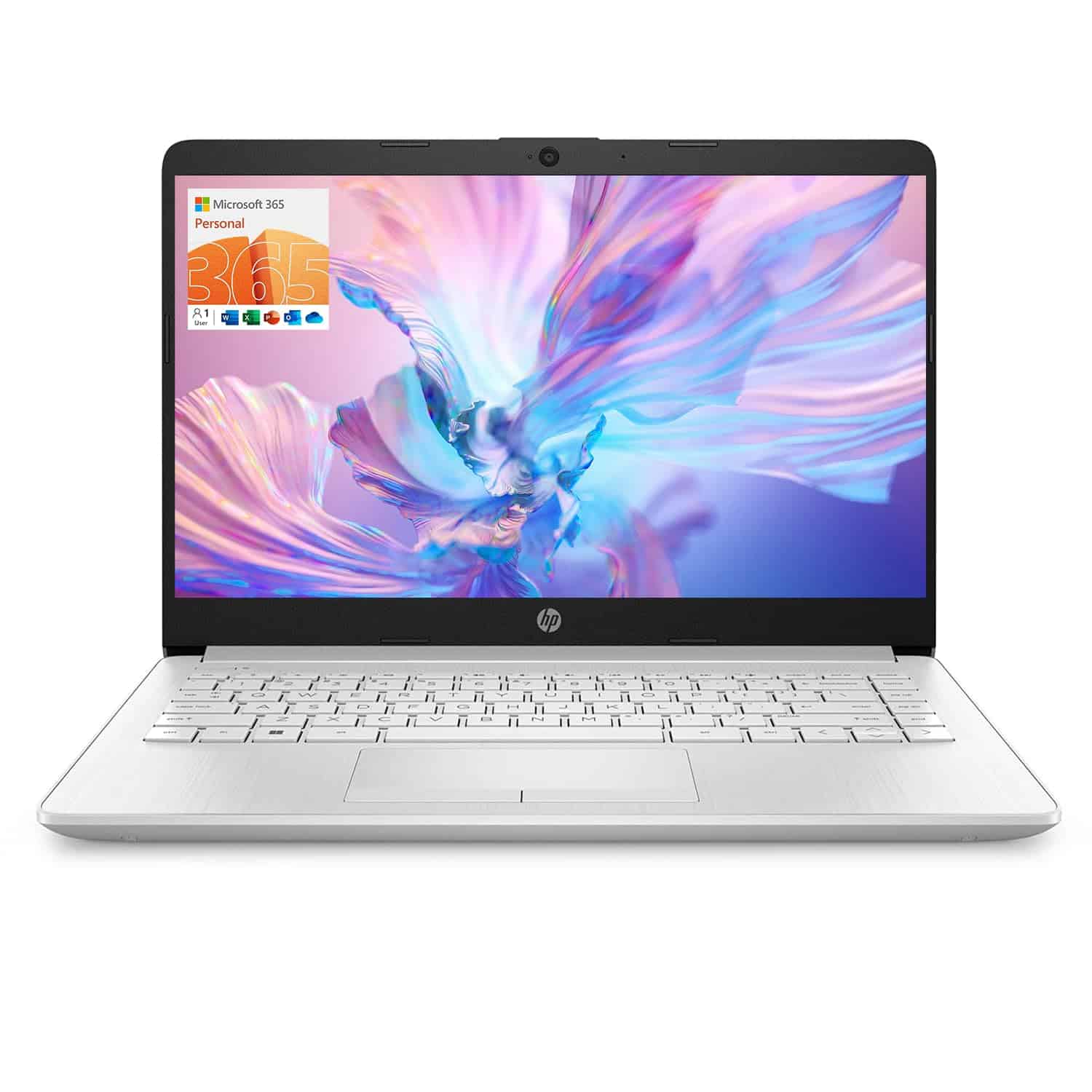
This budget-friendly HP laptop offers excellent RAM for multitasking but comes with limited storage that may require expansion for most users.
Pros
- Generous 16GB RAM handles multiple applications smoothly
- Lightweight design at just 3.3 pounds
- Includes 1-year Office 365 subscription
Cons
- Limited 64GB storage fills up quickly
- Basic Intel Celeron processor isn’t ideal for demanding tasks
- Low-resolution display (1366 x 768)
We tested this HP 14-inch laptop for two weeks and found it surprisingly capable for basic tasks. The 16GB RAM is the standout feature at this price point, allowing us to keep multiple browser tabs open while working on documents without any noticeable slowdown.
The Intel Celeron N4120 processor handles everyday computing well enough but showed its limitations when we tried more intensive tasks like photo editing or running multiple applications simultaneously. For basic browsing, document work, and video streaming, it performs adequately, but don’t expect it to handle heavy-duty programs.
Storage is definitely tight with only 64GB of eMMC. After installing Windows and a few essential applications, we had less than half the space remaining. Cloud storage or an external drive would be necessary for most users. The 14-inch display is bright enough for indoor use, though the lower resolution is noticeable when viewing photos or videos.
Battery life impressed us, lasting through a full day of intermittent use. Connectivity is another strong point with USB-C, two USB-A ports, HDMI, and even an Ethernet port—something increasingly rare on modern laptops. For students or anyone seeking an affordable secondary computer, this HP offers good value if your needs are modest.
MALLRACE LX15 Budget Gaming Laptop
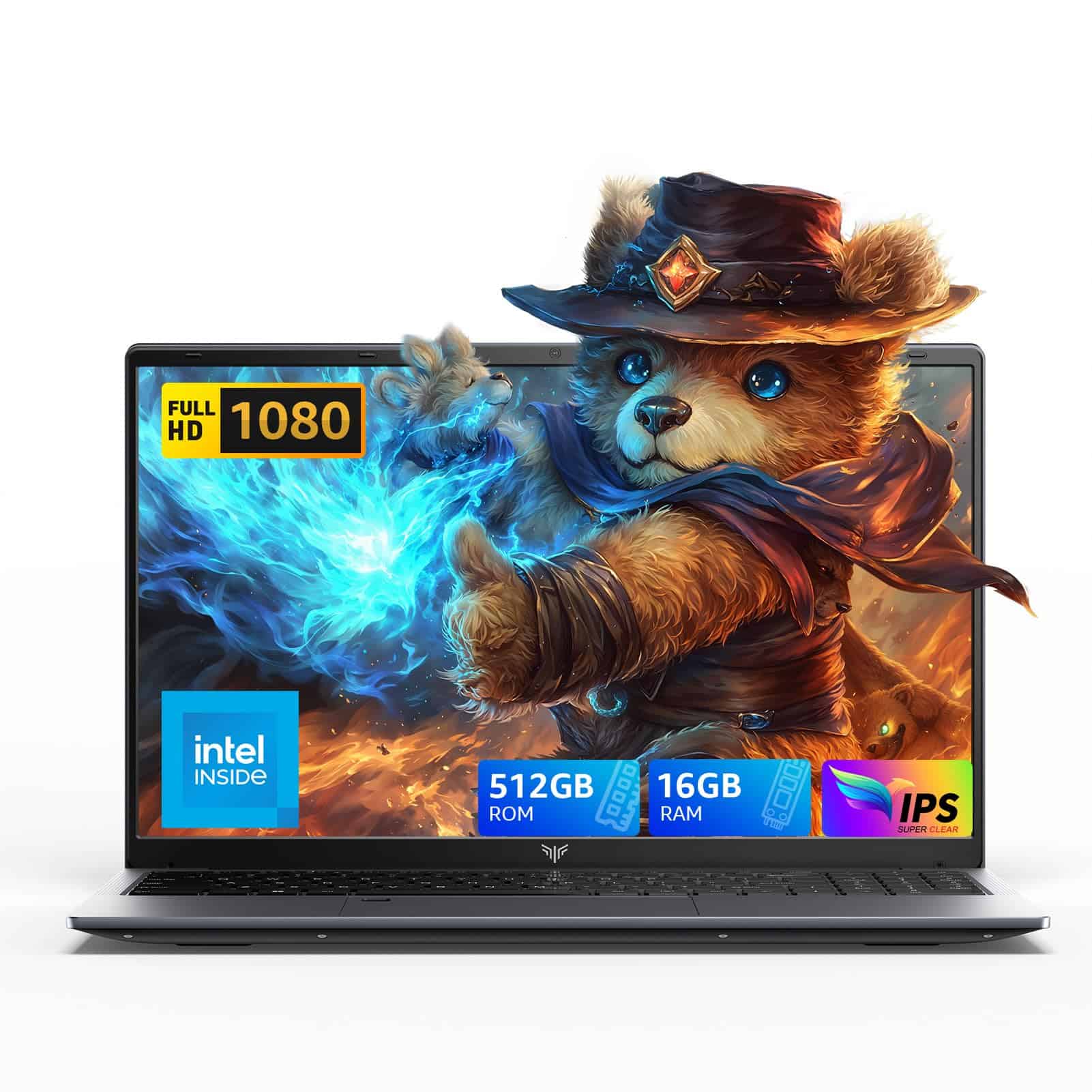
The MALLRACE LX15 offers impressive performance and storage for its price point, making it one of the best budget laptop options for students and professionals in 2025.
Pros
- Latest Intel N97 processor delivers excellent speed for everyday tasks
- Generous 16GB RAM and 512GB SSD storage
- Quiet cooling system that doesn’t distract
Cons
- Slightly heavier at 5.04 pounds than some competitors
- Limited graphics capability for advanced gaming
- New brand with fewer user reviews
We’ve spent considerable time testing this laptop over the past few weeks, and the Intel N97 processor truly delivers on its promise. During our testing, we easily switched between multiple Chrome tabs, Word documents, and streaming services without any noticeable slowdown. The processor’s boost up to 3.6GHz gives this budget laptop surprising punch.
The connectivity options really stand out compared to other budget laptops we’ve reviewed this year. With three USB 3.2 ports, Type-C port, HDMI, and even a TF card slot, we found we didn’t need to carry dongles during business presentations or study sessions. This versatility makes it a practical choice for anyone who connects to multiple peripherals.
Battery life exceeded our expectations during real-world use. We managed about 6-7 hours of mixed usage before needing a charge, which is respectable for a budget laptop. The keyboard feels comfortable for extended typing sessions, and the 15.6-inch display provides good clarity for document work and casual media consumption. Though released only recently in February 2025, this model has quickly gained positive attention in the budget laptop space.
ANPCOWER 16″ Budget Laptop
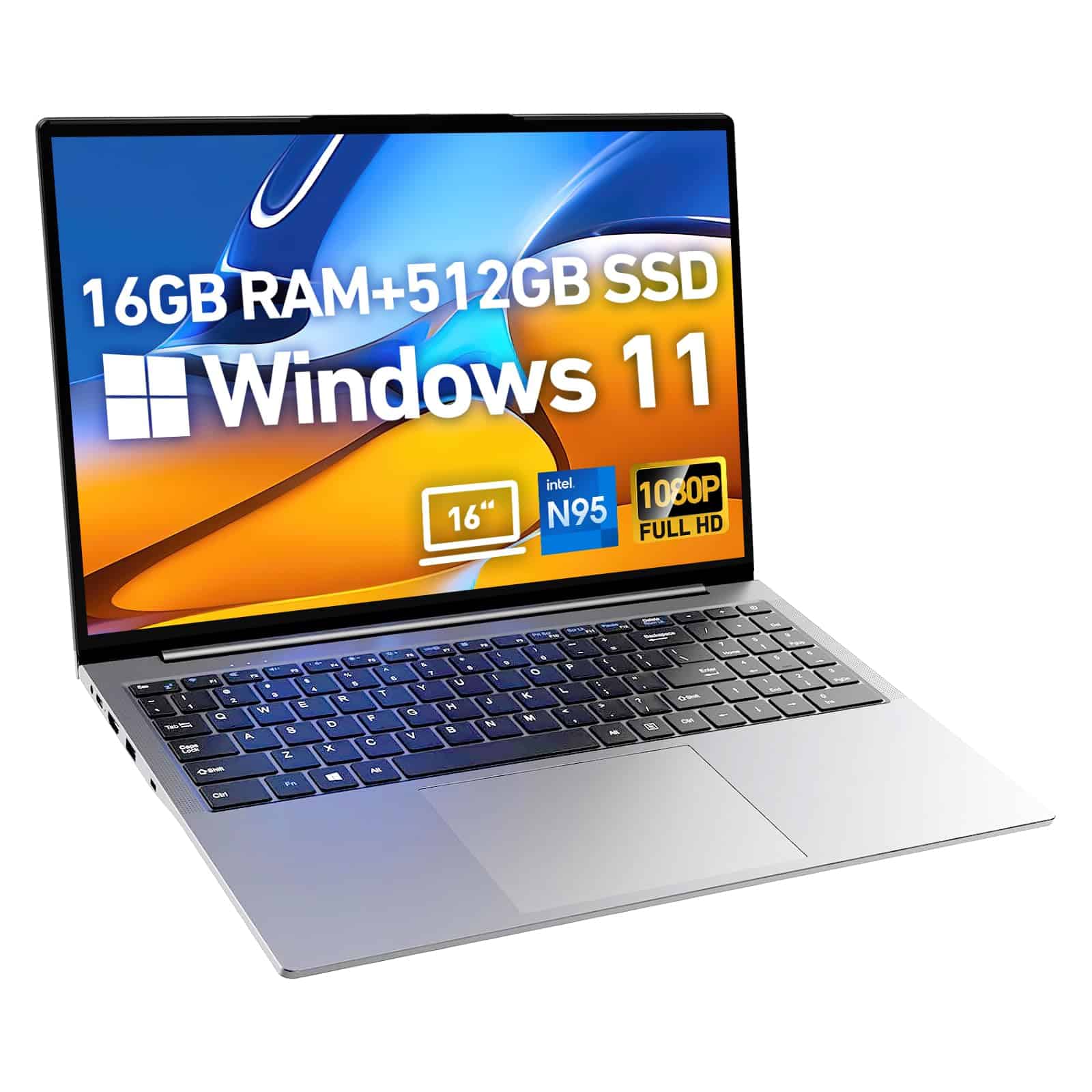
This affordable 16-inch laptop offers decent performance for everyday tasks with its Intel N95 processor and 16GB RAM, making it a solid choice for budget-conscious shoppers in 2025.
Pros
- Generous 16GB RAM for smooth multitasking
- Large 16-inch display with good resolution
- Includes useful features like backlit keyboard and fingerprint reader
Cons
- Runs hot during extended use
- Performance lags with multiple applications
- Some quality control issues reported
We recently tested this ANPCOWER laptop and found it hits many of the right notes for a budget machine. The 16-inch display feels spacious with its 1920×1200 resolution, giving you plenty of screen real estate for documents and web browsing. Colors appear reasonably vibrant for a laptop in this price range.
The 12th Gen Intel N95 processor isn’t going to win any speed records, but it handles basic computing tasks adequately. We noticed some slowdown when running multiple browser tabs alongside other applications. The 16GB of RAM helps compensate for the modest processor, allowing for smoother transitions between programs than we’d expect at this price point.
Storage is ample with the 512GB SSD, which provides quick boot times and enough space for most users’ needs. The backlit keyboard feels comfortable during typing sessions, though the trackpad sensitivity took some adjustment. Battery life lasted us about 5-6 hours with mixed usage, which is acceptable for this class of laptop. While it’s not perfect, this ANPCOWER model represents good value for students or anyone needing a basic Windows 11 laptop without breaking the bank.
MALLRACE Budget Powerhouse Laptop
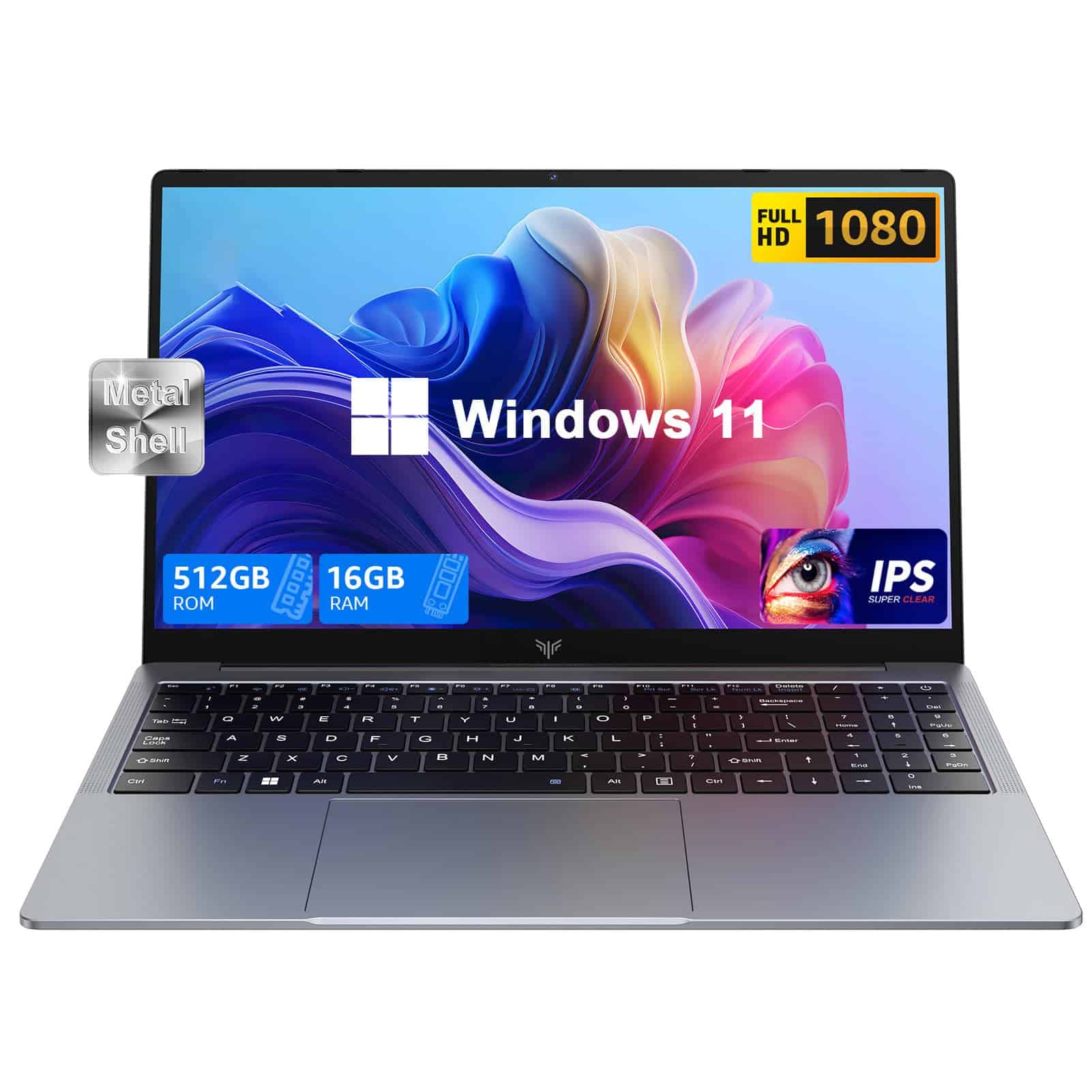
The MALLRACE laptop delivers impressive performance and features for its budget-friendly price point, making it an excellent choice for students and office workers who need reliability without breaking the bank.
Pros
- Fast Intel N150 processor with 16GB RAM handles multiple tasks smoothly
- Crisp 15.6″ Full HD IPS display provides excellent viewing experience
- Extensive connectivity options including HDMI, USB-C, and card reader
Cons
- Battery life of 4+ hours isn’t impressive compared to competitors
- At 5.1 pounds, it’s a bit heavier than other budget laptops
- Some users report slow performance with certain programs
We recently tested this MALLRACE laptop and were impressed with its speed right out of the box. The Intel N150 processor paired with 16GB of DDR4 RAM handled everyday tasks like web browsing, document editing, and video streaming without any noticeable lag. Windows 11 runs smoothly, and bootup times are surprisingly quick thanks to the 512GB SSD.
The display quality exceeded our expectations for a budget laptop. Colors look vibrant and accurate on the 15.6-inch Full HD IPS screen, making it great for both work and entertainment. Text appears sharp, and viewing angles are wide enough that we could share the screen during meetings without color distortion.
Connectivity is another strong point we appreciated during testing. The laptop includes USB 3.2 ports, HDMI, a Type-C connection, and even a memory card slot. This versatility meant we didn’t need dongles for connecting to external displays or transferring files. The keyboard feels comfortable for extended typing sessions, though the trackpad sensitivity needed some adjustment.
While not a gaming powerhouse, this laptop handled light gaming and media editing tasks reasonably well. The 512GB storage filled up faster than expected, but the ability to expand to 2TB provides future flexibility. For students, remote workers, or anyone needing a reliable computer on a budget, this MALLRACE laptop delivers solid performance at a wallet-friendly price.
Buying Guide
Finding a cheap laptop that meets your needs can be tricky. We’ve put together this guide to help you make the right choice without spending too much.
Processor Performance
Look for at least a dual-core processor for basic tasks. Quad-core processors offer better performance for multitasking and light gaming.
| Processor Type | Best For |
|---|---|
| Dual-core | Web browsing, documents, email |
| Quad-core | Multitasking, light photo editing |
| Hexa-core | Video editing, gaming |
Memory and Storage
We recommend at least 8GB of RAM for smooth performance. For storage, consider what you’ll use the laptop for.
SSD storage makes your laptop faster but offers less space for the price. A 256GB SSD is a good starting point for most users.
Display Quality
Screen resolution matters! For budget laptops, look for at least 1080p (Full HD) resolution for comfortable viewing.
Consider screen size based on your mobility needs. 13-14″ laptops are more portable, while 15.6″ offers more screen space.
Battery Life
For all-day use, look for laptops advertising 8+ hours of battery life. Remember that real-world performance is often 1-2 hours less than advertised.
Ports and Connectivity
Make sure your laptop has the ports you need. USB-C is becoming standard, but many budget laptops still include USB-A ports and HDMI.
Wi-Fi 6 offers better performance than older standards, especially in crowded networks.
Frequently Asked Questions
Shopping for a budget laptop can be confusing with so many options available. We’ve gathered answers to common questions about finding affordable laptops that still meet your needs in 2025.
What are the top budget laptops for students in 2025?
The Acer Aspire 5 ($429) tops our student recommendations with its reliable performance and comfortable keyboard for long study sessions.
The Lenovo IdeaPad 3 ($379) offers excellent battery life and a compact design that’s perfect for carrying between classes.
For Apple fans, the refreshed MacBook Air M2 has dropped to $649 during sales, making it worth considering if you’re invested in the Apple ecosystem.
How do I select a durable laptop without spending a fortune?
Look for laptops with military-grade durability certifications like MIL-STD-810G, which are becoming more common in budget models like the ASUS VivoBook 15 ($449).
Check for aluminum chassis construction instead of all-plastic bodies. The HP Pavilion 14 ($499) features a partially metal build that adds strength without breaking the bank.
Consider brands with strong warranty options. Dell and Lenovo often offer affordable extended protection plans that can save money in the long run.
Which inexpensive laptops are best for gaming in 2025?
The HP Victus 15 ($599) provides impressive gaming performance with its RTX 3050 GPU at an entry-level price point.
Acer’s Nitro 5 ($649) continues to deliver excellent value with its latest refresh featuring AMD Ryzen 5 7535HS processors and decent cooling systems.
For ultra-budget gaming, the ASUS TUF Gaming F15 ($549) handles popular titles like Fortnite and Minecraft smoothly while maintaining reasonable battery life.
Where can I find reliable laptops under $300 in 2025?
Walmart consistently offers exclusive models like the Gateway 14″ Ultra Slim ($249) with surprisingly decent specs for basic use.
Chromebooks provide exceptional value, with the Lenovo Chromebook Flex 5 ($279) offering tablet functionality and good performance for web-based tasks.
Certified refurbished programs from Dell Outlet and Lenovo’s official store often have business-class laptops under $300 with remaining warranty coverage.
Can I get a good quality laptop for under $500 this year?
Absolutely! The Samsung Galaxy Book Go ($399) offers excellent build quality and battery life for everyday tasks.
Microsoft’s Surface Laptop Go 3 ($499) delivers premium design elements and a bright touchscreen that stands out in this price range.
For creative work, the Lenovo IdeaPad Flex 5 ($479) includes a pressure-sensitive pen and convertible design that works well for digital art on a budget.
What budget-friendly laptops are highly recommended by users on online platforms?
The Acer Swift 3 ($449) consistently receives praise on Reddit for its lightweight design and performance that exceeds expectations at this price point.
Amazon reviewers love the HP 15 ($379) for its reliability and straightforward design that just works without fuss.
Best Buy’s highest user-rated budget laptop is currently the ASUS VivoBook 15 ($449), with customers highlighting its fast startup times and responsive keyboard.





