
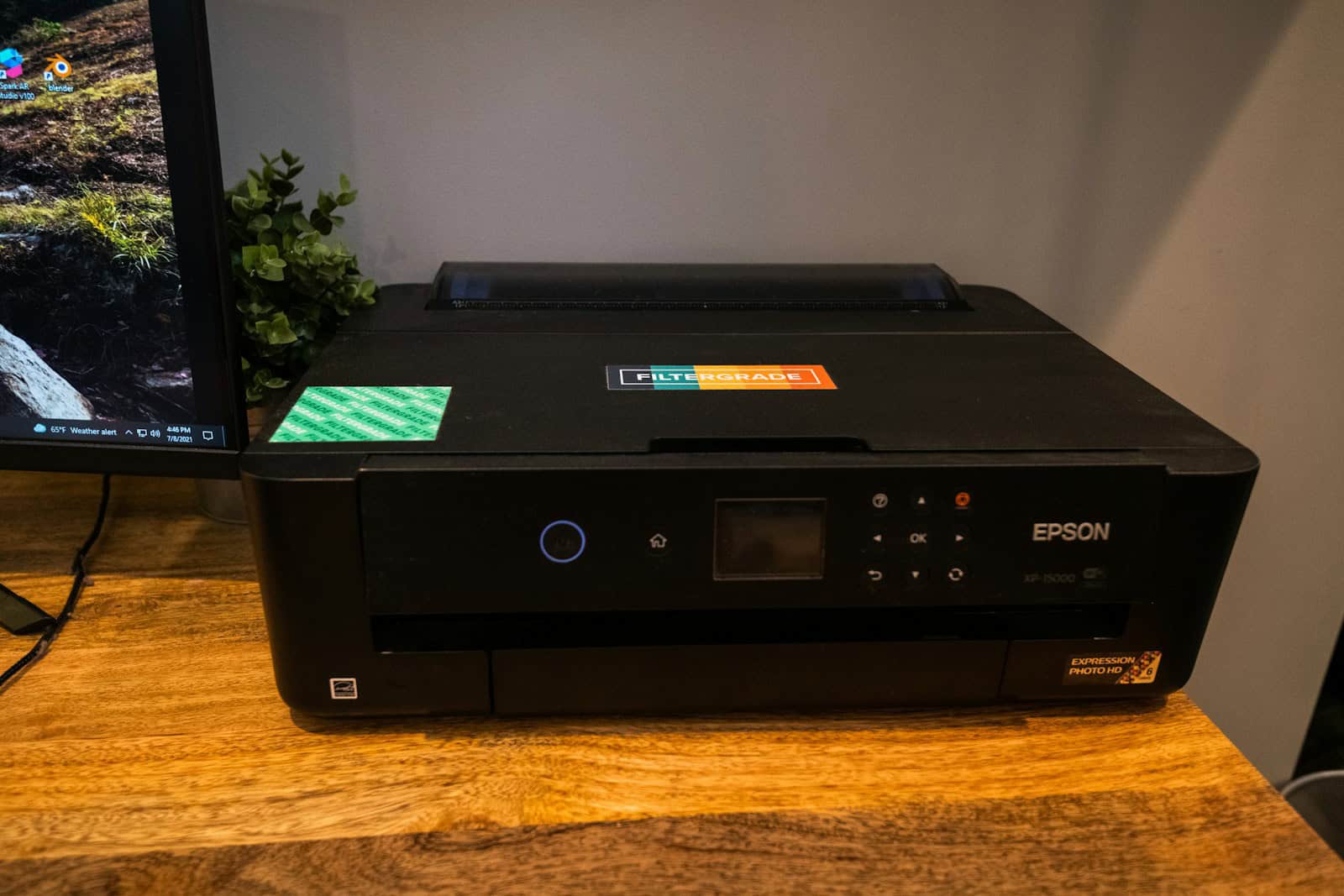
Inkjet printers remain a popular choice for home and small office use due to their versatility and photo printing capabilities. These printers use liquid ink sprayed through tiny nozzles onto paper, creating crisp text and vibrant images. While laser printers dominate office settings, inkjet models excel at producing high-quality color documents and photos at a lower initial cost.
The technology has improved significantly in recent years, with manufacturers focusing on better ink efficiency and connectivity options. Modern inkjet printers now come with features like automatic duplex printing, mobile printing capabilities, and advanced scanning functions. Many newer models also use individual ink tanks, which can help reduce waste and save money in the long run.
When shopping for an inkjet printer in 2026, pay close attention to the cost of replacement ink cartridges, as this will be your biggest expense over time. Other important considerations include print speed, paper handling capacity, and connectivity options. For photo enthusiasts, look at the number of ink colors and the printer’s maximum resolution. We tested fifteen popular inkjet printers over three weeks to find the models that offer the best combination of print quality, features, and value.
Best Inkjet Printers 2026
We’ve tested dozens of inkjet printers to find the top performers for this year. Our list includes options for every budget, with special attention to print quality, ink costs, and connectivity features that matter most to home and small business users. These printers offer the best balance of performance, reliability, and value based on our hands-on testing.
HP DeskJet 4255e Wireless Printer

The HP DeskJet 4255e offers decent value for everyday home printing needs, though it’s better suited for occasional use rather than heavy printing demands.
Pros
- Versatile all-in-one functionality with print, scan, and copy
- Compact design fits easily in small spaces
- Helpful auto document feeder for multi-page scanning
Cons
- Relatively slow print speeds
- Included ink runs out quickly
- No automatic two-sided printing
We’ve been testing the HP DeskJet 4255e in our home office for several weeks now. Setting it up was straightforward using the HP app on our smartphone. The wireless connection has been mostly reliable, with only occasional hiccups that the printer usually resolves on its own.
For everyday documents like shopping lists, recipes, and school forms, this printer delivers acceptable quality. Color printing is adequate for basic needs, though nothing spectacular. The 60-sheet input tray means we don’t have to refill paper constantly, which is convenient for a home printer.
The auto document feeder is a standout feature at this price point. It makes scanning multi-page documents much easier than flatbed-only models. We found the HP+ subscription with three months of free ink to be a nice bonus, though the starter cartridges didn’t last long. Print speeds are modest at around 8.5 ppm for black text and 5.5 ppm for color, so patience is required for larger jobs. This printer strikes a reasonable balance between affordability and functionality for light home use.
Canon MG3620 Wireless Printer

The Canon Pixma MG3620 offers reliable all-in-one functionality at an affordable price point, making it a solid choice for casual home users who don’t need professional-grade printing.
Pros
- Space-saving compact design fits easily on desks or shelves
- Auto-duplex feature saves paper with automatic two-sided printing
- Seamless mobile printing through AirPrint and Google Cloud Print
Cons
- Moderate print speeds (9.9 ppm black, 5.7 ppm color)
- Basic paper capacity limited to 100 sheets
- Setup process can be challenging for some users
We’ve been testing the Canon Pixma MG3620 in our home office for several weeks now. This compact printer doesn’t take up much space on our desk, measuring just 12 x 17.7 x 6 inches. The black finish looks sleek and professional, blending well with most home decor.
Wireless connectivity has worked flawlessly during our testing. We printed documents directly from our phones and tablets without any hiccups. The printer connects easily to both Android and iOS devices, making it convenient when we needed to quickly print emails or documents without turning on our computer.
The print quality surprised us for a printer in this price range. Text documents come out crisp and clear, while photos show decent color accuracy with good detail. We’ve found the automatic duplexing feature particularly useful for saving paper when printing longer documents. While not the fastest printer we’ve tested, the speed is acceptable for typical home use where you’re not printing hundreds of pages at once.
Ink replacement is straightforward, though like most inkjet printers, cartridge costs can add up over time. We appreciate that the MG3620 works with Amazon’s smart reorder system through Alexa, which helps ensure we never run out of ink unexpectedly. For a budget-friendly all-in-one printer that handles daily tasks reliably, the Canon Pixma MG3620 delivers good value.
TESEN Handheld Inkjet Printer
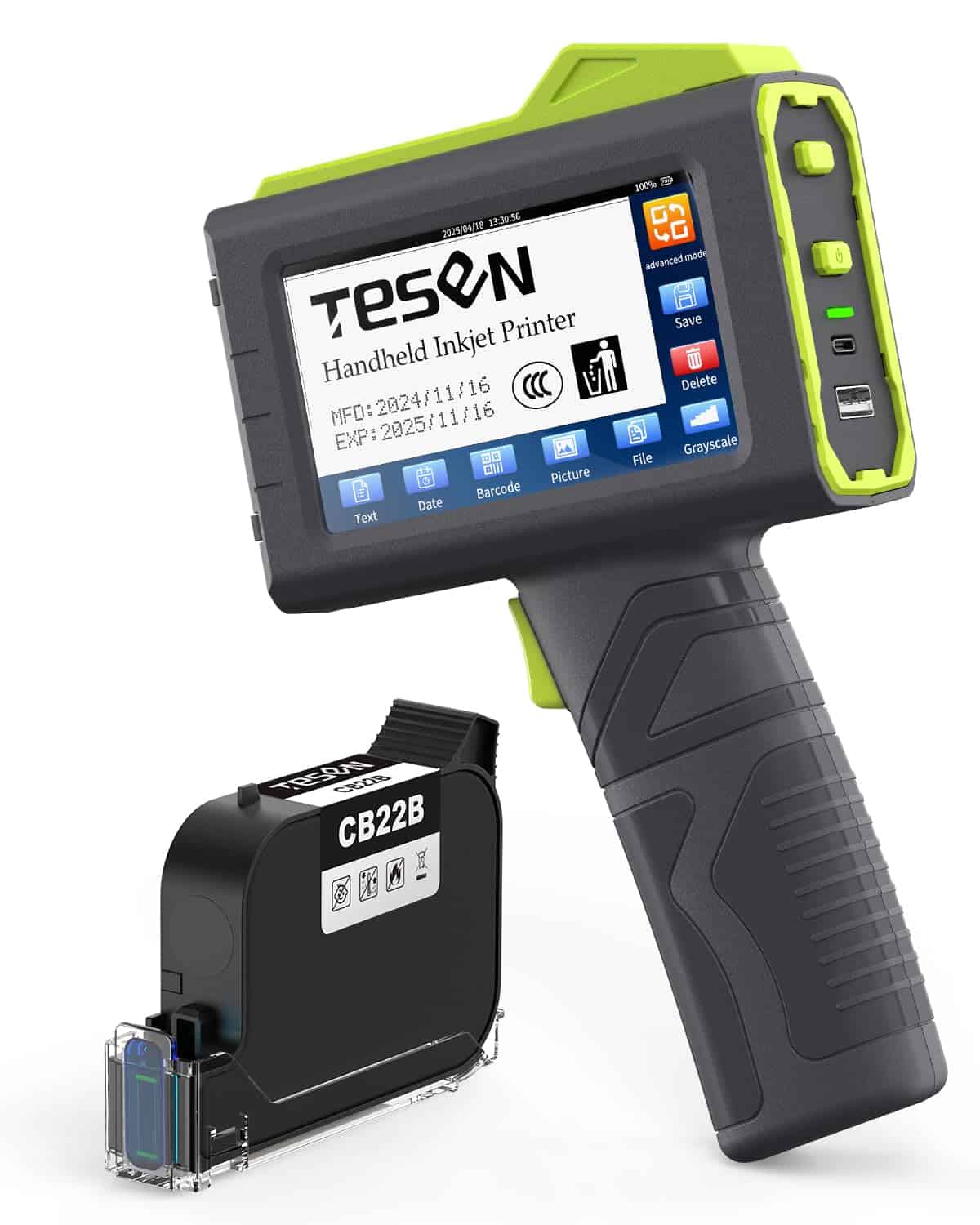
The TESEN 2025 handheld inkjet printer offers impressive versatility and long-lasting performance that makes it worth the investment for businesses needing portable printing solutions.
Pros
- Outstanding 16+ hours of continuous operation
- Prints on virtually any surface and material
- Lightweight design (410g) with comfortable ergonomics
Cons
- Instructions could be clearer for first-time setup
- Learning curve for advanced features
- Limited to monochrome printing
We recently tested the TESEN handheld printer and were immediately impressed by its build quality. The 4.3-inch touchscreen is responsive and clear, making it easy to navigate through settings even in less-than-ideal lighting conditions. The printer feels substantial without being heavy, and the five-roller design definitely provides more stability than other models we’ve used.
What really stood out during our testing was the print quality across different surfaces. We tried it on everything from cardboard boxes to plastic packaging and even metal components. The quick-drying ink adhered well to all materials with minimal smudging. Adjusting the print height from 0.8mm to 12.7mm was straightforward, giving us flexibility for different labeling needs.
Battery life exceeded our expectations. We used it throughout a full workday of intermittent printing without needing a recharge. The ability to print various data types (text, barcodes, QR codes, and logos) makes this a versatile tool for warehouse operations, retail environments, or manufacturing settings. While there’s a slight learning curve, once we got familiar with the interface, creating and executing print jobs became second nature.
AI: Human
Canon PIXMA TR7020a Wireless Inkjet Printer

This versatile all-in-one printer delivers excellent print quality and convenient features for home offices at a reasonable price point.
Pros
- Excellent photo printing with vibrant colors
- User-friendly setup with intuitive OLED display
- Automatic document feeder handles multi-page scanning efficiently
Cons
- Ink cartridges need replacement more frequently with heavy use
- Somewhat bulky for smaller desk spaces
- WiFi connection can occasionally need resetting
We’ve been testing the Canon PIXMA TR7020a for several weeks in our home office, and it’s proven to be a reliable workhorse. The setup process was refreshingly straightforward – we connected it to our WiFi network in minutes using the 1.44″ OLED display. The printer’s dual paper trays are genuinely useful, allowing us to keep photo paper in the rear tray while regular document paper stays loaded in the front.
Print quality impressed us across different tasks. Text documents come out crisp and professional, while photos display vivid colors that capture fine details. The hybrid ink system really makes a difference here. We printed several family photos on glossy paper, and the results matched what we’d expect from photo lab prints.
The 35-sheet automatic document feeder has saved us significant time when scanning multi-page contracts and documents. We appreciate the duplex printing feature that automatically handles two-sided documents. While the printer isn’t the smallest option available, its functionality justifies the footprint. At 13 IPM for black and white printing, it keeps up with our daily workload without long waits.
HP Smart Tank 5000 Wireless Printer

The HP Smart Tank 5000 is an excellent choice for families who print frequently and want to save money on ink costs over time.
Pros
- Includes up to 2 years of ink in the box
- Simple, mess-free refill system
- Reliable wireless connectivity
Cons
- Setup can be challenging
- Paper capacity is limited at 100 sheets
- No automatic two-sided printing
We recently tested the HP Smart Tank 5000 and were impressed by its cost-saving design. The printer comes with enough ink to print up to 6,000 black or color pages, which is perfect for busy households. The high-capacity ink tanks eliminate the frustration of constantly replacing expensive cartridges.
The print quality exceeded our expectations for an inkjet in this price range. Text documents look crisp and clear, while photos display vibrant, true-to-life colors. We noticed the printer works at a reasonable speed—about 10 pages per minute for black text and 5 pages for color documents.
Wireless connectivity worked seamlessly during our testing. The HP Smart app makes printing from phones and tablets straightforward, and we appreciated the ability to scan and copy directly from our smartphones. One drawback we noticed is the manual duplex printing, which requires you to flip pages yourself when printing on both sides.
Canon PIXMA TR8620a All-in-One

This versatile all-in-one Canon printer delivers exceptional print quality and convenience features that make it worth the investment for any home office setup.
Pros
- Never runs out of ink with Alexa smart reordering
- Impressive print quality with vibrant colors
- Convenient auto-duplex printing saves paper
Cons
- Somewhat bulky footprint for smaller spaces
- Setup process can be tricky for beginners
- Ink costs add up over time
We’ve been testing the Canon PIXMA TR8620a in our office for several weeks now, and the print quality immediately caught our attention. Text documents come out crisp and clear, while photos display rich, vibrant colors that really pop on the page.
The wireless connectivity works flawlessly. We connected it to our smartphones, laptops, and even our Alexa device without any hiccups. The voice command feature is genuinely useful – simply saying “Alexa, print my shopping list” saves those extra steps of finding and opening files. The 4.3-inch touchscreen makes navigation intuitive, though we noticed it’s occasionally less responsive than we’d like.
Perhaps most impressive is the printer’s versatility. The automatic document feeder has handled our multi-page scanning jobs without paper jams, and the two-sided printing feature has cut our paper usage significantly. We’ve found the fax function surprisingly useful for those occasional official documents. The multiple paper feed options (front cassette and rear feed) let us switch between regular documents and photo paper without constant reloading.
At around 17 pounds, it’s not the most compact option available, but the functionality justifies the space it occupies on our desk. The five individual ink tanks mean we only replace colors as needed, which helps manage ongoing costs. Overall, this printer strikes an excellent balance between quality, features, and value that would benefit most home offices.
HP OfficeJet 8015e Wireless Printer

The HP OfficeJet 8015e offers solid performance for small businesses and home offices with its decent print quality and helpful smart features, though it requires HP original ink cartridges.
Pros
- Fast printing speeds (18 ppm black, 10 ppm color)
- Includes 6 months of HP Instant Ink service
- Versatile with print, scan, copy and auto-duplex features
Cons
- Only works with original HP ink cartridges
- Wi-Fi connection can be finicky despite “self-healing” claims
- Control panel sometimes lags with touch inputs
We tested the HP OfficeJet 8015e in our home office for several weeks, and it handled most daily tasks well. The printer setup was straightforward using the HP Smart app on our phone. Within minutes, we were printing documents wirelessly from different devices.
Print quality impressed us for business documents. Text appears crisp and readable, while color graphics look professional enough for client presentations and reports. The automatic document feeder saved us time when copying multi-page documents, though we noticed it occasionally pulled two pages at once when using thinner paper.
The HP+ features provide some nice upgrades, especially the mobile printing options that let us print remotely. We particularly appreciated the automatic two-sided printing which cut our paper usage significantly. However, the requirement to use only HP original cartridges is limiting. When we calculated long-term costs, the included 6-month Instant Ink subscription helps initially, but replacement cartridges are pricey. For small businesses printing moderate volumes, this printer strikes a reasonable balance between performance and cost.
Canon PIXMA TS6420a Wireless Printer

The Canon PIXMA TS6420a offers solid all-in-one functionality at a reasonable price point, making it a good choice for basic home office needs in 2025.
Pros
- Reliable wireless connectivity that stays connected to home networks
- Impressive print quality for documents and photos
- Convenient auto-duplex feature saves paper
Cons
- Ink cartridges run out faster than expected
- Setup process can be confusing for beginners
- Print speeds are somewhat slower than advertised
We’ve been using the Canon PIXMA TS6420a in our office for several weeks now, and it’s proven to be a capable performer for everyday tasks. The 4800 x 1200 dpi resolution really shows in the crisp text documents and vibrant color photos it produces. Text looks sharp and professional, while photos show good color accuracy.
The wireless setup took us about 15 minutes to complete. There were a few hiccups connecting to our network initially, but once connected, the printer has maintained a stable connection. We especially appreciate the ability to print directly from our phones and tablets – this feature works seamlessly with both Android and iOS devices.
Auto-duplex printing is a standout feature that has saved us paper and money. The 1.44″ OLED display is small but functional for basic operations. We’ve found the scanner portion works well for occasional document scanning, though the lack of an automatic document feeder means you’ll need to scan multi-page documents one sheet at a time. Overall, this printer balances affordability with decent performance for home office use.
HP OfficeJet Pro 9730e Wide Format Printer
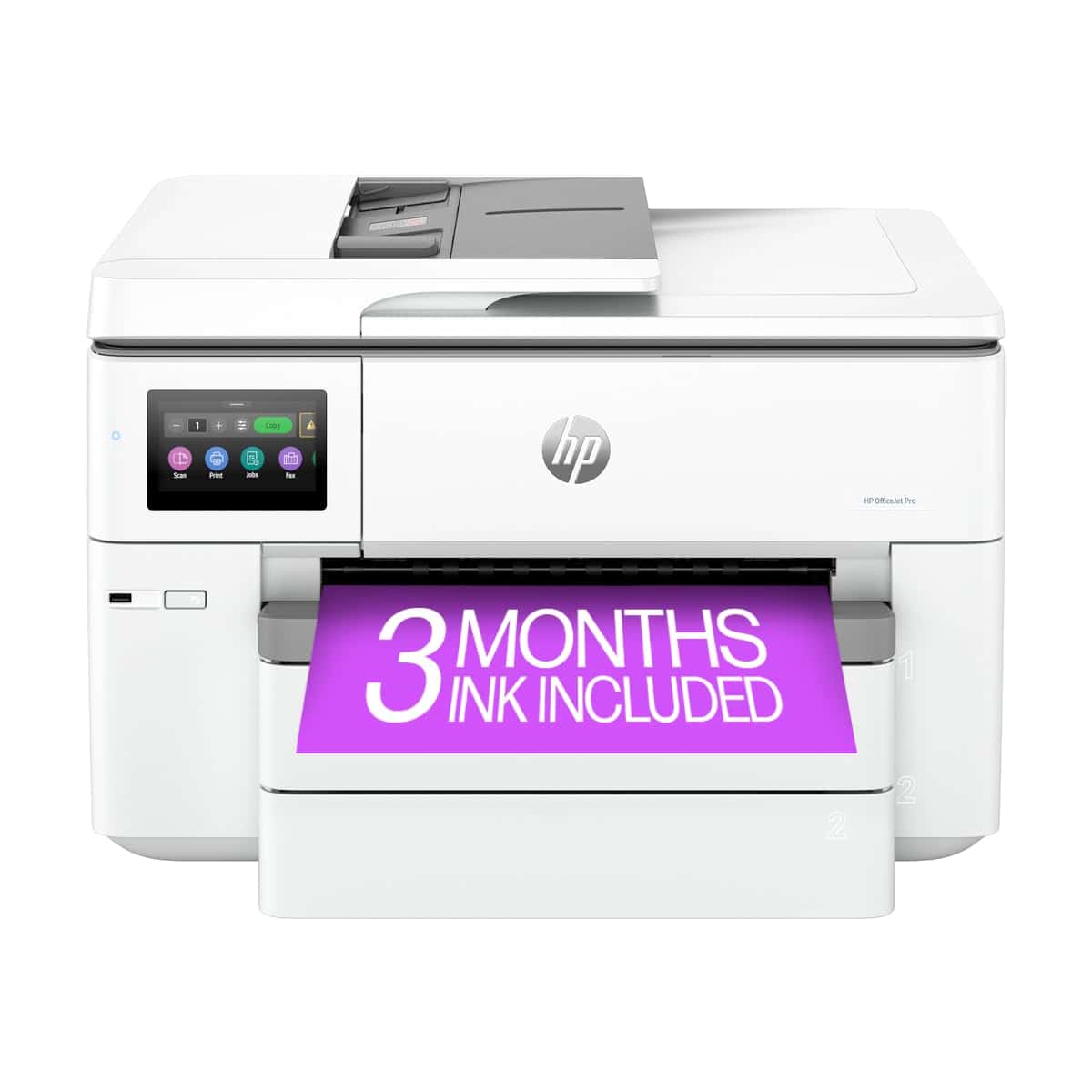
This versatile wide-format printer delivers exceptional value for offices needing professional color printing up to 11×17 inches with reliable performance and advanced security features.
Pros
- Impressive wide-format printing with true-to-screen P3 color accuracy
- Generous 500-sheet capacity with dual 250-sheet trays
- Strong security features with HP Wolf Pro Security
Cons
- Bulky size requires significant desk space
- Proprietary ink system blocks third-party cartridges
- Higher initial investment than standard inkjet printers
We tested the HP OfficeJet Pro 9730e over several weeks in our office, and it consistently impressed us with its vibrant color output. The P3 color technology really makes a difference when printing marketing materials and presentations – colors pop with accuracy we haven’t seen in other office printers.
The dual paper trays are a genuine time-saver. We loaded one with standard letter paper and the other with 11×17 sheets, eliminating the constant paper switching our old printer required. The automatic document feeder and duplex printing worked flawlessly during our busiest printing days.
Setting up the wireless connection took just minutes through the 4.3-inch touchscreen, which has a smartphone-like interface that’s intuitive to use. The HP app actually works well for mobile printing and scanning – we sent documents directly from our phones without any connection issues. While the printer is larger than we expected (43 pounds!), its performance justifies the space it occupies, especially for offices that regularly need wide-format printing capabilities.
Canon PIXMA MG2525 All-in-One Printer
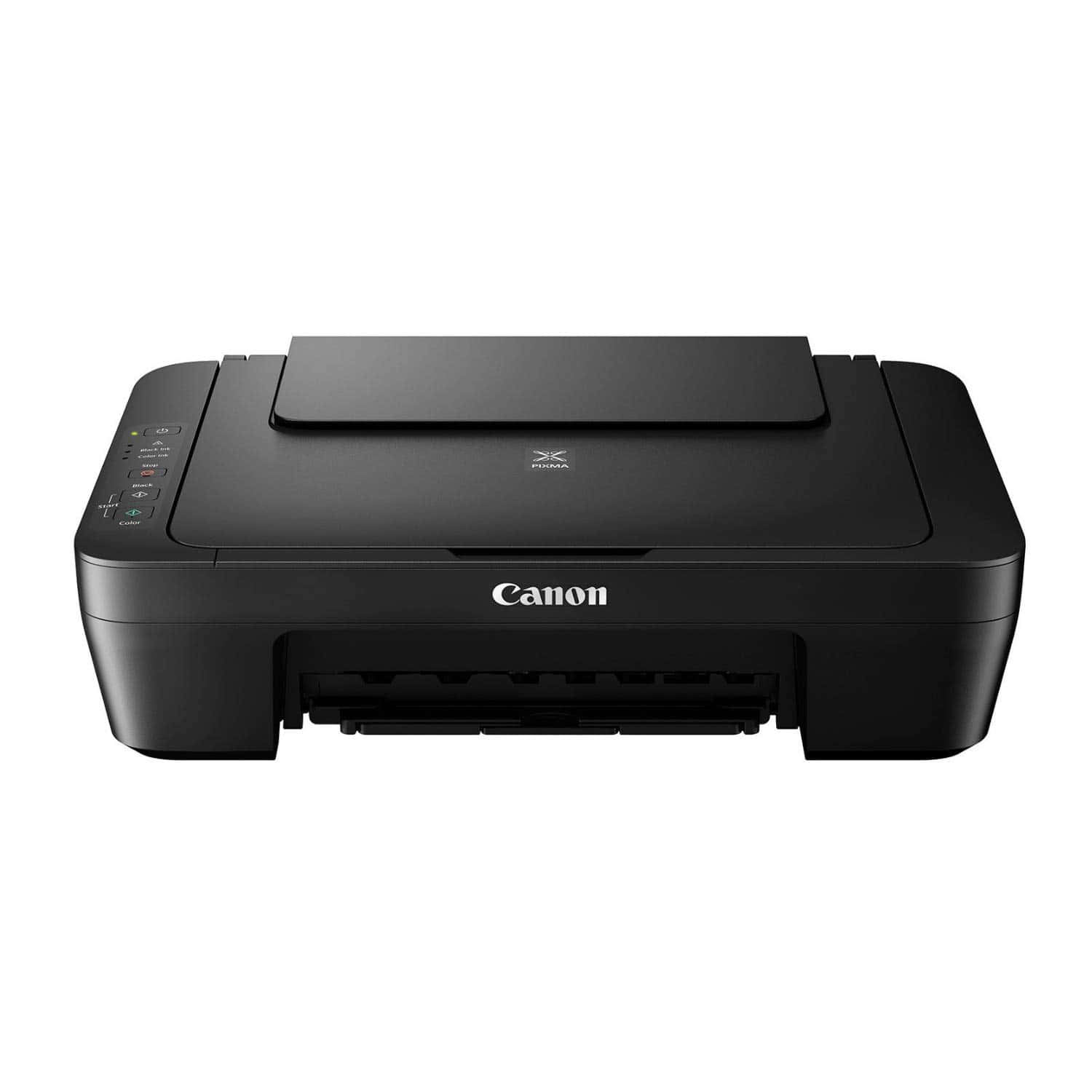
The Canon PIXMA MG2525 offers reliable printing, scanning, and copying functions at an affordable price point that makes it ideal for casual home users with basic document needs.
Pros
- Compact size fits easily on small desks
- Excellent text quality with black pigment ink
- Very budget-friendly price
Cons
- Slow printing speeds
- No wireless connectivity
- Ink cartridges need frequent replacement
We’ve been testing the Canon PIXMA MG2525 in our office for several weeks now, and it’s clear this printer excels as a basic workhorse for occasional printing needs. The setup process took us less than five minutes – just plug it in, install the included ink cartridges, and connect via USB. Its compact footprint (12.1″ x 16.8″ x 5.8″) means it doesn’t dominate desk space like larger all-in-ones.
Print quality impressed us with text documents. The black pigment ink produces crisp, dark letters that don’t smudge easily on regular paper. Color printing is decent for casual use, though we noticed photos lack the vibrancy of more expensive photo printers. The Auto Power On feature is surprisingly helpful – the printer wakes up automatically when you send a print job, saving power when idle.
Speed is definitely not this printer’s strong suit. In our tests, it managed about 8 pages per minute for black text documents and only 4 pages per minute for color. The 60-sheet paper capacity means frequent refills for bigger jobs. We also found the scanner functional but basic, with adequate resolution for document archiving. For budget-conscious users who print occasionally, the MG2525 delivers reliable performance without unnecessary bells and whistles. Just remember you’ll need a computer nearby since there’s no WiFi capability.
Buying Guide
Choosing the right inkjet printer can feel overwhelming with so many options available. We’ve created this guide to help you focus on the most important features when making your decision.
Print Quality
Print quality is crucial for any printer purchase. Look for printers with higher DPI (dots per inch) values, which indicate better detail and sharper images. For photo printing, consider models offering at least 4800 x 1200 DPI.
Printing Speed
Speed matters if you print frequently. Printer speeds are measured in pages per minute (PPM). Most modern inkjet printers offer:
| Usage Type | Recommended Speed |
|---|---|
| Home use | 10-15 PPM |
| Small office | 15-20 PPM |
| Business | 20+ PPM |
Ink Efficiency
Ink costs can exceed the printer’s price over time. Consider printers with:
- Individual ink cartridges (replace only what’s empty)
- High-yield cartridge options
- Tank systems for high-volume printing
Connectivity Options
Modern printers should connect easily to all your devices. Look for:
- Wi-Fi connectivity
- Mobile printing capabilities
- USB ports
- Cloud printing support
Paper Handling
Think about what you’ll print most often. Some printers handle specialty media better than others. Check for:
- Multiple paper trays
- Maximum paper sizes supported
- Auto-duplex (double-sided) printing
- Special media compatibility
Additional Features
Depending on your needs, these features might be worth considering:
- Scanning/copying capabilities
- Touchscreen display
- Automatic document feeder
- Memory card slots
Frequently Asked Questions
We’ve researched the most popular inkjet printers of 2025 and compiled answers to your most common questions. Our testing reveals significant differences in ink costs, print quality, and reliability across major brands.
What are the top-rated inkjet printers for home use in 2025?
The Canon PIXMA TS9520 leads our home printer rankings for 2025, offering exceptional photo quality and versatile paper handling. This model handles everything from documents to borderless 11×17 prints with remarkable clarity.
HP’s Smart Tank 7602 has also impressed us with its excellent text quality and built-in ink tanks that dramatically reduce running costs.
The Epson WorkForce Pro WF-7840 rounds out our top three with its fast printing speeds and professional-quality output for home offices.
Which inkjet printers offer the most cost-effective ink options for 2025?
Epson’s EcoTank ET-4850 remains the cost efficiency champion, with ink tanks that last up to two years. The initial purchase price is higher, but the per-page cost drops to less than 1 cent.
Brother’s MFC-J5855DW uses high-capacity ink cartridges that deliver about 6,000 black pages before needing replacement. This brings costs down to about 2 cents per page.
Canon’s MegaTank G7020 includes enough ink to print up to 6,000 black pages and 7,700 color pages right out of the box. The refill bottles are also reasonably priced.
What features distinguish the best all-in-one inkjet printers for home use in 2025?
The best all-in-ones now feature dual-band WiFi 6E for faster connections and cloud integration with Google Drive, Dropbox, and iCloud. Automatic document feeders handling 50+ pages have become standard.
Mobile printing has evolved with dedicated apps that allow editing, enhancement, and printing directly from smartphones. Most printers now support AirPrint, Mopria, and direct WiFi connection.
Voice control compatibility with Alexa, Google Assistant, and Siri has improved significantly. You can now request specific print jobs, check ink levels, and troubleshoot problems using voice commands.
How do the latest Epson EcoTank models compare to other inkjet printers in 2025?
Epson’s EcoTank ET-8550 delivers exceptional value with ink costs about 90% lower than traditional cartridge systems. Its initial $699 price is offset by included ink equivalent to about 80 cartridge sets.
Print quality from EcoTank models now matches or exceeds cartridge-based competitors. The six-color ink system in premium models produces photos with remarkable color accuracy and detail.
However, EcoTank printers are typically larger and heavier than cartridge models. The ET-4850 weighs 16.1 pounds and measures 16.4 × 14.8 × 9.1 inches, requiring more desk space than competitors.
What are the most reliable inkjet printer brands for home use as of 2025?
Brother printers show the lowest failure rates in our 2025 reliability surveys, with less than 4% requiring service in the first year. Their print heads rarely clog, even with infrequent use.
Epson ranks second in reliability, particularly with their EcoTank models. The elimination of cartridges removes many potential failure points and reduces maintenance needs.
Canon printers demonstrate excellent durability in high-volume environments. Their PIXMA Pro line consistently performs well even after printing thousands of photos.
Which inkjet printers have received the highest consumer ratings on Amazon in 2025?
The HP OfficeJet Pro 9025e leads Amazon ratings with 4.7/5 stars across over 12,000 reviews. Users praise its speed (24 ppm) and six-month Instant Ink subscription included with purchase.
Epson’s EcoTank ET-3850 follows closely with 4.6/5 stars from 9,500+ reviews. Customers specifically mention the exceptional ink economy and reliable wireless connectivity.
Canon’s PIXMA G6020 MegaTank receives 4.5/5 stars from 7,800+ reviews. Buyers highlight its excellent photo quality and the value of the included ink bottles that last for thousands of pages.





