
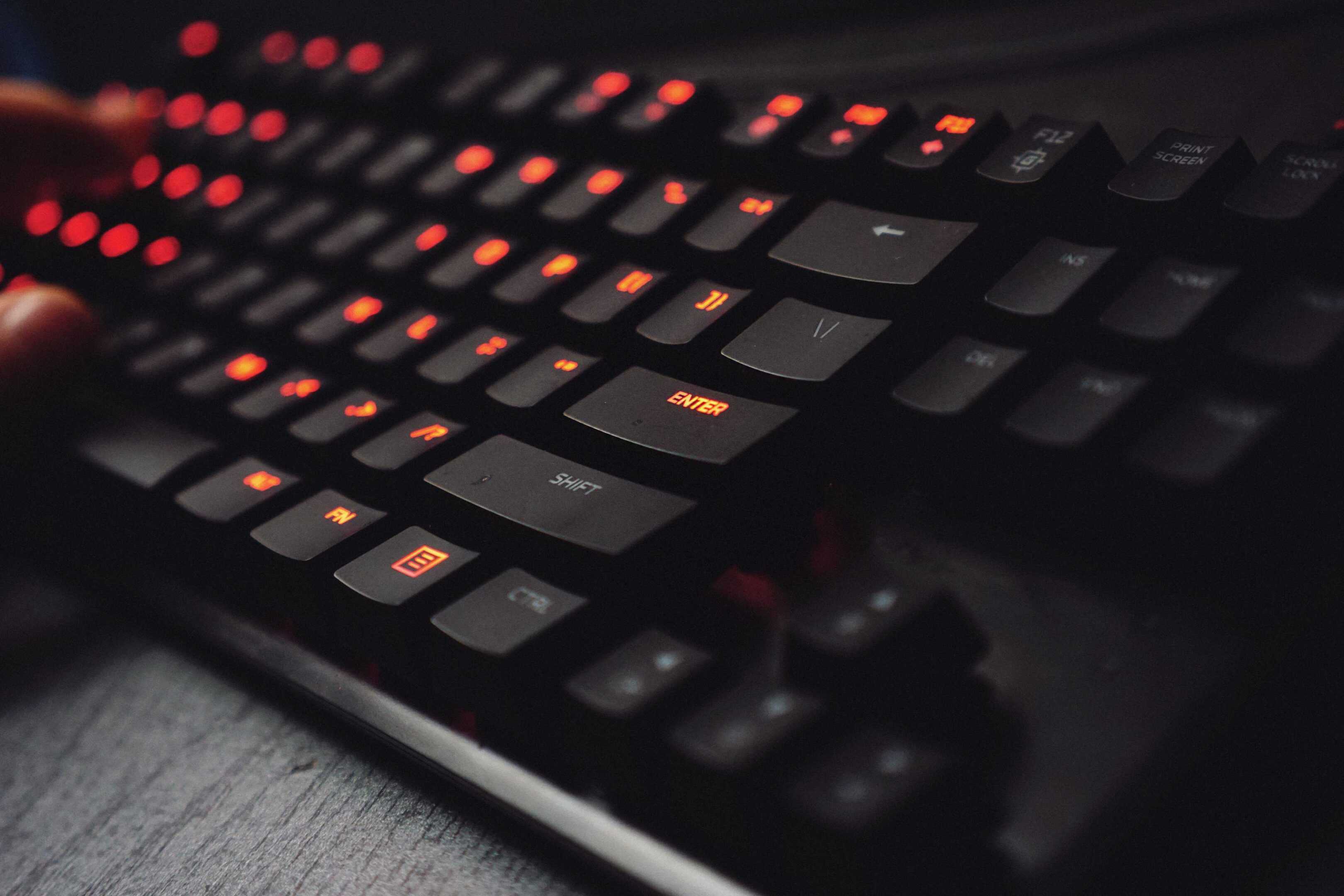
Mechanical keyboards have become a staple for gamers, programmers, and writers who value responsive typing experiences. These keyboards use individual switches under each key, offering tactile feedback and a satisfying click sound that many users prefer over membrane keyboards. In 2026, mechanical keyboards continue to evolve with new switch types, improved build quality, and features that enhance both productivity and gaming performance.
When shopping for a mechanical keyboard, switch type should be your primary consideration. Linear switches (like Cherry MX Red) provide smooth keystrokes, while tactile switches (like Cherry MX Brown) offer a bump when pressed, and clicky switches (like Cherry MX Blue) add an audible click. Other factors to consider include build materials, keycap quality, connectivity options, and extra features like programmable keys or RGB lighting.
We tested dozens of mechanical keyboards over several months to find the best options for different users and budgets. Our team evaluated each keyboard’s typing feel, build quality, and special features to identify which models stand out in 2026.
Best Mechanical Keyboards of 2026
We’ve tested dozens of mechanical keyboards to bring you this carefully curated list of top performers. Our selections balance build quality, typing experience, and innovative features that today’s users demand. Whether you’re a gamer, programmer, or everyday typist, you’ll find excellent options at various price points in our roundup below.
Mongeese KB820 Mechanical Keyboard
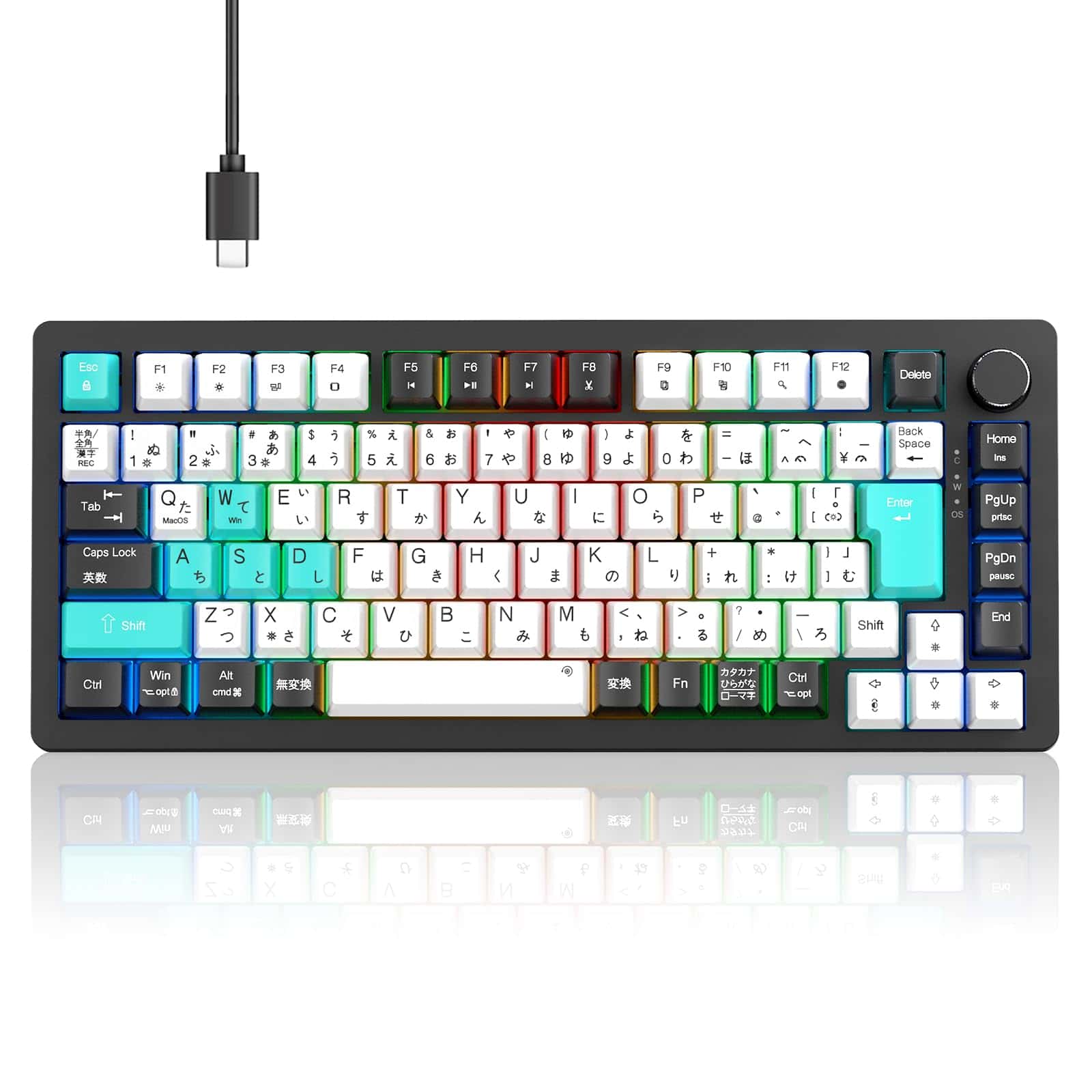
The Mongeese KB820 is a standout 75% mechanical keyboard that delivers premium features at a mid-range price point.
Pros
- Excellent gasket mounting creates a satisfying, cushioned typing experience
- Hot-swappable switches allow for easy customization
- PBT keycaps resist shine and provide a premium feel
Cons
- Limited wireless connectivity options
- Japanese layout may require adjustment for some users
- Software could be more intuitive
We’ve been testing the Mongeese KB820 for several weeks, and it’s quickly become one of our favorite keyboards of 2026. This 75% layout strikes a perfect balance between compact design and functionality, keeping essential keys while freeing up valuable desk space.
The typing experience truly shines thanks to the gasket-mounted design. Each keystroke feels cushioned yet responsive, creating that satisfying “thock” sound mechanical keyboard enthusiasts crave. The PBT keycaps resist finger oils and provide a textured surface that feels great during long typing sessions. The volume knob is also a welcome addition that makes media control simple and intuitive.
What sets the KB820 apart is its hot-swap capability. We swapped out the stock switches for our favorite tactiles in minutes without needing any special tools. The Japanese layout might take some getting used to if you’re accustomed to a standard US layout, but the kana printing is crisp and clearly visible. For the price, this keyboard offers exceptional build quality and customization options that typically cost much more from mainstream gaming brands.
Kisnt KN85 Retro Mechanical Keyboard
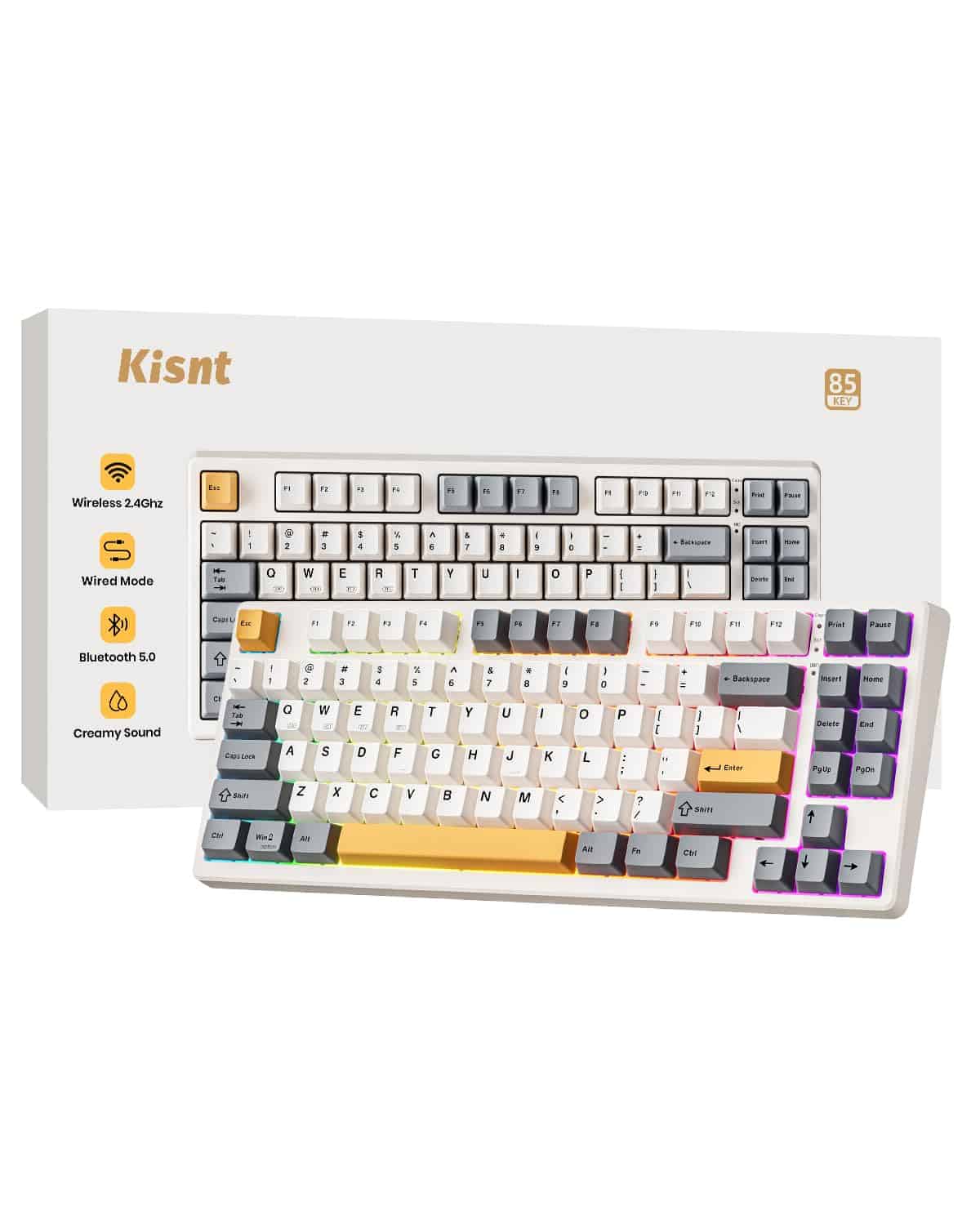
The Kisnt KN85 is a standout mechanical keyboard that offers exceptional typing feel, versatile connectivity, and customization options at a price that makes it our top recommendation for 2025.
Pros
- Triple connectivity (Bluetooth, 2.4GHz, USB-C) with easy device switching
- Satisfying “thocky” typing sound with pre-lubed linear switches
- Hot-swappable design for complete customization
Cons
- Takes 6-7 hours for a complete battery recharge
- Some adjustment needed for the 75% layout
- No extra switches included in newer 2025 batches
We spent several days testing the Kisnt KN85, and it quickly became our favorite daily driver. The gasket-mounted design creates a typing experience that feels premium – each keystroke has a cushioned yet responsive feel. What really surprised us was the sound profile. The “thocky” noise is genuinely satisfying without being disruptive in quiet environments.
Switching between our laptop, tablet, and desktop was seamless thanks to the triple connectivity options. The 2.4GHz wireless mode showed no noticeable input lag during gaming sessions, while Bluetooth worked perfectly for everyday typing tasks. Battery life lived up to the promised 200 hours – we went almost two weeks of regular use before needing to recharge.
The 75% layout saves significant desk space while keeping all essential keys within reach. The double-shot PBT keycaps feel substantial under your fingers, and the retro beige colorway adds a touch of nostalgia to any workspace. RGB backlighting offers plenty of customization through the software, and the hot-swap capability means this keyboard can evolve with your preferences over time. For anyone looking to upgrade their typing experience in 2025, the Kisnt KN85 delivers exceptional value.
LOFREE Block Mechanical Keyboard

We believe the LOFREE Block is worth every penny for keyboard enthusiasts seeking a blend of retro aesthetics and modern functionality in 2025.
Pros
- Exceptional build quality with satisfying TTC Block switches
- Versatile triple connectivity (Bluetooth, USB-C, 2.4GHz wireless)
- Attractive retro design with practical volume and mode knobs
Cons
- Some keys occasionally miss keystrokes
- Limited instructions, especially for first-time setup
- Higher price point than comparable models
After testing the LOFREE Block for several weeks, we’re impressed by its unique retro-modern fusion. The two round knobs aren’t just for show—they offer intuitive control over volume and connection switching. This nostalgic touch reminds us of classic radios while adding genuine functionality.
The keyboard’s gasket design with foam padding creates a typing experience that feels premium. Each keystroke has a satisfying sound without being too loud for office environments. The hot-swappable feature lets us customize switches without any soldering knowledge, which we found incredibly convenient.
Battery life has been solid during our testing period. The visible status panel shows important information at a glance, including which device you’re connected to and remaining power. We especially appreciate the 14 white backlight effects that add a subtle glow without being distracting. For anyone working across multiple devices, the ability to switch between three connection types makes this keyboard a versatile addition to any desk setup in 2025.
V98 PRO Polar Fox Mechanical Keyboard
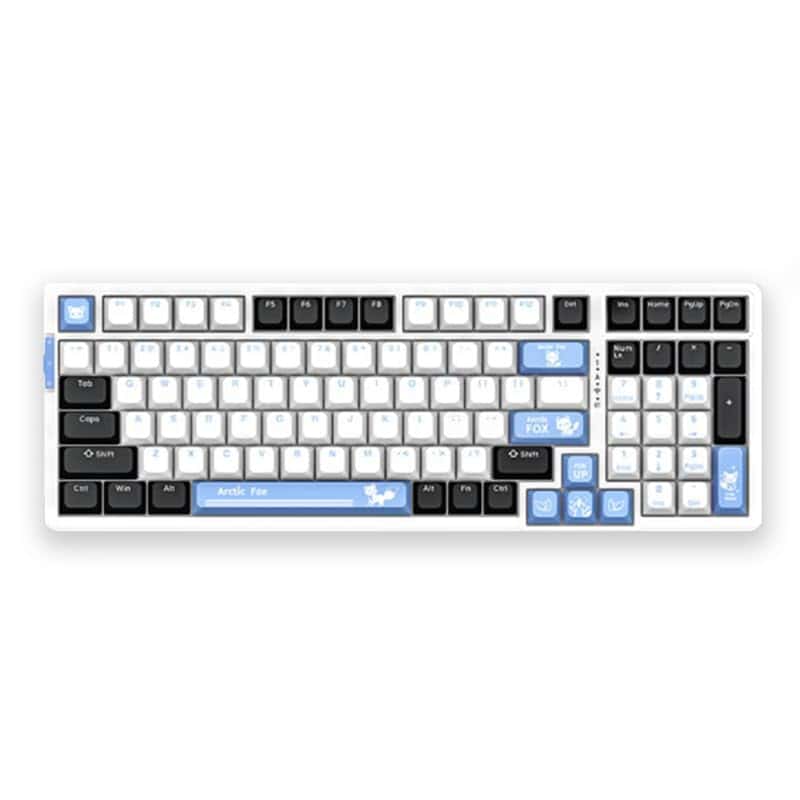
The V98 PRO Polar Fox delivers exceptional typing performance with customizable RGB lighting and durable construction, making it a solid choice for both office professionals and gamers in 2025.
Pros
- Satisfying key feedback with minimal noise
- Customizable RGB lighting adds personality to any setup
- Sturdy build quality that withstands heavy daily use
Cons
- Wired-only connection limits mobility
- Software has a slight learning curve
- Default keycaps show fingerprints easily
We recently tested the V98 PRO Polar Fox mechanical keyboard for two weeks, and it quickly became a team favorite. The typing experience feels responsive and precise, with keys that offer just the right amount of resistance. Our fingers glided across the 99-key layout with minimal fatigue even after long typing sessions.
The RGB lighting system truly stands out among competitors. We customized several lighting profiles for different uses – a subtle blue for work hours and a dynamic rainbow effect for gaming sessions. The colors are vibrant without being distracting, and the lighting controls are intuitive once you get used to them.
Build quality impressed us immediately upon unboxing. At 3.3 pounds, this keyboard has substantial weight that keeps it firmly in place during intense typing. The white model we tested looks sleek on our desk, though we noticed it does show dust and fingerprints more than the black version might. For a sub-$100 mechanical keyboard, the V98 PRO Polar Fox offers exceptional value with its one-year warranty and premium feel.
EWEADN GS75 75% Mechanical Keyboard
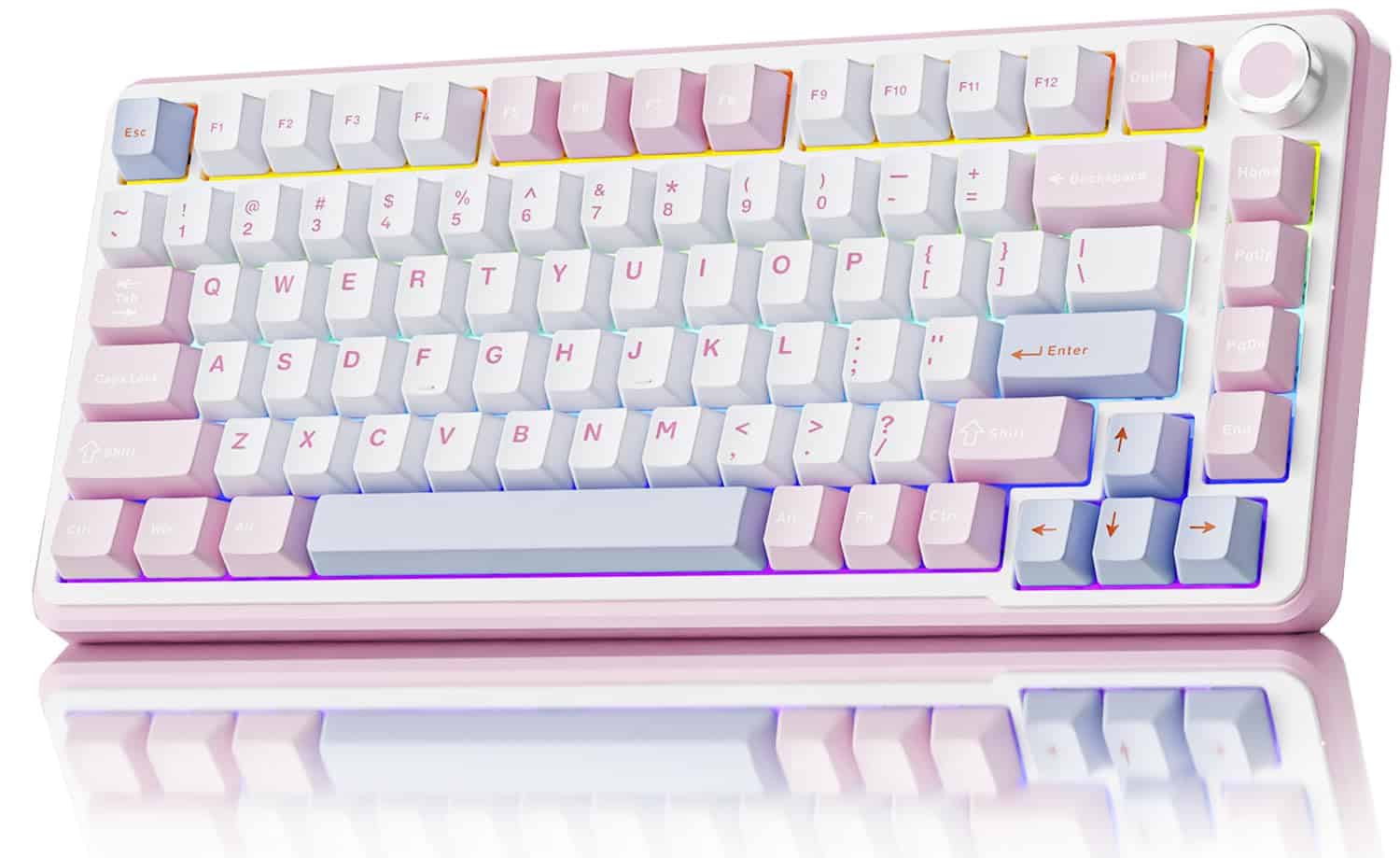
The EWEADN GS75 delivers exceptional typing experience with its customizable features, premium build quality, and versatile connectivity options that make it worth every penny in 2025.
Pros
- Smooth, pre-lubricated Cream Pink switches with satisfying sound profile
- Triple connectivity (Bluetooth, 2.4GHz, USB-C) with 5000mAh battery
- Extensive customization with hot-swappable switches and RGB lighting
Cons
- Slightly heavy at 2.49 pounds
- Learning curve for programming features
- Limited color options currently available
We’ve been testing the EWEADN GS75 for several weeks now, and it’s quickly become our favorite keyboard in the office. The 75% layout strikes the perfect balance between compactness and functionality, keeping essential keys like arrows and function rows while saving desk space. The gasket mount construction creates a typing experience that feels premium – each keystroke has a satisfying, cushioned feel.
The keyboard’s build quality impressed us immediately. Six layers of sound-dampening materials create a truly enjoyable typing sound that’s neither too loud nor too quiet. Those pre-lubricated Cream Pink switches glide smoothly with each press. We particularly love the metal volume knob, which provides precise control and feels substantial when turning it.
Connectivity options make this keyboard incredibly versatile. We easily switched between our desktop (using 2.4GHz wireless), laptop, and tablet (via Bluetooth) with simple key combinations. Battery life lives up to the promised 160 hours with RGB off – we only charged it once during our testing period. The PBT keycaps feel great under our fingertips and the pink and white colorway adds a stylish touch to any desk setup. For anyone looking for a premium mechanical keyboard experience without breaking the bank, the GS75 deserves serious consideration.
Hamile iPad Keyboard Case

This versatile keyboard case offers excellent value with its detachable design, colorful backlighting, and solid protection for iPad users seeking laptop-like functionality.
Pros
- Magnetically detachable keyboard with 7-color backlighting
- Long battery life (230+ hours) with Type-C charging
- Multiple viewing angles with convenient pencil holder
Cons
- Some keys may become unresponsive with extended use
- Keyboard positioning can be awkward at certain angles
- Slightly bulky compared to standard cases
We recently tested this Hamile keyboard case with our iPad, and the magnetic detachable design immediately stood out. The ability to remove the keyboard when you just want to use the tablet is incredibly convenient. The case itself feels sturdy and well-made, with a premium PU exterior that gives it a professional look.
The backlit keyboard is a game-changer for typing in low-light conditions. We cycled through all seven color options and found the illumination bright and even. The keys have a nice tactile feel with minimal noise – not quite mechanical keyboard quality, but responsive enough for comfortable extended typing sessions.
Battery life truly impressed us during testing. After a full charge via the included Type-C cable, we used it heavily for over a week before needing to recharge. The three viewing angle options worked well for different situations, from desk work to lap use. While the case adds some bulk, the protection and functionality make it worthwhile for anyone wanting to transform their iPad into a productive workstation.
Divufus iPad Keyboard Case
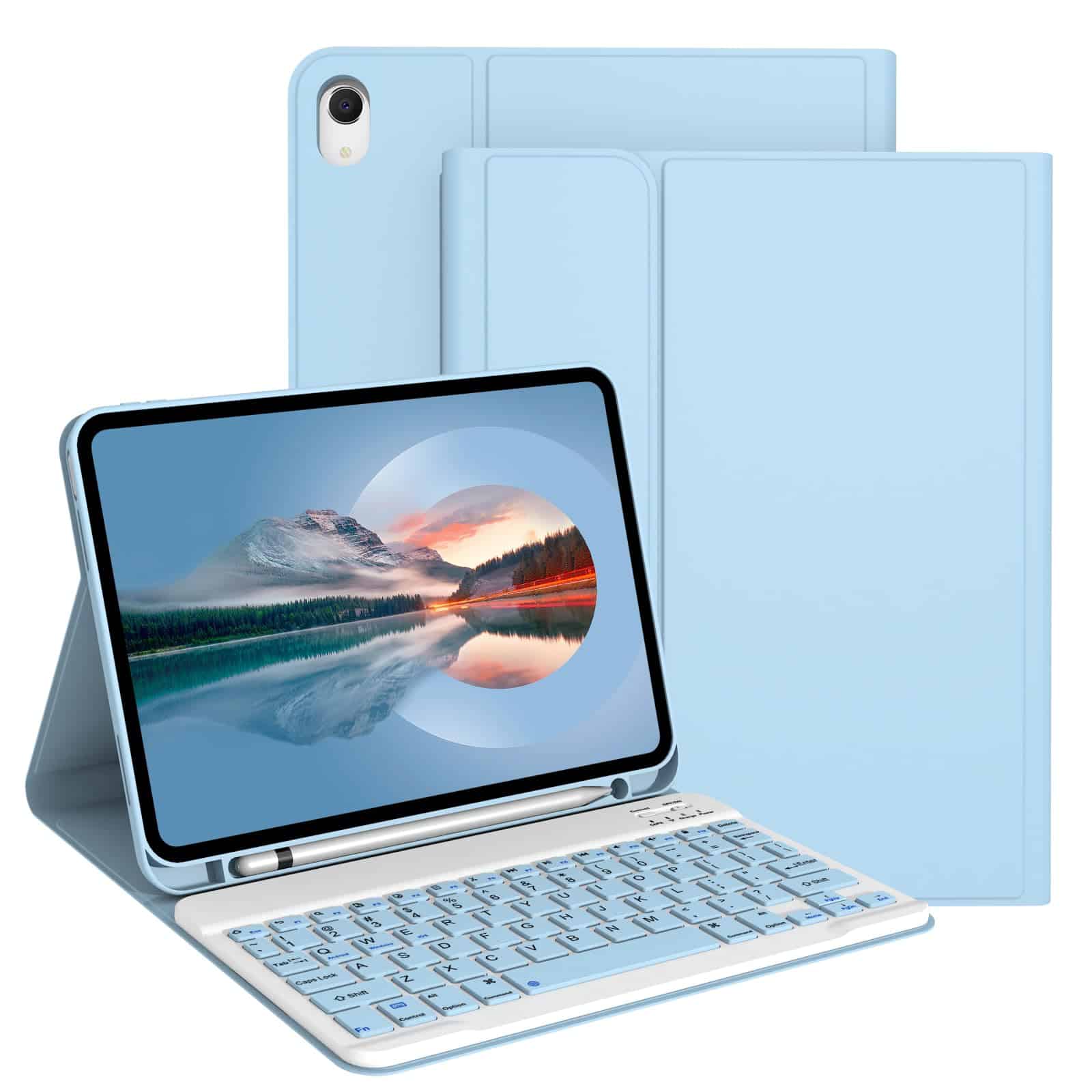
The Divufus iPad Keyboard Case delivers exceptional value for iPad A16 (2025) and 10th Generation (2022) users seeking a versatile, protective solution with a reliable detachable keyboard.
Pros
- Magnetic detachable keyboard works with multiple systems
- Impressive 80-hour battery life
- Honeycomb design prevents overheating
Cons
- Only compatible with specific iPad models
- Requires 2-3 hours for full charge
- Function key combinations needed to switch systems
We tested this light blue keyboard case and found it strikes a nice balance between protection and functionality. The magnetic mechanism makes attaching and removing the keyboard smooth and effortless. During our testing, the keyboard maintained a strong connection to the iPad without any lag or disconnection issues.
The battery performance exceeded our expectations. We used it heavily during a week-long business trip without needing to recharge. The auto-sleep feature definitely helps conserve power when you step away. The keys have a satisfying tactile feel with good travel distance for a slim design.
Heat management is a standout feature. Many cases trap heat, but the honeycomb pattern on the back actually kept our iPad running cooler during extended use. The non-slip rubber lining also provided sturdy support at multiple viewing angles. For iPad users who type frequently, this case offers excellent protection without sacrificing typing comfort or battery life.
Raven68 Gaming Mechanical Keyboard
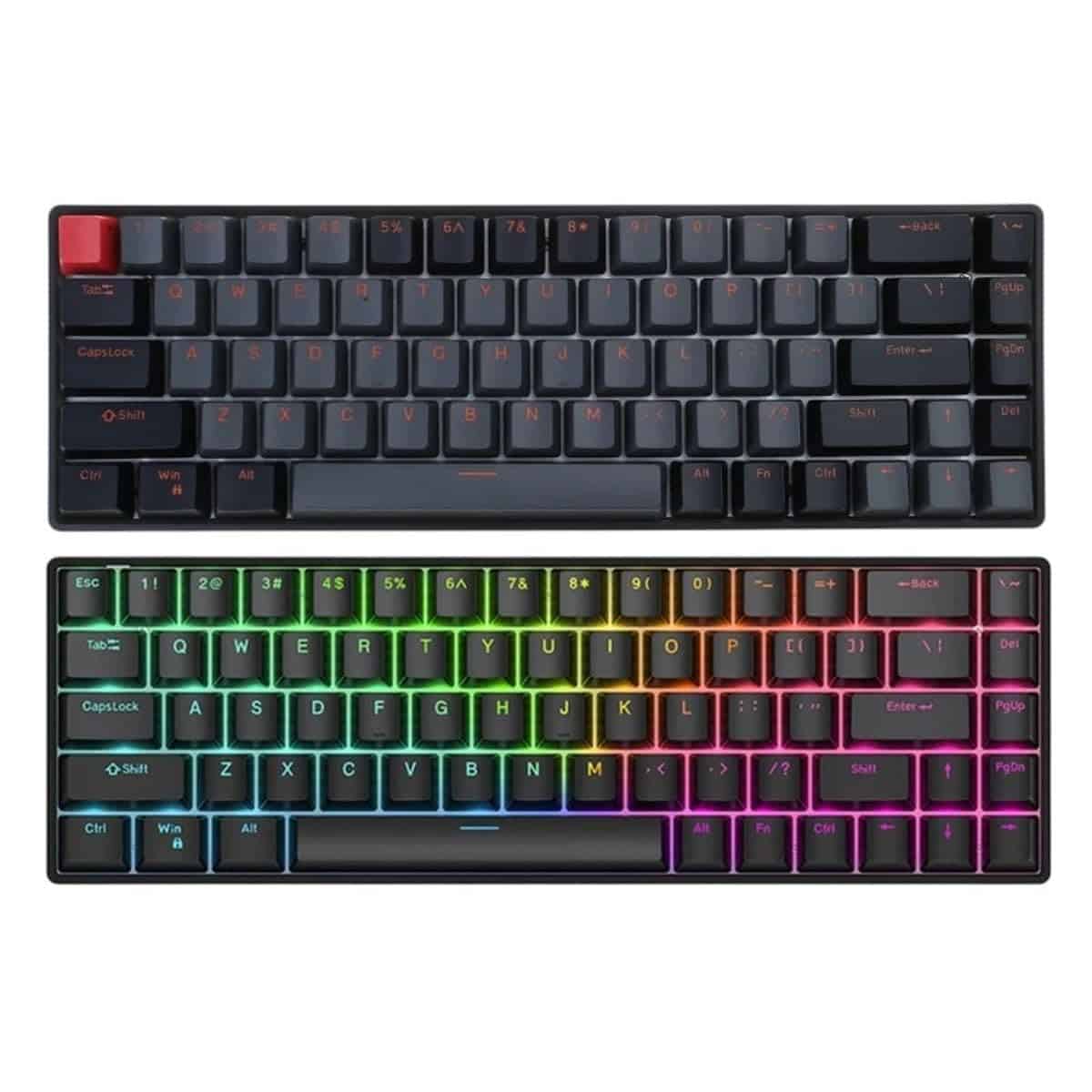
The Raven68 offers impressive gaming performance with adjustable travel and solid build quality, making it a standout choice for gamers seeking precision in 2025.
Pros
- Satisfying tactile feedback with customizable key travel
- Compact 68-key layout saves desk space without sacrificing functionality
- Durable construction that feels built to last
Cons
- Learning curve for those used to full-sized keyboards
- No wireless connectivity option
- Software could be more intuitive
We recently tested the Raven68 mechanical keyboard from SIEMWFREME, and it’s quickly become one of our favorite gaming peripherals this year. The 68-key layout strikes an excellent balance between compactness and functionality, giving us plenty of desk space without sacrificing essential keys.
The typing experience is remarkably satisfying. Each keystroke delivers precise feedback, and we especially appreciate the adjustable travel feature. This allows us to customize the keyboard to our preference, whether we need quick, shallow keystrokes for gaming or deeper travel for comfortable typing sessions. The build quality impressed us as well—this keyboard feels sturdy and reliable.
During intense gaming sessions, the Raven68 performed flawlessly. The keys responded consistently, and the stable performance gave us confidence during competitive matches. While we wish it offered wireless connectivity, the corded design ensures zero latency, which competitive gamers will appreciate. For a 2025 mechanical keyboard in this price range, the Raven68 delivers exceptional value with its premium feel and gaming-focused features.
AOUB iPad Keyboard Case

This stylish pink keyboard case offers the perfect blend of protection and functionality for the latest iPad models with impressive battery life.
Pros
- Vibrant 7-color backlit keyboard for typing in low light
- Long-lasting 400mAh battery with quick USB-C charging
- Detachable design offers versatile use options
Cons
- Only compatible with specific iPad models (11th/10th gen)
- Pink color might not appeal to everyone
- Slightly heavier than some competing cases
We recently tested this AOUB keyboard case with the new iPad 11th generation, and we’re impressed with how well it transforms the tablet into a productive workstation. The mechanical scissor keys offer a satisfying typing experience with good key travel and minimal noise—perfect for coffee shops or quiet offices.
The backlit feature really stands out in dimly lit environments. We cycled through all seven color options and particularly enjoyed the breathing backlight mode for some extra flair. The keyboard magnetically attaches to the case with a solid, secure connection but detaches easily when you want to use the iPad in tablet-only mode.
Battery life exceeded our expectations during testing. A single three-hour charge lasted through two weeks of moderate daily use. The case itself provides excellent protection with precise cutouts for ports and buttons. We appreciate the three viewing angle options, making it comfortable to type emails, edit documents, or watch videos without awkward neck strain. For iPad users seeking productivity and protection in one attractive package, this AOUB case delivers excellent value.
Kenke iPad 11/10th Gen Keyboard Case
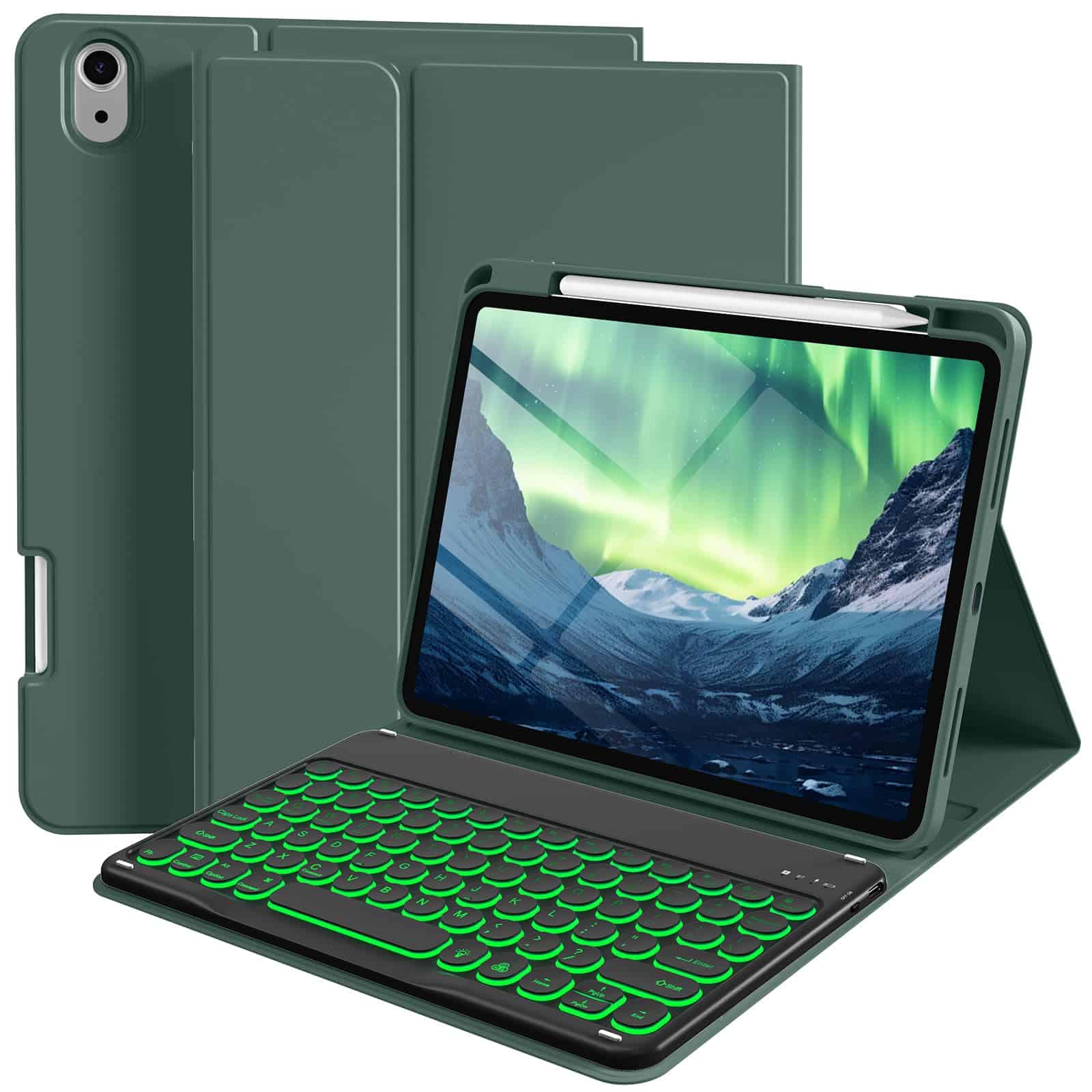
This keyboard case delivers excellent functionality and protection for the latest iPad models at a reasonable price point.
Pros
- Long battery life that lasts for days
- Colorful backlit keys with multiple brightness settings
- Convenient Apple Pencil holder built into the design
Cons
- Keyboard response can occasionally lag
- iPad may slide off in certain positions
- Feels lightweight rather than premium
We recently tested this Kenke keyboard case with our iPad 10th generation, and it transformed our tablet experience. The detachable Bluetooth keyboard connects quickly and makes typing feel more like using a laptop. The round keycaps have a satisfying feel under your fingers, which surprised us for a keyboard in this price range.
Battery performance impressed us during testing. After a full charge that took under three hours, we used it heavily for three days before needing to plug it in again. The multi-angle stand feature proved useful too – we could position our iPad perfectly whether working at a desk or watching videos in bed.
The backlit keyboard offers seven different color options that truly shine in low-light environments. We particularly appreciated this feature when working late into the evening. The built-in pencil holder is thoughtfully positioned on the right side, keeping our Apple Pencil secure but easily accessible. For iPad users seeking an affordable keyboard solution that doesn’t sacrifice functionality, this Kenke case delivers remarkable value in 2025.
Buying Guide
When looking for a mechanical keyboard, we consider several key factors. These help us find a board that fits our needs and budget.
Switch Types
Switch choice affects how typing feels. Here are the main types:
- Linear: Smooth with no bump or click. Good for gaming.
- Tactile: Has a bump you can feel when pressing. Good for typing.
- Clicky: Makes a click sound and has a bump. Very satisfying but louder.
Form Factor
Keyboards come in different sizes to fit various needs:
| Size | Description | Best For |
|---|---|---|
| Full-size | 104+ keys with numpad | Office work, data entry |
| TKL (Tenkeyless) | No numpad | More desk space, gaming |
| 75% | Compact with arrow keys | Balance of size and function |
| 60% | Very compact | Small desks, portability |
Keycap Material
Keycaps affect durability and feel. PBT keycaps last longer and don’t get shiny, while ABS is more common but may wear faster.
Connectivity Options
Wired keyboards offer zero latency, while wireless models provide flexibility. Some offer both options for the best of both worlds.
Hot-Swappable Sockets
These let us change switches without soldering. This feature is great for trying different switch types or replacing broken ones.
Backlighting
RGB lighting adds style, while white backlighting helps with typing in dark rooms. Some boards offer customizable lighting patterns.
Frequently Asked Questions
Mechanical keyboards remain popular choices for many users in 2025, with specific models standing out for different needs and preferences. We’ve compiled answers to the most common questions about this year’s top keyboards.
What are the top-rated mechanical keyboards for gamers in 2025?
The Razer Huntsman V3 leads gaming keyboards with its optical switches and 8000Hz polling rate. It offers near-zero latency that gives competitive players an edge.
The SteelSeries Apex Pro 2 continues to impress with its adjustable actuation points, allowing gamers to customize sensitivity for different games.
Corsair’s K100 RGB Optical has maintained its position with dedicated macro keys and responsive OmniPoint 2.0 switches that many esports professionals prefer.
Which mechanical keyboards are recommended for programmers seeking efficiency and comfort?
The Keychron Q3 Pro stands out for programmers with its gasket-mounted design and extensive customization options. Its hot-swappable switches let developers find their perfect typing feel.
Drop’s CTRL keyboard offers excellent build quality and programmable layers that help coders create specialized workflows.
The Ducky One 3 provides exceptional typing comfort with its sound-dampening foam and durable PBT keycaps that resist wear even during marathon coding sessions.
What brands lead the market in mechanical keyboard quality this year?
Keychron has emerged as the quality leader in 2025, expanding their Q-series with innovative features while maintaining reasonable prices.
ASUS ROG has strengthened their premium offerings with enhanced build materials and switch technology that appeals to demanding users.
Ducky continues its reputation for reliability with their meticulously crafted keyboards that consistently receive high marks for durability and performance.
How do budget mechanical keyboards compare to premium models in 2025?
Budget options like the Royal Kludge RK84 Pro now include features previously exclusive to premium models, such as wireless connectivity and aluminum frames.
The gap has narrowed significantly with brands like Akko offering PBT keycaps, hot-swappable switches, and sound-dampening foam in the $60-80 range.
Premium keyboards still maintain advantages in customization depth, software integration, and warranty support that justify their higher prices for serious enthusiasts.
What are the expected lifespans of top-rated mechanical keyboards?
Most quality mechanical keyboards in 2025 are rated for 50-100 million keystrokes per switch, translating to roughly 7-10 years of regular use.
Keyboards with hot-swappable switches extend practical lifespan indefinitely, as users can replace worn switches without soldering.
The limiting factor is often USB technology becoming outdated rather than keyboard failure, with today’s USB-C models likely remaining compatible for many years.
Why have 75% layout mechanical keyboards gained popularity among users?
The 75% layout offers an efficient compromise that preserves essential keys like arrows and function rows while saving significant desk space.
Work-from-home professionals appreciate these compact keyboards for comfortable home office setups where space efficiency matters.
Manufacturers have responded with numerous 75% options in 2025, including wireless models with exceptional battery life and customization features previously limited to full-sized keyboards.





