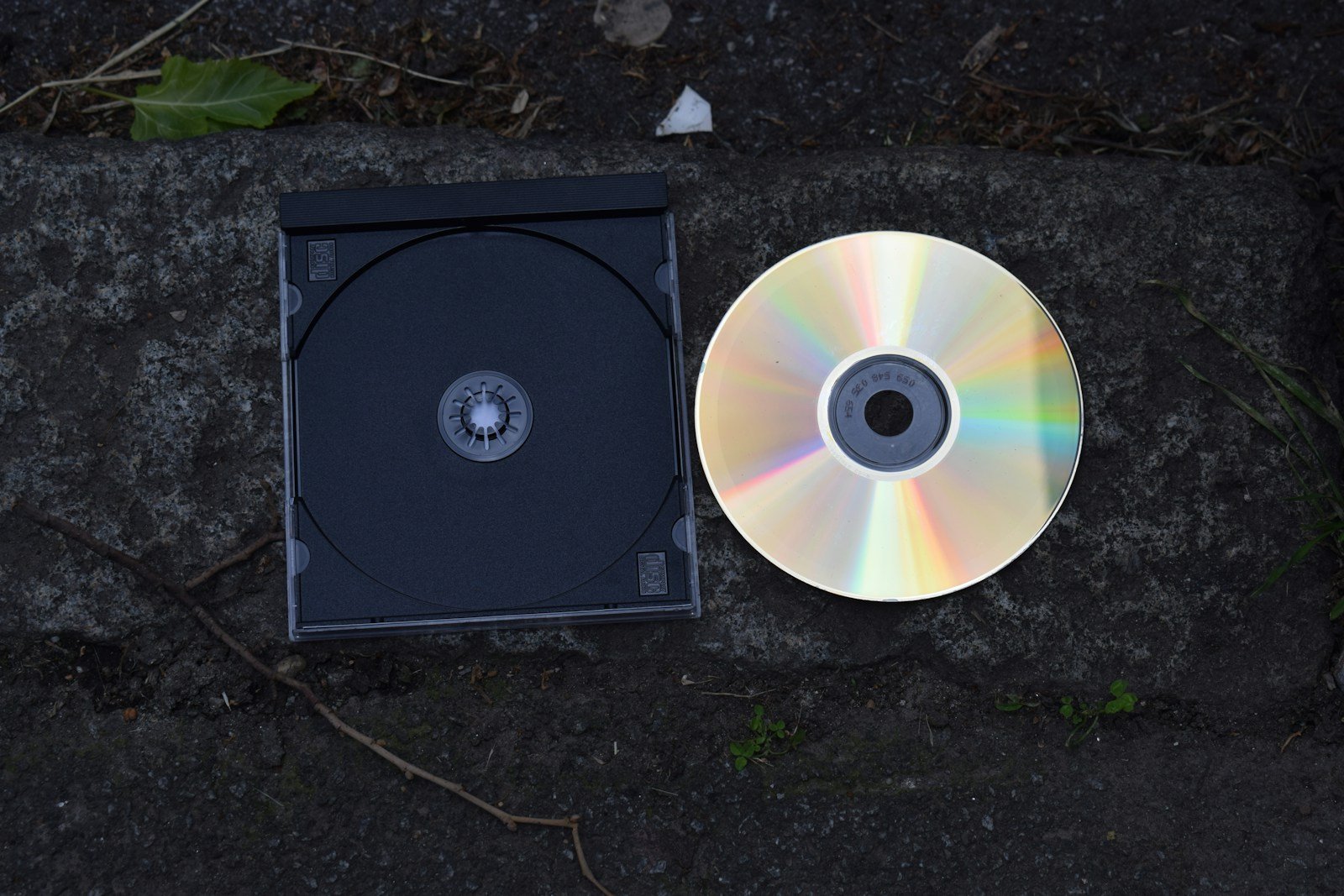
Removable media devices like USB drives, external hard drives, and memory cards offer convenient data storage, but they come with significant security risks. These devices can introduce malicious code into systems, potentially causing damage by corrupting files, stealing information, or taking control of your computer. When connecting unknown removable media to your network or device, you expose yourself to threats that could compromise sensitive information or the entire system.
Beyond malware concerns, removable media presents physical security challenges. The small size of these devices makes them easy to lose or steal, potentially exposing confidential data to unauthorized individuals. This is especially concerning for organizations that handle sensitive information, as a single lost drive could lead to massive data breaches or compliance violations.
Security experts recommend implementing strict policies for removable media usage. These include scanning all devices before connecting them to systems, encrypting sensitive data stored on portable drives, and limiting the use of personal devices in professional environments. Following these best practices helps minimize the risks while still allowing the practical benefits these devices provide.
Risks Associated with Removable Media
Removable media devices like USB flash drives, external hard drives, SD cards, and CDs remain popular tools for transferring and storing data. However, these convenient devices pose significant cybersecurity risks that can compromise both individual users and entire organizations. Understanding these risks is crucial for protecting your data and systems.
What is Removable Media?
Removable media includes any portable storage device that can be easily connected to and disconnected from computers and other devices. Common examples include:
- USB flash drives (thumb drives, memory sticks)
- External hard drives (USB, eSATA, Thunderbolt)
- Memory cards (SD, microSD, CompactFlash)
- Optical discs (CDs, DVDs, Blu-rays)
- Portable music players (iPods with storage capabilities)
- Smartphones and tablets (when used as storage devices)
(source: DISA Cyber Awareness Challenge 2025)
Major Security Risks
1. Malware and Virus Distribution
The Risk: Removable media is one of the most common vectors for malware transmission. Infected devices can automatically execute malicious code when connected to a computer, spreading viruses, trojans, ransomware, and other malware.
Real-World Impact:
- The infamous Stuxnet worm, which targeted industrial control systems, was partially spread via USB drives
- Malware can hide in the device’s firmware, making it nearly impossible to detect with standard antivirus software
- AutoRun features can trigger malware execution without user interaction
(source: OPSWAT)
2. Data Theft and Unauthorized Data Exfiltration
The Risk: Removable media makes it incredibly easy for insiders or attackers to steal sensitive information. A single USB drive can hold gigabytes of confidential data and can be concealed easily.
Scenarios Include:
- Disgruntled employees copying proprietary information before leaving
- Corporate espionage by competitors or nation-states
- Accidental data removal by well-meaning employees
- Unauthorized copying of customer records, financial data, or intellectual property
The small size of modern storage devices makes physical security challenging—a microSD card smaller than a fingernail can store hundreds of gigabytes.
3. Data Loss and Privacy Breaches
The Risk: Removable media devices are easily lost or stolen due to their portable nature. When these devices contain unencrypted sensitive data, they can lead to serious privacy breaches and regulatory violations.
Consequences:
- HIPAA violations for healthcare data
- GDPR penalties for European personal data
- Financial losses from credit card or banking information exposure
- Reputational damage from public disclosure of breaches
- Legal liability and compliance failures
(source: SASA Software)
4. Introduction of Unauthorized Software
The Risk: Removable media can be used to install unauthorized, unlicensed, or malicious software on corporate systems, bypassing normal IT controls and approval processes.
Problems This Causes:
- Licensing violations and legal exposure
- Installation of keyloggers or spyware
- Deployment of tools that circumvent security controls
- Introduction of incompatible software that destabilizes systems
5. Physical Security Vulnerabilities
The Risk: Even with digital security measures in place, physical access to removable media storage areas can lead to breaches. Unsecured USB drives left on desks, in unlocked drawers, or in server rooms create opportunities for unauthorized access.
Key Concerns:
- Visitors or cleaning staff accessing devices
- “Tail-gating” into secure areas to access media
- Improperly disposed devices being recovered from trash
- Lost devices in public spaces
(source: Techzn)
6. Social Engineering and USB Drop Attacks
The Risk: Attackers deliberately leave infected USB drives in parking lots, lobbies, or other public areas, hoping curious individuals will plug them into their computers. This social engineering tactic exploits human curiosity and trust.
Attack Methods:
- Labeled drives with enticing names like “Confidential” or “Salary Information”
- Drives disguised as promotional items or gifts
- Devices programmed to act as keyboards to execute commands automatically
- Drives that appear empty but contain hidden malicious files
7. Operational Technology (OT) and Industrial Control System Risks
The Risk: In industrial environments, operational technology systems often require physical media for software updates, configuration changes, and data transfer. These systems are particularly vulnerable because they may run outdated operating systems without modern security protections.
Specific Concerns:
- Critical infrastructure disruption (power plants, water treatment facilities)
- Manufacturing process sabotage
- Safety system compromise
- Long-term persistent threats due to infrequent system updates
(source: NIST Special Publication 1334)
8. Shadow IT and Policy Violations
The Risk: Employees using personal removable media devices for work purposes create “shadow IT” that bypasses organizational controls, policies, and security measures.
Issues Include:
- No visibility into what data is being transferred
- Inability to enforce encryption or access controls
- Mixing personal and professional data
- Compliance and audit trail gaps
Risk Comparison Table
| Risk Category | Likelihood | Impact Severity | Detection Difficulty | Mitigation Complexity |
|---|---|---|---|---|
| Malware Infection | High | Critical | Medium | Medium |
| Data Theft | High | Critical | High | Medium |
| Data Loss/Breach | Medium | Critical | Low | Low |
| Unauthorized Software | Medium | Moderate | Medium | Medium |
| Physical Security | Medium | High | High | Low |
| Social Engineering | Medium | High | High | Medium |
| OT/ICS Compromise | Low | Critical | High | High |
| Shadow IT | High | Moderate | Medium | Medium |
Industry-Specific Risks
Healthcare
- HIPAA violations from unencrypted patient data
- Medical device compromise through infected media
- Privacy breaches affecting patient trust
Finance
- Theft of customer financial information
- Fraudulent transaction data manipulation
- Regulatory compliance failures (PCI-DSS, SOX)
Government and Defense
- Classified information leakage
- National security threats
- Espionage and intelligence gathering by adversaries
Manufacturing and Industrial
- Intellectual property theft
- Production line sabotage
- Safety system compromise leading to accidents
(source: Honeywell IEC 62443 Compliance)
Common Attack Scenarios
Scenario 1: The Found USB Drive
An employee finds a USB drive in the company parking lot labeled “Executive Salaries 2025” and, out of curiosity, plugs it into their work computer. The drive automatically executes ransomware that encrypts the entire corporate network.
Scenario 2: The Contractor Compromise
A maintenance contractor uses their personal USB drive to transfer diagnostic software to an industrial control system. Unknown to them, the drive was previously infected at another job site, introducing malware into the facility’s operational technology environment.
Scenario 3: The Departing Employee
An employee planning to leave for a competitor copies proprietary source code, customer lists, and strategic plans onto a USB drive before their last day. The theft goes undetected for months until the competitor releases a suspiciously similar product.
Scenario 4: The Lost Backup
An IT administrator carries home an unencrypted external hard drive containing a full database backup. The drive is stolen from their car, exposing thousands of customer records and triggering mandatory breach notifications and regulatory investigations.
Why Removable Media Remains a Persistent Threat
Despite awareness of the risks, removable media threats persist because:
- Convenience trumps security – USB drives are easy to use and widely compatible
- Legacy system requirements – Older equipment may have no alternative for data transfer
- Human factors – Curiosity, carelessness, and lack of awareness
- Insufficient policies – Many organizations lack clear removable media policies
- Inadequate enforcement – Policies exist but aren’t consistently enforced
- Physical accessibility – Difficult to completely prevent USB port access
- Low perceived risk – Users underestimate the severity of potential consequences
The Cost of Removable Media Incidents
Security breaches involving removable media can result in:
- Direct financial losses: $50,000 to millions in remediation costs
- Regulatory fines: GDPR fines up to €20 million or 4% of annual revenue
- Downtime costs: $5,600 per minute for large enterprises
- Reputational damage: Long-term customer trust erosion
- Legal expenses: Lawsuits and settlement costs
- Compliance penalties: Industry-specific regulatory sanctions
Red Flags and Warning Signs
Watch for these indicators of removable media threats:
- ✗ Multiple USB devices connected to sensitive systems
- ✗ Employees regularly taking storage devices home
- ✗ Unknown USB drives appearing in the workplace
- ✗ Unusual network activity after removable media use
- ✗ Employees bypassing security protocols for convenience
- ✗ Lack of inventory or tracking for authorized devices
- ✗ Found or gifted USB drives from unknown sources
Best Practices for Risk Mitigation
While the next section could cover detailed prevention strategies, here are fundamental practices:
- Implement strict policies regarding removable media use
- Use endpoint protection that scans removable devices automatically
- Encrypt all data stored on authorized removable media
- Disable USB ports on systems that don’t require them
- Conduct regular security awareness training
- Deploy USB device controls that whitelist only authorized devices
- Establish secure data transfer alternatives (secure file sharing, encrypted networks)
- Maintain physical security over storage areas
- Monitor and log all removable media usage
- Conduct regular audits of removable media policies and compliance
(source: OPSWAT)
Regulatory and Compliance Considerations
Many industries have specific requirements regarding removable media:
- IEC 62443: Industrial cybersecurity standards for OT environments
- NIST SP 800-171: Controlled Unclassified Information protection
- HIPAA Security Rule: Healthcare data protection requirements
- PCI-DSS: Payment card industry data security standards
- GDPR: European data protection regulations
- DoD Cybersecurity Standards: Defense sector requirements
Failure to properly manage removable media risks can result in compliance violations and associated penalties.
Final Thoughts
Removable media devices offer undeniable convenience, but they represent one of the most significant and persistent cybersecurity threats facing organizations today. The risks span from malware infections and data theft to critical infrastructure compromise and regulatory violations.
The key to managing these risks isn’t necessarily eliminating removable media entirely—which may be impractical or impossible in some environments—but rather implementing comprehensive security controls, clear policies, employee education, and technical safeguards that minimize exposure while maintaining necessary functionality.
Key Takeaways
- Removable media can introduce malware that corrupts files, steals data, or compromises system integrity.
- The portable nature of removable storage devices makes them susceptible to loss or theft, creating data breach risks.
- Organizations should implement comprehensive security protocols including scanning, encryption, and usage policies for removable media.
Understanding the Risks of Removable Media
Removable media devices like USB drives and external hard drives create significant cybersecurity concerns for organizations and individuals. These portable tools introduce vulnerabilities that can compromise data security, system integrity, and network safety.
Potential Threat Vectors Introduced by Removable Media
Removable media creates several paths for threats to enter systems. When connected to a computer, USB drives can automatically run malicious code without user knowledge. This auto-execute feature makes them particularly dangerous.
Major threat vectors include:
- Malware delivery – Infected devices can introduce viruses directly to networks
- Data exfiltration – Unauthorized copying of sensitive information
- Physical security bypasses – Direct hardware access that circumvents network protections
Even seemingly innocent removable media can harbor dangerous code. Many cybersecurity incidents begin with compromised USB drives found in parking lots or received as promotional items. Once connected, these devices can deploy keyloggers or other monitoring tools.
Common Types of Attacks via Removable Media
Attackers use various techniques when leveraging removable media for malicious purposes. One sophisticated example is the “Rubber Ducky” – a device that looks like a standard USB drive but acts as a keyboard when connected, rapidly executing commands.
Popular attack methods include:
- BadUSB attacks that reprogram USB firmware to act as malicious devices
- Ransomware deployment that encrypts files and demands payment
- Credential harvesting through keystroke logging software
These attacks often succeed because they bypass traditional security measures. Unlike network-based attacks that firewalls might block, removable media connects directly to endpoints. The physical access component makes these threats particularly difficult to defend against.
The Implications of Data Loss and Data Breaches
When removable media compromises security, organizations face serious consequences. Lost or stolen USB drives containing sensitive information can trigger data breaches with far-reaching impacts.
Potential impacts include:
- Financial losses averaging $4.45 million per data breach incident
- Regulatory penalties for failing to protect sensitive information
- Damaged customer trust and business reputation
Beyond external theft, removable media can cause data loss through damaged files. Disconnecting devices improperly or using corrupted storage can destroy information. Without proper backup systems, this data may be permanently lost.
Organizations must implement comprehensive policies governing removable media use. This includes encryption requirements, approved device listings, and careful monitoring of what connects to corporate systems.
Mitigating Security Risks
Organizations must take proactive steps to address the various threats posed by removable media. Effective risk management requires a combination of clear policies, advanced detection tools, and thorough staff education.
Implementing Robust Cybersecurity Policies
Creating comprehensive policies for removable media usage forms the foundation of effective security. Organizations should develop clear guidelines that specify which types of removable media are permitted within their networks. These policies must address compliance requirements relevant to their industry.
Network configurations should include technical controls that restrict unauthorized devices. Some organizations implement USB port blocking or require approved device registration before use. This approach creates a whitelist of trusted devices.
Many companies now require encryption for all data stored on removable media. This ensures that even if the device is lost or stolen, the data remains protected from unauthorized access.
Regular security audits help verify that policies are being followed. These audits should examine both technical controls and user behavior patterns.
Advancements in Threat Detection and Monitoring Tools
Modern cybersecurity solutions offer impressive capabilities for protecting against removable media threats. These tools scan devices automatically when connected to network endpoints.
Advanced monitoring systems can detect unusual data transfers that might indicate data theft. When suspicious activity occurs, network administrators receive immediate alerts to investigate potential breaches.
Honeywell and other industrial cybersecurity providers have developed specialized solutions for operational technology environments. These tools help protect critical infrastructure from removable media threats.
Some organizations implement application performance monitoring to identify when removable media impacts system functionality. This helps with troubleshooting issues that might arise from legitimate device usage.
Sandboxing technology allows for safe testing of questionable files from removable media before they enter the main network. This creates an additional security layer against malicious code.
Educating Staff and Enforcing Proper Usage of Removable Media
Employee awareness training represents one of the most effective security measures. Staff should understand the risks associated with removable media and recognize suspicious devices or files.
Training programs should cover proper handling procedures, including:
- Scanning all media before use
- Never using unknown devices
- Reporting lost company-issued devices immediately
- Following data transfer protocols
Regular refresher courses help keep security awareness top-of-mind. Many organizations require annual certification in proper removable media handling.
Creating a culture where security is everyone’s responsibility encourages compliance. When employees understand why restrictions exist, they’re more likely to follow proper procedures.
Some companies implement rewards for reporting security issues or near-misses. This positive reinforcement helps maintain vigilance against potential threats from removable media.
Frequently Asked Questions
Removable media devices present several security challenges in today’s digital environments. Understanding these risks and implementing proper safeguards can help protect sensitive information and systems from potential threats.
What are the inherent security risks of using USB flash drives and other types of removable media?
Removable media devices carry multiple security risks. They can introduce malicious code like viruses, trojans, and ransomware into systems upon connection.
These devices can facilitate unauthorized data theft, allowing sensitive information to be copied and removed from secure environments quickly and discreetly.
They also present risks to system integrity as malware might compromise operating systems or applications. Data loss is another concern if the media becomes damaged, corrupted, or lost.
What measures can be implemented to mitigate the risks posed by removable media to information security?
Encryption is essential for protecting data stored on removable media. Organizations should implement strong encryption protocols for all sensitive information transferred to portable devices.
Automatic scanning of removable media when connected can detect malicious software before it affects systems. This should be enforced through security policies.
Access control mechanisms should restrict which devices can be connected and who can use them. Device control software can limit connections to approved media only.
Regular security awareness training helps employees understand the risks and proper handling procedures for removable media.
What constitutes appropriate use of removable media in corporate or government environments?
Appropriate use includes transferring files when network transfer isn’t possible or practical, while following all security protocols. Media should only be used when authorized by organizational policies.
Removable media should only contain work-related information necessary for legitimate business purposes. Personal information should never be mixed with corporate data.
All usage should be logged and documented according to organizational requirements. This creates an audit trail for accountability purposes.
How does one effectively manage the risks of spillage when utilizing removable media?
Clearly label all media according to classification level to prevent accidental information spillage between security domains. Different colored devices can help visually distinguish classification levels.
Implement strict procedures for transferring information between classification levels. This may include formal reviews and approvals before data moves across boundaries.
Regular audits help ensure compliance with spillage prevention measures. Immediate reporting procedures should be established for when spillage incidents occur.
What practices should be avoided when travelling internationally with removable media possessing sensitive data?
Never leave removable media unattended while traveling. Devices should remain in your physical possession at all times to prevent theft or tampering.
Avoid connecting removable media to public computers or networks in hotels, conference centers, or internet cafes. These environments may be compromised with keyloggers or other malicious software.
Don’t bring unnecessary data on international trips. Only carry the minimum information required for your specific business needs to limit potential exposure.
Are there any restrictions on the use of personally owned peripherals with government-issued equipment concerning removable media?
Government policies typically prohibit connecting personally owned removable media to government systems. This restriction helps prevent introduction of malware from uncontrolled sources.
Personal devices haven’t undergone organizational security controls and may contain malicious code. They represent an unacceptable risk to government networks.
Only approved, government-issued and properly scanned removable media should be used with official equipment. Violations of these policies may result in disciplinary action or security incidents.