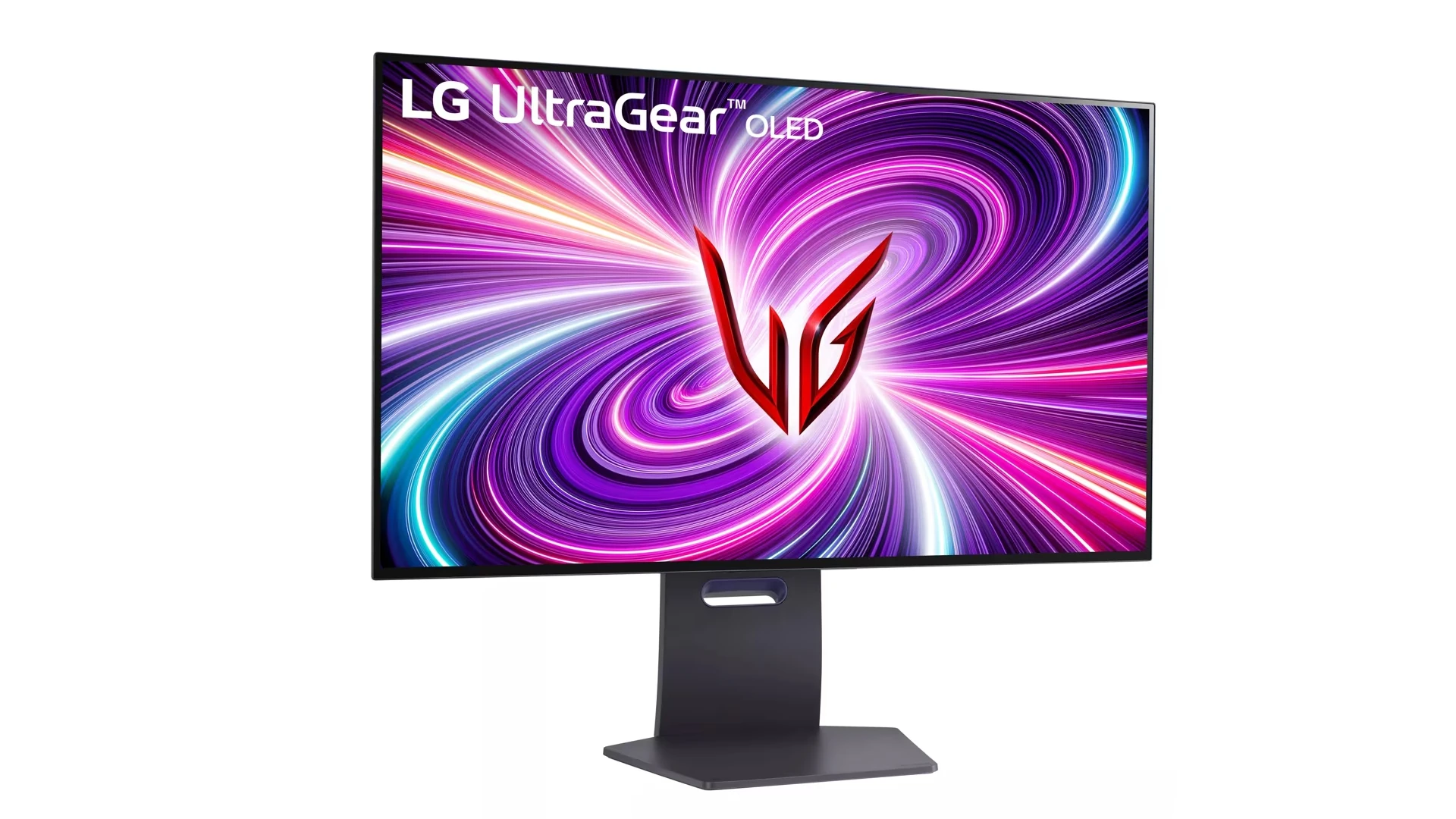
Choosing the right monitor can transform how you work and play on your computer. The display serves as your window into the digital world, making everything from spreadsheets to games more accessible and enjoyable. The best monitors balance screen size, resolution, panel type, and special features to match your specific needs while staying within your budget.
Monitor technology continues to evolve rapidly, with improvements in picture quality, refresh rates, and connectivity options appearing every year. Whether you’re a professional who needs accurate colors, a gamer seeking competitive advantage, or someone who just wants a reliable screen for everyday tasks, there’s a perfect monitor waiting for you. Today’s market offers options ranging from basic 24-inch displays to cutting-edge 32-inch 4K screens with advanced panel technologies.
1. MSI MPG 321URX QD-OLED
The MSI MPG 321URX QD-OLED stands out as a remarkable gaming monitor in today’s market. It features a 32-inch QD-OLED panel with a 4K UHD resolution of 3840×2160, providing exceptional image clarity and detail.
Performance is where this monitor truly shines. The MPG 321URX boasts an impressive 240Hz refresh rate combined with an extremely fast 0.03ms GtG response time. These specifications ensure incredibly smooth gameplay with minimal motion blur.
Gamers will appreciate the monitor’s very low input lag, which creates a responsive feel during fast-paced gaming sessions. The QD-OLED technology delivers vibrant colors and perfect blacks, enhancing the visual experience across all types of content.
The high pixel density of the 4K resolution on a 32-inch screen makes this monitor excellent for both gaming and productivity tasks. Text appears sharp, and there’s plenty of screen real estate for multitasking.
Color performance is another strength of the MPG 321URX. The quantum dot technology enhances the OLED display, resulting in vibrant, consistent colors throughout the panel. This makes it suitable for content creation alongside gaming.
According to expert evaluations, this monitor is rated as remarkable for PC gaming due to its combination of high refresh rate and exceptional visual quality. Some reviewers have even called it the ultimate gaming monitor.
The MPG 321URX has also earned recognition as one of the best OLED monitors available today. Its blend of cutting-edge technology and performance makes it a top choice for enthusiasts seeking premium display quality.
MSI has positioned this monitor as a premium offering for those who want the best visual experience without compromise. The combination of OLED technology with high refresh rates makes it particularly suitable for competitive gamers who also value image quality.
2. LG UltraGear 27GR93U
The LG UltraGear 27GR93U-B is a mid-range gaming monitor released as part of LG’s 2023 lineup. It features a 27-inch screen with impressive 4K UHD resolution, making it suitable for both gaming and productivity tasks.
One of the standout features is its high refresh rate. The monitor delivers 144Hz refresh rate for PC gaming and supports up to 120Hz when connected to next-generation gaming consoles through its HDMI 2.1 ports.
Speed is another advantage of this display. With a 1ms response time, players can expect minimal motion blur during fast-paced gameplay. This quick response helps maintain clarity even during intense gaming sessions.
The 27GR93U-B includes AMD FreeSync Premium Pro and is G-SYNC compatible. These technologies work to eliminate screen tearing and stuttering, creating a smoother visual experience during gameplay.
This monitor has some unique characteristics in Windows. According to user feedback, it automatically installs a color profile when the monitor drivers are updated, which may affect display settings.
For connectivity, the LG 27GR93U-B comes equipped with DisplayPort and the latest HDMI 2.1 ports. These allow for maximum performance when connecting to both gaming PCs and modern consoles.
The design includes ergonomic adjustments for comfort. Users can adjust the height, tilt, and pivot the screen to find their ideal viewing position.
Its Nano IPS display technology provides vibrant colors and wide viewing angles. This makes the monitor suitable not just for gaming but also for content creation and media consumption.
The 27GR93U-B is the smaller variant in this series, with LG also offering the 32GR93U-B for those who prefer a larger screen size with similar specifications.
3. Samsung Odyssey Neo G9
The Samsung Odyssey Neo G9 is a remarkable gaming monitor that stands out in the market with its massive curved display. The latest model features an impressive 57-inch screen with a 32:9 super ultrawide aspect ratio.
This monitor delivers exceptional visual quality with its Quantum Mini LED technology. The display provides stunning contrast and brightness levels, making games and content appear more vibrant and realistic.
One of the Neo G9’s strongest features is its impressive 240Hz refresh rate paired with a 1ms response time. These specifications make it ideal for competitive gamers who need smooth motion and minimal input lag.
The resolution is equally impressive at 7680×2160, which is equivalent to two 32-inch 4K monitors side by side. This dual 4K setup provides exceptional detail for both gaming and productivity tasks.
For professionals, the Neo G9 offers excellent multitasking capabilities. Its vast screen real estate allows users to have multiple windows open simultaneously, eliminating the need for a multi-monitor setup in many cases.
The monitor’s aggressive 1000R curve helps immerse users in their content. This curve matches the natural curvature of the human eye, reducing eye strain during extended use sessions.
While initially the 57-inch size might seem ridiculous, many users find it practical once they experience it. The monitor essentially replaces multiple standard displays while providing a seamless viewing experience.
The Neo G9 supports HDR1000, meaning it can reach peak brightness levels of 1000 nits. This capability ensures excellent visibility in bright scenes and deep blacks in dark scenes.
For those with space constraints, Samsung also offers the 49-inch version of the Odyssey Neo G9. This model maintains many of the premium features while requiring less desk space.
4. Dell UltraSharp U2723QE
The Dell UltraSharp U2723QE stands out as a premium 27-inch monitor with exceptional features for both professionals and everyday users. This display offers 4K resolution (3840 x 2160) at 60 Hz, providing crisp, detailed visuals that make text reading and multitasking effortless.
What sets this monitor apart is its IPS Black panel technology. This technology delivers deeper blacks and improved contrast compared to standard IPS displays, creating more vibrant images with better depth.
The U2723QE excels as an office monitor with its large screen and superb text clarity. Many users appreciate how it facilitates productivity by allowing multiple windows to be displayed simultaneously without sacrificing readability.
Connectivity is another strength of this Dell model. It functions as a USB-C hub monitor, allowing users to charge laptops directly through the monitor connection. This feature reduces cable clutter and simplifies workspace organization.
The monitor includes a comprehensive KVM (Keyboard, Video, Mouse) hub. This built-in KVM functionality allows users to control multiple computers with a single keyboard and mouse setup, making it ideal for professionals working with multiple systems.
Ergonomics haven’t been overlooked in the U2723QE design. The stand offers height adjustment, tilt, swivel, and pivot options. Users can rotate the screen 90 degrees for portrait mode viewing, which benefits coders and document editors.
The monitor has earned recognition in professional reviews. It’s frequently cited as one of the best Dell monitors available, particularly for users who need accurate color reproduction and workplace versatility.
For those seeking a premium display experience with excellent connectivity options, the Dell UltraSharp U2723QE delivers professional-grade performance in a thoughtfully designed package.
5. ASUS ROG Swift PG259QN
The ASUS ROG Swift PG259QN is a cutting-edge gaming monitor designed for competitive gamers who demand the fastest possible performance. This 24.5-inch display features a Full HD (1920 x 1080) resolution with an incredible 360Hz refresh rate.
What makes this monitor stand out is its Fast IPS panel technology. It delivers both the color accuracy of IPS displays and an outstanding 1ms gray-to-gray response time, eliminating motion blur and ghosting in fast-paced games.
The monitor includes NVIDIA G-SYNC technology, which synchronizes the display’s refresh rate with the GPU. This eliminates screen tearing and stuttering for a smoother gaming experience across various frame rates.
For competitive gamers, the PG259QN offers NVIDIA Ultra Low Motion Blur technology. This feature uses backlight strobing to reduce motion blur significantly, resulting in clearer visuals during fast movements in games.
Users report that the PG259QN is extremely responsive, making it ideal for esports titles and competitive gaming where every millisecond matters. The high refresh rate provides a noticeable advantage in games that require split-second reactions.
The monitor comes with an ergonomic stand that allows height, tilt, and swivel adjustments. It’s also VESA-compatible for those who prefer mounting it on a monitor arm or wall bracket.
While the 1080p resolution might seem modest by today’s standards, it’s a deliberate choice. The lower resolution allows gaming systems to push higher frame rates to take full advantage of the 360Hz refresh rate.
According to testing by RTINGS, the PG259QN offers exceptional motion handling with its outstanding response time. Its gaming performance is excellent across various types of games, though it particularly shines in competitive scenarios.
6. BenQ PD3220U
The BenQ PD3220U stands out as a premium 32-inch 4K monitor designed specifically for creative professionals. With its impressive 3840 x 2160 resolution, this display delivers exceptional clarity and detail for graphic design, video editing, and other creative work.
Color accuracy is where this monitor truly shines. It covers 95% of the P3 color space and 100% of both sRGB and Rec.709 with a Delta E ≤ 3, ensuring colors appear exactly as intended. This makes it ideal for professionals who require precise color reproduction.
The PD3220U features a professional-grade IPS panel that provides excellent viewing angles and consistent colors. This allows designers to collaborate without worrying about color shifts when viewing the screen from different positions.
Connectivity options are abundant on this monitor. It includes Thunderbolt 3 with 85W power delivery, making it compatible with MacBooks and other devices that support this standard. The built-in KVM switch allows users to control multiple computers with a single keyboard and mouse.
For those who occasionally game on their professional monitor, expectations should be tempered. The PD3220U has a 60Hz refresh rate and 5ms response time, making it suitable for casual gaming but not ideal for competitive gameplay.
The monitor’s design is both functional and elegant with a sturdy stand that allows for height, tilt, and pivot adjustments. This ergonomic flexibility helps reduce strain during long work sessions.
BenQ has included several specialized display modes tailored to different creative workflows. These preset modes optimize color settings for various types of work, saving time for busy professionals.
Reviewers consistently praise this monitor as a phenomenal high-quality option well-suited for professionals in various fields. While premium-priced, the PD3220U delivers exceptional value for serious creative professionals who demand color accuracy and reliability.
7. Acer Predator X27
The Acer Predator X27 stands as a premium gaming monitor that delivers exceptional visual quality. This monitor features a 4K (3840×2160) resolution combined with a 144Hz refresh rate, making it suitable for high-end gaming experiences.
It particularly shines in bright room environments where its display capabilities can be fully appreciated. The monitor utilizes an IPS panel that maintains color accuracy while providing the speed gamers need for competitive play.
HDR support is one of the X27’s standout features. The Predator X27 incorporates Nvidia G-Sync HDR technology, which helps eliminate screen tearing and stuttering during gameplay.
For those concerned about motion blur, the X27 has technology to reduce this issue. The monitor displays vibrant visuals without motion blur, even during fast-paced gaming sessions.
Price remains a significant consideration for potential buyers. At approximately $2,000 when released, the X27 represented a serious investment. According to some users, it might not be worth the price for average consumers but could justify its cost for enthusiasts with sufficient budget.
The monitor’s versatility extends beyond gaming. Reviews indicate the Predator X27 is a very good, versatile monitor that can serve multiple purposes beyond its primary gaming function.
A newer variant, the X27U, offers similar premium features with some improvements. The X27U maintains the gaming-focused design while offering compatibility with both FreeSync VRR and G-SYNC technologies.
Color reproduction is another strength of the Predator line. These monitors offer wide color gamuts that appeal to both gamers and content creators who require color accuracy alongside gaming performance.
8. Gigabyte M32U
The Gigabyte M32U stands out as a versatile 32-inch gaming monitor with impressive specifications. It features a 4K UHD resolution display with a 144Hz refresh rate, making it suitable for both gaming and professional work.
This monitor uses an IPS panel that delivers a fast 1ms response time (MPRT). The quick response helps eliminate motion blur during fast-paced gaming sessions. It also supports 10-bit color with HDR400 certification for enhanced visual quality.
For gamers, the M32U includes several helpful features. It supports various VRR (Variable Refresh Rate) formats to reduce screen tearing during gameplay. The monitor also comes with Black Equalizer and Aim Stabilizer Sync technologies to improve visibility in dark areas.
Connectivity options are abundant on the M32U. It includes HDMI 2.1 ports, making it compatible with next-generation consoles like PS5 and Xbox Series X. This allows console gamers to experience 4K gaming at higher frame rates.
One standout feature is the built-in KVM switch. This allows users to control multiple devices with a single keyboard and mouse setup, increasing productivity for those working with multiple computers.
The monitor offers good ergonomics with height and tilt adjustments. This helps users find comfortable viewing positions for long gaming or work sessions.
Many gamers consider the M32U the “king of price performance” for 4K gaming monitors. It delivers high-end features without the premium price tag of some competitors.
The Gigabyte M32U’s GameAssist and OSD Sidekick features provide additional customization options. These allow users to add on-screen crosshairs, timers, and other gaming overlays for enhanced gameplay.
For content creators, the monitor’s color accuracy and resolution make it suitable for photo and video editing work. The large screen real estate helps with multitasking and detailed editing projects.
9. ViewSonic Elite XG270QG
The ViewSonic Elite XG270QG is a premium 27-inch gaming monitor with impressive specifications. It features a 1440p resolution display (QHD) that delivers crisp visuals and detailed imagery for both gaming and productivity tasks.
This monitor stands out with its high refresh rate capabilities. It offers a native refresh rate of 144Hz that can be overclocked to reach 165Hz, providing exceptionally smooth gameplay.
Response time is another strong point for the XG270QG. It achieves a true 1ms (GtG) response time, minimizing motion blur during fast-paced gaming sessions.
The monitor incorporates IPS panel technology with Nano Color technology. This combination delivers vibrant colors and wide viewing angles, making it suitable for both gaming and content creation.
One significant advantage of the XG270QG is its inclusion of a native G-Sync module. Unlike monitors with basic G-Sync compatibility, this hardware module provides variable overdrive and superior performance for NVIDIA graphics card users.
The Elite XG270QG performs best as a gaming monitor. Its combination of high refresh rate, low response time, and G-Sync technology creates a competitive gaming experience with minimal screen tearing or stuttering.
ViewSonic designed this monitor with a gamer-focused aesthetic. It features customizable RGB lighting elements that can be synchronized with other gaming peripherals to create an immersive setup.
Connection options include DisplayPort and HDMI, providing flexibility for multiple devices. The monitor also includes USB ports for connecting peripherals directly.
For serious gamers who prioritize smooth gameplay and color accuracy, the ViewSonic Elite XG270QG represents a quality investment. Its balance of gaming features and visual performance makes it suitable for competitive gaming and content consumption.
10. HP Omen X 27
The HP Omen X 27 stands out as a remarkable gaming monitor with impressive specifications. It features a 1440p resolution (2560 x 1440) and pushes the refresh rate to an exceptional 240Hz, making it one of the first 1440p monitors to reach this high refresh rate.
Gaming performance on this monitor is particularly noteworthy. It delivers outstanding response times, which are crucial for competitive gaming. The monitor has been rated as having great gaming performance by professional reviewers.
When it comes to ghosting, the Omen X 27 performs admirably. Users have noted that the ghosting performance is really good, especially when compared to many IPS panels with lower refresh rates.
The monitor uses a TN panel, which helps it achieve its impressive speed. While TN panels typically have viewing angle limitations, they enable the fast response times that gamers appreciate in this model.
Some gamers wonder why this monitor doesn’t receive more recognition in the competitive gaming community. Despite competing against newer models, the Omen X 27 holds its ground with its combination of high resolution and high refresh rate.
HP offers this monitor as part of their OMEN gaming lineup, which is designed specifically for gamers seeking competitive advantages. The monitor’s specifications make it particularly suitable for fast-paced competitive games.
For gamers who prioritize both speed and resolution, the Omen X 27 represents an excellent option. The 1440p resolution provides significantly more detail than 1080p, while the 240Hz refresh rate ensures smooth, responsive gameplay.
Understanding Monitor Specifications
Picking the right monitor requires understanding key technical specifications that impact your viewing experience. These specs determine everything from image clarity to gaming performance.
Resolution and Screen Size
Resolution defines how many pixels your monitor displays. Full HD (1920×1080) is the recommended minimum for most users, providing clear images for everyday use.
Higher resolutions like 2K (2560×1440) and 4K (3840×2160) offer sharper images but require more powerful graphics cards to run effectively. These are ideal for content creation and detailed work.
Screen size matters too. Measure in diagonal inches, most desktop monitors range from 24″ to 32″. Larger screens typically benefit from higher resolutions to maintain image clarity.
For productivity, consider ultrawide monitors with 21:9 aspect ratios instead of the standard 16:9. These provide more horizontal space for multiple windows.
Refresh Rate and Response Time
Refresh rate, measured in Hertz (Hz), indicates how many times your screen updates per second. A minimum of 60Hz works for general use, but gamers should look for 144Hz or higher for smoother motion.
Response time measures how quickly pixels change color, typically stated in milliseconds (ms). Faster response times (5ms or less) reduce motion blur, making them crucial for fast-paced games and videos.
Different panel types offer varying performance:
- IPS panels: Better colors and viewing angles with decent response times
- VA panels: Superior contrast but slightly slower response
- TN panels: Fastest response times but weaker color accuracy
Advanced Display Technologies
Modern monitors utilize cutting-edge display technologies that significantly improve image quality, response times, and overall user experience. These innovations have transformed how we view content on our screens.
OLED vs. LED Technology
OLED (Organic Light Emitting Diode) displays have revolutionized monitor technology with their ability to turn individual pixels completely off. This creates perfect blacks and infinite contrast ratios that traditional LED displays cannot match.
The MSI MPG 321URX QD-OLED represents the pinnacle of this technology, combining Quantum Dot technology with OLED for vibrant colors and deep blacks. QD-OLED panels deliver exceptional picture quality while addressing some traditional OLED concerns like brightness limitations.
Traditional LED monitors use backlighting that can cause light bleeding and less impressive contrast. However, advancements like Mini LED technology have narrowed this gap.
Mini LED VA monitors achieve approximately 95% of OLED’s black levels while offering significantly higher brightness. This makes them excellent alternatives for bright environments.
Adaptive Sync Features
Adaptive sync technologies eliminate screen tearing and stuttering by synchronizing the monitor’s refresh rate with the graphics card’s output. This creates smoother gameplay and video playback.
The two main variants are AMD FreeSync and NVIDIA G-Sync. FreeSync operates over DisplayPort and HDMI connections and typically adds minimal cost to monitors. G-Sync requires NVIDIA-certified hardware but often delivers more consistent performance across its entire range.
Premium gaming monitors now feature advanced versions like FreeSync Premium Pro and G-Sync Ultimate, which include HDR support and wider refresh rate ranges.
Variable refresh rate (VRR) technology has become standard in high-performance monitors, with many supporting refresh rates from 48Hz up to 240Hz or even 360Hz. This flexibility ensures smooth performance regardless of frame rate fluctuations.
Frequently Asked Questions
Selecting the right monitor involves understanding key specifications and balancing features against budget constraints. The following questions address common concerns when shopping for a new display.
What are the key features to look for in a gaming monitor?
For gaming, response time and refresh rate are crucial factors. Look for monitors with 1ms response time and at least 144Hz refresh rate to minimize motion blur and screen tearing.
Color accuracy is increasingly important, with QD-OLED technology like in the MSI MPG 321URX offering superior contrast and vibrant colors. The LG UltraGear 27GR93U excels with its 4K resolution and fast refresh rate.
Variable refresh rate technology (G-Sync or FreeSync) helps eliminate screen tearing. For competitive gamers, monitors like the ASUS ROG Swift PG259QN with 360Hz refresh rate provide the smoothest possible experience.
How do I choose the best monitor for professional work environments?
Professional environments typically require monitors with excellent color accuracy and ergonomic features. Look for displays with high color gamut coverage (99% sRGB or higher) and factory calibration.
The Dell UltraSharp U2723QE stands out with its exceptional color accuracy and USB-C connectivity. Resolution matters for productivity, with 4K becoming standard for design work.
Consider monitors with height, tilt, and swivel adjustability to maintain proper ergonomics. Blue light filters and anti-glare coatings help reduce eye strain during long workdays.
What are the top-rated monitor brands according to industry experts?
Eizo and NEC are widely regarded as premium brands, particularly for professional color-critical work. These manufacturers offer superior color accuracy and build quality.
For gaming, ASUS ROG, Samsung Odyssey, and LG UltraGear lines consistently receive high ratings. The Samsung Odyssey Neo G9 exemplifies innovation with its curved ultrawide design and mini-LED technology.
Dell’s UltraSharp series maintains a strong reputation for reliability and color accuracy in business settings. MSI has gained recognition for their recent OLED gaming monitors.
What specifications should I prioritize when selecting a 27-inch monitor?
For 27-inch monitors, resolution becomes a key consideration. At this size, 1440p (QHD) offers a good balance between clarity and performance, while 4K provides exceptional detail.
Panel type affects performance significantly. IPS panels deliver better color accuracy and viewing angles, while VA panels offer better contrast ratios. TN panels, though less common now, provide the fastest response times.
Look for color coverage specifications—at least 95% sRGB for general use, or higher Adobe RGB and DCI-P3 coverage for creative work. Connection options should include at least HDMI 2.0 and DisplayPort 1.4.
What are the economical options for quality monitors suitable for home offices?
Budget-conscious shoppers should consider 24-inch 1080p IPS monitors, which offer good color quality and clarity for everyday tasks. Many brands offer reliable options under $200.
Features to prioritize include adjustable stands, eye-care technologies, and VESA mount compatibility. Some affordable models now include USB-C connectivity, simplifying cable management.
Best Buy’s monitor guide suggests looking for sales on previous-generation models, which often offer excellent value while still providing modern features.
How does screen size and resolution impact the performance of a monitor for daily tasks?
Larger screens allow for more content to be displayed simultaneously, enhancing multitasking capabilities. A 27-inch monitor typically provides sufficient space without overwhelming a standard desk.
Resolution determines the clarity of text and images. For screens 24 inches and smaller, 1080p works well. For 27-inch displays, 1440p provides noticeably sharper text, reducing eye strain during long reading sessions.
Higher resolutions require more powerful graphics hardware to run smoothly, especially important when considering gaming monitors. The right balance depends on the user’s specific needs and typical applications.