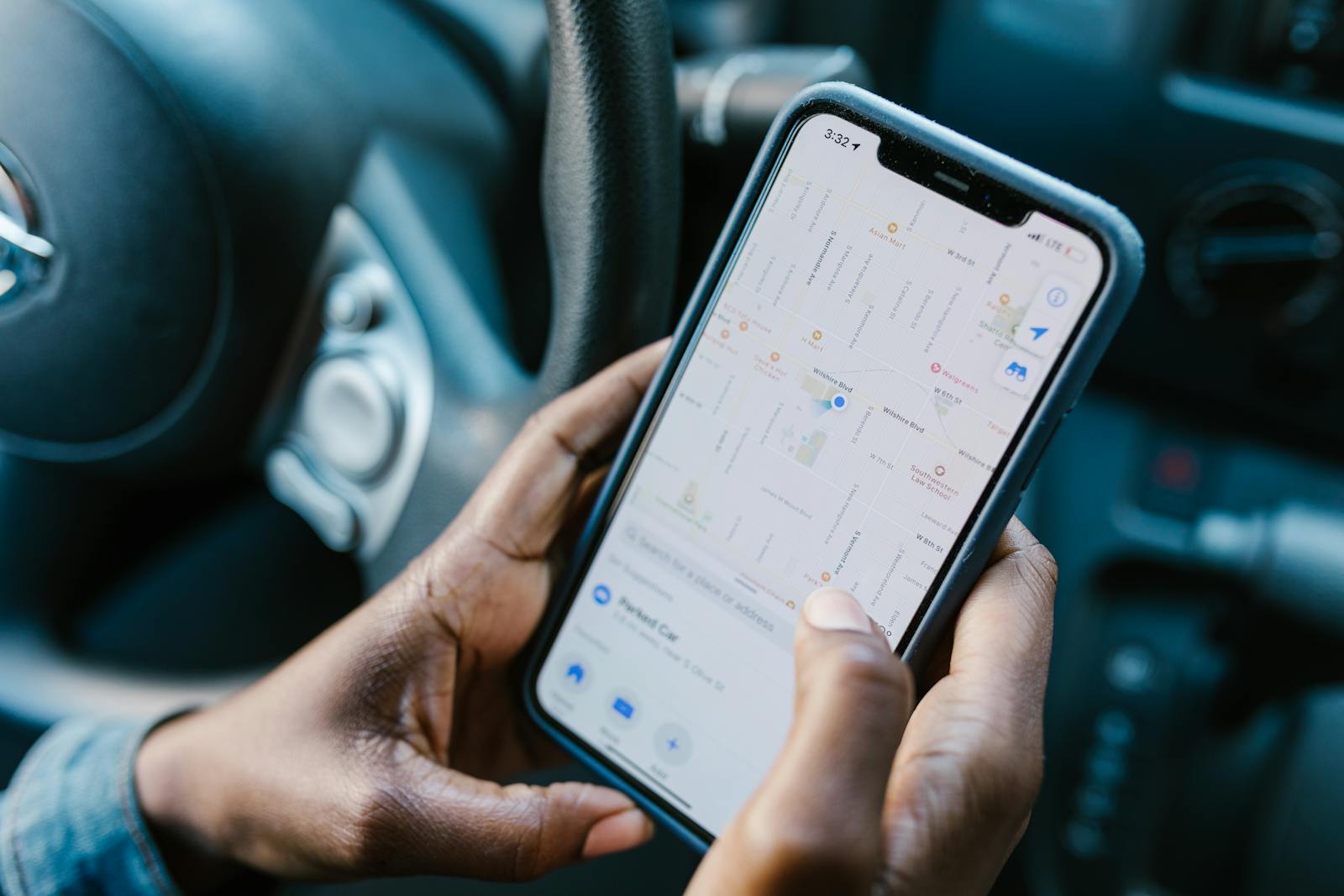
In today’s connected world, keeping track of family members’ whereabouts has become easier than ever before. Family locator apps offer parents peace of mind by allowing them to monitor their children’s locations in real-time, while also providing useful features like safe zone alerts and emergency notifications. Finding the right family locator app can significantly improve your family’s safety and communication while respecting everyone’s privacy needs.
These specialized applications have evolved beyond simple GPS tracking to include features like battery monitoring, messaging, and even driving reports for teens. Most popular options work across both iPhone and Android devices, making it convenient for families with different smartphone preferences. When choosing the best family locator app, it’s important to consider factors like accuracy, ease of use, and additional safety features that match your family’s specific requirements.
1. Qustodio – Real-time Tracking
Qustodio stands out as the best family locator app for parents looking to keep track of their children’s whereabouts. The app delivers powerful 24/7 real-time location tracking capabilities that give parents peace of mind.
Parents can easily access their child’s location through the intuitive interface. By opening the Parents App, tapping the menu, and selecting Family locator, they’ll see a map displaying their child’s avatar at their current location.
The tracking feature works across all devices, making it versatile for families with different technology preferences. This cross-platform functionality ensures children can be monitored regardless of which devices they use.
Qustodio’s location tracking operates seamlessly in the background. Children can go about their day normally while parents maintain awareness of their location without constant check-ins.
The app provides more than just current location data. Parents can view location history to understand their child’s movement patterns and ensure they’re going where they should be.
For families on the go, Qustodio offers reliable tracking even when children are away from home. This feature proves invaluable for parents who want to monitor activity while children are at school, visiting friends, or participating in extracurricular activities.
Safety is enhanced through precise location information. In emergency situations, parents can quickly locate their children, providing an additional layer of security for families.
The family locator feature integrates smoothly with Qustodio’s other parental control functions. This creates a comprehensive digital safety solution rather than just a standalone tracking tool.
2. Life360 – Premium Features
Life360 stands out as a premium option for location sharing with enhanced safety features designed specifically for families. The app offers various subscription tiers that provide different levels of functionality beyond the basic free version.
The free version includes some helpful features like seeing Tiles on the Life360 map, two days of location history, and alerts for two designated places. Users can also access a family driving summary and the SOS Help Alert feature without paying for a subscription.
For those seeking more comprehensive protection, Life360 offers Gold and Platinum premium plans with expanded capabilities. These paid tiers extend location history beyond the basic two-day limit and increase the number of places where users can set up unlimited alerts.
Premium subscribers gain access to advanced safety features like crash detection, which can automatically notify emergency contacts if the app detects a serious vehicle accident. This provides families with an extra layer of security during daily commutes.
The app works well for various types of relationships beyond just parents and children. Grandparents, siblings, friends, and partners can all benefit from the location tracking and sharing capabilities offered by Life360’s premium features.
Battery management is also addressed in the premium versions, with low battery notifications alerting family members when someone’s phone is about to die. This thoughtful feature helps prevent the worry that can occur when a family member suddenly disappears from the map.
Premium users can view their family members’ location history more extensively, making it easier to coordinate schedules and ensure everyone’s safety. The interface displays this information on an intuitive map that shows each member’s current and past locations.
3. Google Maps Location Sharing
Google Maps offers a convenient solution for families who need location sharing without installing additional apps. This built-in feature works across both Android and iPhone devices, making it ideal for mixed-device households.
Setting up location sharing in Google Maps is straightforward. Users simply open the app, tap their profile picture, select “Location sharing,” and choose which family members can see their location and for how long.
The interface provides a clean map view showing where each family member is located in real time. Users can also get directions to a family member’s location with just a few taps.
One advantage of Google Maps is that most people already have it installed on their phones. This eliminates the need to download yet another app that might drain battery life.
Privacy controls are robust with Google Maps. Users can share their location temporarily or indefinitely and can stop sharing at any time. This gives family members control over when they’re visible to others.
For parents concerned about their children’s safety, the location history feature can be particularly useful. It shows where family members have been, which can provide peace of mind.
Unlike some dedicated family locator apps, Google Maps doesn’t offer advanced features like geofencing or driver safety reports. However, its simplicity may be preferable for families seeking basic location awareness.
According to many users on Reddit discussions, Google Maps stands out as a privacy-friendly alternative to dedicated tracking apps. The service balances functionality with respect for personal boundaries.
Battery usage tends to be efficient since Google Maps optimizes location services. This makes it practical for daily use without significant power drain.
4. Family Tracker by Phone Number
Family Tracker by Phone Number is a popular app designed to help families stay connected through location sharing. This free family location tracker app makes it easy to track your kids’ locations and share phone locations among family members.
The app focuses on enhancing security and peace of mind for parents. It uses GPS technology to provide real-time updates on family members’ whereabouts, which is especially helpful for parents with younger children or teenagers.
One of the standout features is the ability to track locations using just a phone number. This makes the setup process simple for less tech-savvy users, as it doesn’t require complicated account creation or login processes.
Family Tracker offers geofencing capabilities that allow parents to set up safe zones. When a child enters or leaves these designated areas, the app sends instant notifications to parents.
The interface is designed to be user-friendly and accessible. Maps are clear and show the exact locations of family members with regular updates on their movements throughout the day.
Battery consumption is optimized to ensure that constant location tracking doesn’t drain devices quickly. This thoughtful design makes it practical for daily use without requiring frequent charging.
Privacy features allow users to control who can view their location and when. This balance between safety monitoring and personal privacy makes it suitable for families with older children and teens.
The app also includes emergency features for urgent situations. Family members can send SOS alerts with their current location if they feel unsafe or need immediate assistance.
Regular updates keep the app functioning smoothly across different device types and operating systems. The development team works to maintain compatibility with the latest smartphone models and software versions.
5. Family Locator App
Family Locator App is a reliable tool that helps families stay connected through location sharing. This app provides real-time tracking features that allow family members to see each other’s whereabouts throughout the day.
The interface is straightforward and user-friendly, making it accessible for family members of all ages. Parents can easily monitor their children’s locations for safety purposes, while teens and adults can share their positions with loved ones.
One standout feature of Family Locator App is its GPS tracking technology that works across both iPhone and Android devices. This cross-platform functionality ensures that all family members can participate regardless of their device preferences.
The app includes customizable safety zones that send notifications when family members arrive at or leave specific locations. This proves especially useful for parents wanting to know when children arrive at school or return home.
Battery optimization in Family Locator App addresses a common concern with location tracking applications. The developers have balanced accuracy with power consumption to prevent excessive battery drain.
Privacy controls allow users to temporarily pause location sharing when needed. This feature respects individual privacy while maintaining the overall family safety structure.
The communication tools built into the app complement its tracking capabilities. Family members can send messages and check-ins directly through the platform rather than switching between multiple apps.
Family Locator App offers both free and premium versions. The basic free version provides essential tracking features, while the premium subscription unlocks additional capabilities like extended location history and priority customer support.
Regular updates keep the app secure and functioning optimally across different devices. The developers consistently work to improve accuracy and add features based on user feedback.
Real-time GPS tracking remains the core functionality that families value most, providing peace of mind and practical coordination benefits for busy households.
6. Family360 – Consent-Based Tracking
Family360 stands out in the crowded market of family locator apps with its emphasis on consent-based tracking. This approach respects the privacy of all family members while still providing the safety benefits parents seek.
The app provides real-time location tracking that allows parents to easily monitor their children’s whereabouts. Users appreciate how the interface clearly shows who can view their location and when tracking is active.
Privacy concerns are addressed through transparent notifications. When someone checks a family member’s location, both parties are aware of the interaction, fostering trust within the family unit.
Family360 includes geofencing alerts and emergency features that enhance its functionality beyond basic tracking. Parents can set up safe zones around common locations like school or home and receive notifications when children enter or leave these areas.
The emergency panic button provides peace of mind for parents and children alike. With a quick tap, family members can alert others to potential danger and share their exact location instantly.
Available on both Google Play and Apple’s App Store, Family360 works across different devices. This cross-platform capability ensures that families with varied technology preferences can still stay connected.
The app offers a subscription-based model that unlocks premium features. While basic tracking functions are available in the free version, advanced safety tools require the monthly subscription.
Family360’s approach to location sharing emphasizes family communication. The developers encourage parents to discuss the app’s purpose with children rather than installing it secretly, building a foundation of mutual respect.
Battery optimization features ensure that constant location tracking doesn’t drain devices quickly. This thoughtful design element addresses a common complaint with many tracking applications.
7. Geo Tracker – Multiple Device Locations
Geo Tracker stands out as a reliable option for families seeking to monitor multiple device locations simultaneously. The app provides real-time GPS tracking capabilities that allow parents to keep tabs on all family members from a single dashboard.
Unlike some competitors, Geo Tracker offers enhanced accuracy with location updates as frequent as every 30 seconds. This feature proves particularly useful for parents monitoring teenagers or family members with active lifestyles.
The intuitive map interface shows all family members’ positions clearly marked with customizable icons. Each family member can be assigned a unique color or symbol, making it easier to identify everyone at a glance.
Geo Tracker includes geofence capabilities similar to premium apps like Qustodio. Parents can establish virtual boundaries around important locations such as schools, homes, or workplaces and receive instant alerts when family members enter or exit these zones.
Battery optimization sets Geo Tracker apart from many alternatives. The developers have balanced tracking frequency with power consumption, ensuring the app doesn’t drain device batteries even when running in the background.
The history feature records location data for up to 30 days, allowing families to review past movements when needed. This proves valuable for resolving discussions about whereabouts or analyzing routine patterns.
Privacy controls give each user appropriate settings based on their age and role in the family. Parents maintain administrative access while older children and teens can enjoy some privacy features as appropriate.
Like other family locator apps, Geo Tracker works across both Android and iOS devices. This cross-platform functionality ensures all family members can participate regardless of their device preferences.
The emergency alert feature enables any family member to send an immediate notification with their exact location to all connected devices. This provides peace of mind during unexpected situations.
8. Find My Kids – GPS Tracker
Find My Kids is a popular GPS tracking app designed specifically for families concerned about their children’s safety. This app allows parents to monitor their child’s location in real-time, providing peace of mind when children are away from home.
The GPS tracker app ensures easy contact with your child when they aren’t responding to their device. This feature proves particularly useful for busy parents who need to verify their children’s whereabouts during school or social activities.
Parents can set up geofencing zones on the app. When a child enters or leaves these predetermined areas, the app sends instant notifications to parents, adding an extra layer of security.
Find My Kids includes SOS alert functionality. Children can quickly send emergency signals to their parents with the press of a button if they feel unsafe or need immediate assistance.
The app works across both major mobile platforms. Families can download it on iOS or Android phones, making it accessible regardless of which devices family members use.
Battery optimization features ensure the tracking functionality doesn’t drain the child’s phone battery. This practical consideration helps maintain consistent monitoring throughout the day.
The interface is straightforward and user-friendly. Even parents with limited technical knowledge can easily navigate the app’s features and set up monitoring parameters.
Find My Kids is designed with child safety as the priority. Beyond location tracking, the app offers communication tools to keep families connected, even when physically apart.
Privacy concerns are addressed through secure connections. Parents can feel confident that location data remains protected and only accessible to authorized family members.
9. Glympse – Temporary Location Sharing
Glympse offers a unique approach to family location sharing with its focus on temporary access. Unlike many tracking apps, Glympse allows users to share their real-time location temporarily, giving them full control over who can see their whereabouts and for how long.
The app emphasizes privacy and safety by preventing permanent tracking. This feature makes it ideal for families who need occasional location updates without constant monitoring. Parents can check on their teenagers during specific outings without making them feel constantly watched.
Glympse works well for everyday family scenarios like coordinating pickups or meeting at events. When a child is heading home from school or activities, they can send a quick Glympse to let parents know exactly where they are and their estimated arrival time.
The service is available on multiple platforms. Families can download Glympse from both the Google Play Store for Android devices and the Apple App Store for iOS users, making it accessible regardless of what phones family members use.
Setting up sharing is straightforward. Users select contacts, determine how long to share their location, and send a link. Recipients can view the location in real-time through a web browser or the app, seeing movement and estimated arrival times.
For businesses and organizations, Glympse offers expanded solutions that improve operations and productivity. However, the consumer version provides families with all the essential features needed for basic location sharing.
The app’s simplicity makes it appropriate for all age groups. Younger children and less tech-savvy family members can easily use the basic functions without confusion, while teenagers appreciate the respect for their privacy through the temporary sharing model.
10. Safe365 – Elderly Care Tracking
Safe365 stands out as a reliable solution for families concerned about elderly relatives living independently. This GPS family locator app lets users monitor their elderly loved ones in real time, providing peace of mind while respecting privacy.
The app features real-time location tracking that shows exactly where family members are at any moment. This feature proves particularly valuable for elderly parents who may wander or become disoriented.
One standout feature is the backup medical call center support. This additional safety layer ensures help is available even when family members cannot immediately respond to alerts.
Safe365 sends automatic alerts showing movement, location, and low battery indicators. These notifications help family members stay informed about potential issues before they become emergencies.
The app works with consent from all parties involved. This respectful approach means elderly users maintain dignity while families gain needed visibility into their whereabouts and safety status.
Many families appreciate the “set it and forget it” functionality that Safe365 provides. Once configured, the app requires minimal management while consistently delivering critical safety information.
Battery management receives careful attention in the design. The low battery alerts help caregivers ensure the tracking device remains functional when needed most.
Safe365 can detect unusual patterns or departures from routine locations. This capability helps identify potential concerns early when an elderly family member deviates from normal movements.
The interface remains straightforward enough for both younger caregivers and elderly users to navigate. This accessibility makes it practical for multi-generational families with varying levels of tech comfort.
While primarily designed for families, the platform also supports workplace safety reporting features that can be enabled for comprehensive care situations involving professional caregivers.
Features to Look for in a Family Locator App
When choosing a family locator app, certain features are essential for effective family safety and peace of mind. The right combination of tracking capabilities and privacy controls ensures you can keep tabs on loved ones while respecting boundaries.
Real-Time Location Tracking
Real-time location tracking is the core functionality of any family locator app. The best apps update locations frequently, with some providing 24/7 live tracking accurate to within 10 meters. Look for apps that refresh automatically without requiring manual updates.
Battery efficiency is crucial since constant GPS usage can drain phone batteries quickly. Premium apps balance tracking accuracy with power consumption, using smart algorithms that adjust tracking frequency based on movement patterns.
Connection reliability matters too. The app should work across different networks and continue to function in areas with poor cell coverage. Some advanced apps cache location data and update it when connectivity returns.
Many apps like Family Locator use your phone’s native GPS tracker to ensure accuracy. Check if the app works across both Android and iOS devices if your family uses different platforms.
Geofencing Capabilities
Geofencing allows users to create virtual boundaries on a map and receive alerts when family members enter or leave designated areas. This feature is particularly valuable for parents monitoring children’s arrivals at school, friends’ homes, or other regular destinations.
The best apps allow customizable geofence sizes—from tight boundaries around a specific building to wider areas covering entire neighborhoods. Users should be able to set multiple geofences for different family members with separate notification settings for each.
Scheduling options enhance geofencing functionality. Look for apps that allow time-based geofence activation, such as school hours or after-dark periods when safety concerns might be heightened.
Alert customization is important too. Options should include push notifications, SMS, or email alerts with varying urgency levels. Some advanced apps even offer instant messages within the app to quickly check in when a boundary is crossed.
Location History
Location history features store movement data over time, creating a viewable record of where family members have been. This provides valuable context beyond real-time positions, helping establish patterns and verify whereabouts.
Privacy controls should allow each user to temporarily pause tracking or delete certain history entries. The best apps strike a balance between comprehensive monitoring and personal privacy, especially important for teens.
Data retention policies vary widely between apps. Some store location data for a few days, while others maintain months of history. Consider how long you need this information and whether the app allows manual or automatic data purging.
Many premium apps offer additional insights based on location history, such as travel routes taken, time spent at various locations, and even speed analysis. These features help parents keep tabs on their children’s whereabouts and driving habits without constant active monitoring.
Privacy and Security Considerations
When using family locator apps, protecting personal information and location data should be a top priority. Most quality apps offer strong security features, but families must understand how their data is protected and what permissions they’re granting.
Data Encryption
Family locator apps should employ advanced encryption algorithms to protect user information both during transmission and storage. Advanced encryption helps ensure that even if data is intercepted, it remains unreadable to unauthorized parties.
Look for apps that clearly state their encryption standards in their privacy policy. The best family locator apps use end-to-end encryption, which means only authorized devices can access the information.
Many top-rated apps update their security features regularly to address emerging threats. This ongoing maintenance is crucial for long-term data protection.
Parents should verify if the app stores location history and for how long. Some apps allow users to customize data retention periods, giving families more control over their information.
User Consent and Permissions
Family tracking apps should require explicit consent from all members before tracking begins. This transparency is particularly important when tracking older children and teens.
The best practice involves:
- Open family discussions about location sharing
- Clear explanation of why tracking is being used
- Setting boundaries around when tracking is appropriate
- Regular reviews of who has access to location data
Many quality apps include customizable permission settings. These allow family members to temporarily pause location sharing when needed or limit which family members can see their location.
Apps should provide easy-to-understand privacy settings that can be adjusted as family needs change. This respects individual autonomy while maintaining the safety benefits of location tracking.
Frequently Asked Questions
Family locator apps offer various features that can help keep loved ones safe and connected. Users often have specific questions about functionality, privacy, and cost before choosing the right app for their families.
What are the top-rated family locator apps available for both Android and iOS devices?
Currently, Qustodio ranks as the top family locator app for both Android and iOS users in 2025. Its real-time tracking feature provides location data accurate to within 10 meters.
Life360 offers premium features that many families find valuable, including driver safety reports and roadside assistance. These additional tools go beyond basic location sharing.
Google Maps Location Sharing remains popular due to its integration with a platform many users already have installed. It provides basic location tracking without requiring additional app downloads.
Are there any family locator apps that offer real-time tracking without any subscription fees?
Google Maps Location Sharing provides real-time tracking completely free of charge. Users can share their location with selected contacts without paying subscription fees.
Some apps offer limited free versions with basic tracking capabilities. However, most comprehensive family locator solutions require subscription payments for continuous real-time tracking.
Free versions typically come with limitations such as fewer refresh rates, reduced accuracy, or limited numbers of family members that can be tracked.
How do various family locator apps ensure user privacy and data security?
Leading family locator apps employ end-to-end encryption to protect location data during transmission. This prevents unauthorized access to sensitive information about family members’ whereabouts.
Apps like Qustodio and Life360 provide customizable privacy settings that allow users to control exactly who can see their location and when. This gives family members appropriate levels of privacy.
Many services also implement strict data retention policies, limiting how long location history is stored. This reduces the risk of historical movement data being compromised.
What features differentiate the leading family locator apps from other GPS tracking apps?
Family-focused apps often include specialized safety features like SOS alerts that aren’t found in standard GPS trackers. These allow family members to signal for help with one tap.
Qustodio offers parental controls alongside location tracking, creating a more comprehensive family safety solution. This integration makes it more valuable than basic GPS apps.
Several family locator apps include communication tools such as in-app messaging and check-in features. These foster family connection beyond simple location awareness.
Can family locator apps provide location history and geofencing capabilities?
Yes, most premium family locator apps maintain detailed location history logs. These logs allow parents to review where family members have been over time.
Geofencing is a standard feature in apps like Qustodio and Life360. This technology sends alerts when family members enter or leave designated areas such as school, work, or home.
Some apps even offer customizable geofence sizes and notification options. Users can set different rules for different family members based on their specific needs.
What factors should be considered when choosing a family locator app for children and elderly family members?
Battery optimization is crucial, especially for elderly users who may not charge devices regularly. Apps with low battery consumption help ensure continuous tracking.
Ease of use matters significantly for both children and seniors. Apps with intuitive interfaces require less technical knowledge and increase the likelihood of proper usage.
Emergency features like one-touch SOS buttons provide additional safety nets for vulnerable family members. These features can be particularly valuable for elderly relatives who live alone.