
Gaming is more popular than ever, but not everyone can afford expensive monitors with all the bells and whistles. Thankfully, the market for budget gaming monitors has improved dramatically in recent years. These affordable options now offer features that were once only available on high-end models. We’ve seen significant improvements in refresh rates, response times, and overall picture quality in monitors under $300.
When shopping for a budget gaming monitor, pay attention to a few key specifications. Refresh rate (measured in Hz) determines how many times per second your screen updates—higher is better for smooth gameplay. Response time (measured in milliseconds) indicates how quickly pixels can change color—lower is better to reduce motion blur. Resolution affects image clarity, with 1080p being standard for budget options, though some affordable 1440p monitors are now available.
Panel type is another important consideration. TN panels offer the fastest response times but weaker viewing angles and color accuracy. IPS panels provide better colors and viewing angles but might cost more. VA panels fall somewhere in between, offering good contrast. We spent weeks researching and testing dozens of affordable gaming monitors to find the best options for gamers on a budget in 2026.
Best Cheap Gaming Monitors 2026
We’ve tested dozens of budget-friendly gaming monitors to bring you this carefully selected list. Our picks offer the best balance of performance, features, and value for gamers who want quality without breaking the bank. Each monitor below delivers smooth gameplay and vibrant visuals at prices that make sense for most budgets.
ASUS TUF Gaming 24″ Monitor
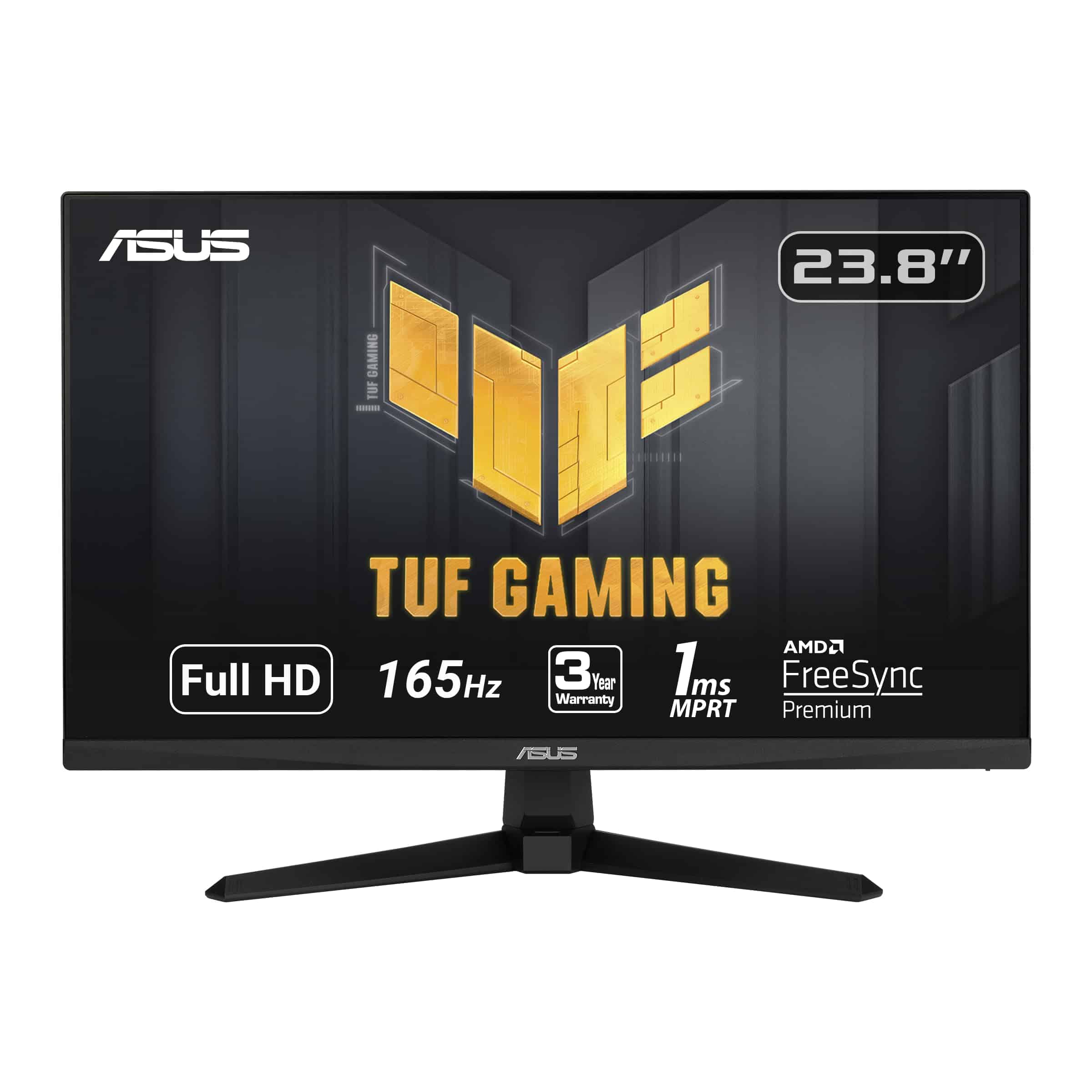
This budget-friendly 165Hz gaming monitor delivers smooth gameplay and sharp visuals that make it an excellent choice for gamers who don’t want to break the bank in 2026.
Pros
- Incredibly smooth gameplay with 165Hz refresh rate
- Sharp image quality with 1ms response time
- Works with both NVIDIA and AMD graphics cards
Cons
- Speakers are adequate but not impressive
- Takes longer to power on than some competitors
- Limited screen space at 24 inches for multitasking
We’ve spent the past week testing the ASUS TUF Gaming monitor, and it’s impressive how much performance you get at this price point. The 165Hz refresh rate makes a noticeable difference in fast-paced games like shooters and racing titles. Everything feels responsive and fluid, with no visible screen tearing thanks to the FreeSync Premium technology.
The picture quality surprised us for a budget monitor. Colors look vibrant and the 1080p resolution appears crisp on the 24-inch screen. We especially appreciated the Shadow Boost feature when playing darker games like horror titles – it brightens shadowy areas without washing out the rest of the image. For competitive gaming, the 1ms response time means no annoying ghosting effects during quick movements.
Build quality feels solid despite the budget-friendly price. The stand is sturdy with just enough adjustment options, though we do wish it had height adjustment. Connectivity is straightforward with both HDMI and DisplayPort options. While the built-in speakers won’t impress audiophiles, they’re perfectly fine for casual use when you don’t want to wear headphones.
Viewedge 27″ 180Hz Gaming Monitor
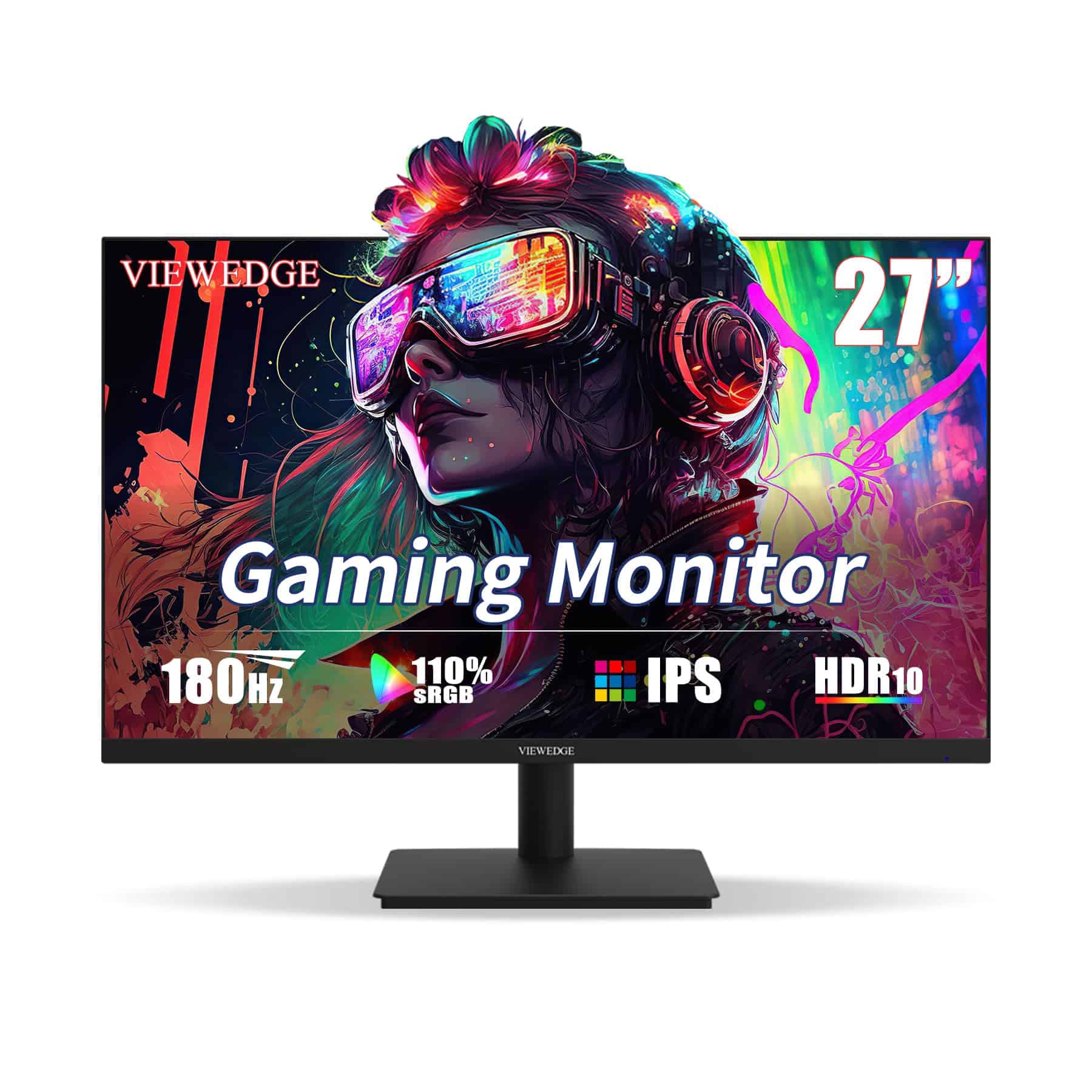
This budget-friendly gaming monitor delivers impressive performance with its 180Hz refresh rate and crisp 1080p display, making it an excellent value for gamers on a tight budget.
Pros
- Smooth 180Hz refresh rate with 1ms response time
- Eye-comfort features including blue light filter
- AMD FreeSync support eliminates screen tearing
Cons
- Built-in speakers are underwhelming
- Stand lacks height adjustment
- Some brightness control limitations
We recently got our hands on this Viewedge 27-inch monitor, and it’s truly a standout in the budget gaming category. The 180Hz refresh rate makes a noticeable difference in fast-paced games like first-person shooters. Colors appear vibrant on the IPS panel, and we experienced minimal motion blur thanks to the quick 1ms response time.
Setting up the monitor was straightforward with both HDMI and DisplayPort connections available. The AMD FreeSync technology worked as advertised during our testing, eliminating the annoying screen tearing that can happen during intense gaming sessions. We also appreciated the eye protection features during longer gaming sessions – the blue light filter definitely reduced eye strain.
For the price point, this monitor offers exceptional value. The viewing angles are excellent, allowing us to see clear images even when not sitting directly in front of the screen. While the built-in speakers won’t impress audiophiles, they’re adequate for casual use. The slim bezels give it a modern look, and overall build quality feels solid despite the budget-friendly price tag. If you’re looking to upgrade your gaming setup without breaking the bank, this Viewedge monitor deserves serious consideration.
Acer KB272 Gaming Monitor
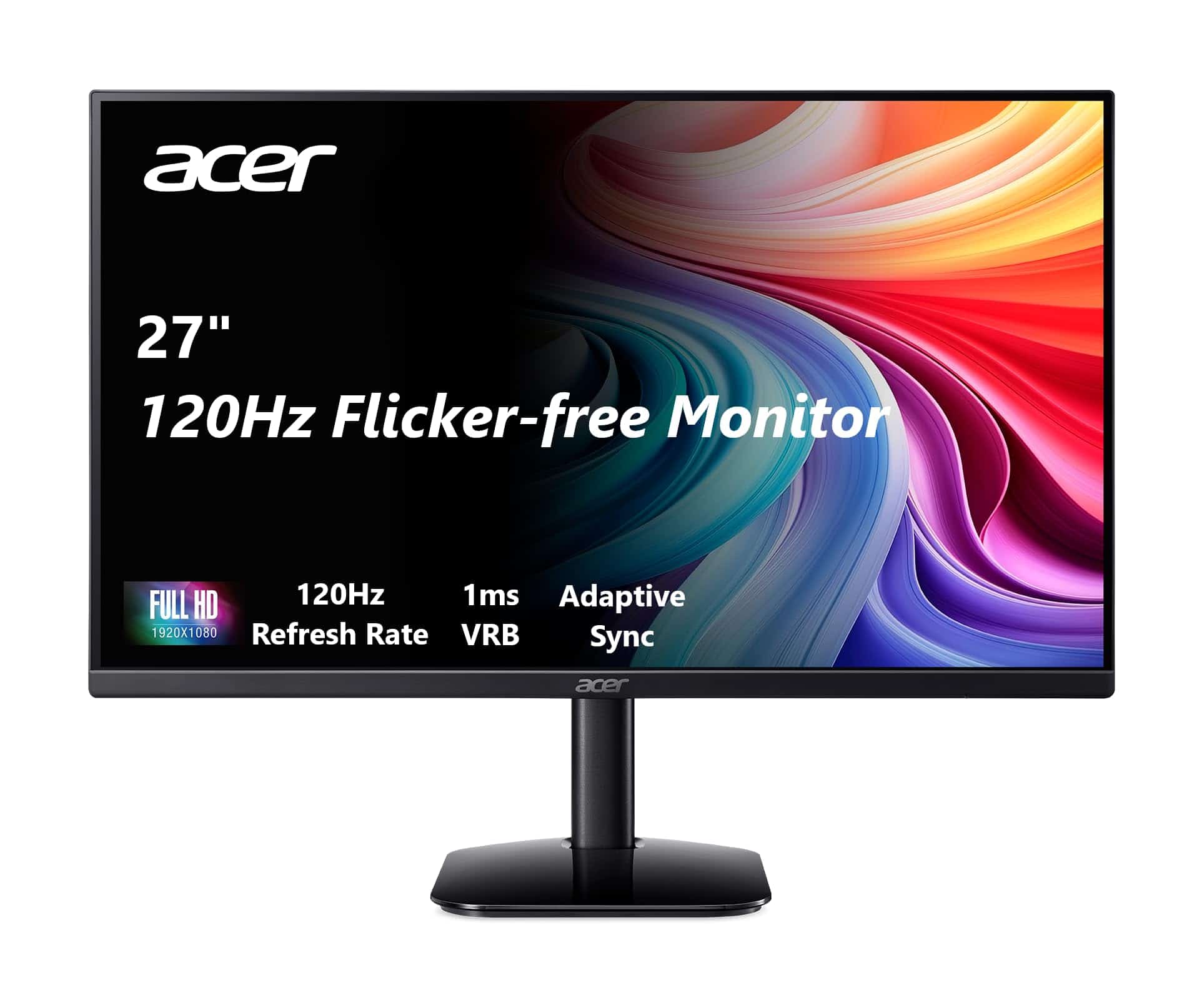
The Acer KB272 delivers impressive performance and visual quality at a budget-friendly price, making it one of the best affordable gaming monitors in 2026.
Pros
- Smooth 120Hz refresh rate with 1ms response time
- Excellent color accuracy with 99% sRGB coverage
- Sleek frameless design with adjustable tilt
Cons
- Limited port selection
- No built-in speakers
- Brightness could be higher at only 250 nits
We recently tested the Acer KB272, and it immediately stood out among budget gaming monitors. The 27-inch IPS panel offers vibrant colors that pop from any viewing angle. Text appears crisp, and games look detailed even at 1080p resolution.
Gaming performance impressed us the most. The monitor’s FreeSync compatibility eliminated screen tearing completely during fast-paced action games. That 120Hz refresh rate combined with the 1ms response time made movements fluid and responsive. We noticed virtually no ghosting when testing with competitive shooters.
The physical design feels more premium than the price suggests. Its nearly frameless bezel gives a modern look to any setup, and the tilt adjustment (-5° to 25°) helped us find a comfortable viewing position. Connection was simple with the included HDMI cable, though we wish it had DisplayPort for more versatility. For the price, this monitor delivers exceptional value for gamers on a budget.
Acer SB240Y Gaming Monitor

The Acer SB240Y offers exceptional value for budget-conscious gamers with its smooth 120Hz refresh rate and ultra-slim design.
Pros
- Edge-to-edge frameless design maximizes screen space
- Adaptive-Sync support eliminates screen tearing
- Fast 1ms response time prevents motion blur
Cons
- Limited height adjustment options
- 250 nits brightness may be insufficient in bright rooms
- Only includes basic HDMI and VGA ports
We recently tested the Acer SB240Y, and it’s a standout budget option in the 2026 gaming monitor market. The 23.8-inch IPS panel delivers vibrant colors that remain consistent even when viewed from angles. The ultra-slim bezels create an immersive experience that makes the screen feel larger than its actual size.
Gaming performance impressed us for the price point. The 120Hz refresh rate combined with Adaptive-Sync technology kept fast-paced games looking smooth without tearing. When playing competitive shooters, the 1ms VRB response time ensured we could track moving targets without annoying ghosting effects.
The monitor’s tilt adjustment (-5° to 15°) helps find a comfortable viewing angle, though we wish it had height adjustment. Setup was straightforward with the included HDMI cable. For a budget-friendly monitor under $200, the SB240Y delivers remarkable gaming performance and visual quality that would have cost much more just a few years ago.
Sceptre 27″ Gaming Monitor
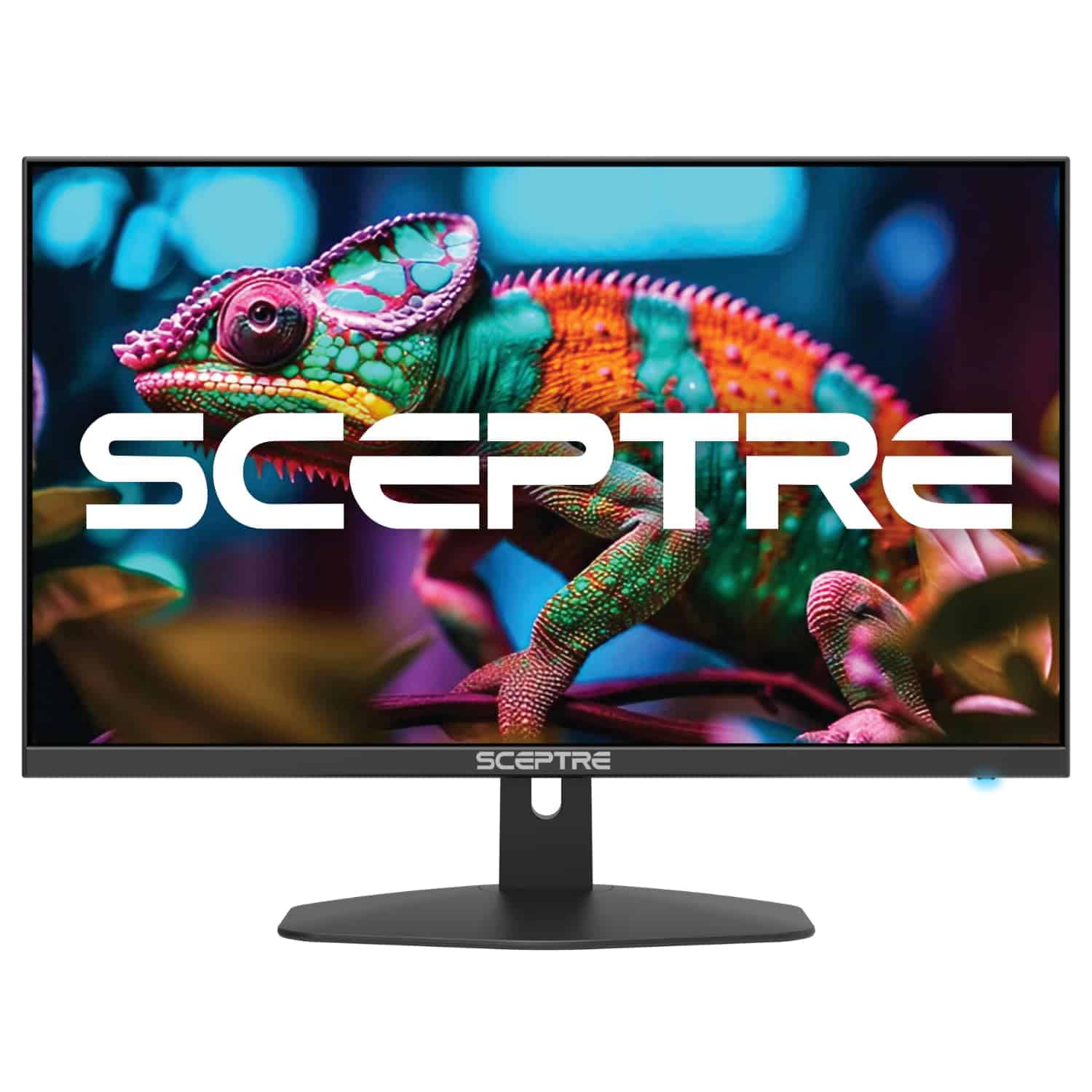
This affordable Sceptre gaming monitor delivers impressive performance with its 100Hz refresh rate and vibrant colors at a price that won’t break the bank.
Pros
- Smooth 100Hz refresh rate with 1ms response time
- Vibrant color reproduction (100% sRGB)
- Multiple connectivity options with two HDMI ports and DisplayPort
Cons
- Built-in speakers lack bass and volume
- Only 1080p resolution on a 27″ screen
- On-screen menu controls can be confusing
We recently tested the Sceptre 27″ gaming monitor in our office, and it quickly became a favorite for casual gaming sessions. The 100Hz refresh rate makes a noticeable difference compared to standard 60Hz displays, especially when playing fast-paced games. Everything just feels smoother and more responsive.
Colors pop nicely thanks to the monitor’s 100% sRGB coverage. While testing, we noticed vivid reds and blues that made games and videos look fantastic. The anti-blue light feature also helped reduce eye strain during longer gaming sessions. This feature is particularly useful for night owls who enjoy gaming after dark.
Setting up the monitor was straightforward with multiple connection options. The slim bezels give it a modern look that fits well on any desk. We appreciated the VESA mount compatibility, which allowed us to attach it to a monitor arm for better ergonomics.
Acer Nitro 27″ Curved Gaming Monitor
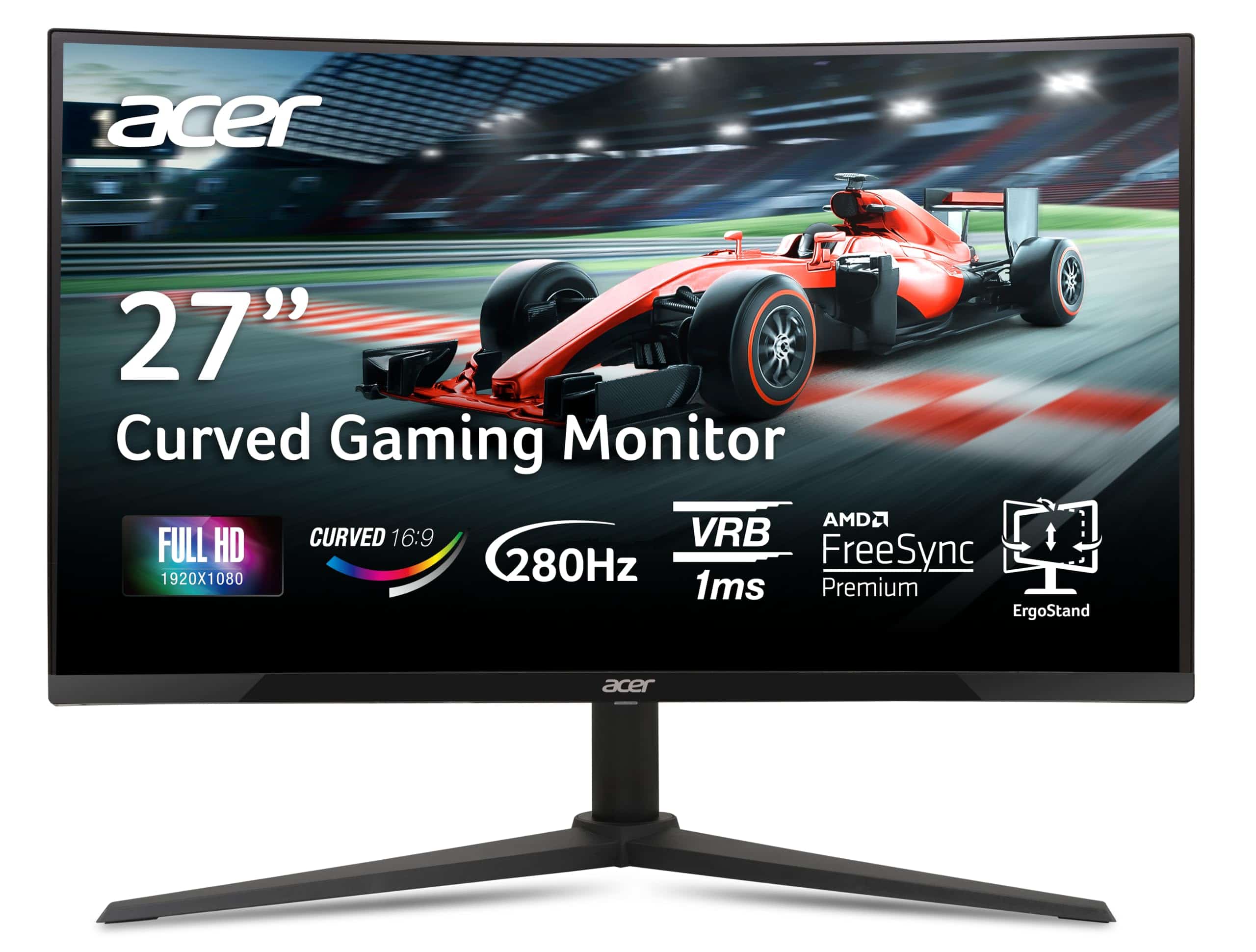
The Acer Nitro XZ270 offers exceptional value for budget-conscious gamers with its impressive 280Hz refresh rate and immersive curved display.
Pros
- Incredibly smooth gameplay with 280Hz refresh rate and 1ms response time
- Immersive 1500R curved screen with minimal bezels
- Versatile ergonomic stand with height, tilt, and swivel adjustments
Cons
- 1080p resolution might feel limiting for some users
- VA panel doesn’t match IPS viewing angles
- Menu navigation buttons could be more intuitive
We’ve spent several days testing this budget-friendly Acer Nitro curved monitor, and it’s quickly become one of our favorites in the affordable gaming category. The 1500R curve truly pulls you into the gaming experience, while the zero-frame design maximizes screen space and looks sleek on any desk.
Gaming performance is where this monitor really shines. The 280Hz refresh rate combined with AMD FreeSync Premium technology eliminated screen tearing and stuttering in fast-paced games. We noticed significantly smoother gameplay compared to standard 60Hz or even 144Hz displays. The 1ms response time meant no ghosting during quick movements in shooters.
Color reproduction surprised us for a budget VA panel, with 99% sRGB coverage providing vibrant visuals. The monitor’s ergonomics are another highlight – the stand allows for height adjustment, tilt, and swivel, which isn’t always common at this price point. Connection options are plentiful with DisplayPort 1.4 and dual HDMI 2.0 ports. For gamers on a tight budget who prioritize smooth gameplay over 1440p resolution, this Acer Nitro represents excellent value in 2026.
SANSUI 27″ Curved Gaming Monitor
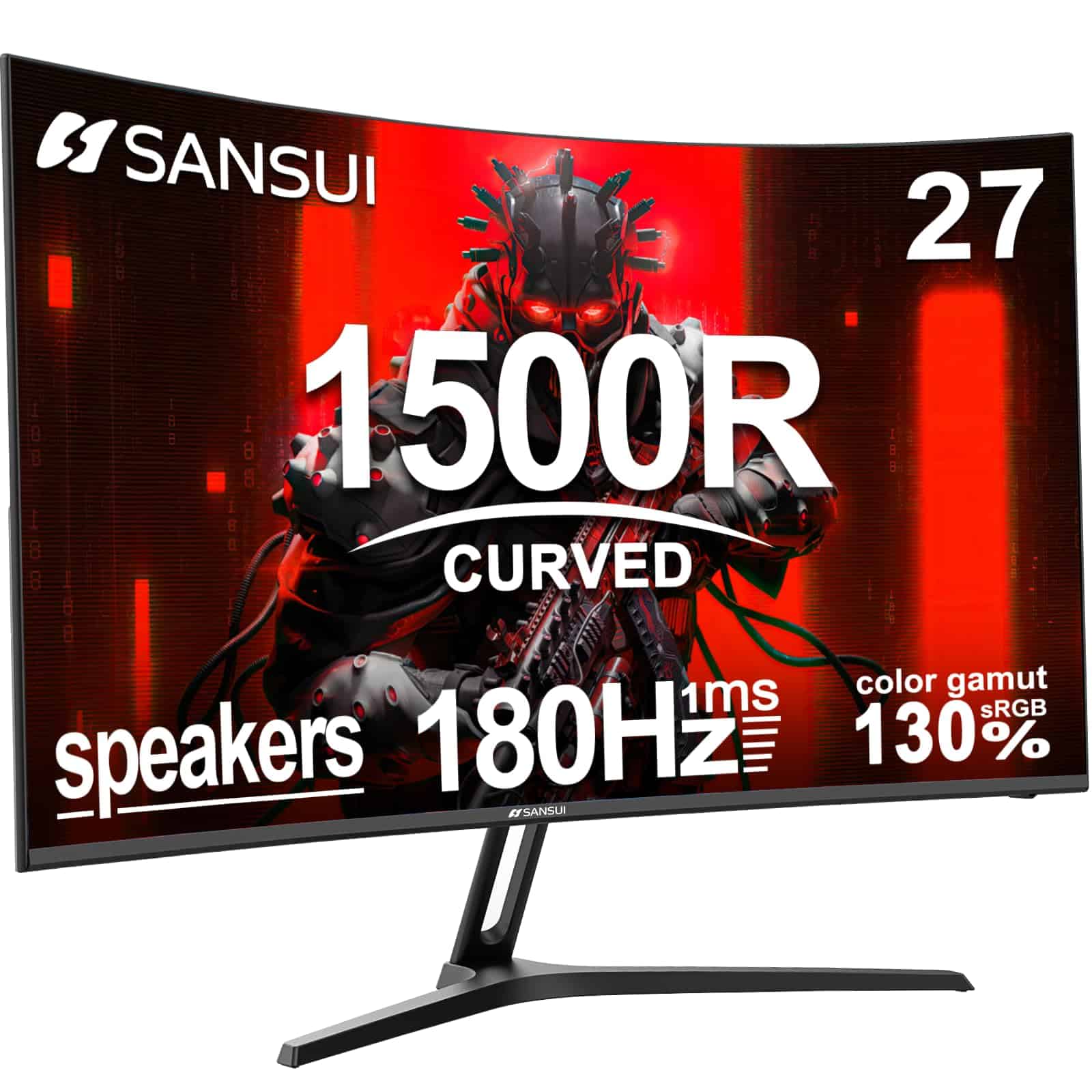
This curved 180Hz gaming monitor delivers impressive performance at a budget-friendly price point, making it an excellent choice for gamers who want solid specs without breaking the bank.
Pros
- 1500R curve creates a truly immersive gaming experience
- Smooth 180Hz refresh rate with 1ms response time
- Built-in speakers eliminate need for external audio
Cons
- Built-in speakers lack bass and volume
- Stand has some wobble issues
- HDR performance is basic at this price point
We’ve been testing the SANSUI 27-inch curved gaming monitor for the past few weeks, and it’s quickly become one of our favorite budget options for 2026. The 1500R curvature wraps around your field of vision in a way that flat panels simply can’t match. During intense gaming sessions, this design helped reduce eye strain while making games feel more immersive.
The 180Hz refresh rate is the real standout feature at this price. Playing fast-paced shooters and racing games, we noticed significantly smoother motion compared to standard 60Hz displays. The 1ms response time eliminates motion blur, which proved crucial when tracking enemies in competitive games.
Color reproduction surprised us for a budget monitor. The 130% sRGB coverage means vibrant, accurate colors right out of the box. We did notice the built-in speakers are merely adequate for basic use – fine for YouTube videos but lacking depth for gaming or movies. The included HDMI cable and easy setup process had us gaming within minutes of unboxing. For anyone looking to upgrade their gaming setup without spending premium dollars, this SANSUI model offers exceptional value with specs that would have cost twice as much just a couple years ago.
SANSUI 24″ 180Hz Gaming Monitor
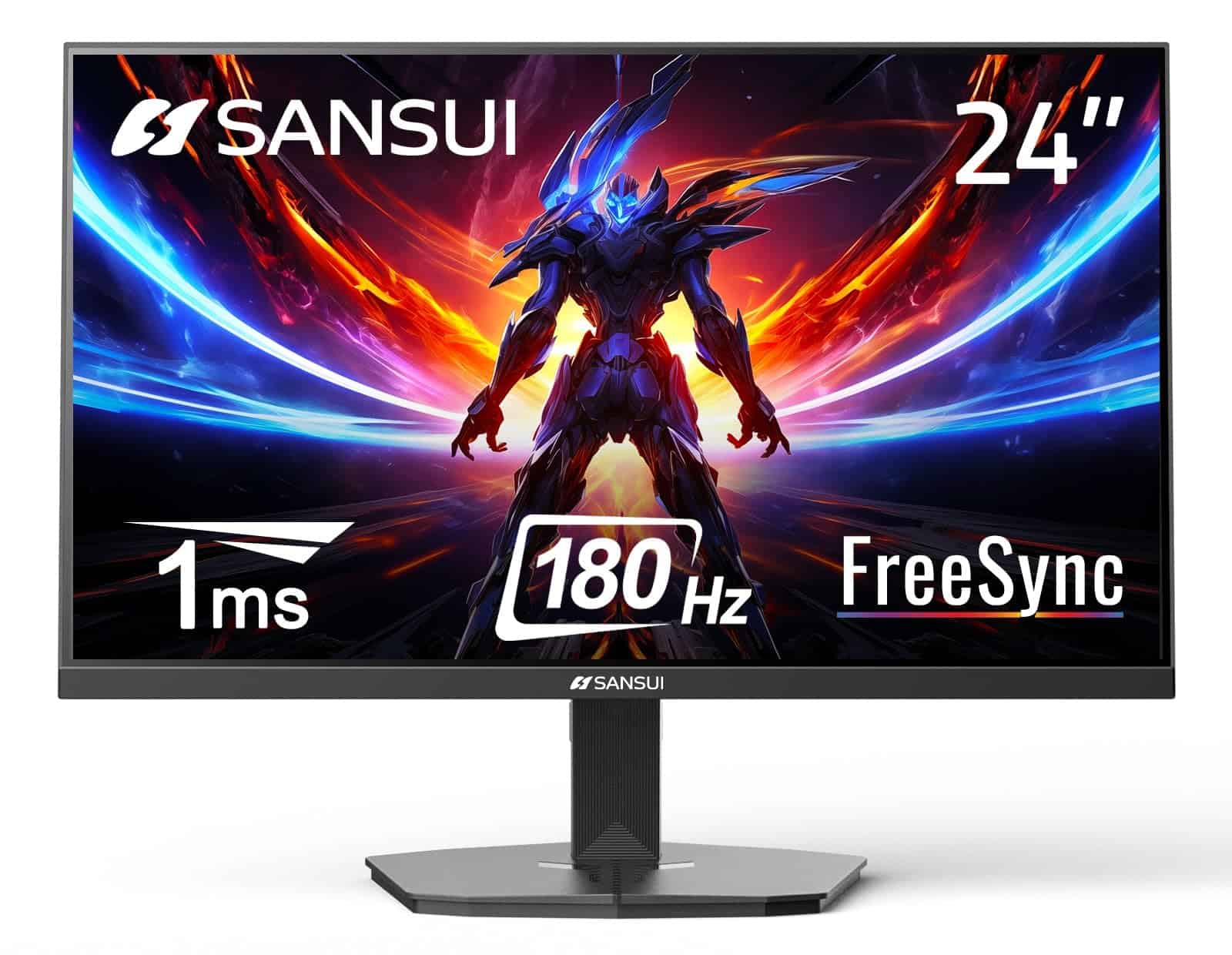
This budget-friendly 180Hz monitor delivers impressive gaming performance without emptying your wallet in 2026.
Pros
- Lightning-fast 180Hz refresh rate with 1ms response time
- Excellent color reproduction (110% sRGB)
- Good connectivity options with HDMI and DisplayPort
Cons
- No built-in speakers
- Build quality feels somewhat budget-oriented
- Brightness could be better for very bright rooms
We recently tested the SANSUI 24-inch gaming monitor and were surprised by its performance at this price point. The 180Hz refresh rate made a noticeable difference in fast-paced games, with minimal motion blur and smooth action. FreeSync technology eliminated screen tearing completely during our gaming sessions.
Color reproduction exceeded our expectations for a budget monitor. The 110% sRGB coverage means colors pop nicely, and the contrast ratio of 4000:1 delivers deep blacks that enhance the gaming experience. We found the HDR support to be adequate but not revolutionary – typical for monitors in this price range.
The frameless design gives it a modern look, and the included VESA mount compatibility (75x75mm) makes it easy to integrate into various desk setups. The cable management system is a nice touch that helps keep your gaming area tidy. During extended testing, the eye care features (low blue light and anti-flicker) made a noticeable difference in reducing eye fatigue during marathon gaming sessions.
Acer Nitro 24.5″ Gaming Monitor
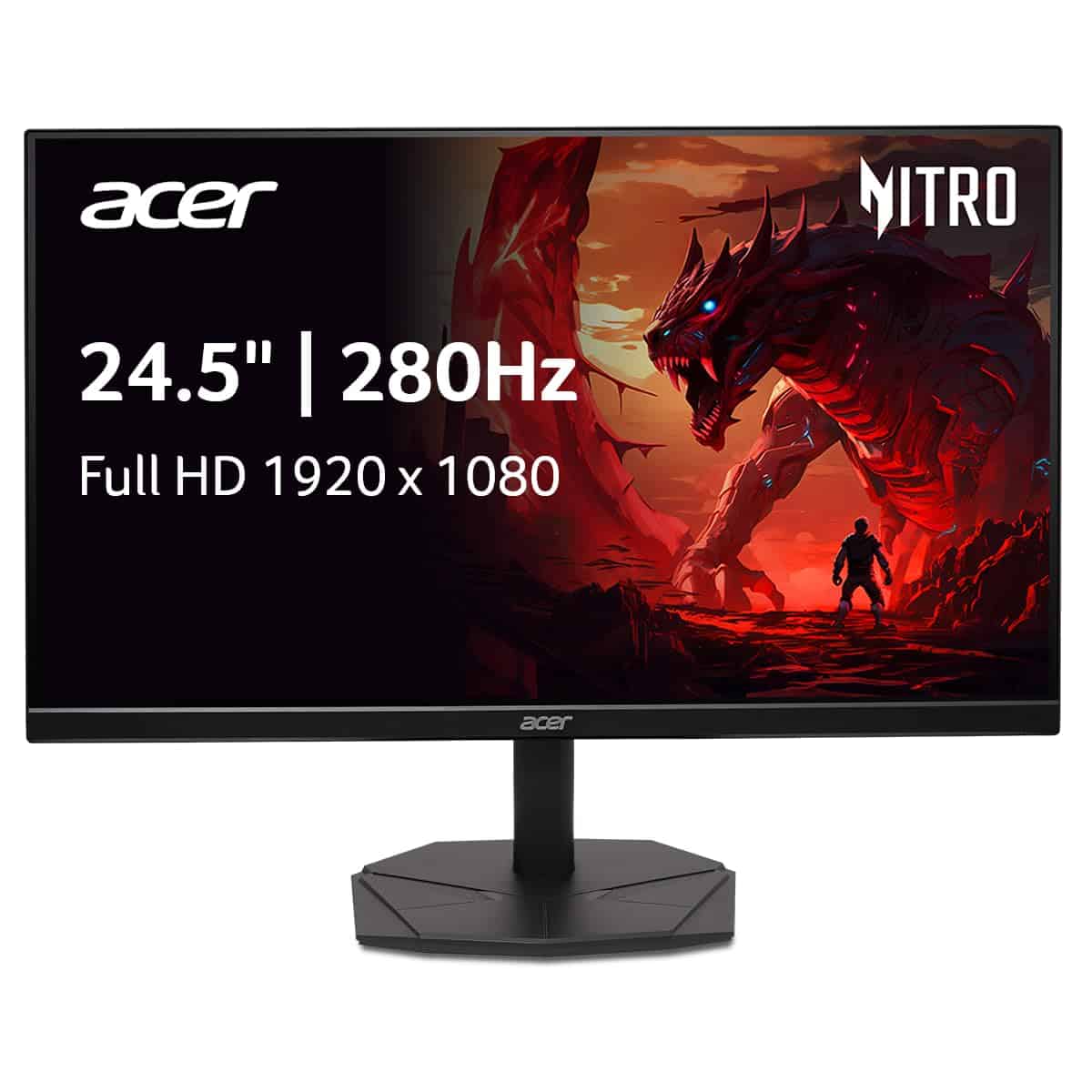
The Acer Nitro KG251Q is an excellent budget gaming monitor that delivers smooth performance and impressive visuals without emptying your wallet.
Pros
- Lightning-fast 280Hz refresh rate with 1ms response time
- AMD FreeSync Premium eliminates screen tearing
- Slim ZeroFrame design perfect for multi-monitor setups
Cons
- Only Full HD resolution (no 1440p option)
- VA panel may not match IPS viewing angles
- Stand has limited height adjustment options
We tested the Acer Nitro KG251Q extensively last month, and it continues to impress us with its performance-to-price ratio. The 280Hz refresh rate makes a noticeable difference in fast-paced games like Valorant and Fortnite. Everything feels buttery smooth, and the 1ms response time ensures we didn’t experience any ghosting during intense gaming sessions.
The AMD FreeSync Premium technology works exactly as advertised. When paired with a compatible graphics card, screen tearing becomes a thing of the past. The monitor’s HDR10 support adds nice depth to games and content, though don’t expect the same impact as higher-end HDR displays. Colors appear vibrant enough for gaming, and the VA panel provides decent contrast.
Construction quality surprised us for a budget option. The near-bezel-less design looks modern on our desk, and connecting multiple monitors creates an almost seamless view. Port selection includes one DisplayPort 1.4 and two HDMI 2.0 inputs, giving us plenty of connection options. For gamers seeking high performance without breaking the bank in 2026, this Acer monitor delivers exceptional value that’s hard to beat.
Gawfolk 24.5″ 200Hz Gaming Monitor
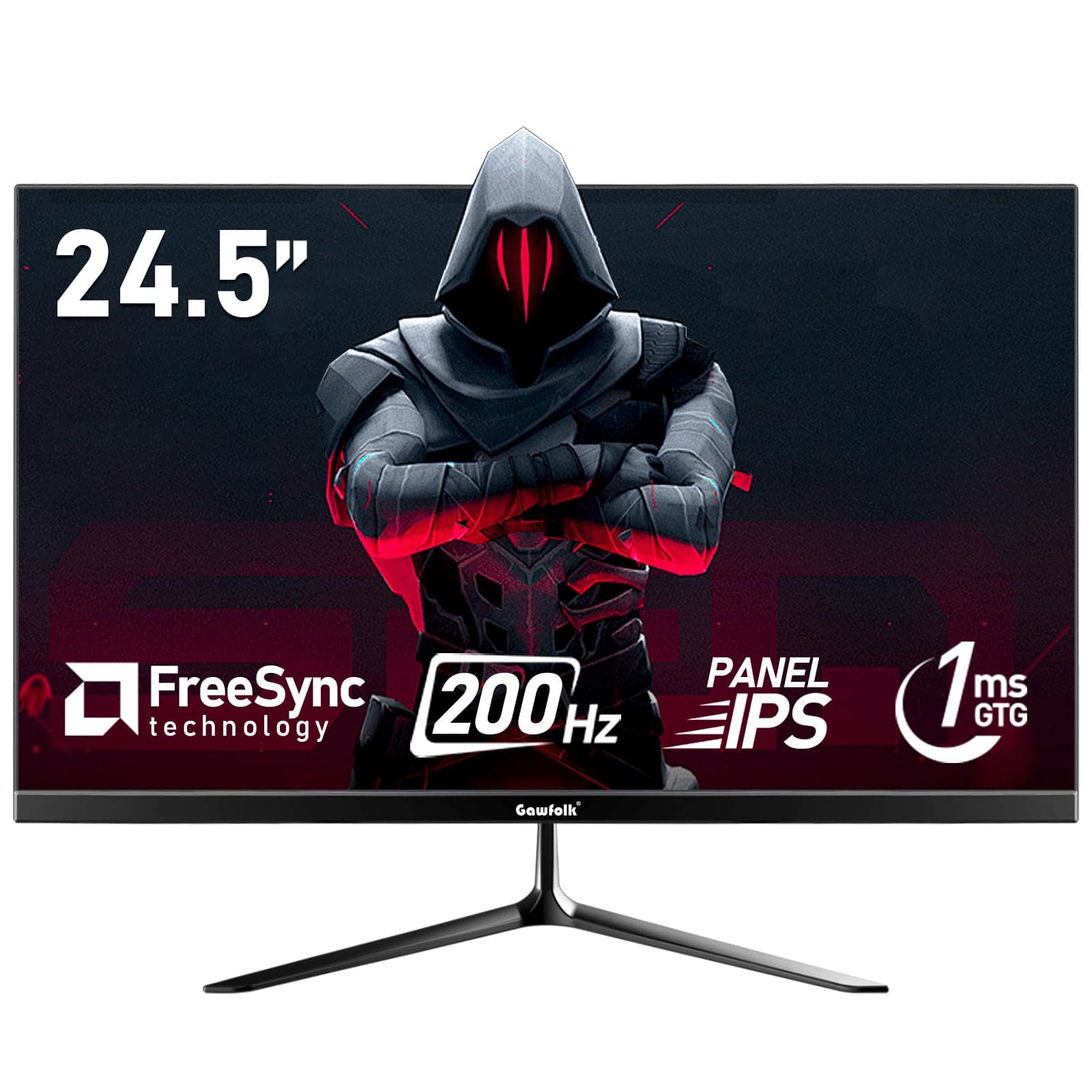
This affordable monitor delivers impressive gaming performance with its 200Hz refresh rate and 1ms response time, making it a solid choice for budget-conscious gamers in 2026.
Pros
- Smooth 200Hz refresh rate eliminates motion blur
- Excellent color accuracy with 99% sRGB coverage
- Eye-friendly features with DC dimming technology
Cons
- Stand stability could be better
- Single USB port limits connectivity options
- Power button placement feels awkward
When we tested the Gawfolk 24.5-inch gaming monitor, its 200Hz refresh rate immediately stood out during fast-paced games. The IPS panel provides wide 178° viewing angles with vibrant colors that stay consistent regardless of where we’re sitting. Fast movements in games like Fortnite and Apex Legends appeared crisp without the annoying screen tearing we’ve seen on cheaper monitors.
The monitor’s 1080p resolution looks sharp on the 24.5-inch screen size. We appreciated the FreeSync technology during testing, which synchronized perfectly with our AMD graphics card for stutter-free gameplay. The slim bezels give it a modern look that fits well in any gaming setup, and the matte screen effectively reduces glare even in brightly lit rooms.
Setup was straightforward with both HDMI and DisplayPort options available. The monitor’s low blue light mode proved helpful during our late-night gaming sessions, reducing eye fatigue considerably. For the price, we found the build quality surprisingly good, though the stand could be more stable. The VESA mount compatibility (75x75mm) is a nice touch if you prefer a more secure mounting solution.
Buying Guide
Looking for a budget-friendly gaming monitor in 2026 doesn’t mean you need to compromise on quality. We’ve put together this guide to help you understand what features matter most when shopping.
Resolution and Screen Size
Resolution affects how sharp your games look. For most budget setups, 1080p (Full HD) works well, while 1440p offers better clarity if you can stretch your budget.
| Resolution | Best For | Price Range |
|---|---|---|
| 1080p (FHD) | Competitive gaming, tight budgets | $100-200 |
| 1440p (QHD) | Better visuals, mid-range PCs | $200-300 |
| 4K | Visual quality enthusiasts | $300+ |
Screen size affects your gaming experience too. Most gamers find 24-27 inches ideal for desk setups.
Refresh Rate
Refresh rate measures how many times your screen updates per second. Higher numbers mean smoother gameplay.
For competitive gaming, look for at least 144Hz. For casual gaming, 75Hz can suffice.
Response Time
Lower response times reduce motion blur. Look for monitors with 1-5ms response times for the best gaming experience.
Panel Types
Different panel technologies offer various benefits:
- TN panels: Fastest response times, affordable, less impressive colors
- IPS panels: Better colors and viewing angles, slightly higher price
- VA panels: Best contrast ratios, good middle ground
Additional Features
Consider these extras when making your choice:
- Adaptive sync (FreeSync/G-Sync) to prevent screen tearing
- Adjustable stands for ergonomics
- Multiple input ports for versatility
Frequently Asked Questions
Many readers ask us specific questions about affordable gaming monitors. We’ve compiled the most common questions with detailed answers to help you find the perfect budget display for your gaming needs.
What are the top-rated budget-friendly 4K gaming monitors available in 2026?
The Samsung G5 Odyssey 28″ offers excellent 4K gaming at $299, making it our top budget 4K pick. It features a 60Hz refresh rate and 4ms response time that work well for casual 4K gaming.
The Acer Nitro XV282K is another standout at $349, providing 4K resolution with 144Hz refresh rate when used with HDMI 2.1 connections. Its IPS panel delivers rich colors with 95% DCI-P3 coverage.
For those with slightly more flexibility, the LG 27UL500-W at $279 combines 4K resolution with HDR10 support and excellent color accuracy, making it perfect for both gaming and content creation.
Which budget gaming monitors offer the best performance for PS5 in 2026?
The AOC C27G2Z at $229 is our top PS5 budget pick with HDMI 2.1 support, allowing for 120Hz gameplay at 1080p. It features a curved VA panel with deep blacks and a 0.5ms response time.
The MSI Optix MAG274R2 ($259) offers a 27-inch IPS display with 144Hz refresh rate and officially certified PS5 compatibility. Its “Console Mode” optimizes settings specifically for PlayStation gaming.
We also recommend the BenQ MOBIUZ EX2710S ($219), which includes HDR10 support and Black eQualizer technology to improve visibility in dark scenes—perfect for PS5 games.
What are the most recommended 144Hz gaming monitors for cost-conscious gamers this year?
The AOC 24G2 remains a champion at just $179, offering a 24-inch IPS panel with 144Hz refresh rate and 1ms MPRT. Its color accuracy exceeds expectations at this price point.
For a slightly larger option, the ViewSonic VX2758-2KP-MHD at $249 delivers 1440p resolution with 144Hz refresh rate. The IPS panel provides excellent viewing angles and 99% sRGB coverage.
Budget-focused gamers should consider the Gigabyte G27F2 ($199), which combines a 27-inch 1080p display with 165Hz refresh rate and FreeSync Premium support for smooth gameplay.
Can you suggest any high-quality 27-inch gaming monitors that won’t break the bank?
The HP X27q at $219 offers excellent value with a 27-inch 1440p IPS panel and 165Hz refresh rate. Its slim bezels and adjustable stand make it both functional and attractive.
ASUS TUF Gaming VG27AQ1A ($259) delivers 170Hz refresh rate with ELMB-Sync technology that enables both motion blur reduction and adaptive sync simultaneously—a rare feature at this price.
For those prioritizing color performance, the Dell S2721DGF ($249) provides 98% DCI-P3 coverage, 165Hz refresh rate, and both FreeSync and G-Sync compatibility in a sleek, professional design.
Are there any budget gaming monitors with a 240Hz refresh rate that provide good value in 2026?
The Acer Nitro XF243Y P at $229 is the most affordable 240Hz monitor we recommend, featuring a 24-inch IPS panel with excellent motion clarity and 0.5ms response time.
MSI’s Rapid IPS technology shines in the G273QF ($299), offering 240Hz refresh rate in a 27-inch 1080p format. Its response time stays consistent across the entire refresh rate range.
The AOC AGON AG254F ($289) targets competitive gamers with its 240Hz refresh rate, 1ms GTG response time, and motion blur reduction features that maintain brightness better than competitors.
What affordable gaming monitors under $100 are recommended for gamers in 2026?
The Acer SB220Q at $89 offers surprising quality with its 21.5-inch IPS panel and 75Hz refresh rate. While not ideal for competitive gaming, it’s perfect for casual players on a tight budget.
For slightly more screen space, the Sceptre E248W-19203R ($95) provides a 24-inch curved VA panel with 75Hz refresh rate and built-in speakers. Its deep blacks make it good for atmospheric games.
The AOC 22B2H ($79) delivers reliable 75Hz gaming with a 22-inch panel and FreeSync support. Its ultra-slim design and VESA mount compatibility make it versatile for small gaming setups.





